Fsharp: The latest version of FSharp.Core 4.3.4 NuGet package contains unsigned FSharp.Core.dll
As I understand, the 4.3.4 package was re-uploaded 20th April:

And now it contains unsigned FSharp.Code.dll
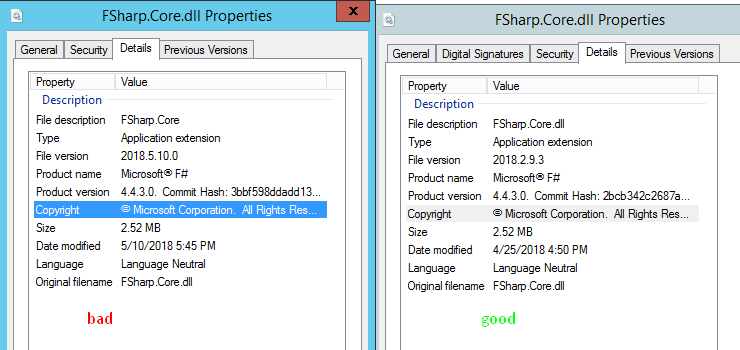
Which causes the following error on Windows Server 2012R2:
Unhandled Exception: System.IO.FileLoadException: Could not load file or assembly 'FSharp.Core, Version=4.4.3.0, Culture=neutral, PublicKeyToken=b03f5f7f11d50a3a' or one of its dependencies. Strong name validation failed. (Exception from HRESULT: 0x8013141A) ---> System.Security.
SecurityException: Strong name validation failed. (Exception from HRESULT: 0x8013141A)
   --- End of inner exception stack trace ---
   at Program.main(String[] args)
 vasily-kirichenko
All 14 comments
A work around:
reg DELETE "HKLM\Software\Microsoft\StrongName\Verification" /f
reg ADD "HKLM\Software\Microsoft\StrongName\Verification\*,*" /f
reg DELETE "HKLM\Software\Wow6432Node\Microsoft\StrongName\Verification" /f
reg ADD "HKLM\Software\Wow6432Node\Microsoft\StrongName\Verification\*,*" /f
What I don't understand is why there are four different dates:
- The date shown in the NuGet website screenshot i.e. sometime in February 2018.
- The File Explorer date of 19th April.
- Another one with Date Modified of 25th April.
- Yet another one with Date Modified 10th May.
This would suggest (and I might be completely wrong here) that this wasn't a one-off but actually happened several times?
 isaacabraham
on 15 May 2018
isaacabraham
on 15 May 2018
I strongly suspect the 4.3.4 version of the package has been uploaded several times, with different FSharp.Core.dll inside. It must not be done, ever. Packages must be immutable.
@dsyme
vasily-kirichenko
on 15 May 2018
time to implement hashes in paket.lock
 forki
on 15 May 2018
forki
on 15 May 2018
I just downloaded the fsharp.core.4.3.4.nupkg package from the NuGet gallery and opened it with 7zip (which shouldn't modify any dates).
This is what it looks like here (in CEST):
The NuGet gallery says 2018-02-12T18:45:53Z
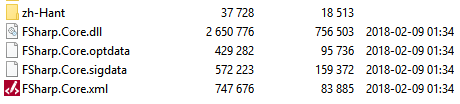

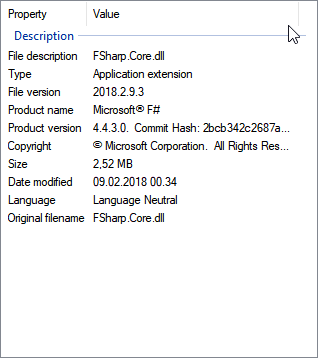
As you can see, it shows the same File Version as the "good" example above (2018.2.9.3).
I haven't tested the DLL, but to me, these dates look perfectly reasonable.
 khellang
on 15 May 2018
khellang
on 15 May 2018
@khellang what if you create a project and perform paket update --force and then explore the package in packages dir?
vasily-kirichenko
on 15 May 2018
I've confirmed the same thing:
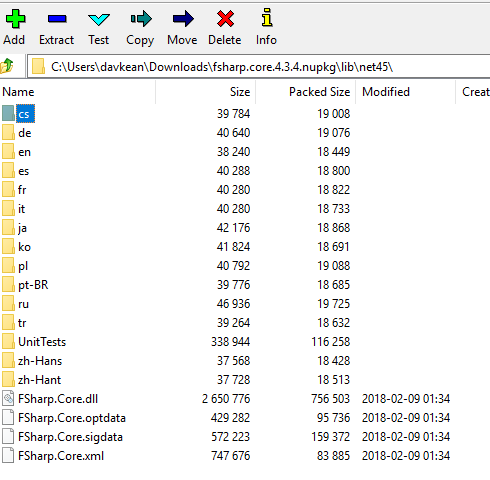
> sn -vf fsharp.core.4.3.4\lib\net45\FSharp.Core.dll

Microsoft (R) .NET Framework Strong Name Utility  Version 4.0.30319.0
Copyright (c) Microsoft Corporation.  All rights reserved.

Assembly 'C:\Temp\FSharp\fsharp.core.4.3.4\lib\net45\FSharp.Core.dll' is valid
 davkean
on 15 May 2018
davkean
on 15 May 2018
so the question is: where does this package come from?
forki
on 15 May 2018
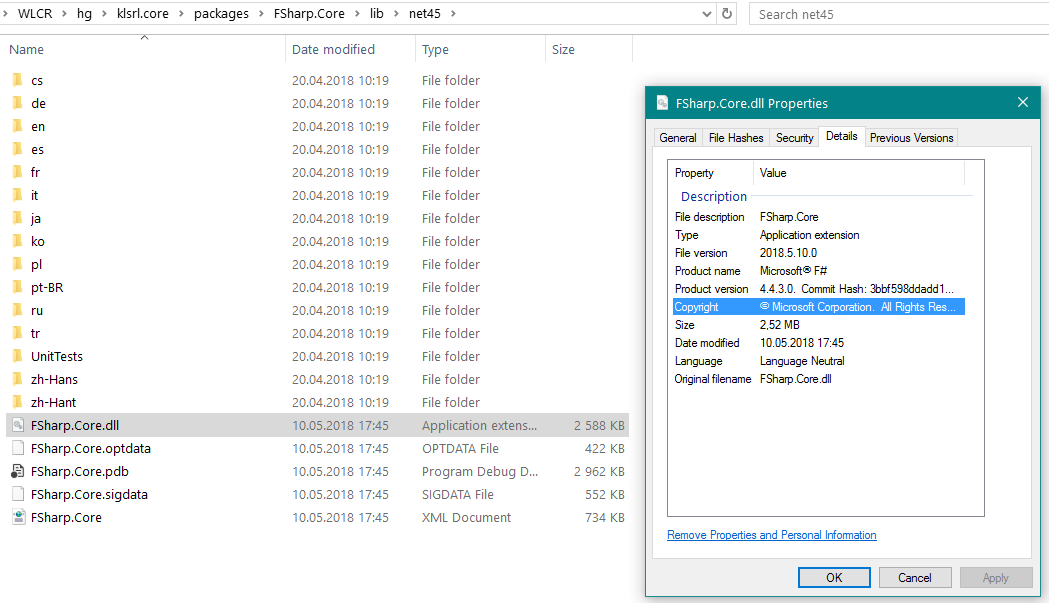
vasily-kirichenko
on 15 May 2018
@forki yes :(
vasily-kirichenko
on 15 May 2018
I've remembered. I've put FSharp.Core.xxx there to test @dsyme async stack traces on prod. Wow. Sorry, guys :(
vasily-kirichenko
on 15 May 2018
lol
still: we should put hashes into lock files...
forki
on 15 May 2018
Yes, I agree. I'm for SHA-256.
vasily-kirichenko
on 15 May 2018
I could try to revive my old PR, again. Maybe the mono/netcore inconsistencies I saw in the past have worked themselves out
 baronfel
on 15 May 2018
baronfel
on 15 May 2018
Related issues
 dhwed
·
3Comments
dhwed
·
3Comments
 Tarmil
·
4Comments
vasily-kirichenko
·
3Comments
Tarmil
·
4Comments
vasily-kirichenko
·
3Comments
 abelbraaksma
·
3Comments
abelbraaksma
·
3Comments
 ctaggart
·
3Comments
ctaggart
·
3Comments
Most helpful comment
time to implement hashes in paket.lock