Fsharp: With autocompletion turned off, double '.' triggers autocompletion and space commits it
When editing code I find VS2017 very often changes the correct code that I type into nonsensical garbage.
Repro steps
Stock VS2017 15.4.0 or 15.4.1. Everything turned off in Options->Text Editor->F#->IntelliSense. New F# console app. One empty Program.fs. Type this:
[], [ for x in 1..10 -> x ]
Then go into the empty list on the left and add this:
[ for i in 1..10 ], [ for x in 1..10 -> x ]
As soon as I hit space after "10" it replaces 10 with log10.
If I turn on "Show completion list after a character is typed" then the problem becomes much worse because almost every keypress is autocompleted into nonsensical garbage and Visual Studio is basically useless. For example, just typing "g " into an empty program replaces the "g" with "global" which is (I guess?) an unused reserved keyword.
Expected behavior
Visual Studio should never alter the code that I type unless I explicitly ask it to by, for example, selecting an alternative from an Intellisense drop down. Completions should only be listed if they share a prefix (e.g. being with 10) and not any substring (as in log10). Completions should only auto-appear when I press "." and no other key unless I specifically request them via CTRL+J.
Actual behavior
As soon as I hit space after "10" it replaces 10 with log10.
Known workarounds
"Hit escape every other keystroke. Works every time and is super intuitive!" --
https://twitter.com/neildanson/status/921475065119674369
 jdh30
jdh30
All 29 comments
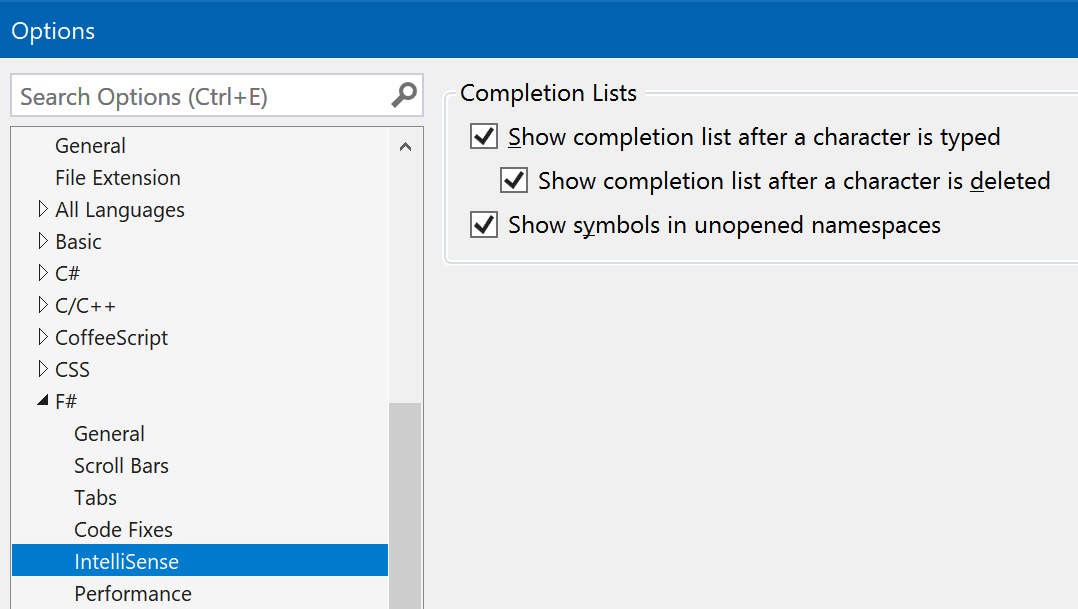
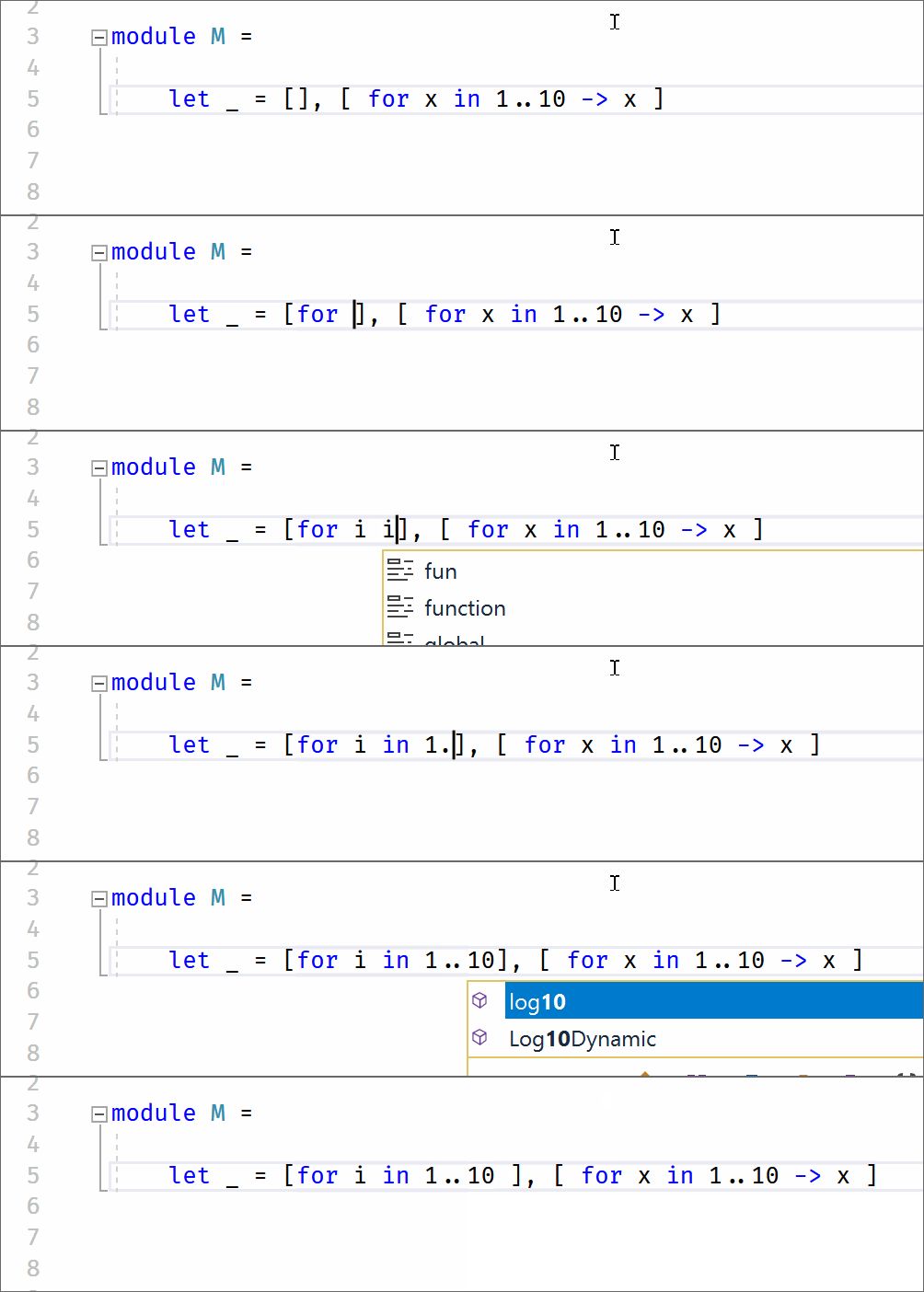
(a space is typed at the end)
Apparently, it's fixed in master. Try nightly VFT, see instructions here https://blogs.msdn.microsoft.com/dotnet/2017/03/14/announcing-nightly-releases-for-the-visual-f-tools/ It's a two-minutes deal and its' completely safe - you can uninstall it anytime in a second.
 vasily-kirichenko
on 30 Oct 2017
vasily-kirichenko
on 30 Oct 2017
For example, just typing "g " into an empty program replaces the "g" with "global" which is (I guess?) an unused reserved keyword.
Yes, global is a keyword and yes, VFT autocompletes keywords now.
vasily-kirichenko
on 30 Oct 2017
Oh, I can reproduce it having autocomplete turned off:
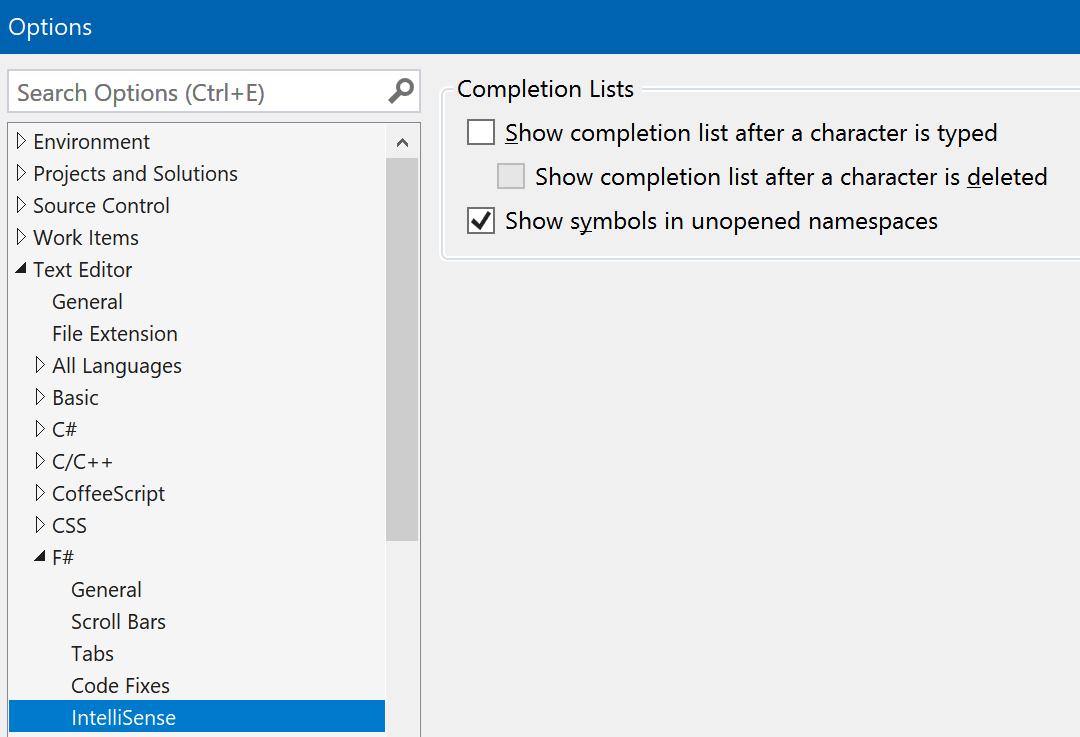
It's reproduced after double dot only, however. Will fix it.
vasily-kirichenko
on 30 Oct 2017
@jdh30 Can you send a screencap showing this?
If I turn on "Show completion list after a character is typed" then the problem becomes much worse because almost every keypress is autocompleted into nonsensical garbage and Visual Studio is basically useless.
There's a bug where, if it's turned _off_, it will commit autocompletion on space. But if this setting is turned on, it does not commit on space. If you're referring to committing on ] or |, then that is something which has recently been fixed and won't be available until 15.5.
 cartermp
on 30 Oct 2017
cartermp
on 30 Oct 2017
Changed title to reflect the specific issue
cartermp
on 30 Oct 2017
Partially fixed in https://github.com/Microsoft/visualfsharp/pull/3846
vasily-kirichenko
on 30 Oct 2017
The new title is very specific and only covers a subset of these problems (which afflict everything under all circumstances). Shall I file separate issues for other seemingly-related bugs like the "g " bug that autocompletes to "global " when autocompletion is turned on?
jdh30
on 30 Oct 2017
"But if this setting is turned on, it does not commit on space."
Oh yes it does. See the "repro" steps in this bug and try it. The behaviour is completely broken on all of our machines under all circumstances (autocompletion either on or off) with both versions of VS listed. Two other companies have told me they have the same behaviour (see the "workaround").
I have never observed VS2017 honoring any of these characters that aren't supposed to commit. I tested them all explicitly and they all commit including SPACE.
Note that I have never had this problem with any previous version of VS, only VS2017.
jdh30
on 30 Oct 2017
@jdh30
Shall I file separate issues for other seemingly-related bugs like the "g " bug that autocompletes to "global " when autocompletion is turned on?
Yes, please do file a bug for each specific instance you notice where it is committing autocompletion when you believe it should not. Please also share the version of the Visual F# tools you are observing this on. That will help us determine if it's already been fixed or not.
I have never observed VS2017 honoring any of these characters that aren't supposed to commit. I tested them all explicitly and they all commit.
Neither myself nor @vasily-kirichenko can reproduce this. Can you please share a screencap which shows characters from noCommitChars _committing_ autocompletion?
In older versions of VS 2017 15.2, autocompletion was committing far more often due to #2963 and #3050 not being released. Is feedback you've observed based on those older versions of VS, or the current version?
cartermp
on 30 Oct 2017
I'm just trying to install some screen capture to GIF software (any recommendations?).
I am observing this on both 15.4.0 and 15.4.1 right now but (IIRC) VS2017 has always been like this so maybe back to 15.2 too.
jdh30
on 30 Oct 2017
I'd suggest Licecap. Dead-simple to use.
cartermp
on 30 Oct 2017
@jdh30 I think I've fixed it in https://github.com/Microsoft/visualfsharp/pull/3846, please try it when it's built.
vasily-kirichenko
on 30 Oct 2017
Here is an example with "Show completion list after a character is typed" off:
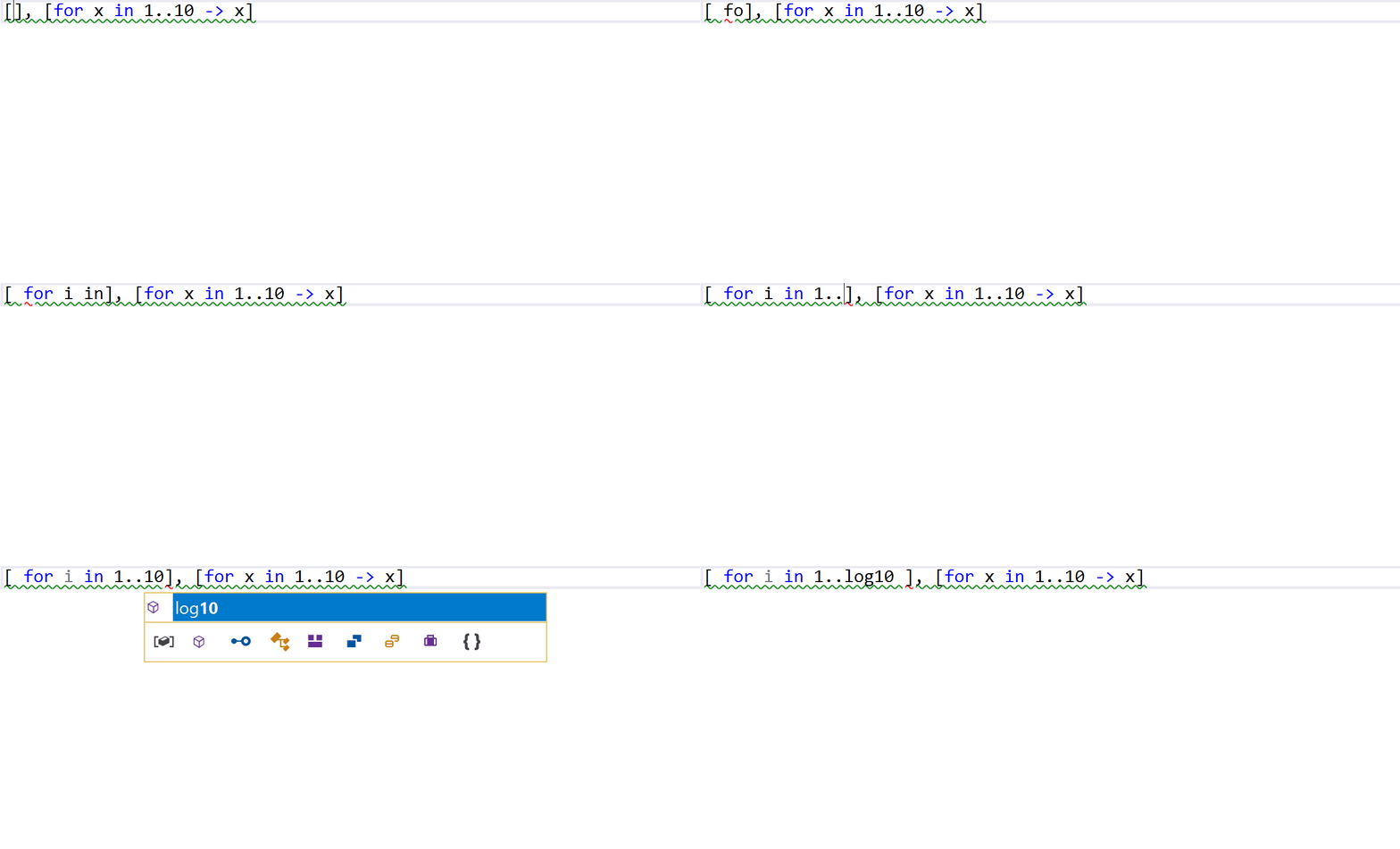
And here is another example with autocomplete on:
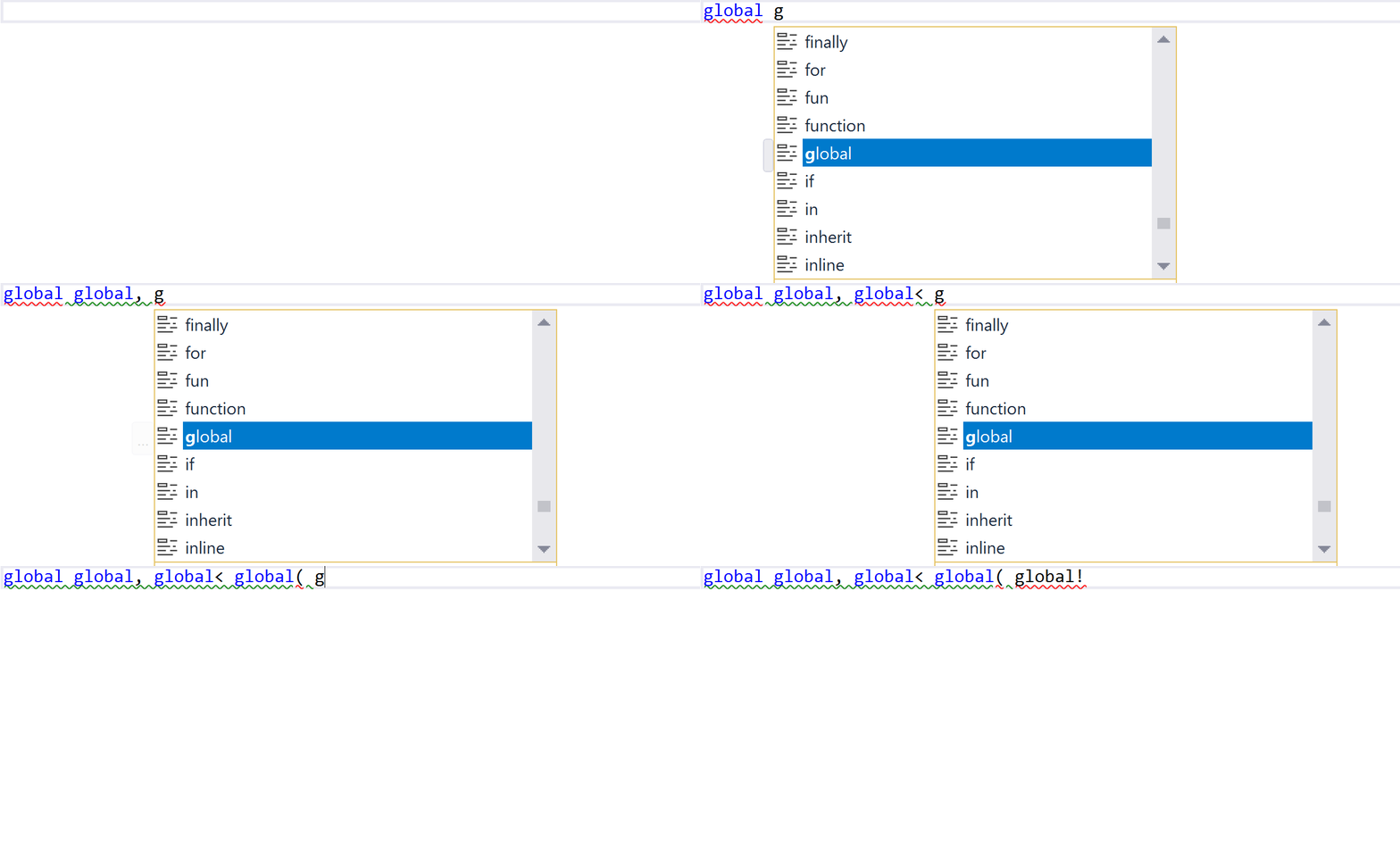
As you can see it isn't honoring those special characters at all!
Interestingly, I just noticed it only happens for certain previous inputs (e.g. "g" for "global") but not others.
jdh30
on 30 Oct 2017
@jdh30 Could you try https://ci2.dot.net/job/Microsoft_visualfsharp/job/master/job/release_ci_part1_windows_nt_prtest/4477/artifact/release/net40/bin/VisualFSharpOpenSource.vsix?
Just run it and it'll install Visual F# Tools, not touching F# SDK (the compiler, msbuild targets, etc). You will able to uninstall it anytime in 10 seconds with C:\Program Files (x86)\Microsoft Visual Studio\2017\Enterprise\Common7\IDE>vsixinstaller /u:VisualFSharp command.
vasily-kirichenko
on 30 Oct 2017
@jdh30 Thanks. #3846 does appear to fix the two issues you've shown:
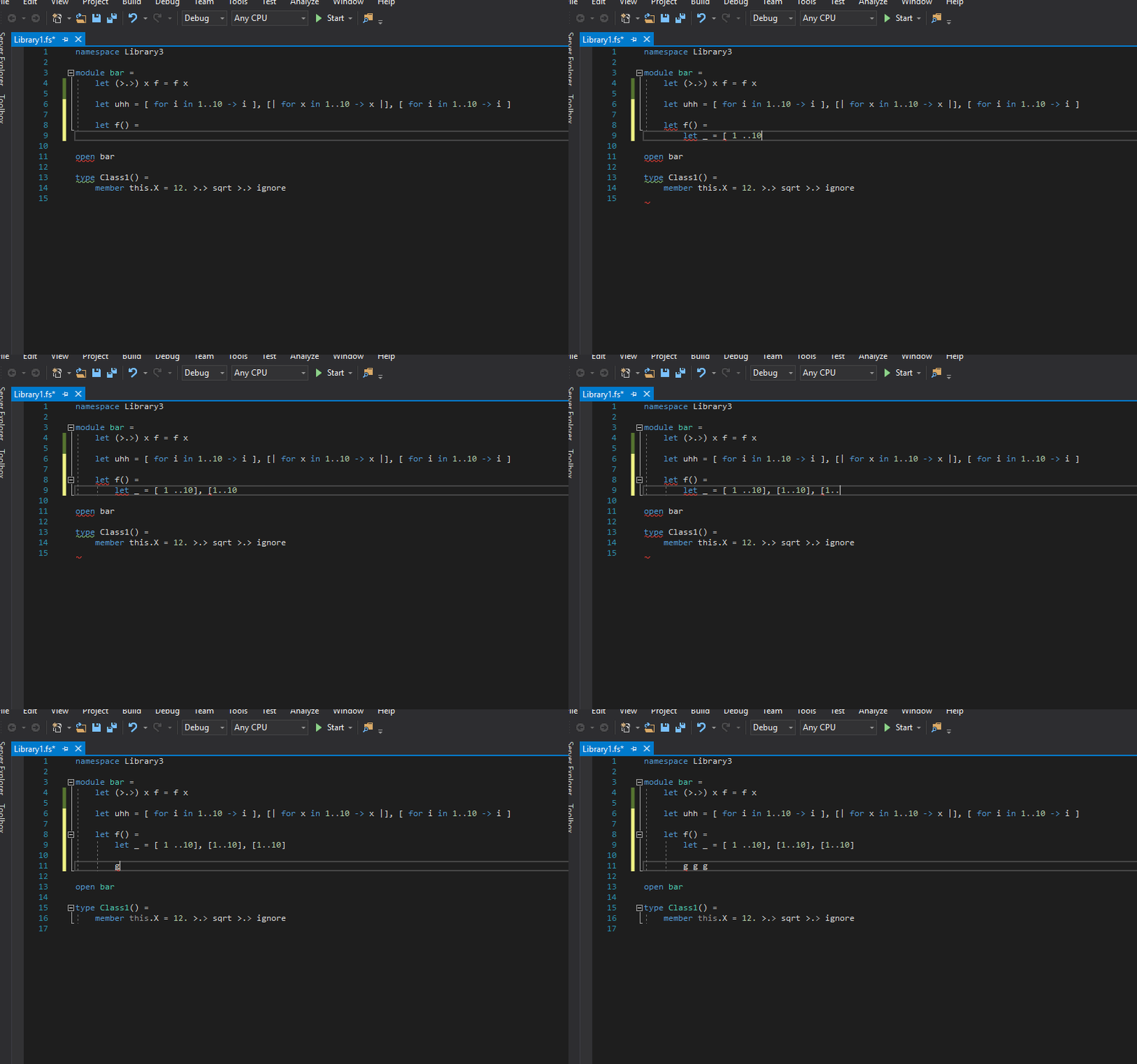
(Note that the completion list at the end is only after hitting Ctrl+Space to trigger completion.)
I did notice that hitting space _after_ triggering the completion list manually did result in that getting committed. This is because that array of non-commit characters are used with autocompletion is turned on (see the else clause in this line). I'm not sure if that's unexpected, given that I manually triggered the completion list. What are your thoughts?
cartermp
on 30 Oct 2017
@vasily-kirichenko I installed your VSIX but now get this when I try to open my project:
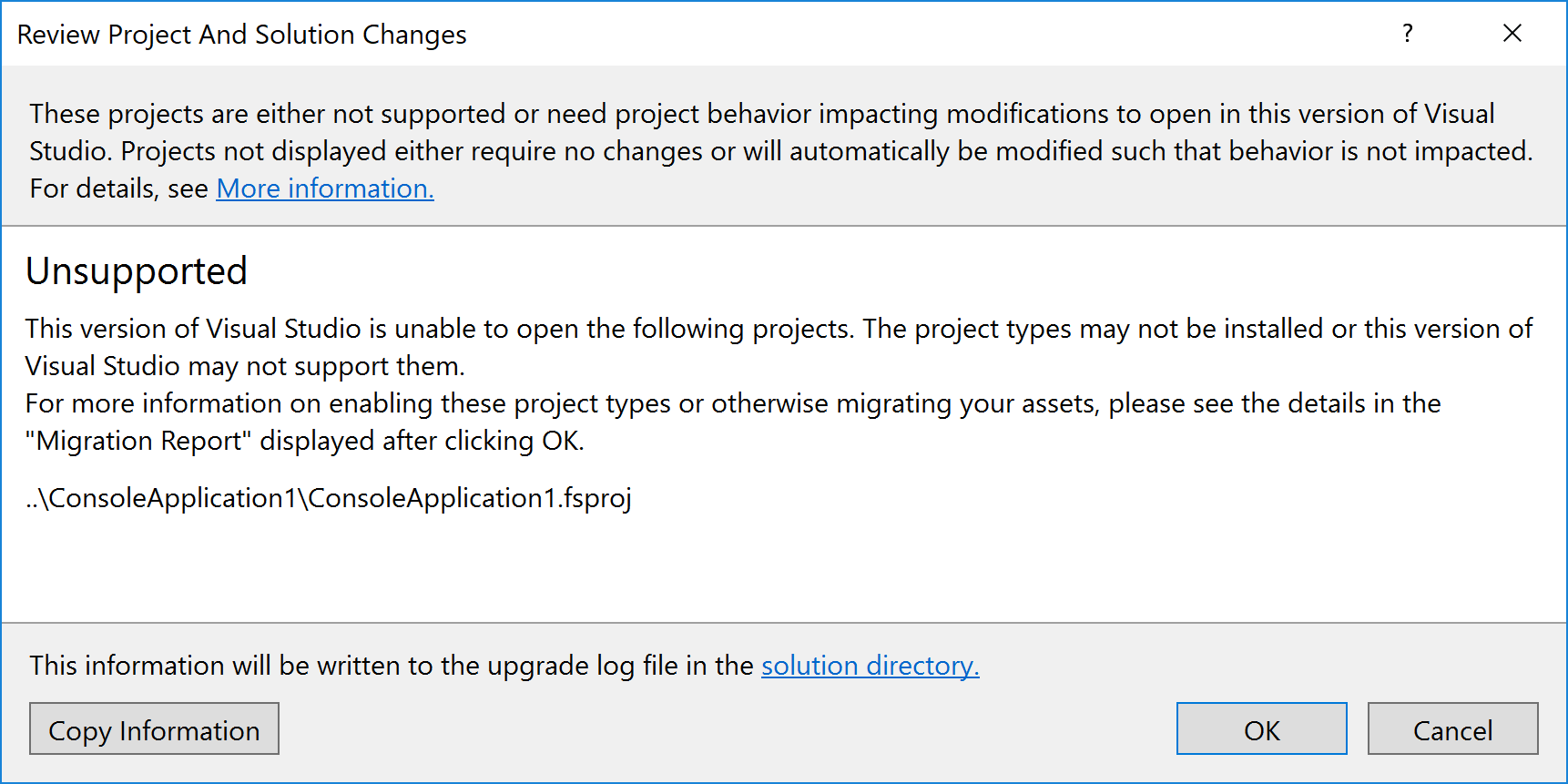
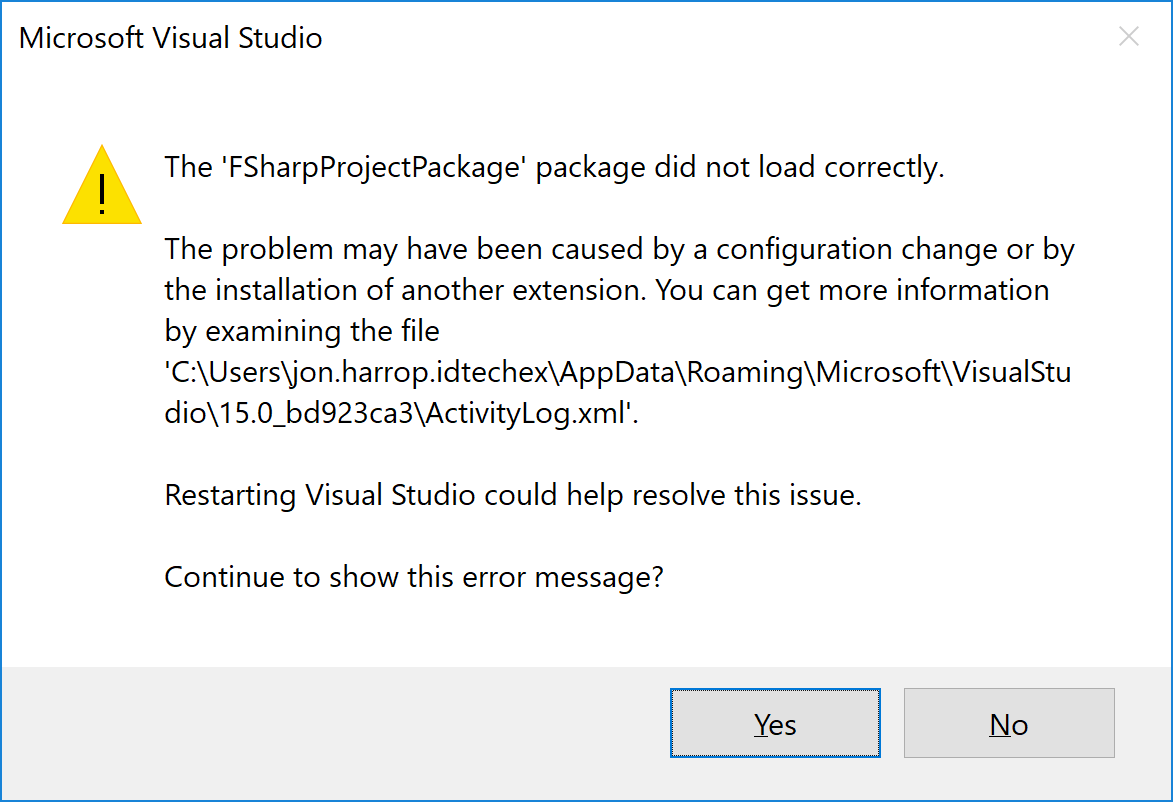
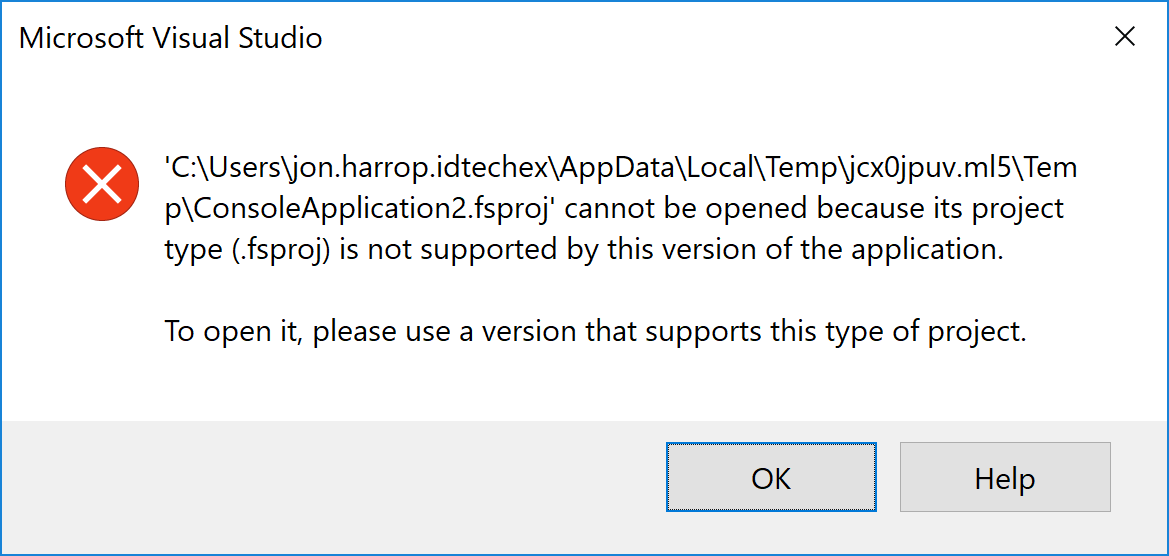
jdh30
on 30 Oct 2017
@jdh30 You may need to use VS 2017 15.5 Preview 2 (it's the latest available Preview) to test the VSIX. I haven't tried to install a manual VSIX into 15.4.1, but I suspect that this is the issue, since there were setup changes from 15.4.1 and 15.5.
cartermp
on 30 Oct 2017
@jdh30 you did not uninstall the bundled Visual F# Tools, didn’t you? You should not. Just install the oss vsix. If you did uninstall vft, restore VS installation first, then install the vsix again.
vasily-kirichenko
on 30 Oct 2017
@cartermp wow :(
vasily-kirichenko
on 30 Oct 2017
I did not uninstall the bundled Visual F# Tools.
Uninstalling using your command line fails with:
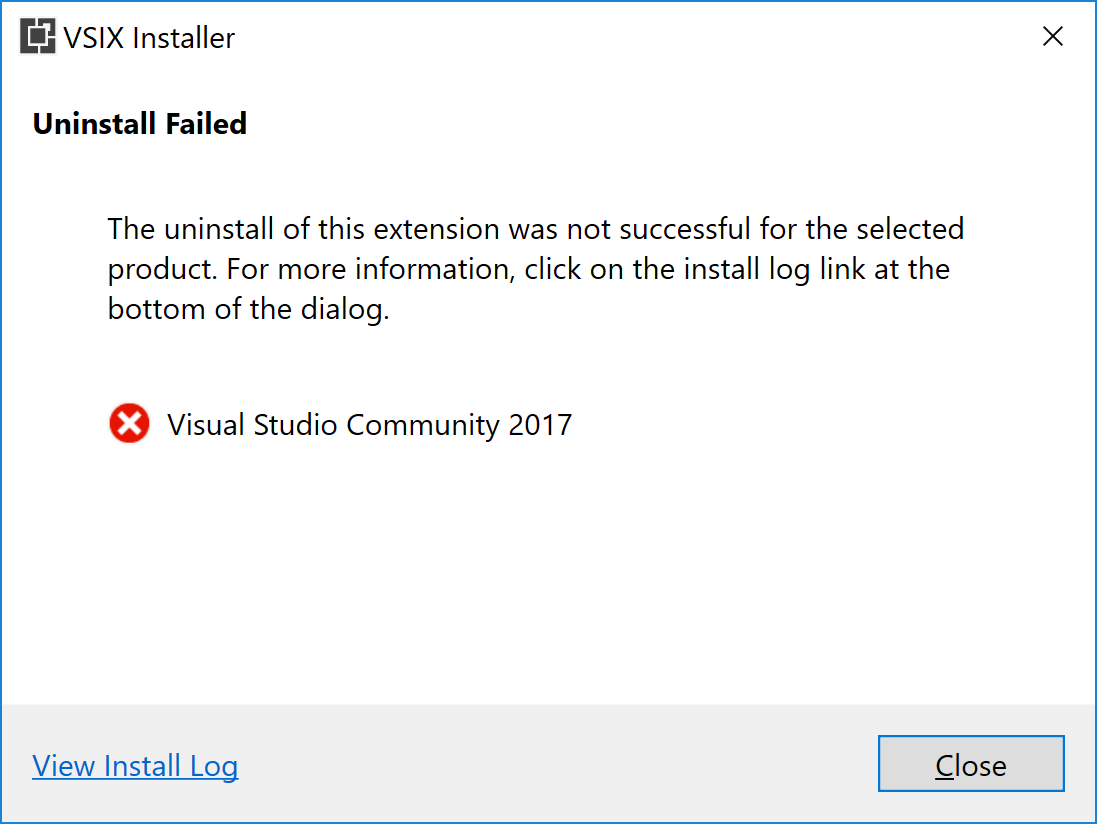
The log says:
30/10/2017 20:39:44 - System.InvalidOperationException: Uninstall of Visual F# Tools failed. To uninstall this extension please uninstall all of the following components: F# language support
at Microsoft.VisualStudio.ExtensionManager.ExtensionEngineImpl.PerformSetupEngineUnInstall(IInstalledExtension extension, Boolean downgrade)
at Microsoft.VisualStudio.ExtensionManager.ExtensionEngineImpl.UninstallInternal(IInstalledExtension extension, Boolean forceDelete, Version targetedVSVersion, Boolean downgrade)
at Microsoft.VisualStudio.ExtensionManager.ExtensionEngineImpl.Uninstall(IInstalledExtension extension, Version targetedVSVersion)
at VSIXInstaller.InstallProgressPage.UninstallVsix(String vsixId, SupportedVSSKU targetSku, IProgress`1 progress)
jdh30
on 30 Oct 2017
I just tried uninstalling and reinstalling F# Language Support and it hasn't fixed the problem. Do I need to reinstall the whole of VS2017?
jdh30
on 30 Oct 2017
@jdh30 Can you try:
- Opening Developer Command Prompt for VS 2017 in administrator mode
- Running
VSIXInstaller.exe /u:VisualFSharpin that command line?
If that and the uninstall/install of F# Language Support fails, then I'd first try to uninstall/reinstall the .NET desktop workload (it's only a few GB compared with what may be a far larger VS 2017 installation). If that fails, you may need to reinstall VS 2017.
cartermp
on 30 Oct 2017
I get the exact same error. I'll try reinstalling the .NET desktop workload.
jdh30
on 30 Oct 2017
@jdh30 you could also try devenv /updateConfiguration (#2629).
 chadunit
on 31 Oct 2017
chadunit
on 31 Oct 2017
Wait for it... maybe it just corrupted some solutions and projects because I can work with others...
jdh30
on 31 Oct 2017
@jdh30 it seems nightly builds are broken, see https://github.com/Microsoft/visualfsharp/issues/3852
Repairing VS helps:
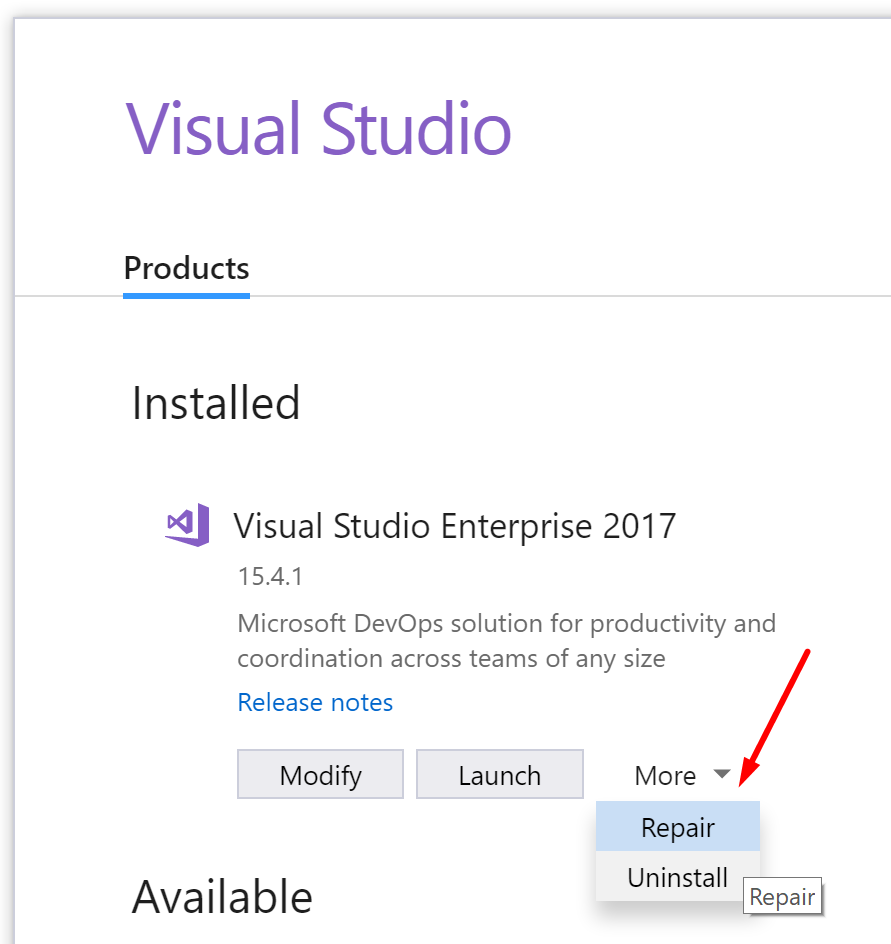
vasily-kirichenko
on 31 Oct 2017
Closing as this is fixed by #3844, though please don't let that deter further conversation on the subject
cartermp
on 31 Oct 2017
I am getting autocompletion committing on space in VS2019. Is this a bug @cartermp ?
It seems to be keywords that are autocompleted, fun, new, true, false, let etc.. The blue words.
 charlesroddie
on 6 May 2019
charlesroddie
on 6 May 2019
@charlesroddie can you file a new issue with a repro? If space is set up to autocomplete then it will, because keywords are a pat of completion.
cartermp
on 6 May 2019
Related issues
cartermp
·
3Comments
 enricosada
·
3Comments
enricosada
·
3Comments
 dhwed
·
3Comments
dhwed
·
3Comments
 randrag
·
3Comments
randrag
·
3Comments
 viktorvan
·
3Comments
viktorvan
·
3Comments
Most helpful comment
I'd suggest Licecap. Dead-simple to use.