Fsharp: Go to Definition does not always work in VIsualFSharp.sln
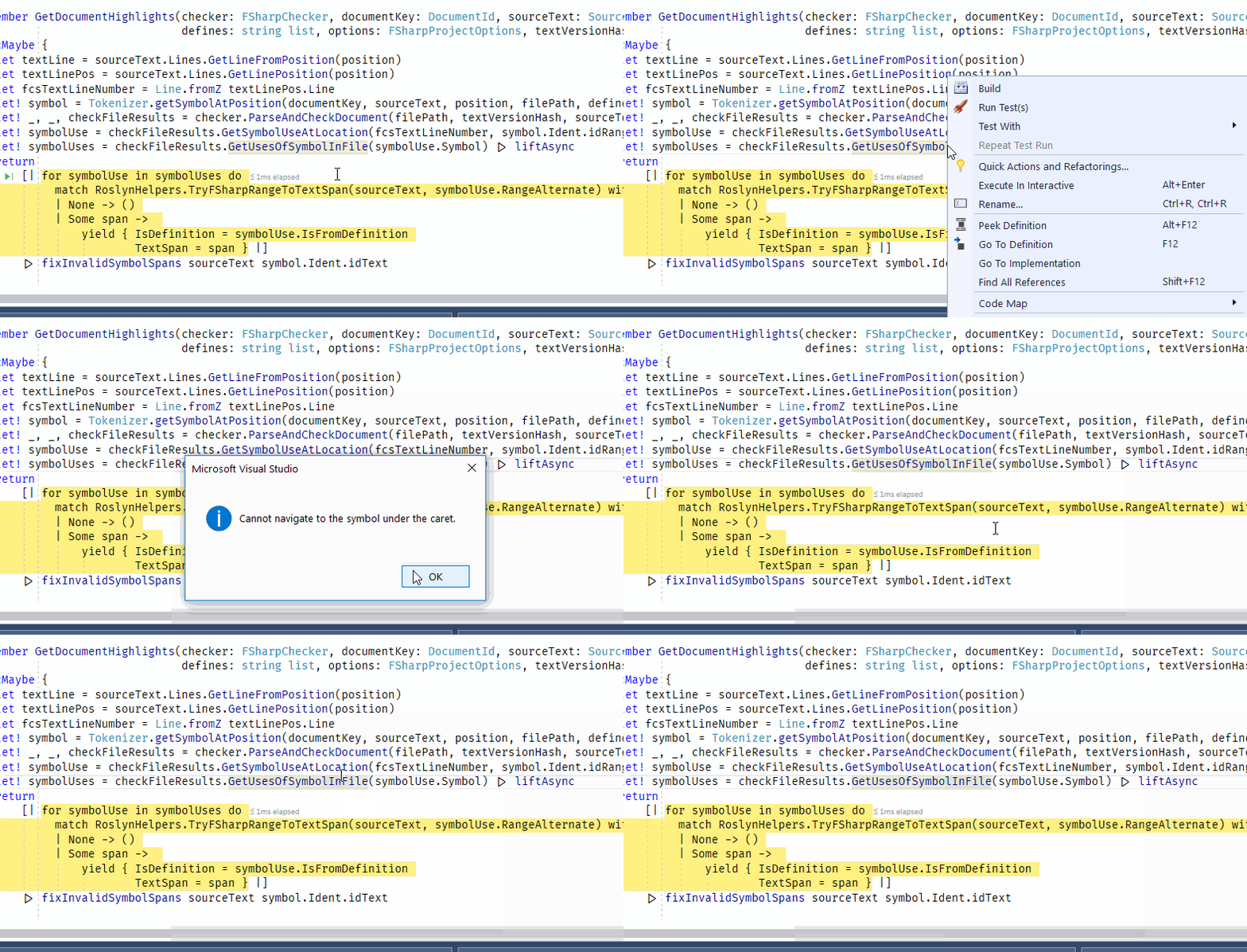
 vasily-kirichenko
All 5 comments
@vasily-kirichenko How often are you seeing this? Just for that method in that solution, or for all methods always?
 dsyme
on 20 Sep 2017
dsyme
on 20 Sep 2017
I rarely use VS these days, some Go to Definitions have worked for me today, some - have not.
vasily-kirichenko
on 20 Sep 2017
@dsyme, I am seeing this every other time I have the solution open, or after some hours of doing nothing, after a build, after a change. What seems to fix it is reopening the solution, sometimes several times.
I can say this: it happens now _way_ more often than on previous VS preview versions and F# nightlies. It was perhaps 2-3x per day, it is now just about every hour or so that I find myself restarting VS (but never needed this in VS2015). It is not restricted to this project, it happens on small and large F# projects alike.
Usually, when it doesn't work, hovering for quicktips doesn't work either, and coloring is mostly completely absent. IntelliSense doesn't work at all in such cases. Building doesn't show any problems, but doesn't resolve the editor problems either. If intellisense, F12 and coloring are sensible to "errors prior to this point", this may be causing it, or in part: #3618.
I have seen this behavior with different settings of under Options > Editor > F# > Performance.
 abelbraaksma
on 21 Sep 2017
abelbraaksma
on 21 Sep 2017
Dumb question:
I updated to the latest VisualStudio (15.5.2), hoping to get this fix, but I still see the same error as always:
namespace Library1

open System.Text

type Class1() =
    let sb = new StringBuilder()
    member this.X =
        // F12 should show me StringBuilder metadata including other overloads, but
        // instead 'Cannot navigate to the symbol under the caret'.
        sb.AppendLine("Yes") |> ignore
        "F#"
Is this expected? Do I need to build and install Visual F# from source in order to get this feature?
 MaxWilson
on 15 Dec 2017
MaxWilson
on 15 Dec 2017
@MaxWilson This is expected, as what you're anticipating is a feature that is different from Go to Definition. What you're describing is referred to as "Go to Metadata", or "Metadata as Source". It requires us to write F# interface file-style text into a temporary window, similar to how C# does but with F#-isms. #3290 is the work in progress PR for this, but it has numerous issues that would result in a bad experience (e.g., doing it for an Async will often only show a single line of code in the temporary window, rather than the entire context in which Async is defined).
 cartermp
on 15 Dec 2017
cartermp
on 15 Dec 2017
Related issues
 Szer
·
3Comments
Szer
·
3Comments
 ctaggart
·
3Comments
ctaggart
·
3Comments
 dhwed
·
3Comments
cartermp
·
3Comments
abelbraaksma
·
3Comments
dhwed
·
3Comments
cartermp
·
3Comments
abelbraaksma
·
3Comments
Most helpful comment
@MaxWilson This is expected, as what you're anticipating is a feature that is different from Go to Definition. What you're describing is referred to as "Go to Metadata", or "Metadata as Source". It requires us to write F# interface file-style text into a temporary window, similar to how C# does but with F#-isms. #3290 is the work in progress PR for this, but it has numerous issues that would result in a bad experience (e.g., doing it for an
Asyncwill often only show a single line of code in the temporary window, rather than the entire context in whichAsyncis defined).