Frontend: Search in data tables on mobile doesn't use all data
Checklist
- [x] I have updated to the latest available Home Assistant version.
- [x] I have cleared the cache of my browser.
- [X] I have tried a different browser to see if it is related to my browser.
The problem
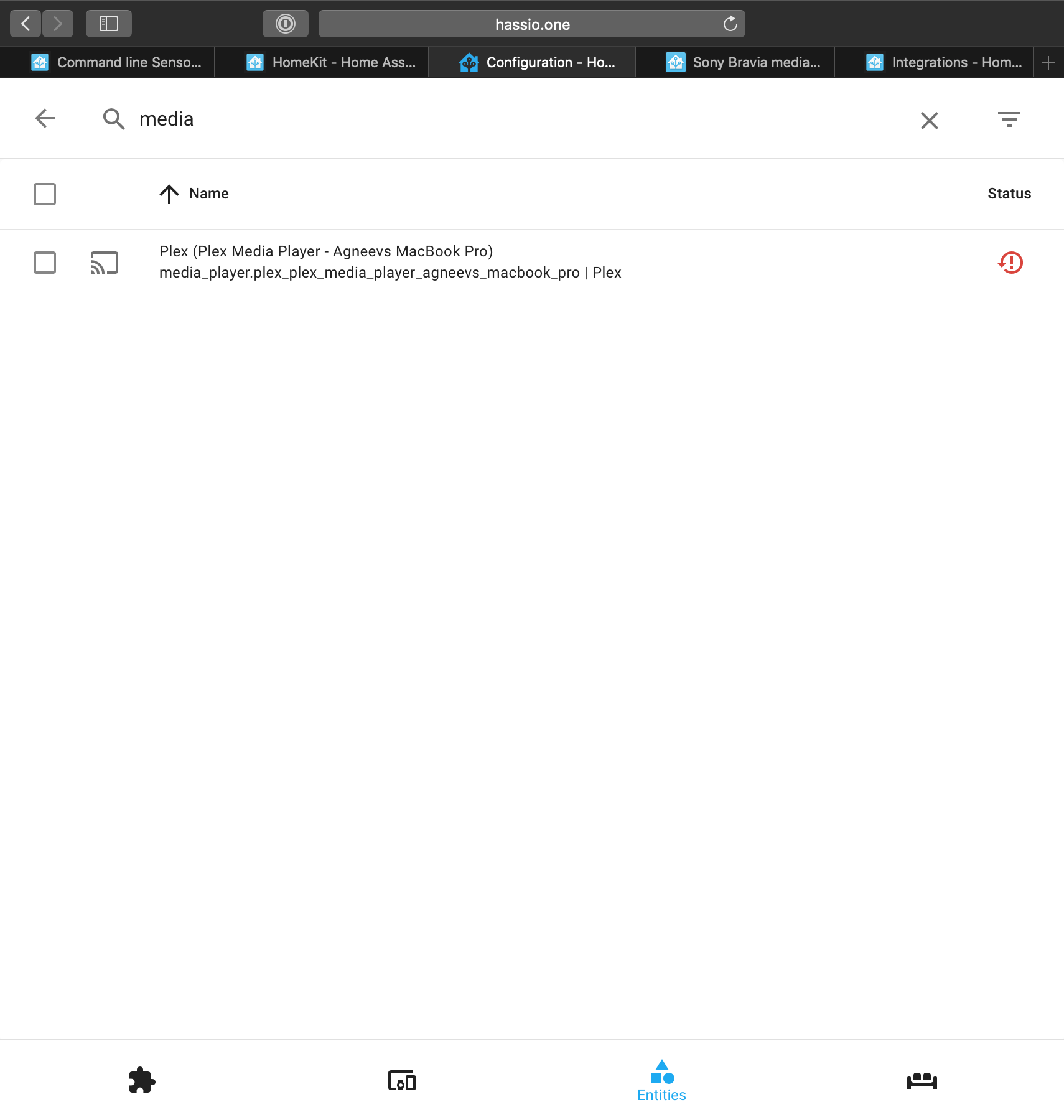
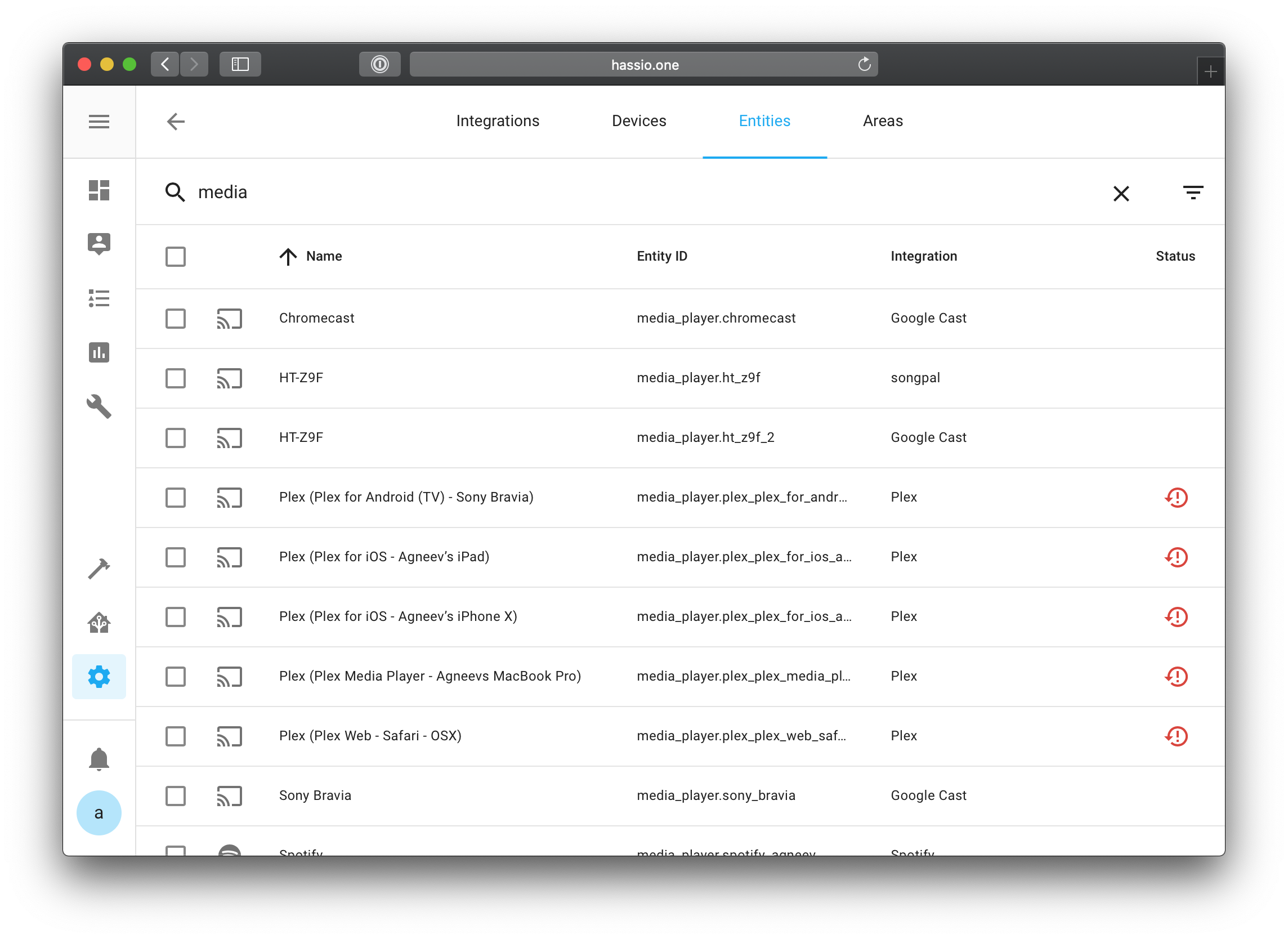
Desktop UI shows the complete search result from the search query, whereas the mobile UI doesn't return the complete search result.
Expected behavior
Search result should be the same regardless of the device.
Steps to reproduce
Search for media_player on desktop UI and mobile UI under Entities.
Environment
- Home Assistant release with the issue: 0.107.7
- Last working Home Assistant release (if known): N/A
- Browser and browser version: Safari
- Operating system: macOS
Javascript errors shown in your browser console/inspector
Additional information
N/A
 agneevX
All 3 comments
It seems that this is because the search on mobile UI only uses names. I'll look into it.
 shenxn
on 5 Apr 2020
shenxn
on 5 Apr 2020
So I looked into the code. The problem is that the filter only uses columns that are displayed in the table. Since Entity ID is not a column on mobile, the filter will not use that. Still trying to find a good way to fix it.
shenxn
on 6 Apr 2020
There hasn't been any activity on this issue recently. Due to the high number of incoming GitHub notifications, we have to clean some of the old issues, as many of them have already been resolved with the latest updates.
Please make sure to update to the latest Home Assistant version and check if that solves the issue. Let us know if that works for you by adding a comment 👍
This issue now has been marked as stale and will be closed if no further activity occurs. Thank you for your contributions.
![stale[bot] picture](https://avatars3.githubusercontent.com/in/1724?v=4&s=40) stale[bot]
on 5 Jul 2020
stale[bot]
on 5 Jul 2020
Related issues
 Depechie
·
3Comments
Depechie
·
3Comments
 SeanPM5
·
4Comments
SeanPM5
·
4Comments
 infestdead
·
3Comments
infestdead
·
3Comments
 Lopton
·
4Comments
Lopton
·
4Comments
![move[bot] picture](https://avatars1.githubusercontent.com/in/6673?v=4&s=40) move[bot]
·
3Comments
move[bot]
·
3Comments