Freshrss: blank page on sharing page
Hello,
if i go to the share settings page(/p/i/?c=configure&a=sharing) in the settings, i only get a blank page.
I don't see an error message (console, log, ...).
 Tealk
Tealk
All 17 comments
Do you have any sharing already set up?
 Frenzie
on 27 Aug 2019
Frenzie
on 27 Aug 2019
No, I have currently set up a Mastodon instance and just wanted to see if I can add it.
Tealk
on 27 Aug 2019
It's probably due to an adblocker. I had the same issue because the url contains "sharing" :/
 marienfressinaud
on 27 Aug 2019
marienfressinaud
on 27 Aug 2019
I didn't even think about it. Thank you!
uBlock blocked it
Tealk
on 27 Aug 2019
I think we should modify something in the code base so it does not trigger adblocker. Or at least, document it.
 aledeg
on 27 Aug 2019
aledeg
on 27 Aug 2019
Only some of those are "sharing", others are more saving/adding (e.g., Wallabag, Pocket, Pinboard). Perhaps something more generic like integrations?
Frenzie
on 27 Aug 2019
integration sounds good
Tealk
on 27 Aug 2019
And in any case what the URL says and what the text says doesn't need to be the same. ?c=configure&a=integration will do just fine either way.
Frenzie
on 27 Aug 2019
To put all info together, copying https://github.com/FreshRSS/FreshRSS/issues/2419#issuecomment-504958716 here.
One addition: You can leave easylist:fanboy-addon/fanboy_social_general_block.txt active, but deactivate "sharing" for your domain where you installed FreshRSS. So your own installation is excluded from the block. To do so, the user must go to _uBlock Origin_ > _Options_ > _My Filters_ > Add a new line with:
*sharing,domain=~yourdomain.com
Frenzie
on 27 Oct 2019
So what do we do to address that? Do we document or do we change the url?
aledeg
on 7 Nov 2019
I think we should:
1) Try to catch such an error so that we do not show a white page
2) change the URL to something less problematic
 Alkarex
on 7 Nov 2019
Alkarex
on 7 Nov 2019
But it's the page itself that's blocked? I suppose you could see if it loads through fetch or something…
Frenzie
on 7 Nov 2019
@Tealk Please have a look at #2643 to check if I covered the original problem. Thank you.
aledeg
on 8 Nov 2019
I downloaded the latest dev branch but it's still called share?
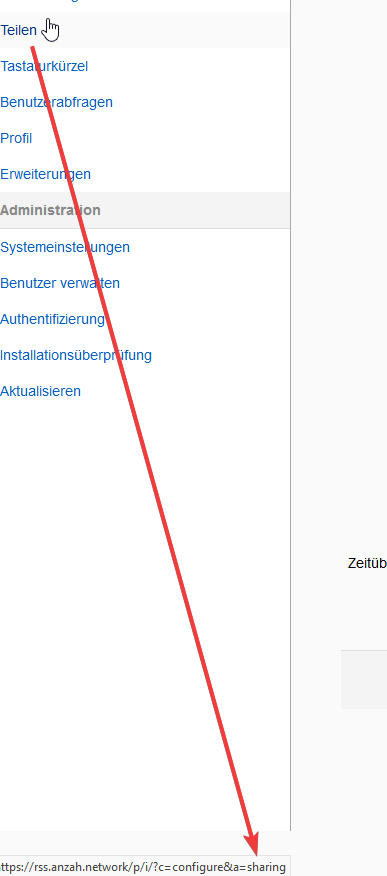
Tealk
on 8 Nov 2019
2643 isn't merged yet. If you want to download it from GH without using Git, I think this link should work:
https://github.com/aledeg/FreshRSS/archive/hotfix/sharing.zip
Frenzie
on 8 Nov 2019
Sorry I don't work with git that much, how can you solve that over there?
Tealk
on 8 Nov 2019
What I would do depends on exactly what it is I want to do, as there are many different roads to (roughly) the same result. Your most basic GitHub-centric approach to test a PR would be something like:
# Assumes you've got an upstream remote set up.
git fetch upstream pull/2643/head
git checkout FETCH_HEAD
But if you're collaborating with people like @aledeg a lot, it might be a good idea to set up their fork as a remote:
git remote add aledeg [email protected]:aledeg/FreshRSS.git
Then you can just quickly checkout their branch.
git checkout -b integration-test-thing
git pull aledeg hotfix/sharing
Related issues
 mdemoss
·
4Comments
Tealk
·
5Comments
mdemoss
·
4Comments
Tealk
·
5Comments
 cwldev
·
5Comments
Alkarex
·
5Comments
cwldev
·
5Comments
Alkarex
·
5Comments
 mbnoimi
·
4Comments
mbnoimi
·
4Comments
Most helpful comment
And in any case what the URL says and what the text says doesn't need to be the same.
?c=configure&a=integrationwill do just fine either way.