I have an issue, as seen on the following screenshot, the Menu on the left is jumping as I go through the posts with J and K keys. Sometimes the screen gets 'stuck' in such a state:
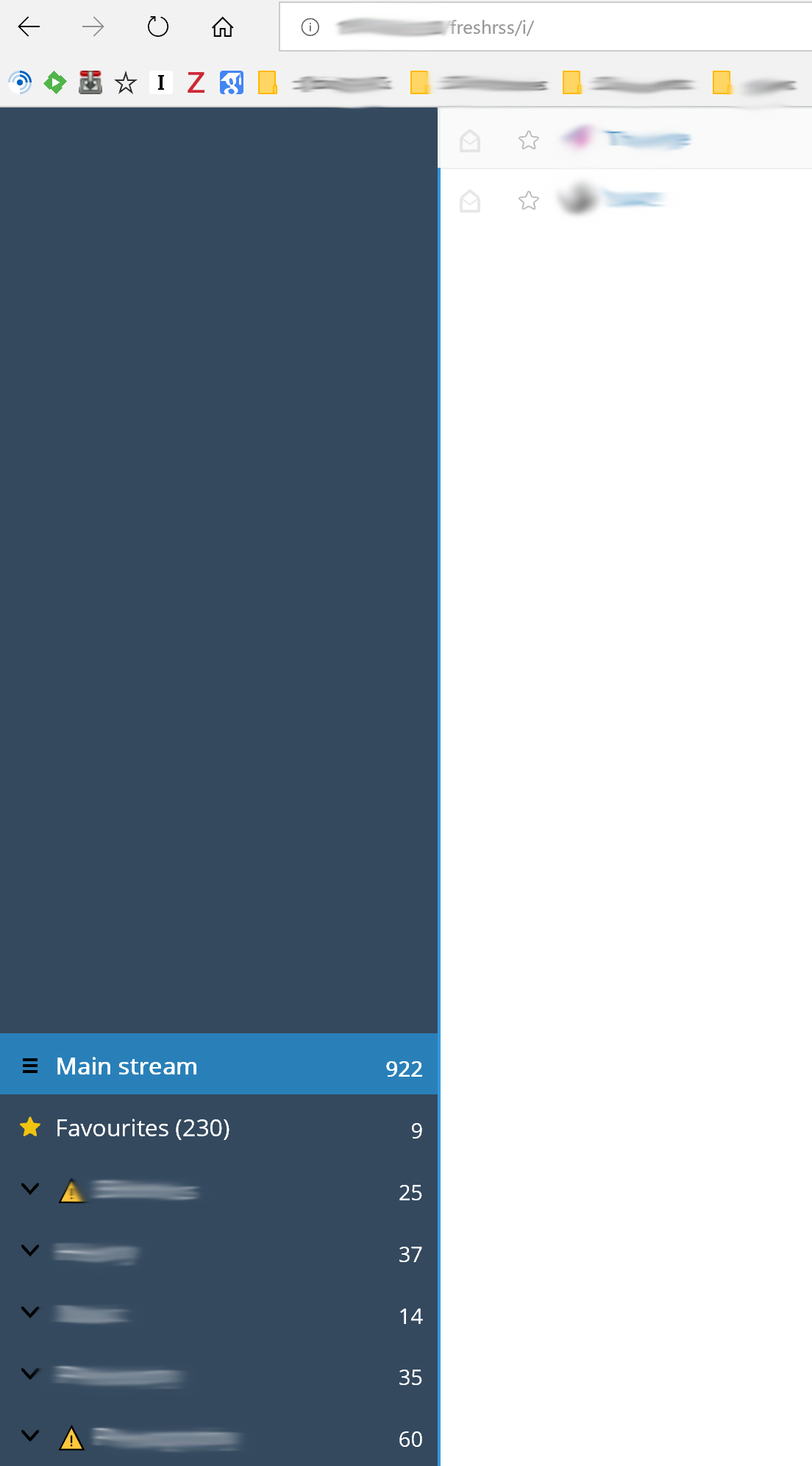
I have enabled the following Extensions, which, I believe, may also affect this behaviour:
- CustomCSS (0.2)
- CustomJS (0.2)
- ImageProxy (0.4)
- StickyFeeds (0.1)
- YouTube (0.7)
- Dilbert (0.3)
- Teem (0.1)
- FixedNavMenu (0.1)
- KeepFolderState (0.1)
- MobileScrollMenu (0.2)
- SmartMobileMenu (0.1)
- TouchControl (0.2)
- AutoRefresh (1)
- RedditImage (0.1)
- ReadingTime (1)
 DOFfactory
All 14 comments
@DOFfactory I hope this will be fixed by the nice work done by @pattems in https://github.com/FreshRSS/FreshRSS/pull/2117 and hopefully landing soon in the /dev branch.
Related: https://github.com/FreshRSS/FreshRSS/issues/1588 , https://github.com/FreshRSS/FreshRSS/issues/1593
 Alkarex
on 20 Nov 2018
Alkarex
on 20 Nov 2018
Very happy about reading this @Alkarex. Thanks!
DOFfactory
on 20 Nov 2018
@DOFfactory Would you be so kind to test the current /dev version, which has reworked this part? Please open a new issue if it is still unresolved, or comment here if solved.
Alkarex
on 16 Dec 2018
Thanks @Alkarex seems like it is working.
DOFfactory
on 17 Dec 2018
Great, thanks for the feedback :-)
Alkarex
on 17 Dec 2018
Hi @Alkarex. I am back again, as requested, with a request for a tweak. The issue is with the Microsoft Edge browser, where the scrollbar (despite the enabled settings in Ease of Access in Windows 10) is not autohiding. See the attached screenshot. It would be great to provide the extra tweaks for Edge, and make the scrollbar completely disappear, or appear only when the left menu is longer than the page size.

DOFfactory
on 24 Dec 2018
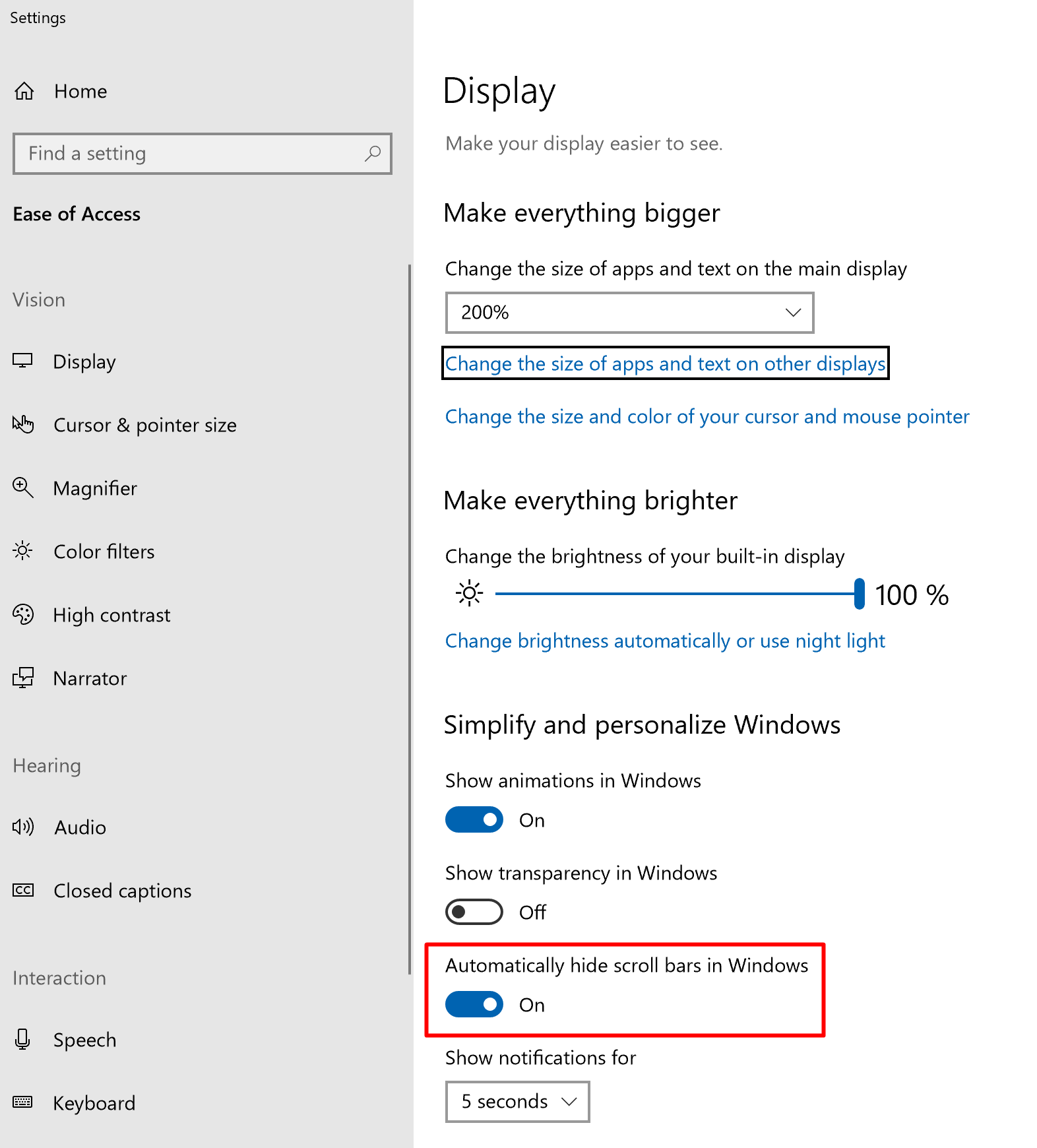
Hi there, @DOFfactory. I'm responsible for the refactor PR. Scrollbar auto-hiding when there's no need to scroll works fine for me in Edge, and I'm sorry it doesn't for you! What Windows 10 accessibility feature are you talking about? I'm wondering if that might somehow be affecting the scrollbar's behavior.
Another thought that comes to mind: how much space do you have at the bottom of the list of categories? There's a fairly large amount of space built in at the bottom of the list, to ensure that there's enough room for a configuration dropdown to appear without having to scroll down again after it's opened. If you have a large amount of categories, some of that buffer space might be pushing past the point that you'd need to scroll, causing the scrollbar to appear.
 pattems
on 24 Dec 2018
pattems
on 24 Dec 2018
Hi @pattems, thanks for getting back to me.
Regarding your first comment, please find attached the screenshot of the setting.
I think you might be right with your 2nd comment. There is fairly big space for the left menu, which enables the scrollbar for me. 100% of the time I have these categories collapsed, so no need to have such an extra space. It would be nice to make this smaller.
DOFfactory
on 24 Dec 2018
since you use the Custom CSS extension, try setting .tree-bottom to display:none; and see if that might clear things up for you.
Another Custom CSS option, as long as you never need to scroll, would be to set #sidebar to overflow-y:hidden;
pattems
on 24 Dec 2018
Hi @pattems, thanks for this, the .tree-bottom option worked fine. However, I would prefer a more out-of-the-box version in this, as I do not like extra tweaks like this, it usually breaks things after updates.
On another note, for the attention to @Alkarex, the Custom CSS in the Extensions is showing Update available, while I downloaded the v0.2 from git. Might need some look to correct this.
Again, thanks for the quick advice.
DOFfactory
on 24 Dec 2018
The tweak to .tree-bottom should be pretty safe, as that div only exists in that one place, for the sole purpose of providing that buffer. I'm not entirely sure what can be done about it in source that makes sense for both general usage, and your specific use-case, but I'l look into it.
pattems
on 24 Dec 2018
Hello guys, in the meantime I came across of the following webpage: http://www.uxrim.com/slim-scroll/.
On the Demo page, I wonder whether FreshRSS could implement the 1st option: https://rawgit.com/venkateshwar/slim-scroll/master/tests/test1/index.html
DOFfactory
on 18 Mar 2019
Hello @DOFfactory
The JavaScript has been rewritten in the current /dev (future 1.14.0), and there were many CSS changes in versions 1.13.x. Could you please check again if the problem is still there?
Alkarex
on 18 Mar 2019
Hi @Alkarex happy to hear this. Unfortunately, I do not have the option to use the /dev as I am running it as an app on a NAS. The latest version it offers is: 1.13.1.
DOFfactory
on 19 Mar 2019
Related issues
 linuxacademysickpig
·
3Comments
linuxacademysickpig
·
3Comments
 cwldev
·
5Comments
cwldev
·
5Comments
 treyssatvincent
·
5Comments
Alkarex
·
5Comments
treyssatvincent
·
5Comments
Alkarex
·
5Comments
 Paxistatis
·
3Comments
Paxistatis
·
3Comments