Freecodecamp: Can’t login to my fcc account using github. Need Help!
Hi, I can't login to my fcc account using github since yesterday. I also email to support team of fcc. But I don't get any response yet. I'm still facing the problem to login. All four login buttons doesn't working from my browser (I'm using Firefox 72.0.2).
I also try with chrome browser but the problem remain same. I don't know is it a bug or not?. I don't know that am i the only person facing this problem? But two days ago I did login successfully to my account using github.
Can you help on this? How can I login to my account?
 a2-zubair
All 19 comments
The remain like this
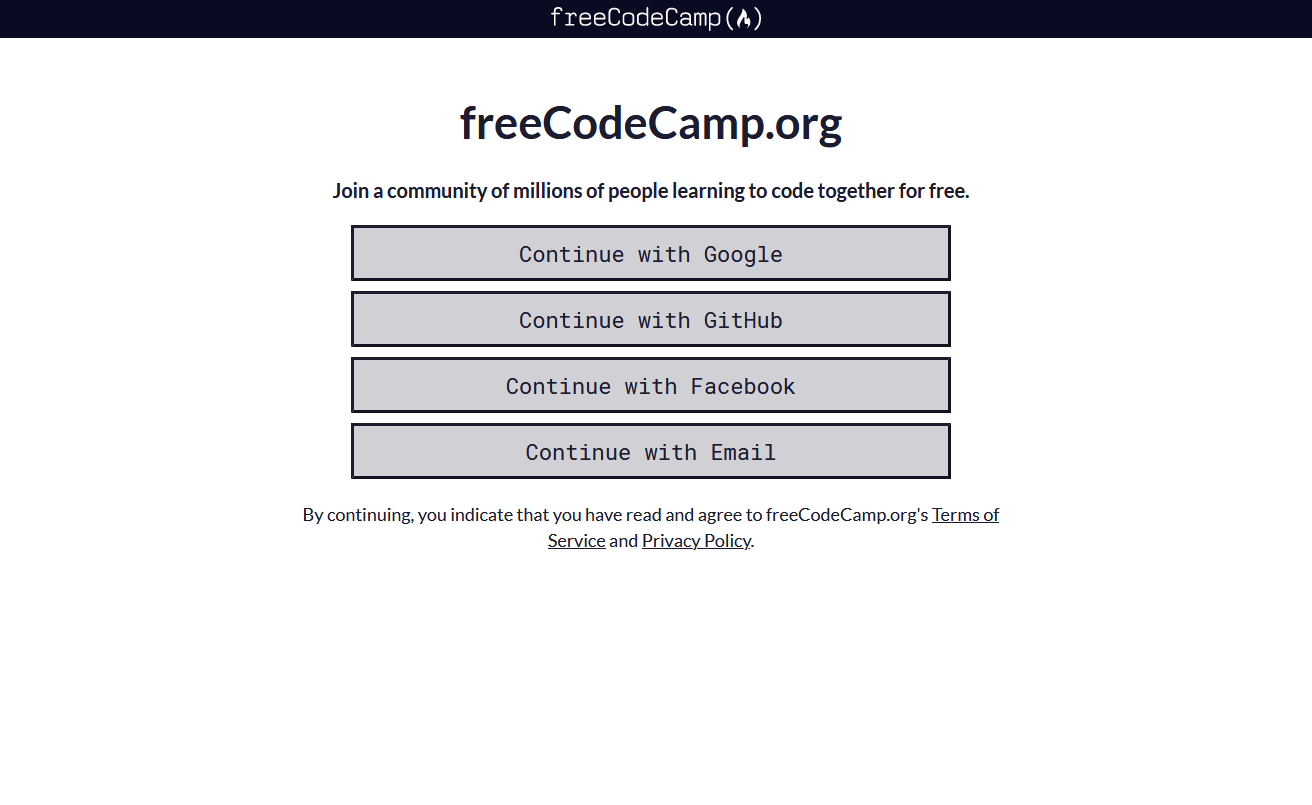
I clicked all the buttons but no action happen.
a2-zubair
on 2 Feb 2020
my web console show me this result.

a2-zubair
on 2 Feb 2020
Hi @scissorsneedfoodtoo @ahmadabdolsaheb can you update/check the policy. I think this is a firefox only thing.
/cc @freeCodeCamp/dev-team
 raisedadead
on 3 Feb 2020
raisedadead
on 3 Feb 2020
@a2-zubair can you try using Chrome and see if the same issue is reproducible?
raisedadead
on 3 Feb 2020
@raisedadead, just tried this on Firefox and it's working on my end.
@a2-zubair, are you using any ad blockers? If so, try disabling them or whitelist the sign in page and try again.
 scissorsneedfoodtoo
on 3 Feb 2020
scissorsneedfoodtoo
on 3 Feb 2020
@a2-zubair I just tested this on the same version of Firefox as you and was unable to reproduce.
raisedadead
on 3 Feb 2020
Hi @a2-zubair I am going to close this for now. But please feel free to continue the discussion here. Once we determine this is not isolated to your system / browser or network and is something that we need to fix in the codebase, we will re-open.
Please get back to us with any additional information.
raisedadead
on 3 Feb 2020
Hi @raisedadead @scissorsneedfoodtoo @ahmadabdolsaheb I'm sorry for late reply. Yes, I am facing same problem using chrome (Version 79.0.3945.130) browser. Here you can see my web console image
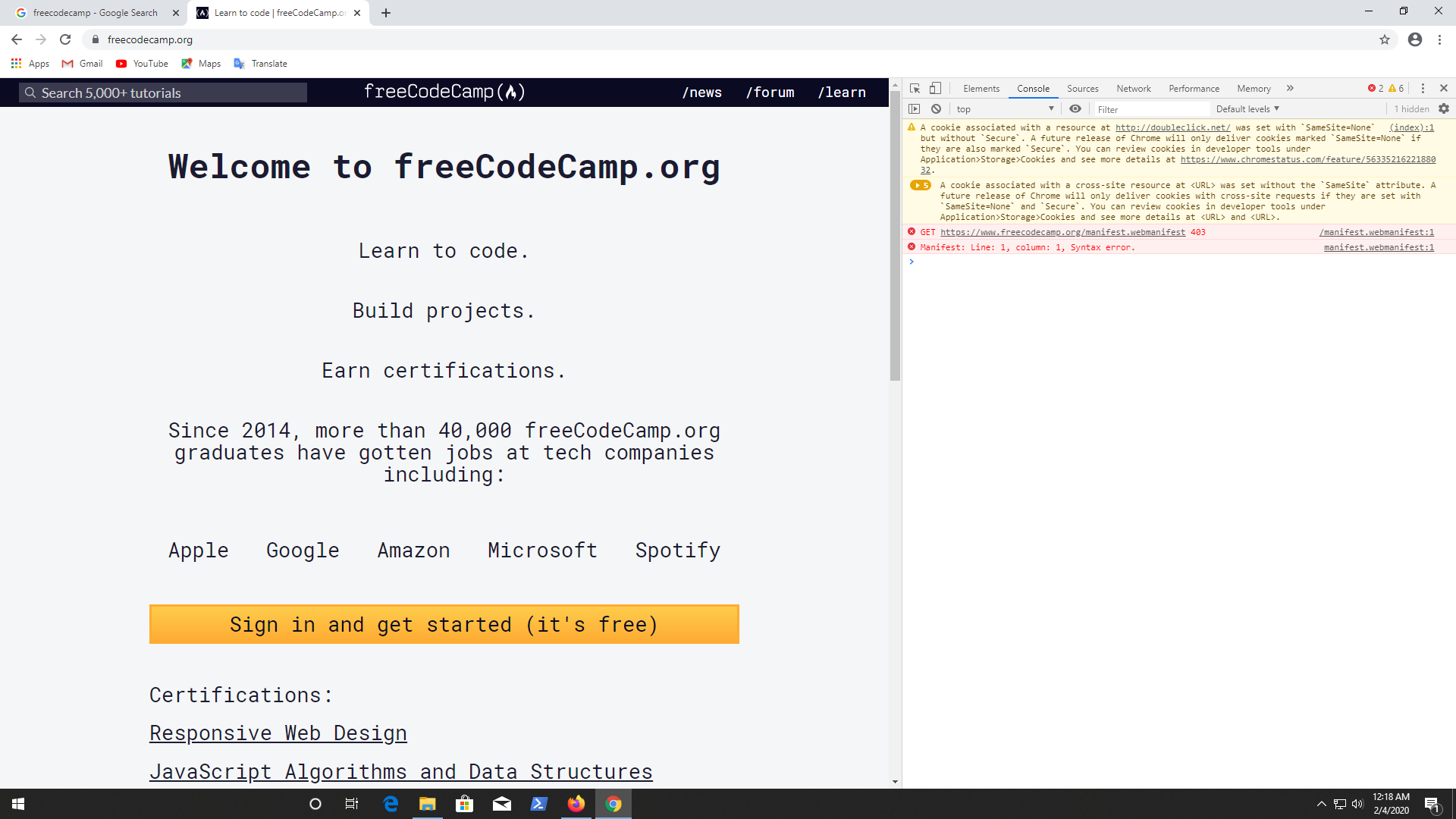
after clicking sign in button below see image
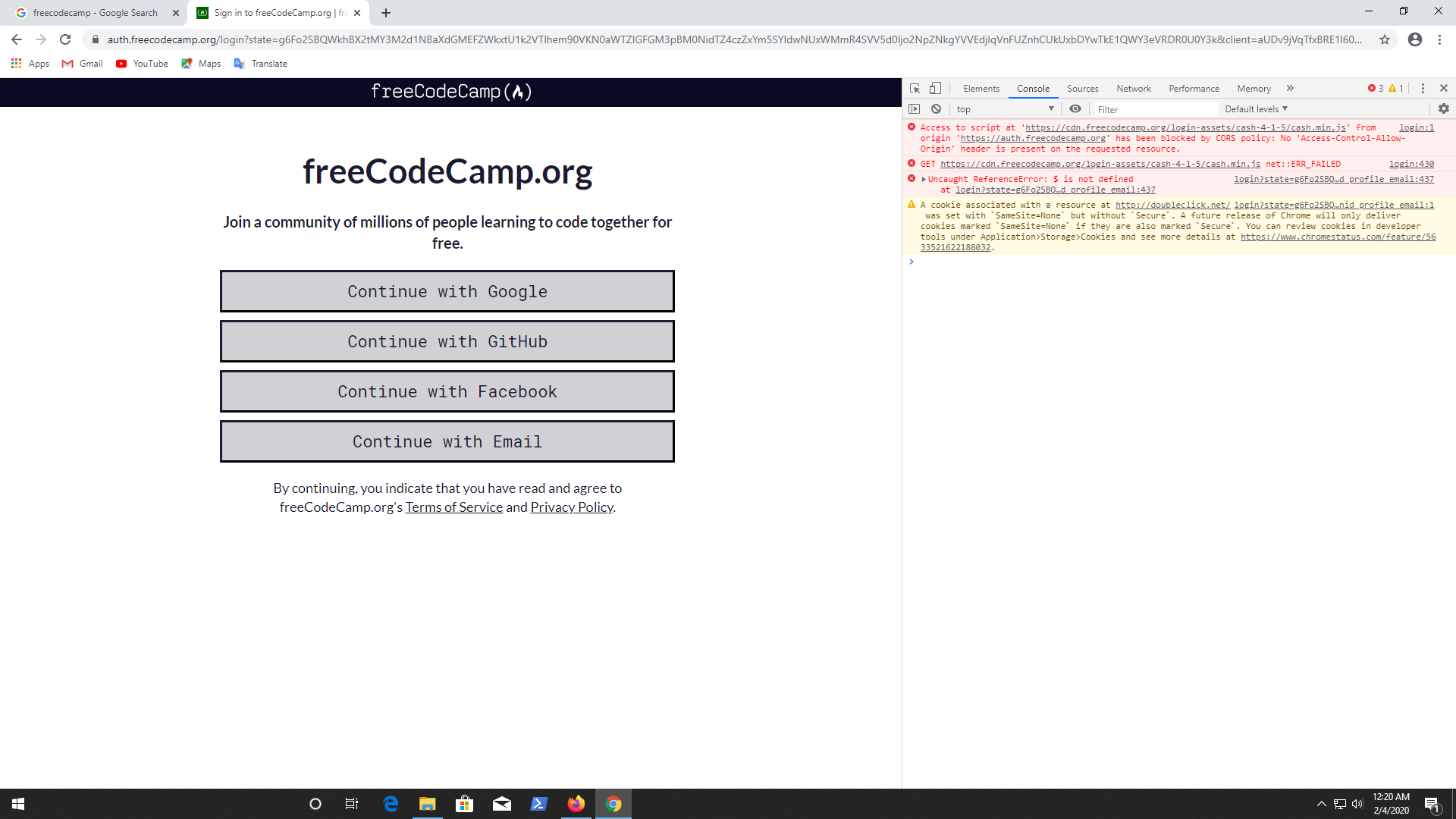
all four buttons I clicked but didn't happen any action. When I tried chrome incognito mode I found this message from my web console.
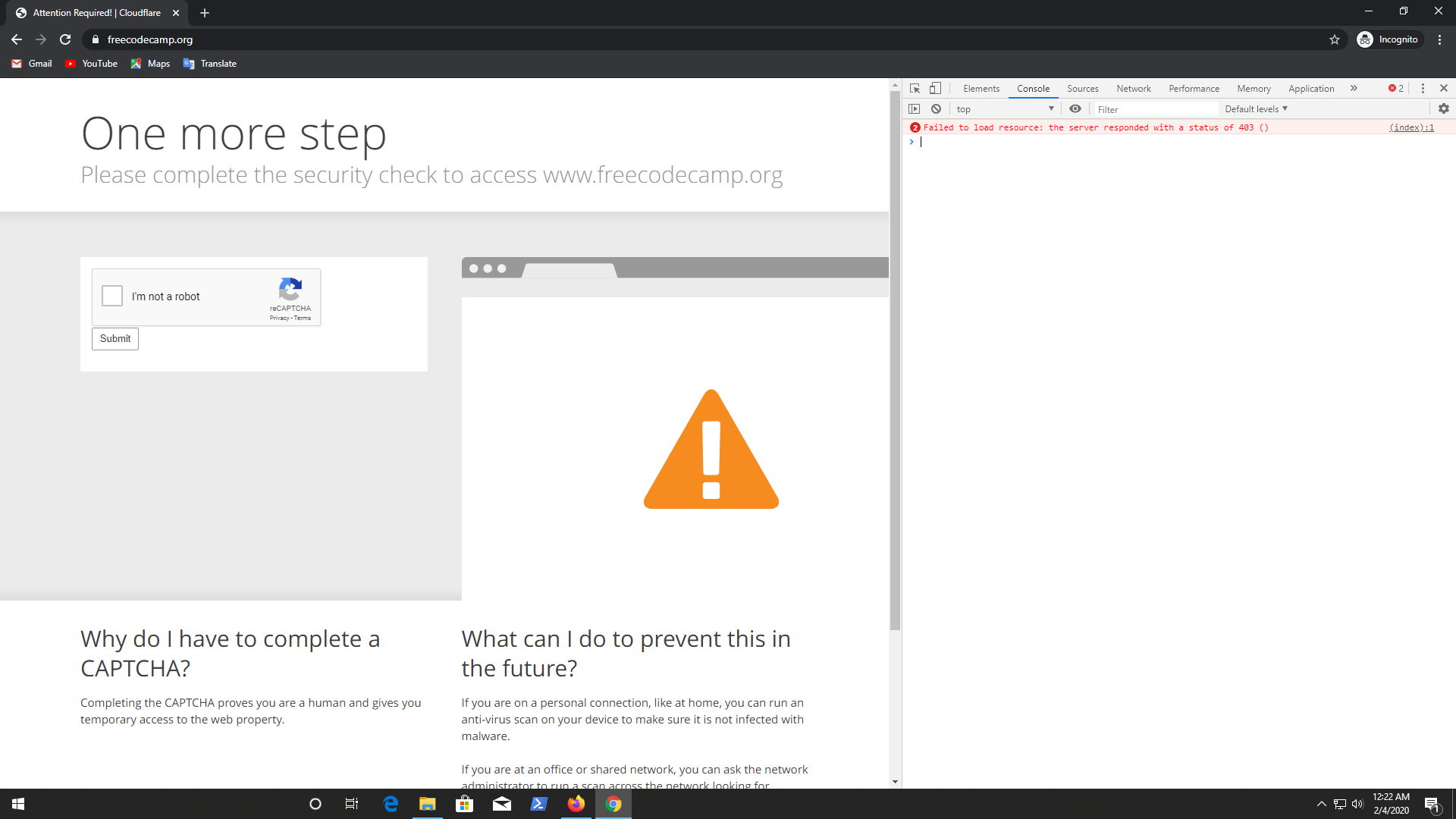
after passing the "I'm robot" part, I get the same result.
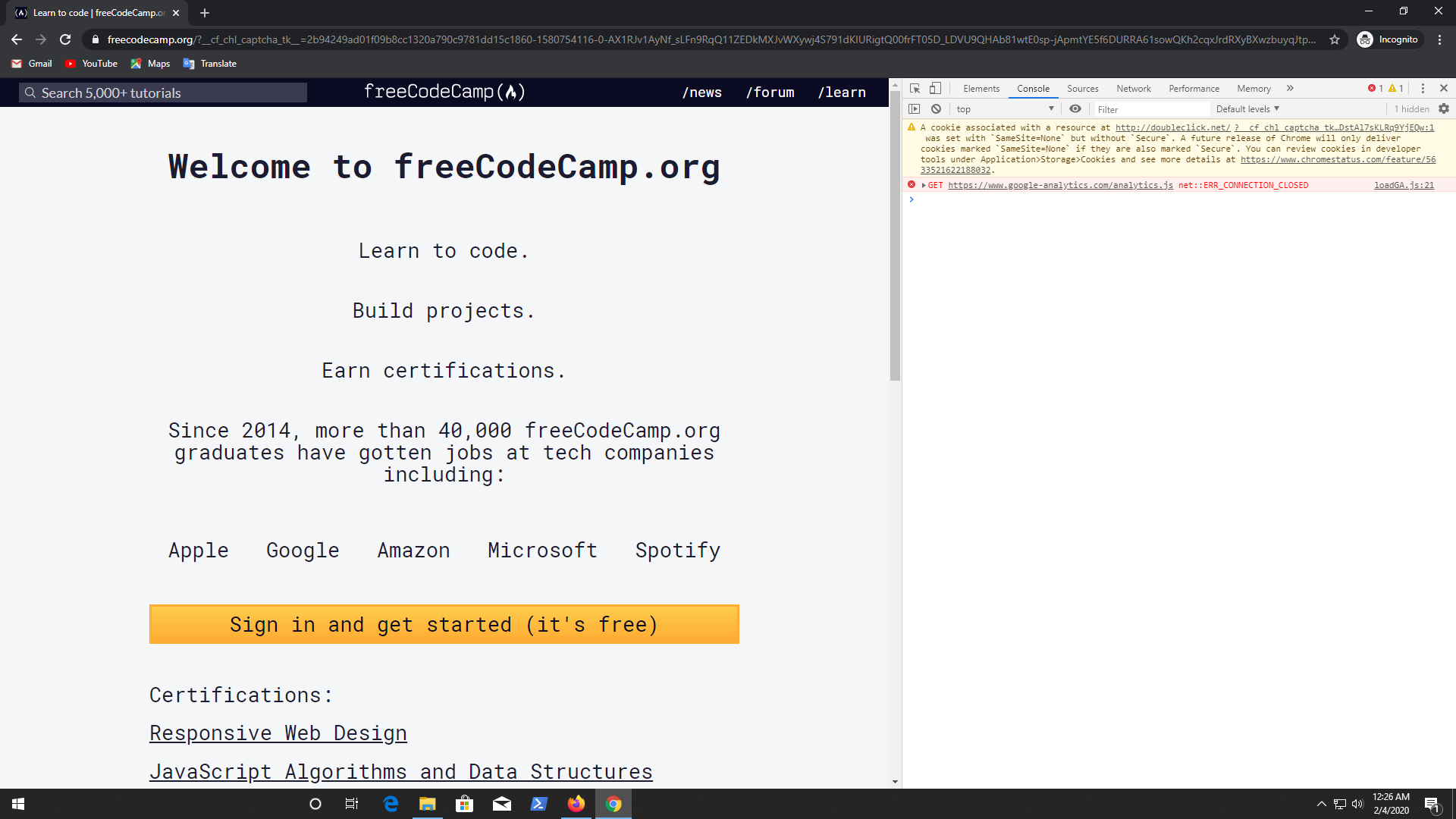
@scissorsneedfoodtoo In Firefox i'm not sure that i'm using any ad blocker. I can tell you what extension i'm using
- Privacy Pass (Enable). (One download and Search Extension enable)
and this are disable extensions

I use them when I need. If you need any other info please ask me. One thing I want to say that I can use github to login to my fcc forum account. In there I don't face any problem to login but only fcc learn platform I am facing this kind of unusual problem.
a2-zubair
on 3 Feb 2020
Good news!! I can login now!!

a2-zubair
on 3 Feb 2020
Thanks to the dev team and support team. 👍
a2-zubair
on 3 Feb 2020
@a2-zubair, glad that you were able to sign in! Thank you for all of those additional details. Those will be helpful in the future if other users have similar issues signing in.
scissorsneedfoodtoo
on 4 Feb 2020
@raisedadead @scissorsneedfoodtoo @ahmadabdolsaheb
Hi guys, How do you doing? I have facing login problem once again. Below I share my problem, please take a look.
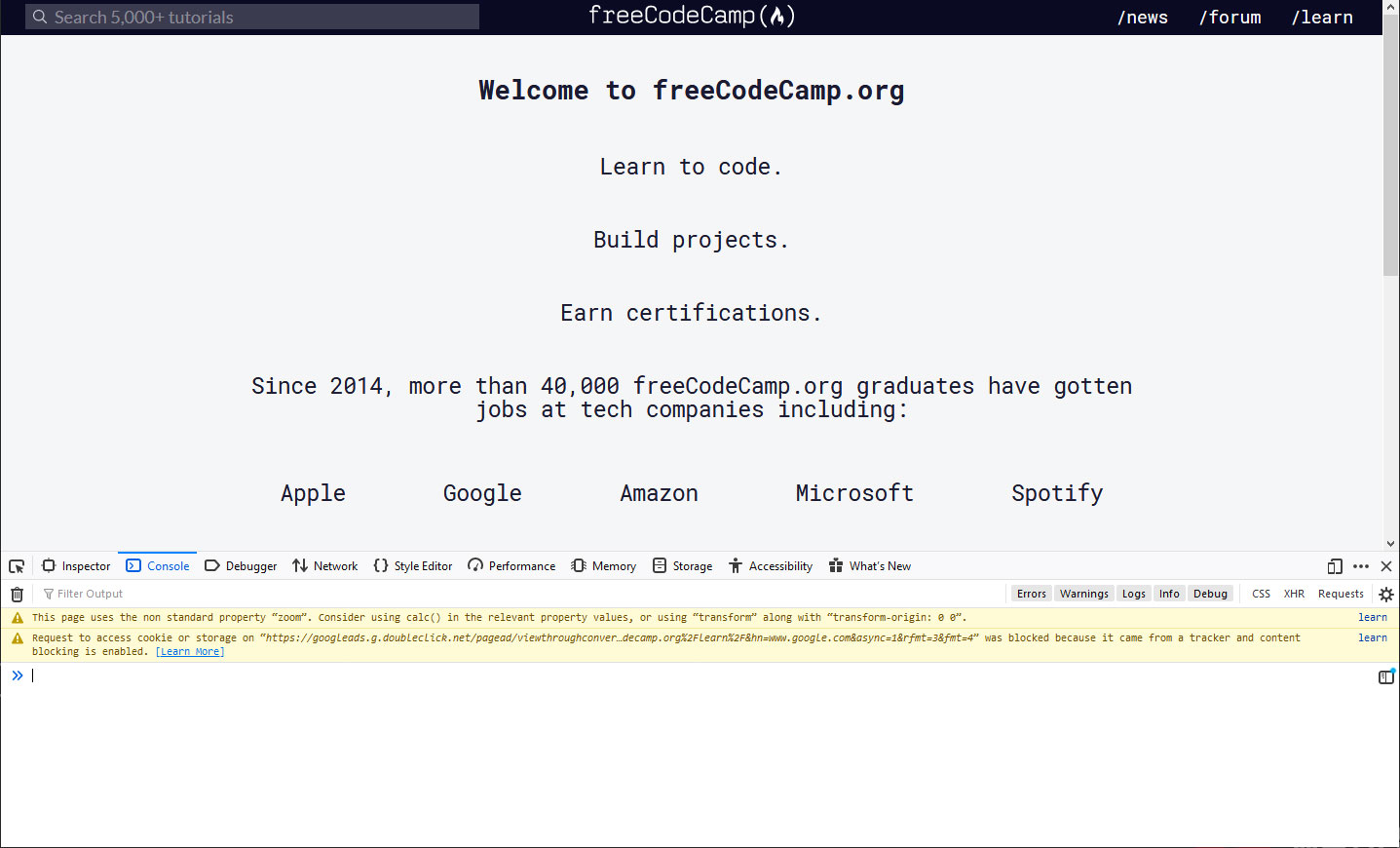
.
.
.
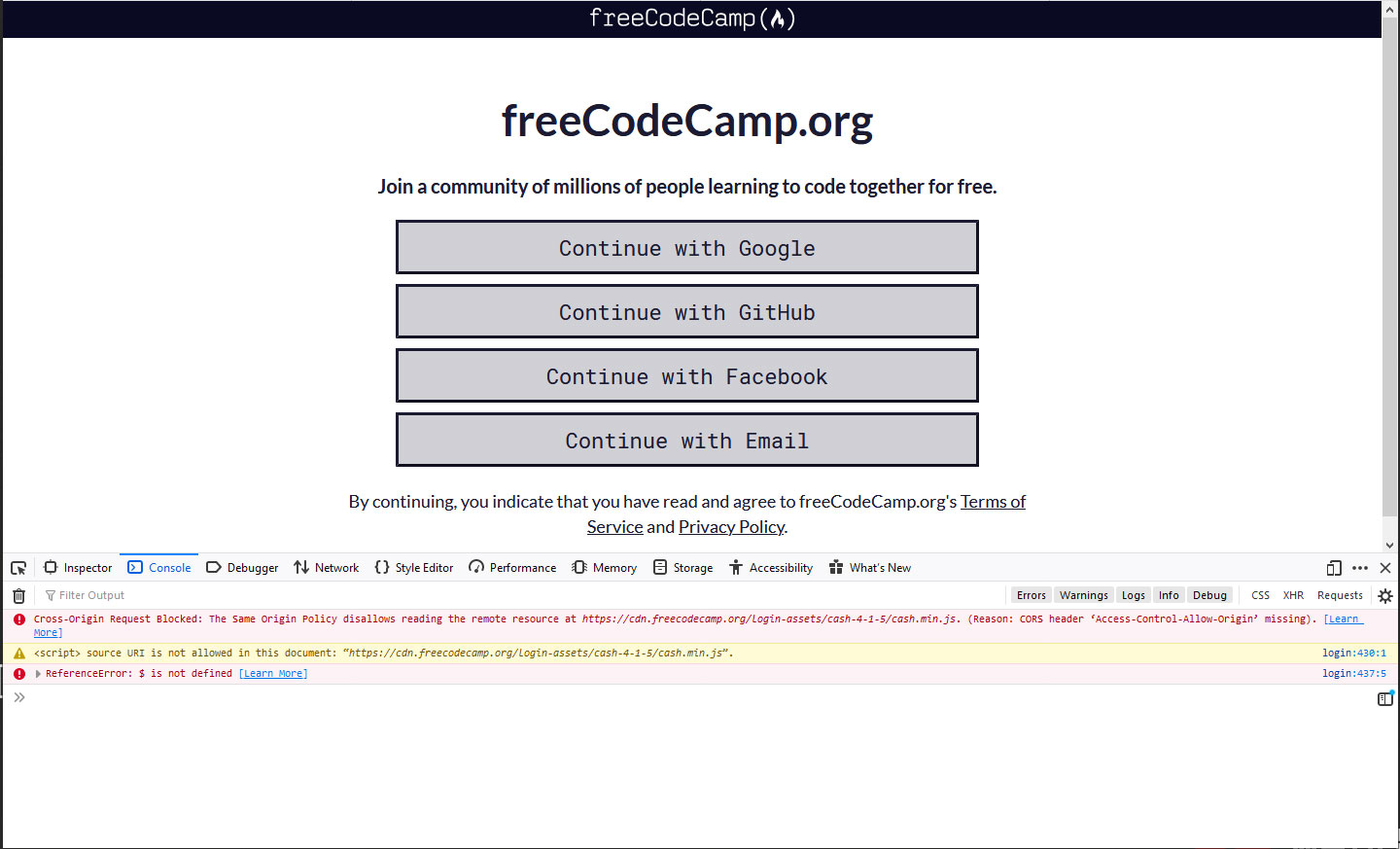
.
.
.
Also I tried to login fcc forum but I couldn't found any option for github. How can I login with my github? Here you can see below
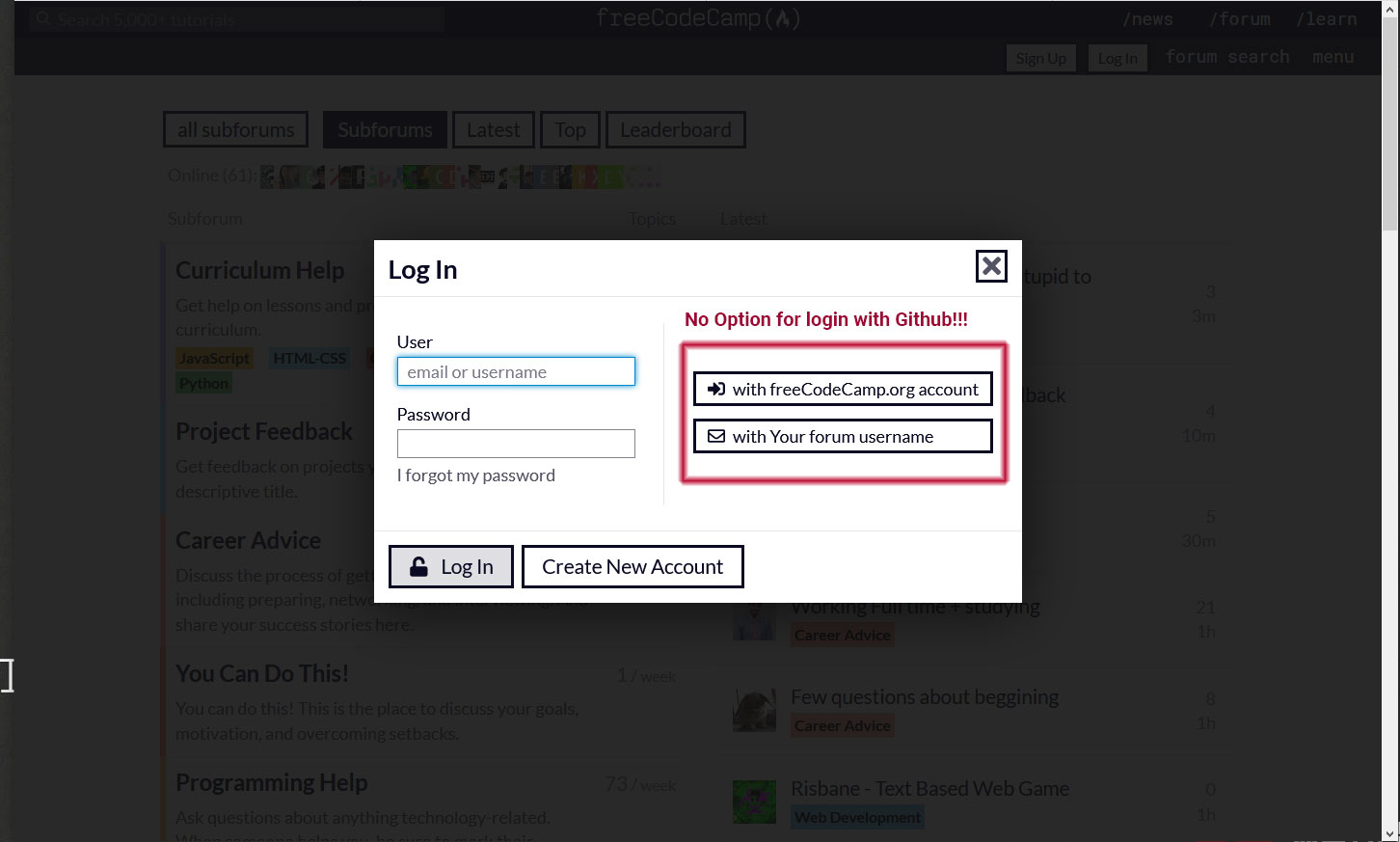
a2-zubair
on 28 Feb 2020
Hi I am unable to reproduce the issue in the screenshot, are you sure nothing on your network or a browser extension is blocking this.
Also we have removed GitHub login from forum in favor of the login using freeCodeCamp.org
You can always send yourself a forget password link on your email, in case you want to login directly to the forum.
raisedadead
on 28 Feb 2020
@raisedadead Hi, thanks for your reply. No, I'm not use any blocking extension. I don't know why I'm facing this problem second time in one month. You know that I'm using Firefox 73.0.1
But here is the chrome result, please take look below :
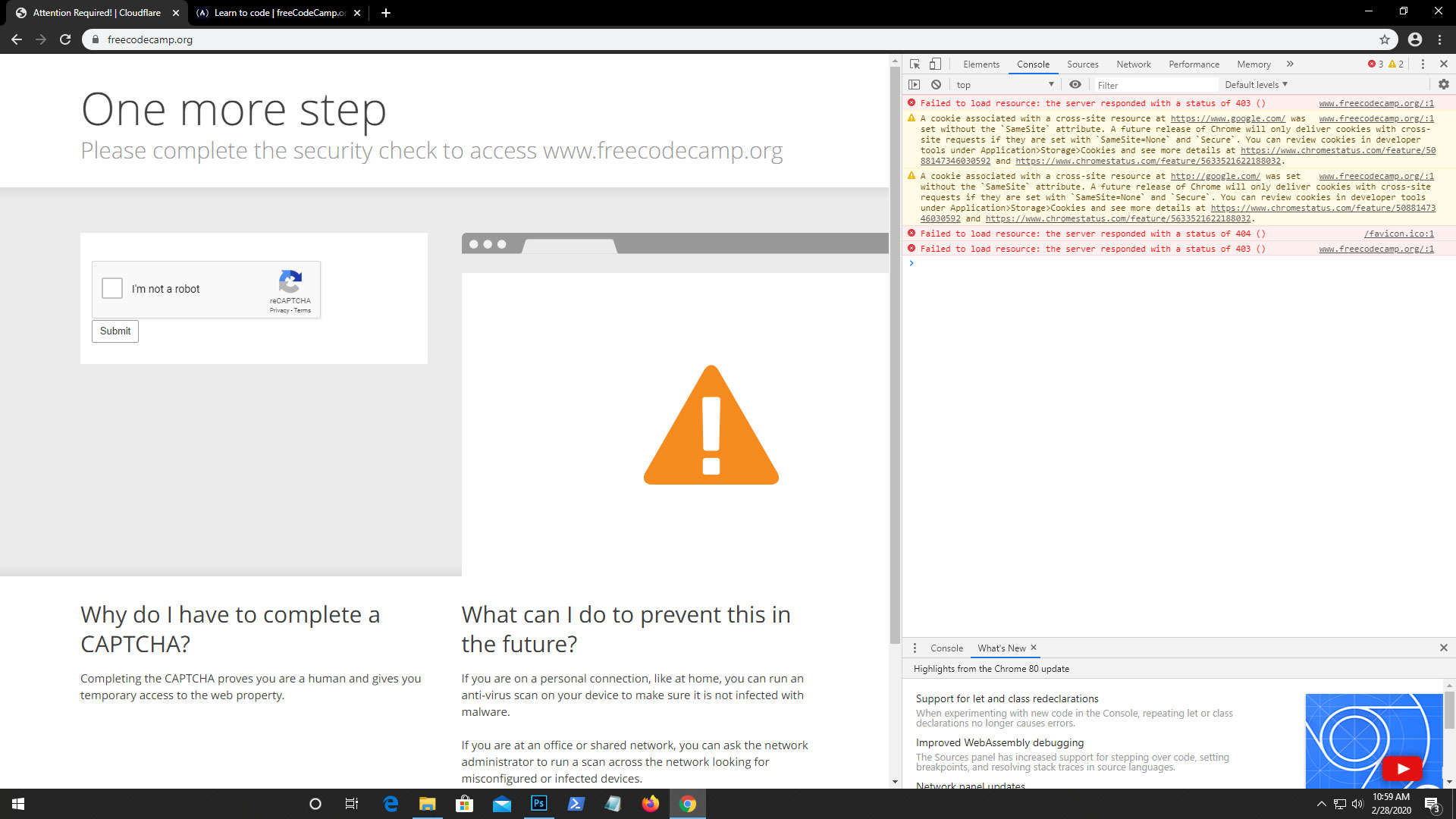
after passing "I'm robot" I got this :
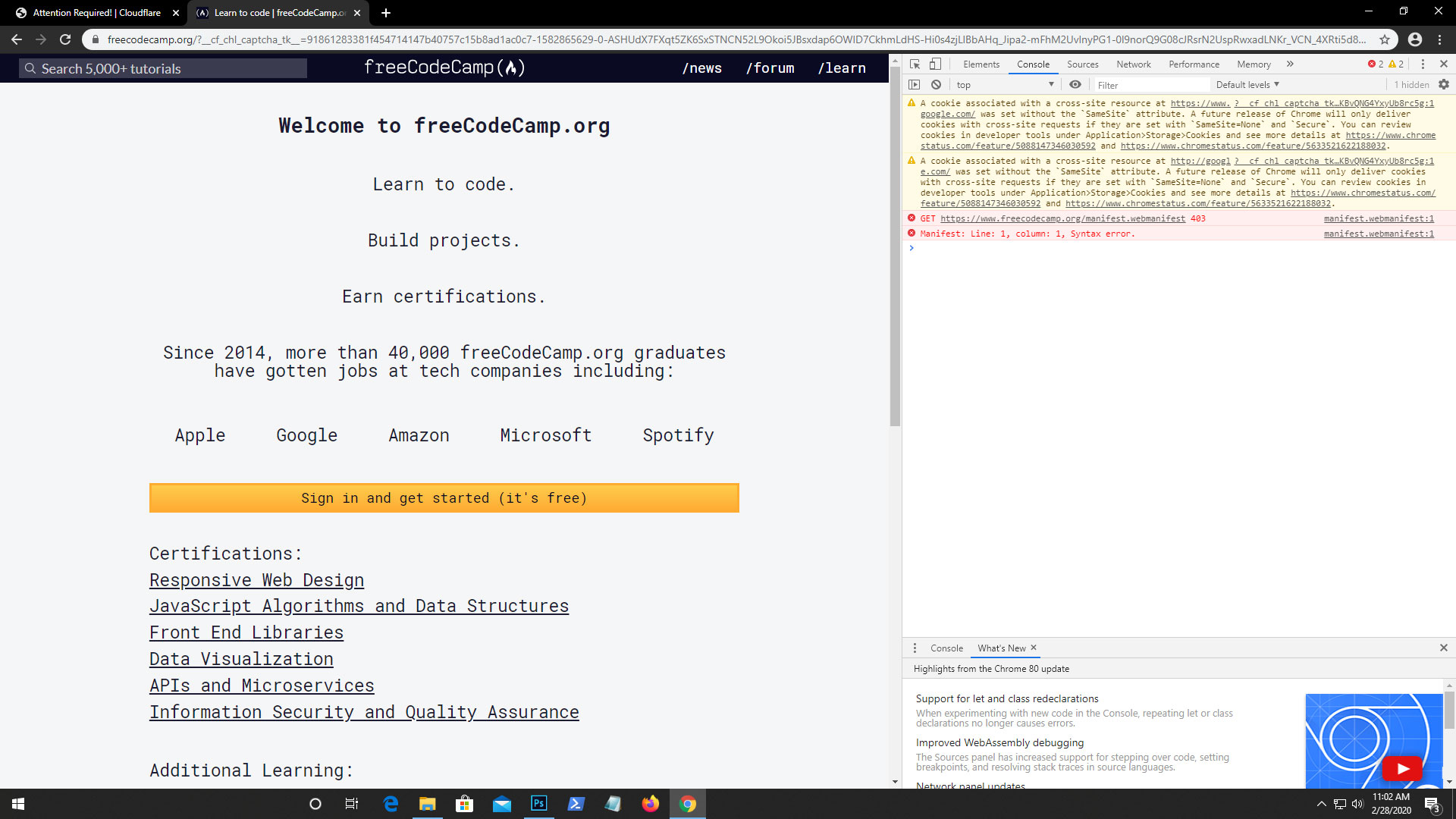
and this
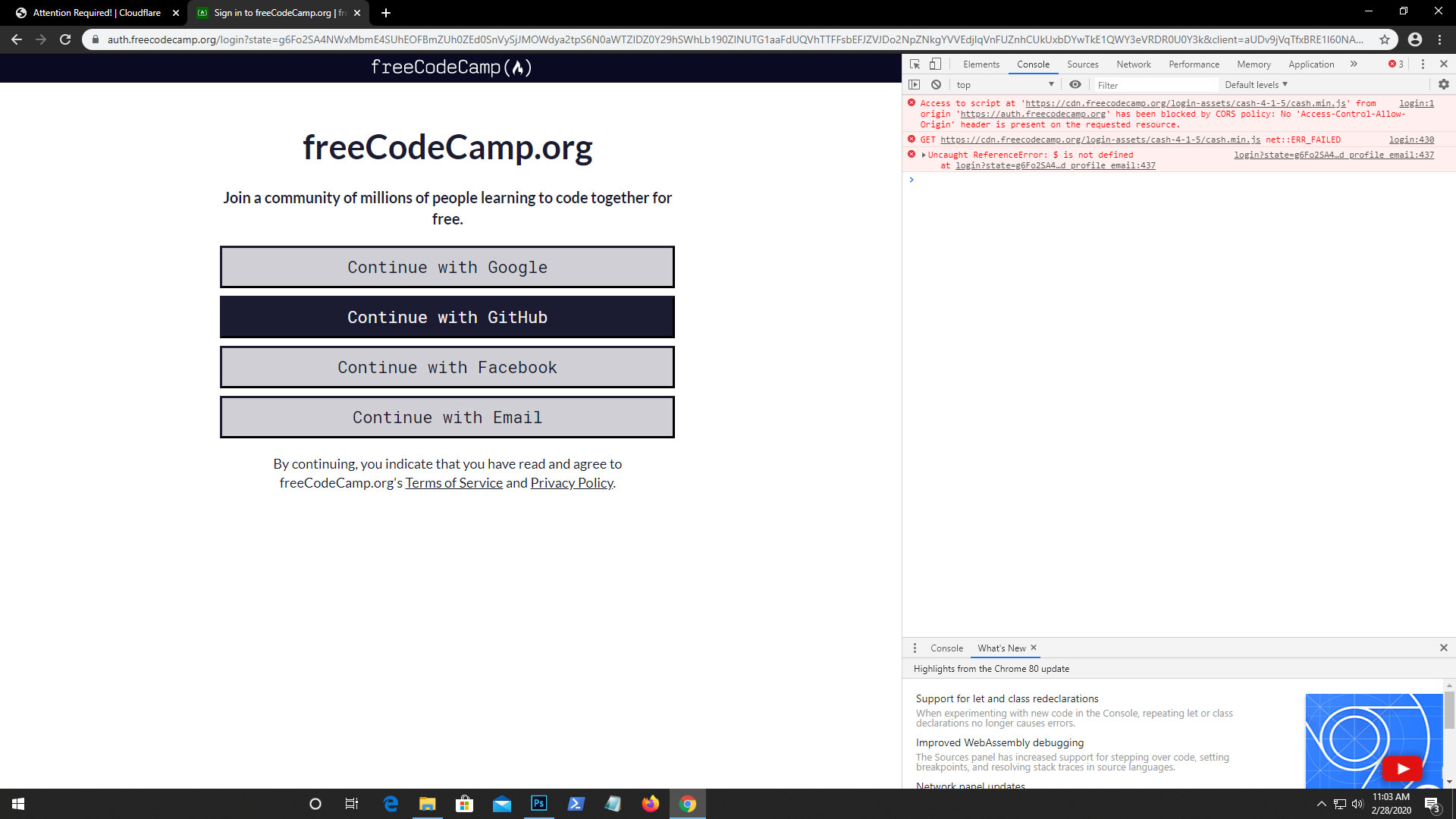
almost similar from the last time. By the way I don't have any installed extension in chrome.
a2-zubair
on 28 Feb 2020
Could this be your Internet Service Provider? Network (School or Work)? Can you share the general region you are in like City or Country (do no share specifics)? Is there any possibility of any censorship?
raisedadead
on 28 Feb 2020
@a2-zubair, I'm not able to reproduce this on the latest versions of Chrome or Firefox either.
It's possible that you're getting the old headers somehow, which is why you're getting those errors about the CORS policy and $ not being defined. That or there is an ad blocker running that we can't see.
Could you open an incognito window and try signing in there?
scissorsneedfoodtoo
on 28 Feb 2020
It's possible that you're getting the old headers somehow,
Their ISP / network etc. could be caching things disrespecting our CDN, for reasons of bandwidth. This is something we do not have control over mostly.
raisedadead
on 28 Feb 2020
@scissorsneedfoodtoo @raisedadead Hi guys, thanks for your reply and support and sorry for late reply. I don't know why this problem is happening? is it my ISP network or anything from my firefox browser like tracker and content blocking is enabled or something. But I also tried to login using chrome but same problem I faced there.
So, I don't know how to solve it but I found a way to login my account using github. I like to share with you guys. Please take a look below and give me your feedback on it :
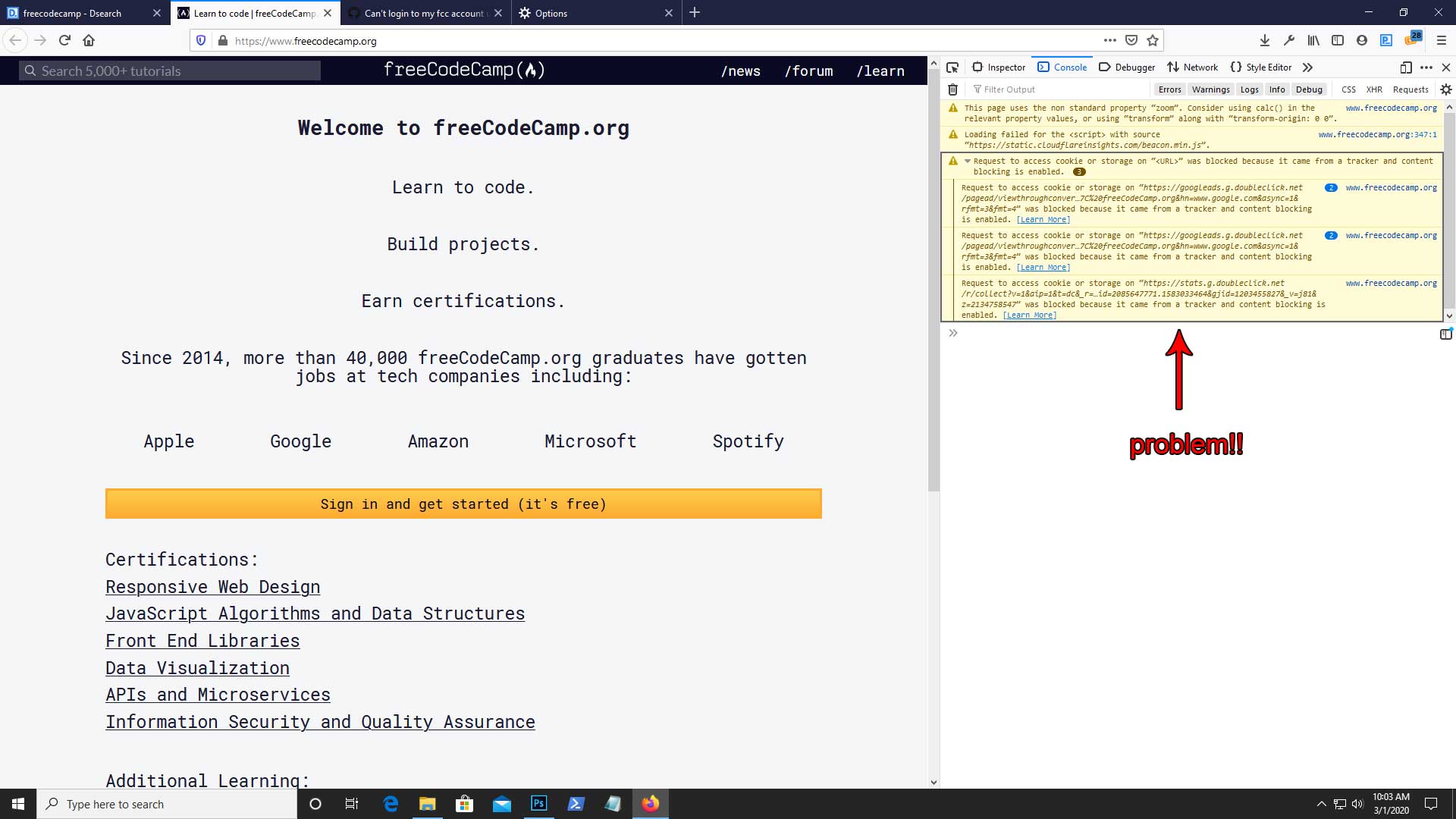
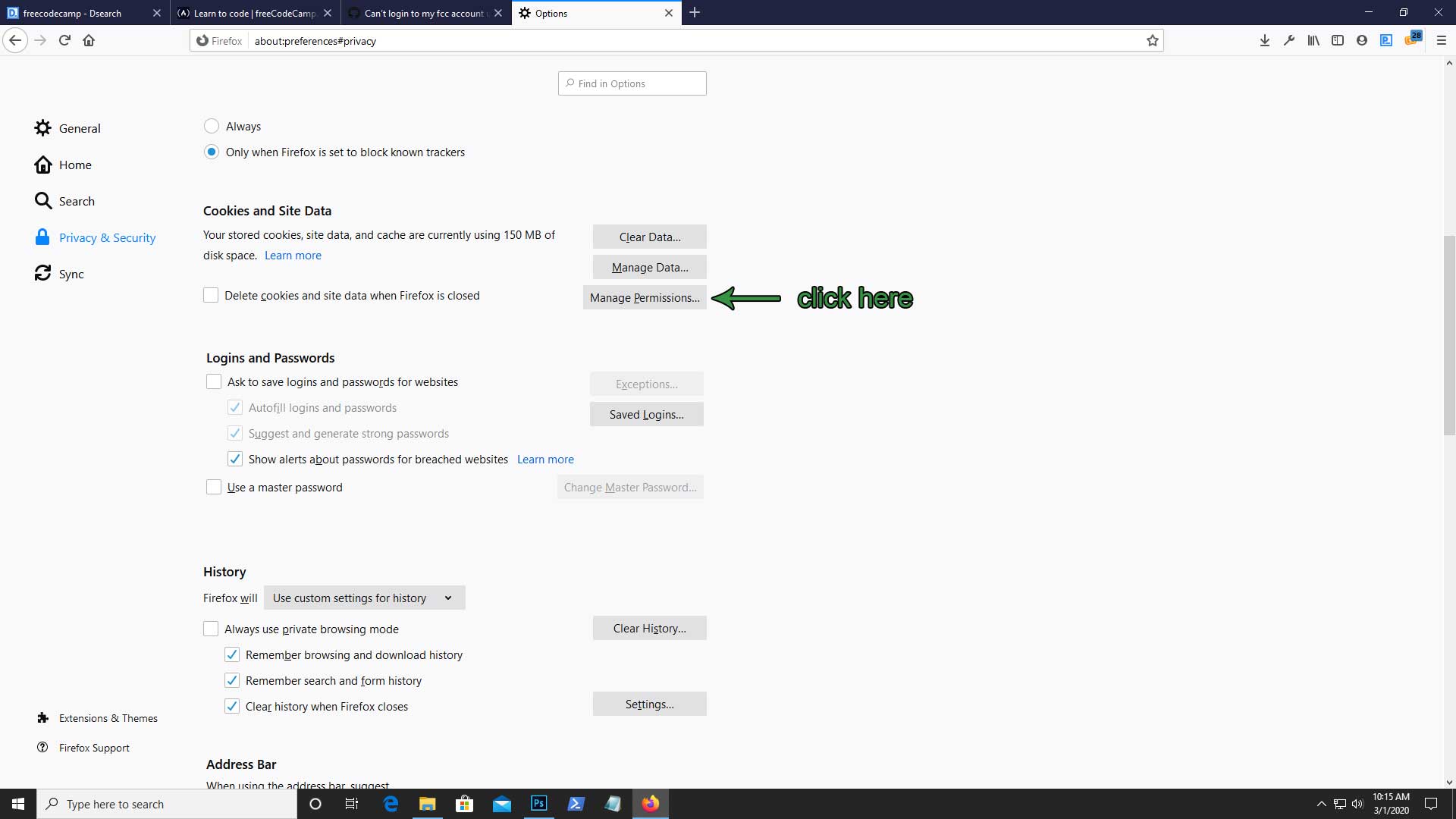
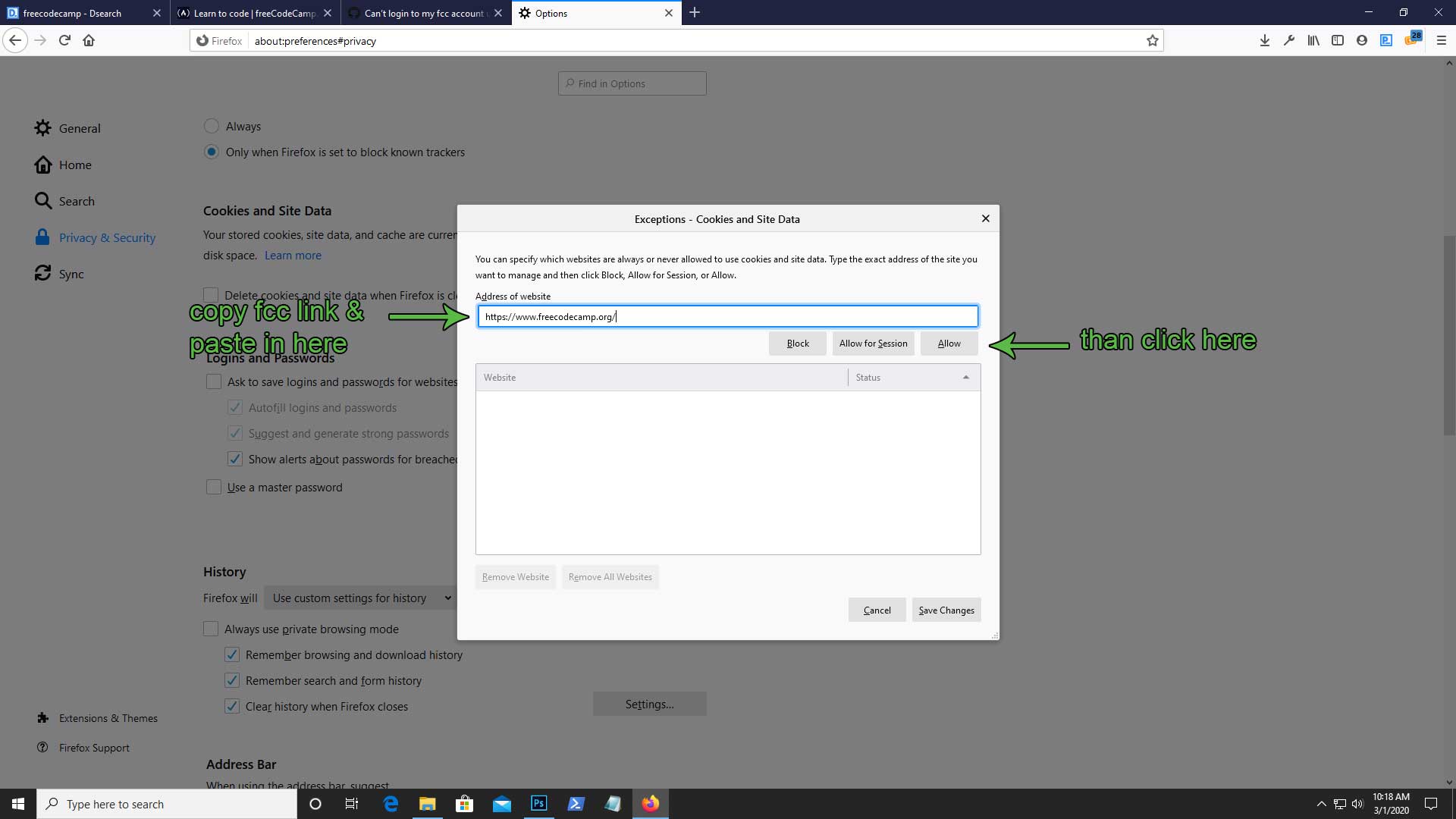
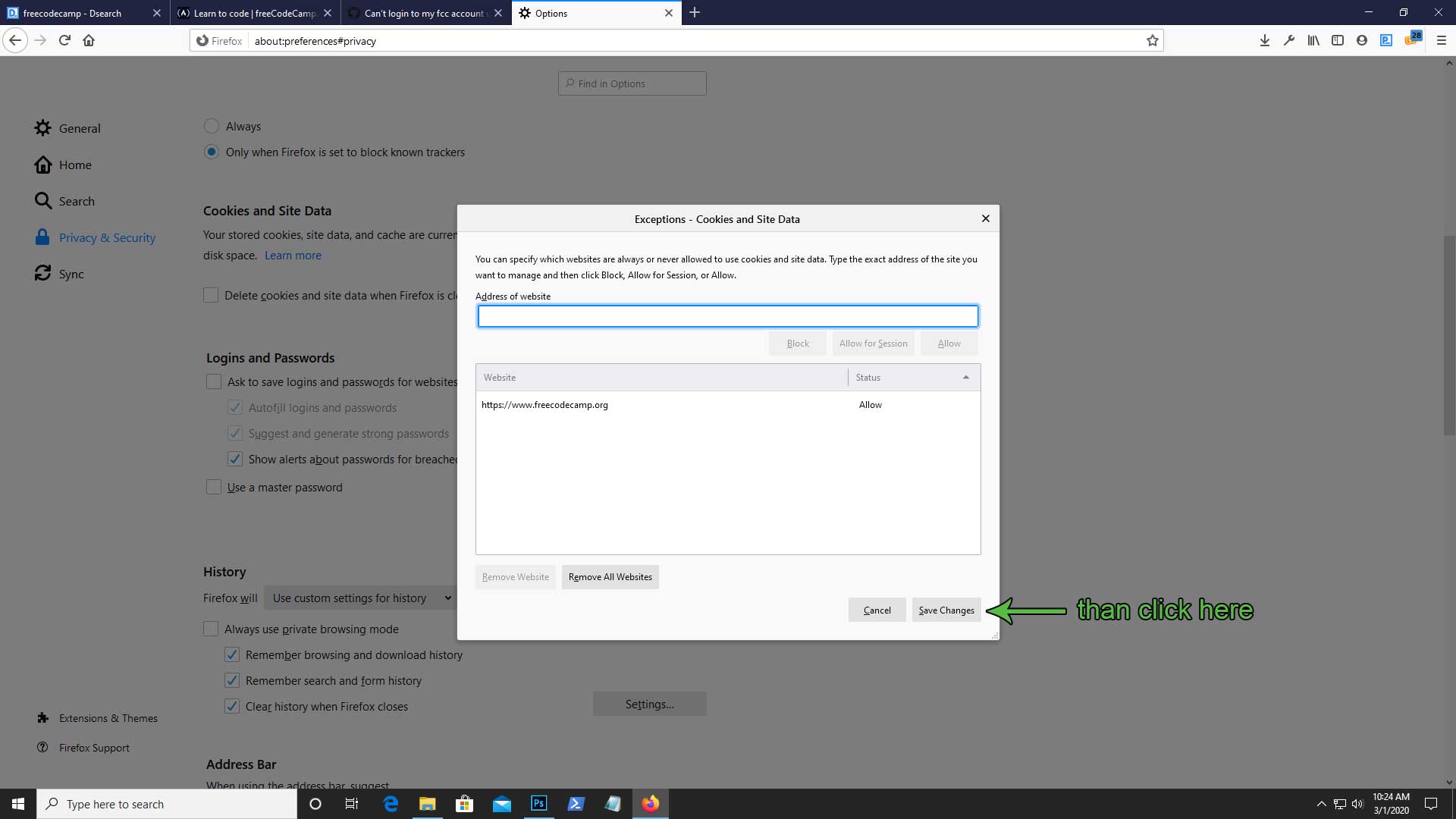
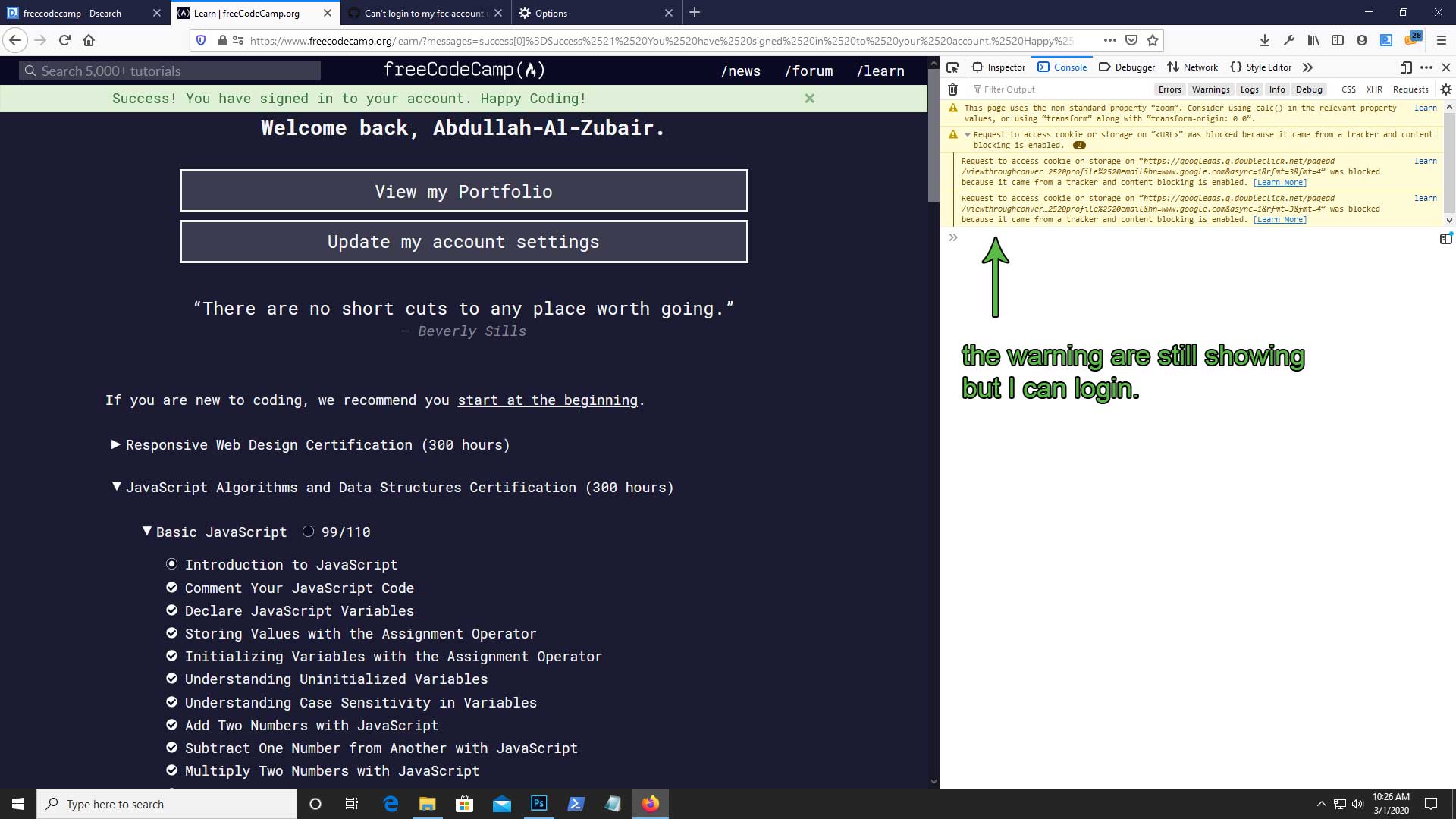
I'm not sure this is a permanent solution for this problem.
a2-zubair
on 1 Mar 2020
I am afraid we are unable to assist here, this seems to be something specific to your setup, system and network.
Apologies and good luck.
raisedadead
on 1 Mar 2020
Related issues
 vaibsharma
·
3Comments
vaibsharma
·
3Comments
 kokushozero
·
3Comments
kokushozero
·
3Comments
 Tzahile
·
3Comments
Tzahile
·
3Comments
 cmal
·
3Comments
cmal
·
3Comments
 ar5had
·
3Comments
ar5had
·
3Comments
Most helpful comment
Good news!! I can login now!!