Freecodecamp: Certifications look buggy with new fonts
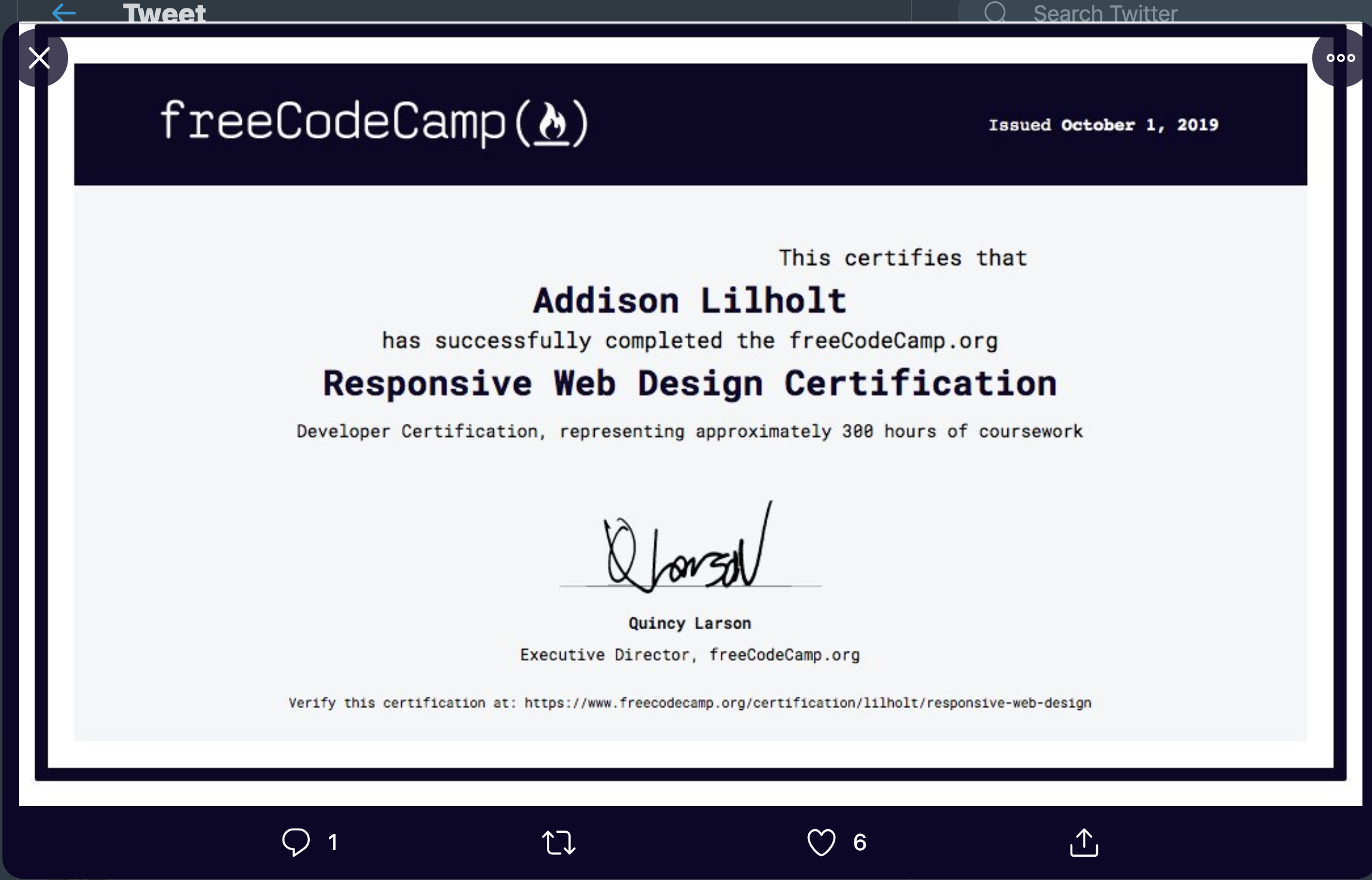
Please see below. The text has been shifted around a bit in some aspect ratios. We need to ensure that the text on certifications looks right on all screen sizes:
 QuincyLarson
All 22 comments
Can I get steps to reproduce? I can't see this on my dev build with any screen size.
 dboydgit
on 17 Oct 2019
dboydgit
on 17 Oct 2019
I can't reproduce this either. Although on one load of the above cert, I did get the date with a dark font color...

But I couldn't reproduce this a second time.
Seems like maybe some of the intended css isn't getting applied intermittently or something.
 moT01
on 18 Oct 2019
moT01
on 18 Oct 2019
@moT01, hmm.
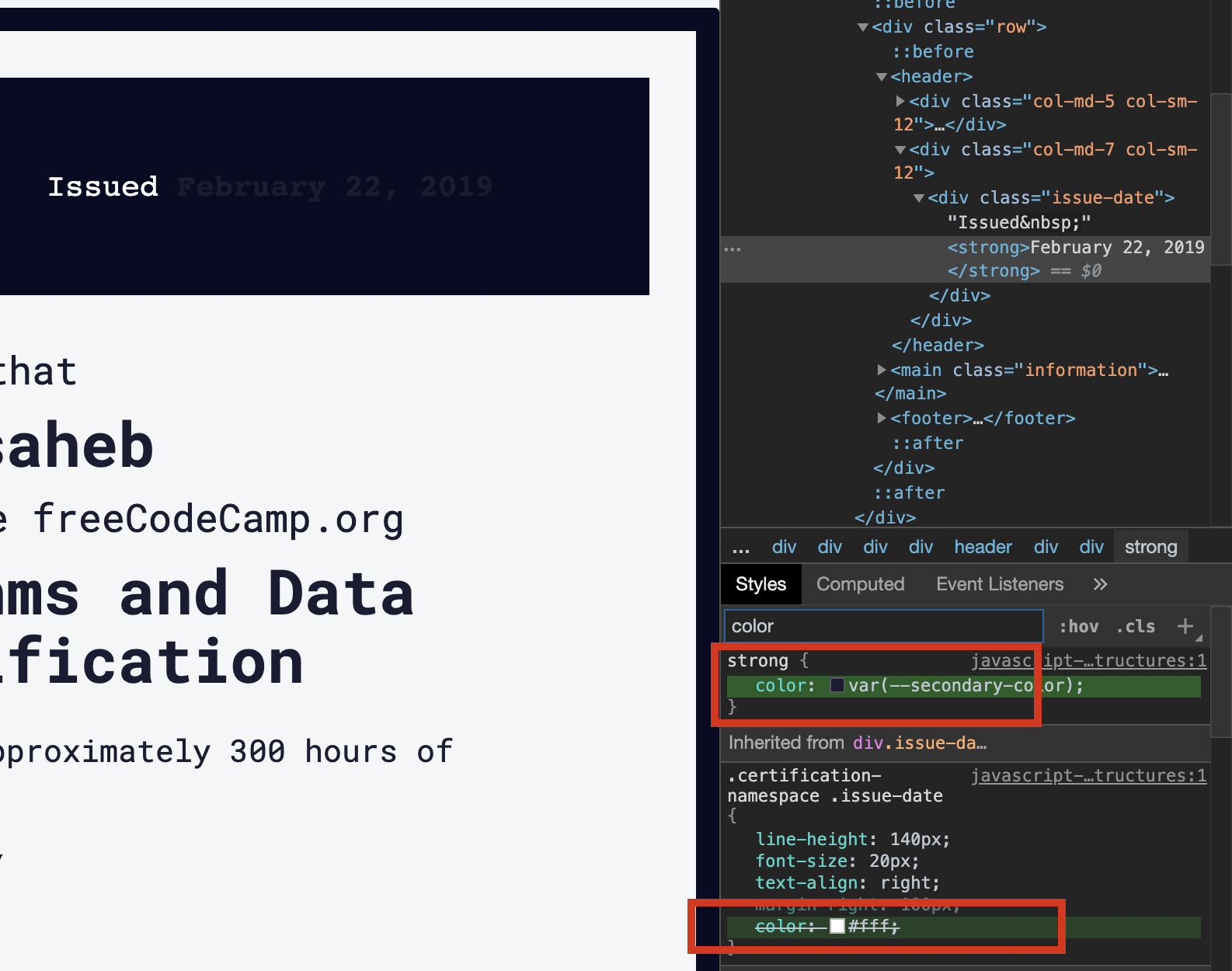
it seems like a theme related issue.
all colors in the certificate should come from
:root {} in the variables.css
 ahmadabdolsaheb
on 18 Oct 2019
ahmadabdolsaheb
on 18 Oct 2019
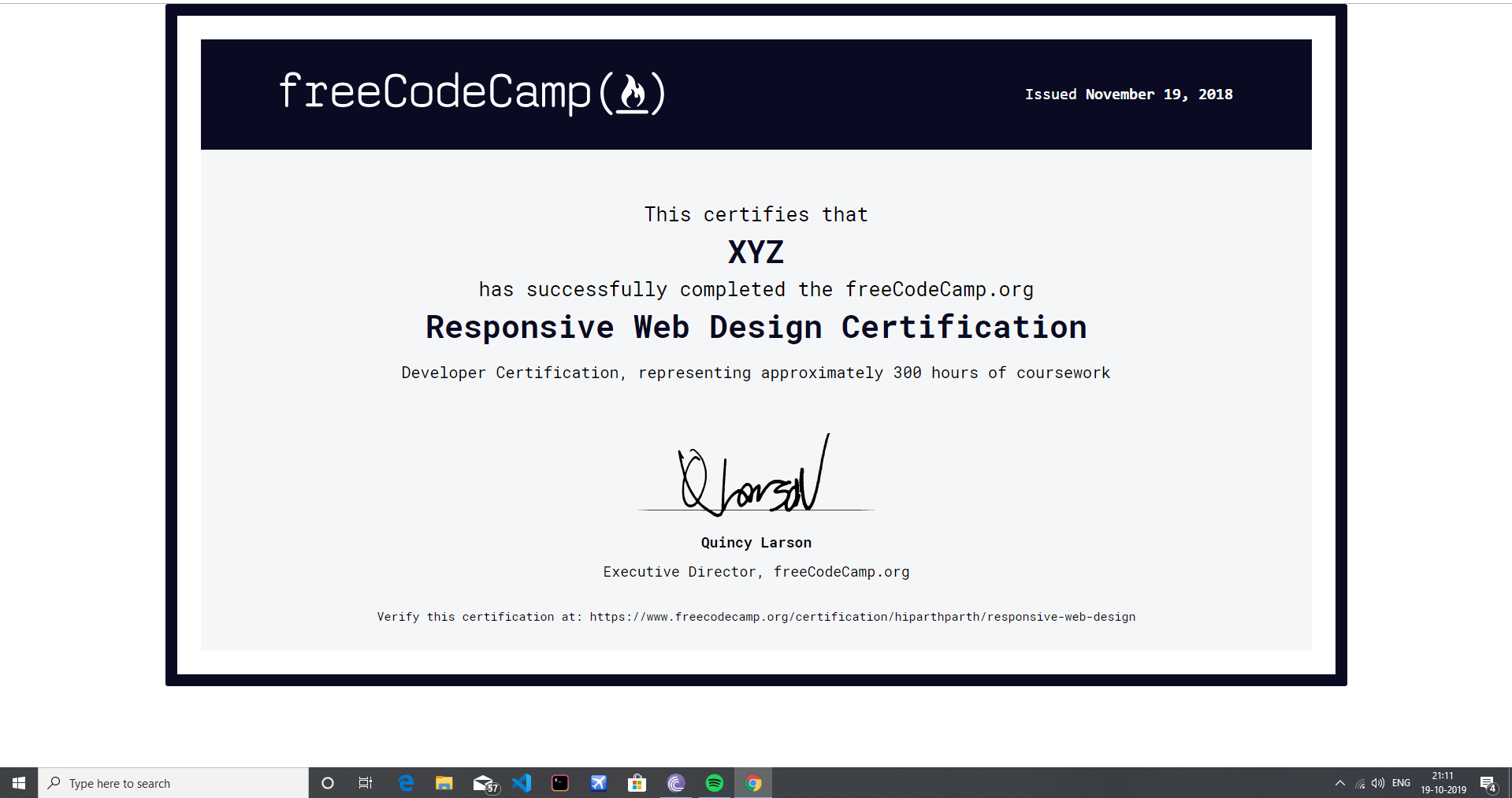
Since we're dealing with formatting and whitespace of certificates here, should we not center this to the page?
 thecodingaviator
on 19 Oct 2019
thecodingaviator
on 19 Oct 2019
Is it not already centered @thecodingaviator? I'm not sure what you are referring to.
So I think I figured out how to reproduce my issue. The date gets the dark font when you open a cert in a new tab or go to the URL through the address bar. But gets the correct font when you just open the cert in the current tab from the portfolio page. Can anyone else check this?
moT01
on 19 Oct 2019
I’m referring to vertical centring. See the white gap between the end of the certificate and where the browser ends
thecodingaviator
on 19 Oct 2019
I put in a pull request to center the certificates vertically on large screens. @moT01 I can't reproduce your font color issue. New tab and navigating with URL both show the correct font color for me.
@raisedadead I also can't reproduce the font offset in the first screenshot. So I don't think there is anything else that can be done on this issue unless someone can reproduce these.
dboydgit
on 20 Oct 2019
I also can't reproduce the font offset in the first screenshot.
I am not very sure as well, could be some specific device or viewport size. Will check with the OP to test this.
Thanks for the PR.
 raisedadead
on 21 Oct 2019
raisedadead
on 21 Oct 2019
The problems that @moT01 pointed out:
I did get the date with a dark font color...
But I couldn't reproduce this a second time.
Seems like maybe some of the intended css isn't getting applied intermittently or something.
were not addressed in https://github.com/freeCodeCamp/freeCodeCamp/pull/37427, so this should not have been closed.
 ojeytonwilliams
on 22 Oct 2019
ojeytonwilliams
on 22 Oct 2019
Can anyone else reproduce that? or Quincy's issue?
I can still reproduce mine on production, but not locally. Perhaps it has worked itself out on master.
moT01
on 22 Oct 2019
I can still reproduce mine on production, but not locally. Perhaps it has worked itself out on master.
I will have a build pushed to dev within the hour. Would you like your user record there for testing?
raisedadead
on 22 Oct 2019
Sure
moT01
on 22 Oct 2019
Okay let's do a before and after, I am have added your user record to .dev, and will let you know again on this thread when I have pushed a build.
raisedadead
on 22 Oct 2019
I can reproduce it on production. I haven't had chance to do locally, but my guess is you'll need to build the client to see it.
ojeytonwilliams
on 22 Oct 2019
The changes have now landed in production as well. Can you check?
raisedadead
on 22 Oct 2019
@raisedadead it's something to do with client-only routes. If you build the client and then use netlify dev to serve it, you see the problem Tom found. For some reason you get a 404 for the cert route and it loads, but the body gets class="light-palette" and so the certificate renders incorrectly. Everything works as expected when using gatsby serve.
ojeytonwilliams
on 22 Oct 2019
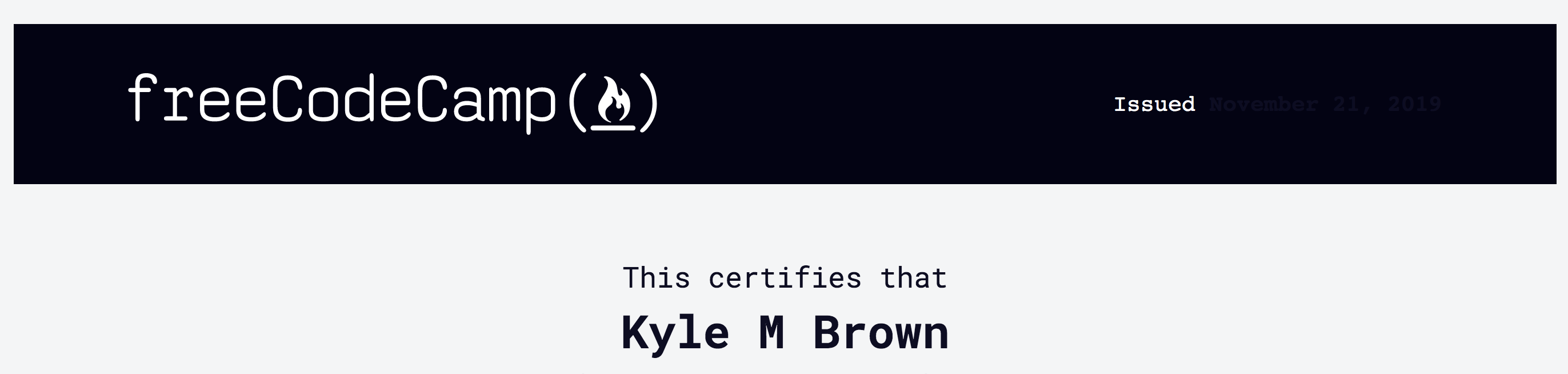
Hello - This may help debug the issue.
I do not have this issue when viewing the certificate from my profile page - after clicking the "View Full Stack Certification" button.
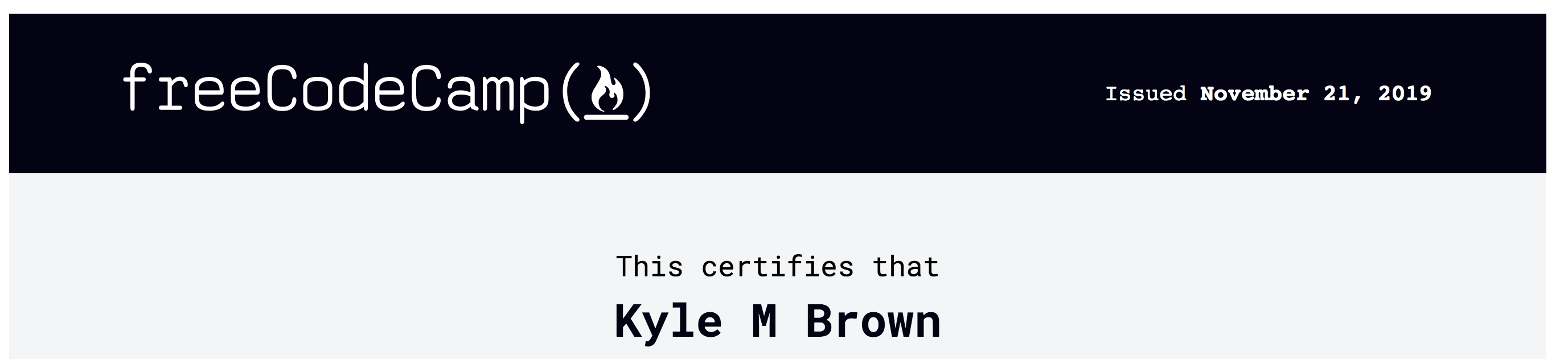
I do have this issue when viewing the certificate while visiting the url directly.
 kmb40
on 21 Nov 2019
kmb40
on 21 Nov 2019
i think some general theme based color styles are over writing that element styles, in this case if this case if we make the styles more specific, and apply to strong it should work.
ahmadabdolsaheb
on 24 Nov 2019
It's not just the fonts. The page sizing is also getting messed up when visiting from an external link. If you come from somewhere other than fCC, you'll see scrollbars.
thecodingaviator
on 30 Nov 2019
It's not just the fonts. The page sizing is also getting messed up when visiting from an external link. If you come from somewhere other than fCC, you'll see scrollbars.
I could not reproduce this on mac and chrome 78.0.3904.108. could you give tell me about the browser and operating system you are using.
ahmadabdolsaheb
on 2 Dec 2019
@ahmadabdolsaheb See scrollbar to the right when I open it externally
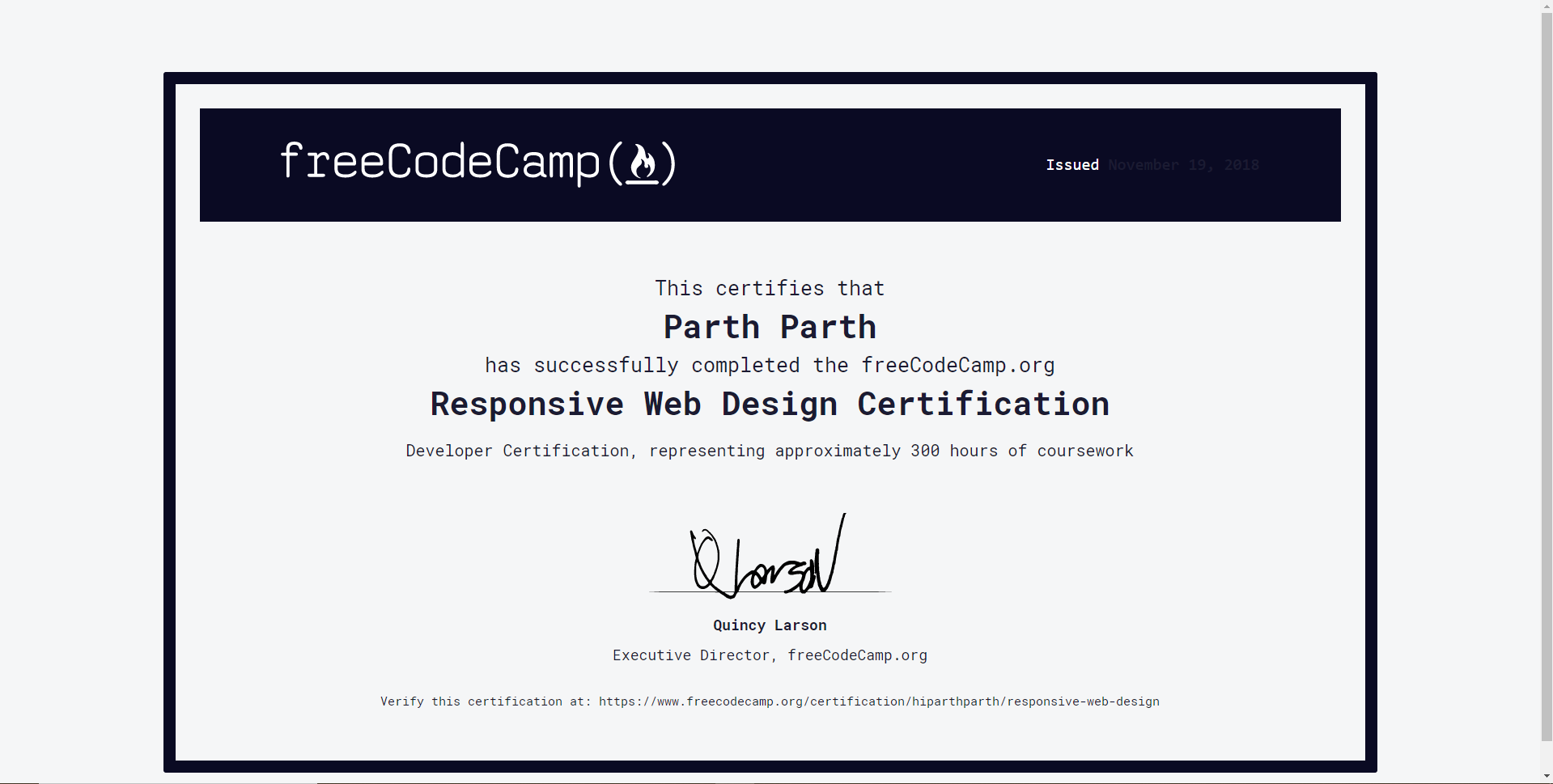
None if opened directly from fCC
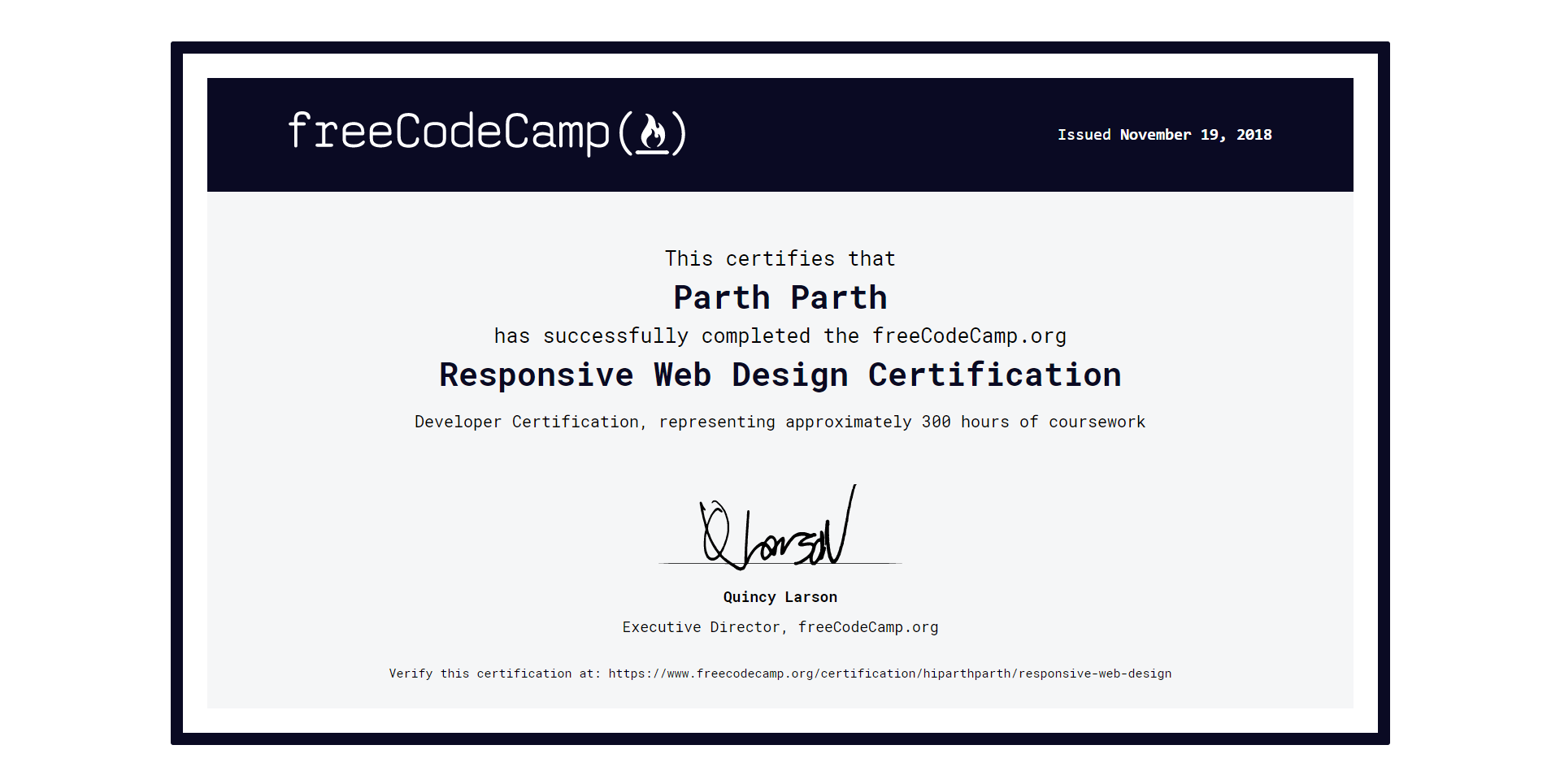
Also, notice whitespace is different
thecodingaviator
on 2 Dec 2019
Alright, since we've added the donation request, this issue has been rendered moot
thecodingaviator
on 5 Dec 2019
Related issues
raisedadead
·
3Comments
 MelissaManning
·
3Comments
MelissaManning
·
3Comments
 kokushozero
·
3Comments
kokushozero
·
3Comments
 SaintPeter
·
3Comments
SaintPeter
·
3Comments
 robwelan
·
3Comments
robwelan
·
3Comments