Freecodecamp: [localhost] Can't read buttons on dev 404 page + nightmode
with an instance running locally
go to any user profile url (localhost:8000/anyuser)
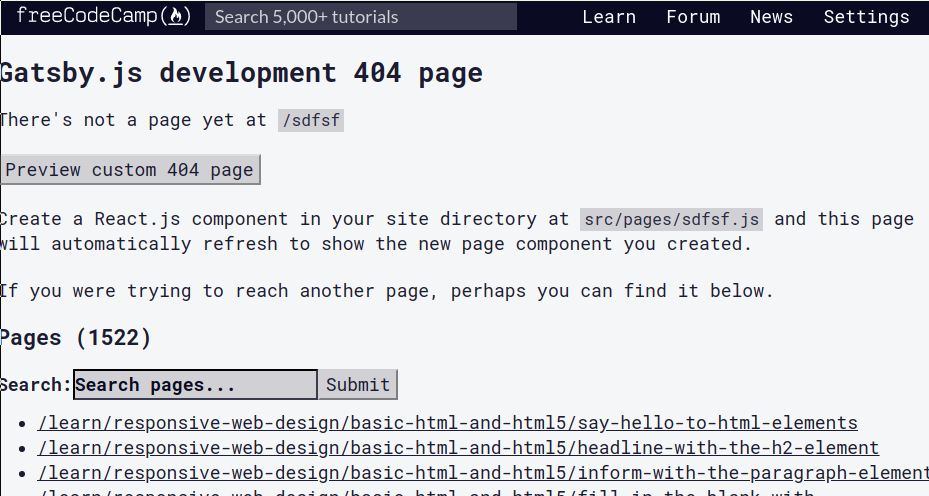
it will bring up this page...
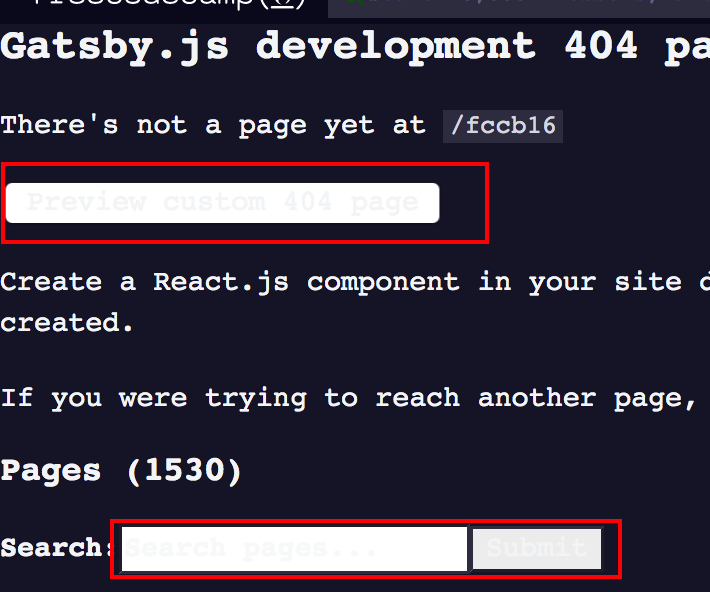
can't read the buttons/search
 moT01
moT01
All 17 comments
This is a low priority issue to resolve development experience
 raisedadead
on 26 Aug 2019
raisedadead
on 26 Aug 2019
Hello, I want to help you with this problem
 lizzardarcher
on 28 Aug 2019
lizzardarcher
on 28 Aug 2019
thank you @lizzardarcher. please go ahead with proposing a solution or submitting pull request.
 ahmadabdolsaheb
on 28 Aug 2019
ahmadabdolsaheb
on 28 Aug 2019
Since the production site seems to issue an error page that resembles the attached image:
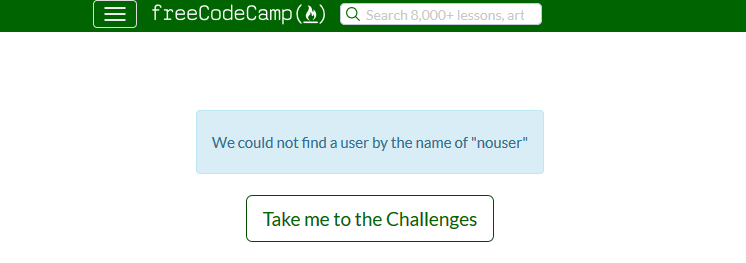
this issue may be related to a local setup issue. Check to make sure that your server and client are accessing the proper libraries and extensions. If you are able to do a thorough audit of your setup and files and still find that you are having the issue, try posting some information about what type of server you are using and perhaps some information from your logs that might relate to missing files. Also, be sure that your client side (browser) is loading the provided scripts correctly. Look for errors in the console related to missing or bad libraries.
 chezzwizz
on 31 Aug 2019
chezzwizz
on 31 Aug 2019
Hi @chezzwizz check this: https://www.gatsbyjs.org/docs/add-404-page/
raisedadead
on 31 Aug 2019
Gatsby has a middleware that renders a "pre" 404 page. We need to handle the default styles on this middleware page.
raisedadead
on 31 Aug 2019
I don't understand the issue completely..
The submit button seems to work fine.
Can someone explain the issue.. And is this the expected page ?
 sfialok98
on 3 Sep 2019
sfialok98
on 3 Sep 2019
@sfialok98, please visit http://localhost:8000/1243er4 locally to view the 404 page.
ahmadabdolsaheb
on 4 Sep 2019
Can I work on this issue?
 RisingGeek
on 5 Sep 2019
RisingGeek
on 5 Sep 2019
Defiantly, @RisingGeek. Please go ahead with describing the solution you have in mind or submitting a pull request.
ahmadabdolsaheb
on 5 Sep 2019
Hi all,
gatsby-focus-wrapper .ais-InstantSearch__root .default-layout button,
gatsby-focus-wrapper .ais-InstantSearch__root .default-layout input
{
color:var(--blue-dark);
}
Including these lines in client/static/css/bootstrap.min.css seems to fix the problem. However, I'm not entirely certain it doesn't produce side-effects.
 lirikf
on 7 Sep 2019
lirikf
on 7 Sep 2019
Hi @lirikf :
That will affect every button and input under every other page as #gatsby-focus-wrapper .ais-InstantSearch__root .default-layout seems to be shared by every other page. I am not sure if it is a good idea to change all buttons and inputs under all pages.
The source for this page is at https://github.com/gatsbyjs/gatsby/blob/master/packages/gatsby/src/internal-plugins/dev-404-page/raw_dev-404-page.js and I can't seem to find any classes or IDs attached to these elements.
So, with no ID's or classes attached to that component , I am unsure if a clean way to do something like that is possible. Maybe someone who understands this better can comment further on this.
Is changing button text color globally under dark mode a viable solution for this?
 sangeet
on 8 Sep 2019
sangeet
on 8 Sep 2019
The following changes in global.css fixes this bug and brings the styling more along the lines of the rest of the website. Since, the colors are based on variables which change based on light/dark theme, this shouldn't break anything on the website (AFAIK, every other button, etc are using the .btn class)
button, input[type="submit"] {
  background-color: var(--quaternary-background);
  color: var(--secondary-color);
}

#search{
  background-color: var(--quaternary-background);
  color: var(--primary-color);
  border-color: var(--quaternary-color);
}

#search::placeholder {
  color: var(--primary-color);
}
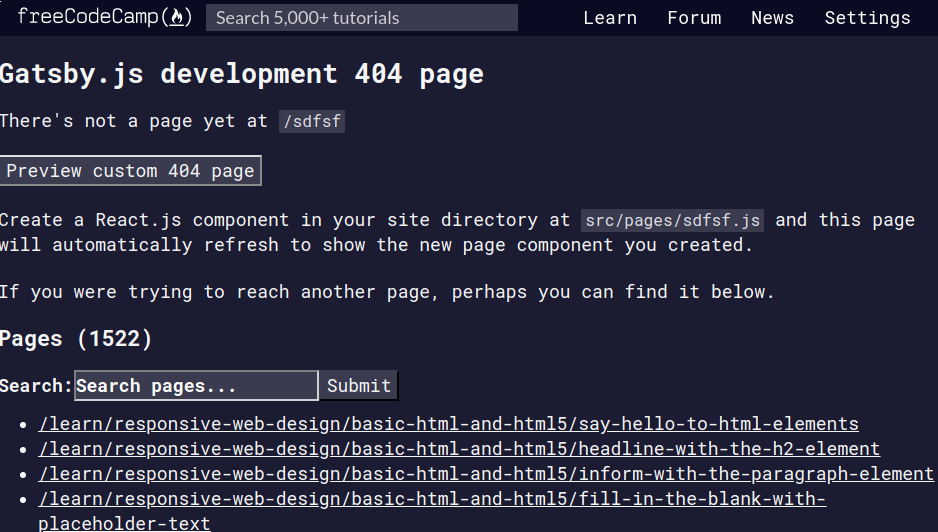
Is this an acceptable fix?
sangeet
on 8 Sep 2019
Gatsby has a middleware that renders a "pre" 404 page. We need to handle the default styles on this middleware page.
If it uses the themes API, then I would imagine there might be some good information at https://www.gatsbyjs.org/docs/theme-api/
There are several mentions of the gatsby-config.js file with some path and color references. Perhaps there might be some settings in this file or another file in the components of the theme directory that the 404 page rendering uses.
Edit: There seems to be some pages under the client/src/component/fourohfour directory with some styles that pertain to the 404 page specifically. If it is just the 404 page that this problem exists, perhaps a fix can be added to the style sheet here so as not to spread the changes to pages where it is no necessary. I also noticed that there are several theme related pages under the components folder.
chezzwizz
on 14 Sep 2019
Do you have to ask for permission to work on these issues or can we just submit a PR
 Dnguye92
on 26 Sep 2019
Dnguye92
on 26 Sep 2019
@Dnguye92, you are welcome to work on this issue and submit a pr.
Also, feel free to discuss your solution before submitting your pr.
ahmadabdolsaheb
on 27 Sep 2019
how do you activate the nightmode?
 5hel2l2y
on 3 Oct 2019
5hel2l2y
on 3 Oct 2019
Related issues
 robwelan
·
3Comments
robwelan
·
3Comments
 MelissaManning
·
3Comments
raisedadead
·
3Comments
MelissaManning
·
3Comments
raisedadead
·
3Comments
 danielonodje
·
3Comments
danielonodje
·
3Comments
 QuincyLarson
·
3Comments
QuincyLarson
·
3Comments