Freecodecamp: Quincy's Twitter profile picture not showing up
In this challenge the linked profile picture doesn't display.
On my Laptop it doesn't show any picture or any indication, that it is broken:

I can right click and select view image, which gives me this:

That should be one single white pixel?
On my mobile it shows, that it is broken:
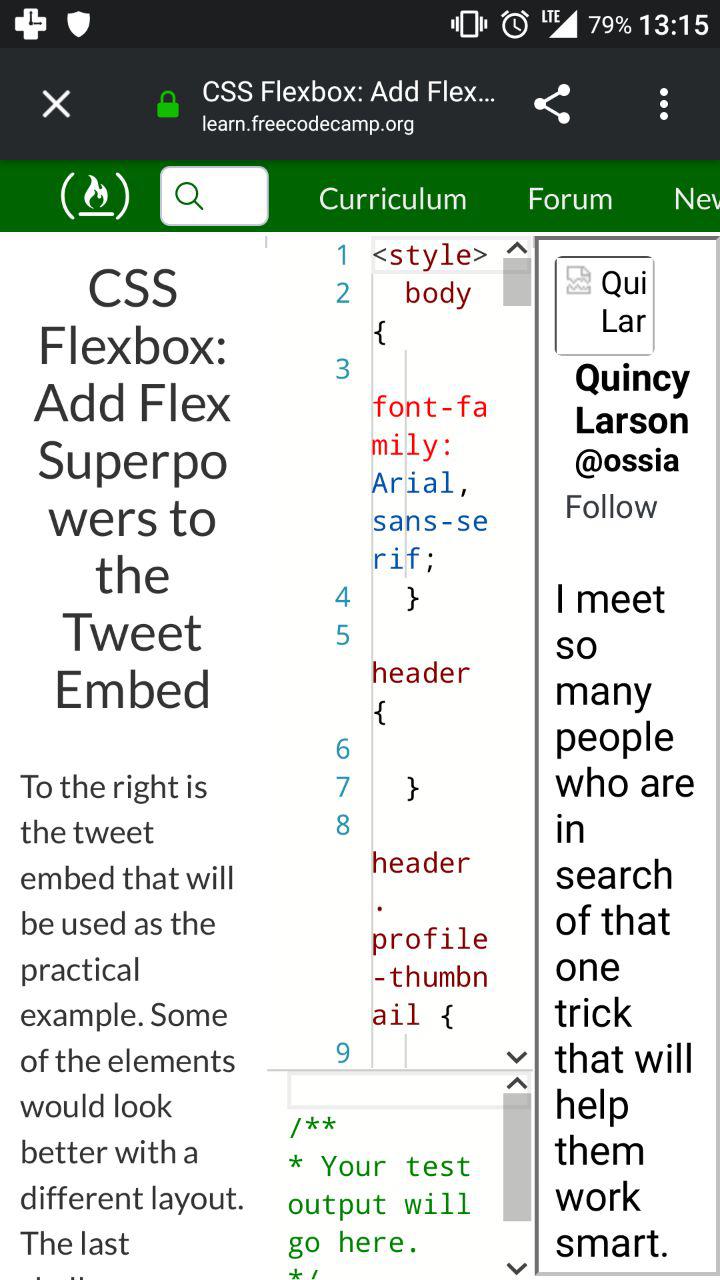
(Firefox 64.0.2, LineageOS; not using Wifi)
I also tried Chromium on my Linux machine, which gave me the same result as Firefox.
Changes in the html and css didn't lead to anything.
I tried to insert the link of another image (the Stackoverflow profile picture of a random person) and it worked without problems.
Then I tried to insert the link to another persons Twitter profile picture, which didn't work as well.
Therefore I believe, that Twitter is the problem here.
I was not able to find information on why it is not possible to link Twitter profile pictures in this way, which is a little confusing as you would expect guides, request and so on for something big like that.
Proposed workaround:
I tested both Quincy's profile picture from Github and from Medium.
Both work and I would only exchange the Twitter link for one of those:
https://avatars3.githubusercontent.com/u/985197?s=400&v=4
https://miro.medium.com/fit/c/240/240/1*CEi35YFI3DqbuAu0jAhFYA.jpeg
I decided to not instantly go for a pull request, because this problem should be normally well known and I am unable to see what causes the problem and somebody with more experience should judge this.
- Browser Name: Firefox for Linux Mint
- Browser Version: 1.0
- Operating System: Linux Mint 18.3
Edit1:
This problem seem in not related to a specific challenge, as I experience the same bug in CSS Flexbox: Apply the flex-direction Property to Create Rows in the Tweet Embed and other challenges, that use the same Twitter profile picture.
 Hahlh
Hahlh
All 10 comments
The image shows up for me. The problem on your side is that either your country or your firewall or your ISP is blocking the image provider
 thecodingaviator
on 29 Jan 2019
thecodingaviator
on 29 Jan 2019
@thecodingaviator Thank you for checking it!
Wouldn't those explanations normally mean, that I would not be able to see the image at all?
If I follow the link, the image gets displayed without any problems.
Hahlh
on 29 Jan 2019
In that case I'm really unsure what's happening. Maybe some of the more experienced ones can help
thecodingaviator
on 29 Jan 2019
I think you need to close the img tag <img /> but I'm not entirely sure it would help if you copy and paste the code below
 jessica6m
on 29 Jan 2019
jessica6m
on 29 Jan 2019
@jessica6m Hey Jessica!
Thank you for the response!
I didn't change anything about the Code Seed. The code is in its original form, that everybody gets, when opening the challenge for the first time.
I made sure, that that is the chase by resetting the code as well.
Closing the img tag didn't solve it.
I tested it now with an outdated version of Brave. Interestingly the image loads there.
Brave: 0.26.0
V8: 6.9.427.23
rev: de4ff2d6931c2b9784fbe5227325cd47f21a3417
Muon: 8.1.8
OS Release: 4.4.0-141-generic
Update Channel: Release
OS Architecture: x64
OS Platform: Linux
Node.js: 7.9.0
Brave Sync: v1.4.2
libchromiumcontent: 69.0.3497.100
I also deactivated all add-ons in Firefox, that could interfere with this.
Further I tested it on another Laptop, that runs Windows 8.1 and it doesn't work there for Firefox (I tried to test IE11, but it wouldn't even load up the Challenge properly).
Is anybody able to reproduce the problem?
Edit:
Firefox is able to load the image, if I open the code as a stand alone web page.
Do you maybe know, what causes this problem @thecodingaviator?
Hahlh
on 29 Jan 2019
Nope, not sure at all. Try right clicking on the image on the curriculum and inspect element to see if it is actually having the link to the image there
thecodingaviator
on 30 Jan 2019
Okay, this is some really weird behaviour. As I resume my session on the Linux laptop this morning, the image shows up in the tab I left open. After a reload of the challenge, the picture is gone again.
@thecodingaviator
I checked the console and it has the image link.
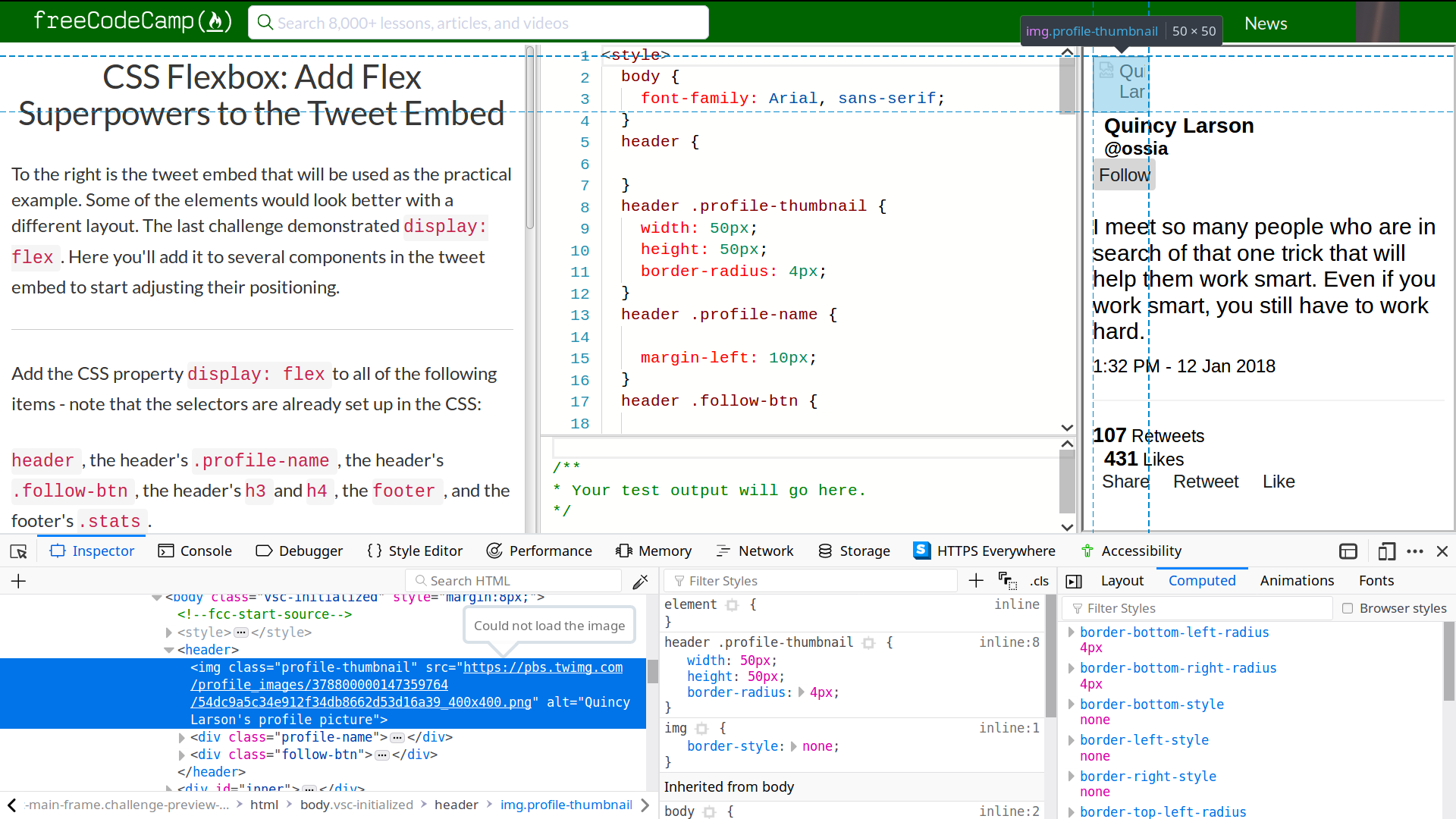
Hahlh
on 30 Jan 2019
I did a fresh install of Linux 19.1 on a virtual machine to rule out, that the problem has anything to do with things that are not under my control.
The picture loaded without any problems (Firefox).
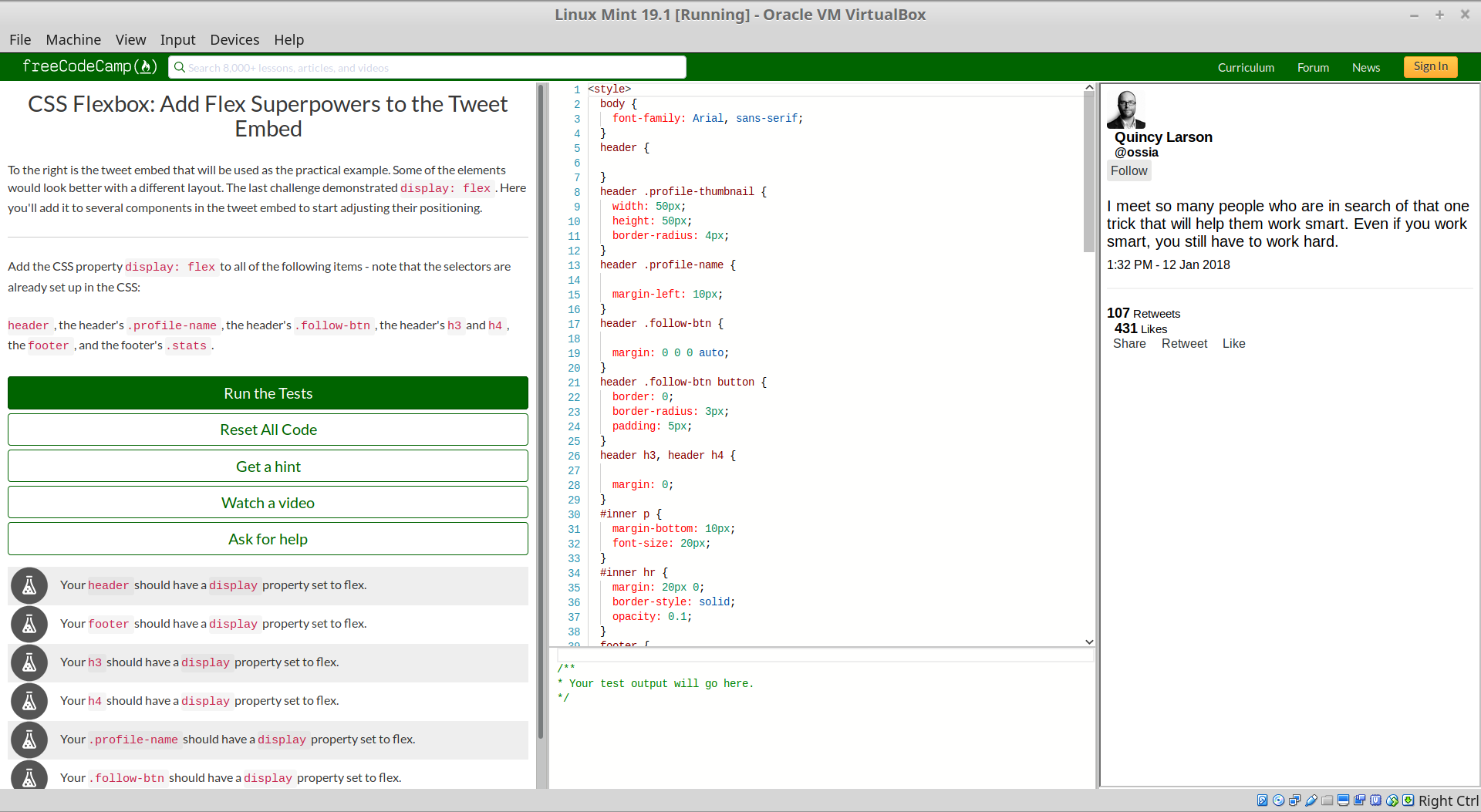
This probably means, that this is caused by some customization I like to use.
Therefore I think, that it would be best to let this issue rest until somebody can actually (unintentionally) reproduce it.
I will leave this issue open, so that somebody who encounters the same problem can find this and reach out.
Summary:
This is a very awkward problem.
Only Twitter profile pictures seem to be affected.
No VPN was used.
Not loading the image:
- Linux Mint 18.3
- Firefox
- Chrome
- Windows 8.1
- Firefox
- LineageOS - Android (no Wifi -> Router not the cause; different provider than home network)
- Firefox
- Duckduckgo Privacy Browser (factory settings)
Loading the image:
- Linux Mint 18.3
- Brave (factory settings)
- Linux Mint 19.1 VM
- Firefox (factory settings)
- LineageOS - Android
- Brave (factory settings)
- Opera (factory settings)
- Firefox after a reinstall
Hahlh
on 30 Jan 2019
Found it! :tada:
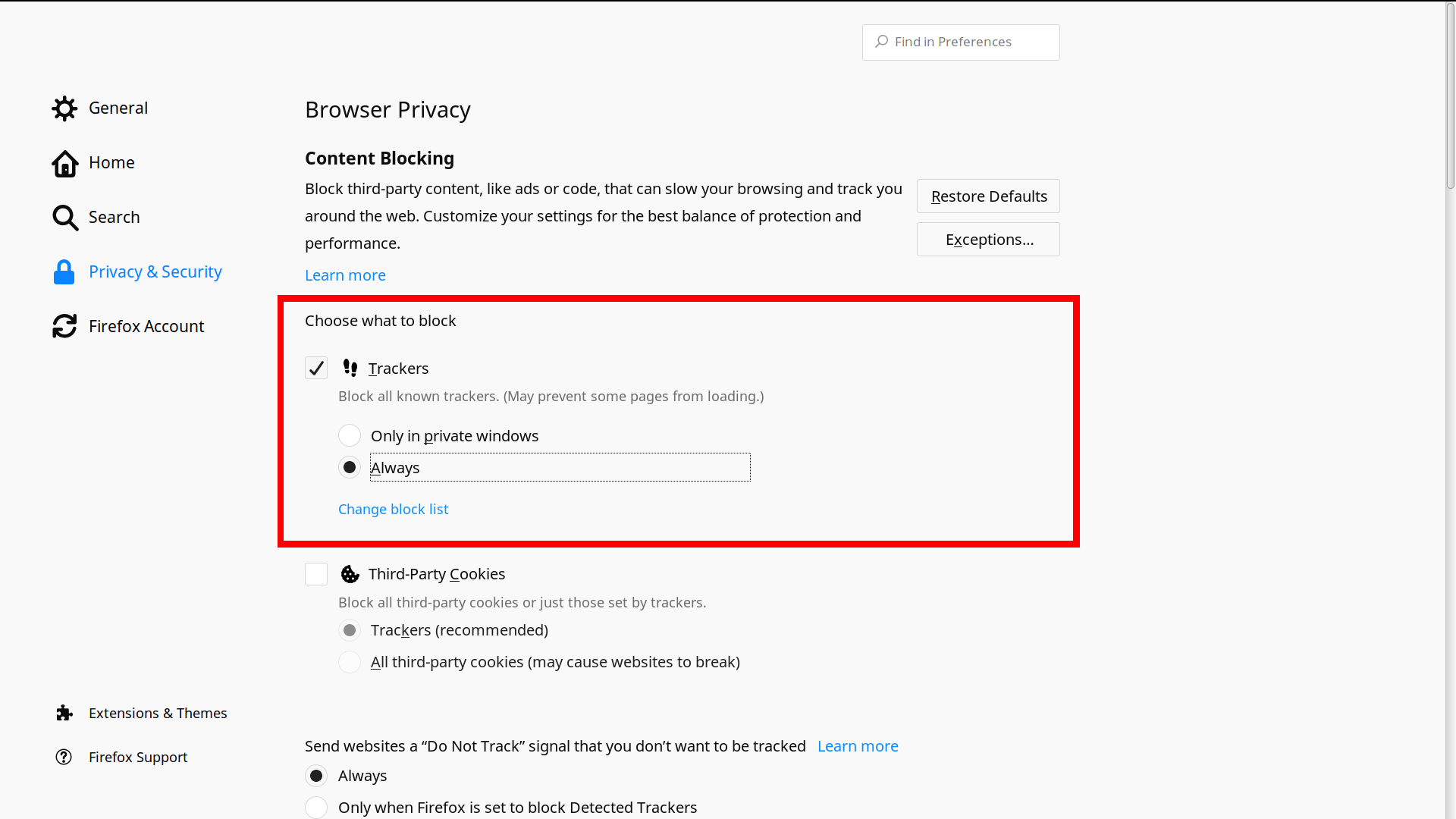
That is certainly something interesting and may deserve another discussion.
I don't know how to handle this from now on and will leave it up to somebody else to decide whether to close this issue or not and / or open up a new one.
If there is tracking through linked Twitter images going on (I was not able to find something on this yet), this may or may not be something, that shouldn't be in the curriculum.
Have a great day and a big thank you to @thecodingaviator and @jessica6m !
Hahlh
on 30 Jan 2019
Closing as non codebase issue.
The easiest way to get into debugging is always test in "an incognito window preferably in Chrome"
If its broken in incognito, chances are some human, us or you broke something. Otherwise it's usually a script, a setting or an extension on the browser.
 raisedadead
on 30 Jan 2019
raisedadead
on 30 Jan 2019
Related issues
 kokushozero
·
3Comments
kokushozero
·
3Comments
 bagrounds
·
3Comments
bagrounds
·
3Comments
 SaintPeter
·
3Comments
SaintPeter
·
3Comments
 ROWn1ne
·
3Comments
ROWn1ne
·
3Comments
 MichaelLeeHobbs
·
3Comments
MichaelLeeHobbs
·
3Comments
Most helpful comment
The image shows up for me. The problem on your side is that either your country or your firewall or your ISP is blocking the image provider