Freecodecamp: Unable to view users link on forum
Just getting around to posting about this issue which has been present for about 2 weeks on the forum. Currently, when I try to visit https://www.freecodecamp.org/forum/u, the page just keeps trying to load and finally I get:
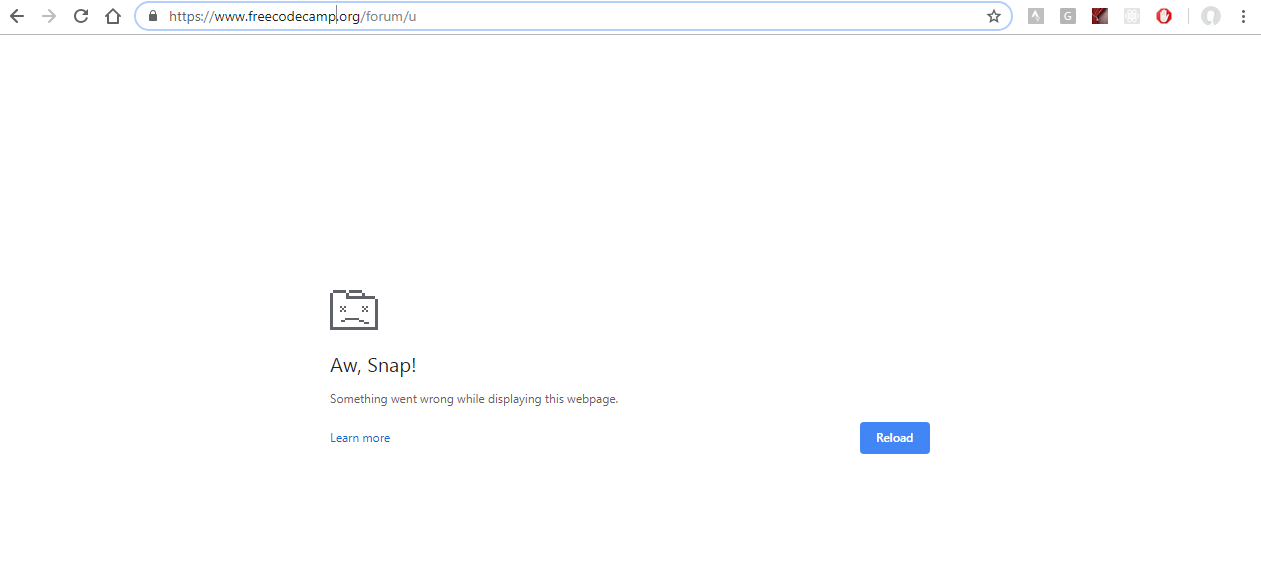
I am on Windows 8.1 and using the latest version of Chrome.
 RandellDawson
All 18 comments
Woah, something's trying to be loaded in that page.
Also the site keeps on loading until the pc runs out of memory and then the page crashes.
@RandellDawson Could you give the link to the post in the forum discussing this issue?
 Nirajn2311
on 6 Dec 2018
Nirajn2311
on 6 Dec 2018
I don't think there is a link in the forum about this issue that I am aware of.
RandellDawson
on 6 Dec 2018
@RandellDawson sry, I interpreted your post in a different way.
Nirajn2311
on 6 Dec 2018
This is most likely going to be a wontfix. I have spent several frustrating hours on getting this to work. As of now, the we do not have any ETA on getting this fixed.
Any pointers with this is much appreciated.
 raisedadead
on 7 Dec 2018
raisedadead
on 7 Dec 2018
What caused it to break?
RandellDawson
on 7 Dec 2018
What caused it to break?
We do not have any root cause, other than the events that have led to it:
We moved to
/forumfromforum.freecodecamp.orgAs per the OP it was still working at this point I believe.
We removed redundant nginx on the forum VM.
- Currently the www nginx is reverse proxying the forum.
- The forum has its own internal nginx within the docker container.
- Some URL rewrites are configured in the container nginx, some are on the root level www nginx.
As per the OP it was still working at this point I believe.
The forum completely went down for hours a couple weeks ago.
- We were having a disk space issue on the forum VM
- This led to it crashing itself down during the automated backups.
- This was resolved by completely purging the instance, nuking everything (old backups, images) etc. and building the containers from scratch.
Most likely this is where the issue described in the OP has started popping up.
raisedadead
on 7 Dec 2018
After investigating a bit and updating all the plugins and components, and troubleshooting here are some more results:
This /users or otherwise /u paths are actually defined in a theme that we use. Disabling the theme in safe mode seems to make this work again.
So the current workaround is to disable the theme and visit the users page.
https://www.freecodecamp.org/forum/users?safe_mode=no_custom
raisedadead
on 28 Dec 2018
/cc @freeCodeCamp/moderators
raisedadead
on 28 Dec 2018
@raisedadead Do you know which theme it is? We should definitely disable it. We want this leaderboard to be visible - it's a high priority, as it gives people helping out on the forum something to strive for.
Also the /users path is very prominent in our navigation, and I be a LOT of people are hitting that route. We should fix this ASAP.
 QuincyLarson
on 28 Dec 2018
QuincyLarson
on 28 Dec 2018
@RandellDawson @raisedadead Until we can figure out a fix for this, I've hidden the "leaderboard" nav element by commenting it out from the template.
QuincyLarson
on 28 Dec 2018
@raisedadead I could be missing it, but I don't see the /users route in the api. You can use res.redirect on that route with a pattern if needed, in addition to your njinx redirects / rewrites. Maybe in api-server/server/boot/randomAPIs
 tbushman
on 28 Dec 2018
tbushman
on 28 Dec 2018
@tbushman Yeah - there is a lot of magic in Rails and I'd rather not dig in and customize the app itself if we can avoid it - it may just be a problem with our own custom themes.
QuincyLarson
on 29 Dec 2018
Hi @tbushman I think you got this confused with this codebase. It is not related to the freeCodeCamp code base, but the theme that we with discourse.
@QuincyLarson where did you edit the template?
raisedadead
on 29 Dec 2018
@QuincyLarson How was the deployment done? Is it version controlled?
raisedadead
on 29 Dec 2018
@raisedadead The codebase isn't version controlled. We've never made any changes to the code directly - you can make significant changes through Discourse's admin panel. I would prefer if we figured out a way to do that instead of trying to maintain a fork of the project.
QuincyLarson
on 29 Dec 2018
Resolved.
Root cause:
We manually had edited and added code from a theme component that enabled the leaderboard, which had made it difficult for us to track down the buggy code.
you can make significant changes through Discourse's admin panel. I would prefer if we figured out a way to do that ...
I disagree on some of this. Manually editing and customizing is quick. But its leaves a lot of areas to speculate later when things break. Keeping things documented, or as in this case version control helps.
Since none of the customizations were documented, it will only break more things when we maintain 5, 10, 20 forum instances later.
A fix for this particular issue was very trivial in terms of code, just a single line change. But took us weeks to figure it out and of course led to frustration and downtimes.
I have now forked and updated a tweaked version of the original component now available here:
https://github.com/freeCodeCamp/discourse-users-nav
This is automatically deployed for updates to its master.
raisedadead
on 30 Dec 2018
@raisedadead Thanks for fixing this. I didn't realize it was this trivial to create a script and have it included automatically as part of the build process.
QuincyLarson
on 2 Jan 2019
@raisedadead Thanks for resolving this. This has been driving me crazy for a while.
RandellDawson
on 2 Jan 2019
Related issues
 bagrounds
·
3Comments
bagrounds
·
3Comments
 robwelan
·
3Comments
robwelan
·
3Comments
 MichaelLeeHobbs
·
3Comments
MichaelLeeHobbs
·
3Comments
 trashtalka3000
·
3Comments
QuincyLarson
·
3Comments
trashtalka3000
·
3Comments
QuincyLarson
·
3Comments