Franz: No more Notification Area icon on Ubuntu 17.10
Expected Behavior
The Franz icon should appear in Notification Area
Current Behavior
No icon is showed
Your Environment
- Franz Version used: 5.0.0-beta.14
- Operating System and version: Ubuntu 17.10 with Unity 7 DE
 jasmines
All 19 comments
Have you enabled the option to show Franz in system tray?
 adlk
on 11 Dec 2017
adlk
on 11 Dec 2017
Sure I have...
jasmines
on 11 Dec 2017
I can confirm it. When I close the window, Franz still runs in the background (I can see the notifications), but I cannot open Franz again. I have to kill Franz and then start it again.
Ubuntu 17.10 with Gnome, standard desktop edition.
 sg6
on 14 Dec 2017
sg6
on 14 Dec 2017
To temporary get around this issue, you can disable the option to minimize Franz to system tray.
adlk
on 14 Dec 2017
Without the icon I can't see when I get new messages, and this is the main feature I need Franz for.
jasmines
on 19 Dec 2017
I recently installed Franz ( 5.0.0-beta.14), thanks its great product.
I am using Ubuntu 17.10, Gnome and I am also experiencing the same issue, can not see system try icon, its just have some transparent icon, I can click on it but no icon. Thanks
 dilrajsachdev
on 21 Dec 2017
dilrajsachdev
on 21 Dec 2017
I'm using elementary OS 0.4.1 Loki and I also don't see the franz tray icon, just the red notification bubble. I did some diging and it turns out the tray icon is black for linux, is there a reasson for that? otherwise I would like to take this and use the white icons in linux.
 cffiebigc
on 22 Dec 2017
cffiebigc
on 22 Dec 2017
I can confirm this issue as well. It started with 5.0.0-beta.14. Is there a fix or workaround?
 dustedrob
on 27 Dec 2017
dustedrob
on 27 Dec 2017
same here
17.10 Gnome
 AhmedNTS
on 1 Jan 2018
AhmedNTS
on 1 Jan 2018
I can't see the icon either, but it's there if I click it.
16.04 XFCE
 Israphel
on 2 Jan 2018
Israphel
on 2 Jan 2018
Icon is black colour and top panel background colour is also black, that's why its not visible.
To see the icon, I am using "Activities Configurator" gnome extension, so that I can change the background colour of top panel
https://extensions.gnome.org/extension/358/activities-configurator/
dilrajsachdev
on 3 Jan 2018
Confirmed on Ubuntu 16.10 (though it's old and in need of cleanup) and Mint 18.2 (this one's quite fresh), both 64b; Franz version: 5.0.0-beta.14.
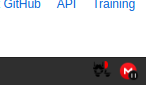
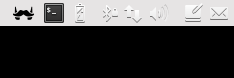
Specifically, there is an icon, but it is mostly transparent and doesn't really look like Franz logo (see attachments - there are no notifications at the moment of taking both screenshots; when there is a notification, a red dot appears in appropriate place). Besides that it's fully functional (clicking it opens appropriate Show/Quit Franz menu or brings the app to the front).
In the menu (both Unity scope and Mint Start-like menu) there is Franz entry, but it has no icon at all on Mint and a question mark on Ubuntu.
On Mint:
On Ubuntu:

 FilipMalczak
on 4 Jan 2018
FilipMalczak
on 4 Jan 2018
Icon is black.
https://github.com/meetfranz/franz/blob/master/src/assets/images/tray/linux/tray%402x.png
Israphel
on 4 Jan 2018
Not solved with 5.beta15...
jasmines
on 14 Jan 2018
Confirmed. I was using Ubuntu 16.04 LTS with Unity, and it was fine. Upon upgrade to 17.10 and Gnome, it's gone. I added gnome extensions Activities Configurator to change the color, and TopIcons Plus, and have it back, though it looks really, really wonky and strangely-sized.
 GeekRuthie
on 19 Feb 2018
GeekRuthie
on 19 Feb 2018
 schmunk42
on 7 Mar 2018
schmunk42
on 7 Mar 2018
Beta 17 on Ubuntu 17.10 with Gnome works for me! :)
 mgrabow1
on 2 Apr 2018
mgrabow1
on 2 Apr 2018
I also have this issue on Ubuntu 18.04 MATE.
 Cousjava
on 11 May 2018
Cousjava
on 11 May 2018
I also have this issue on a Ubuntu 18.04 with Gnome. franz 5.0.0-beta18
 thiagocrepaldi
on 6 Jul 2018
thiagocrepaldi
on 6 Jul 2018
Related issues
 tayfuuun
·
4Comments
tayfuuun
·
4Comments
 m2kk
·
4Comments
m2kk
·
4Comments
 dbfin
·
4Comments
dbfin
·
4Comments
 Guredaniel
·
3Comments
Guredaniel
·
3Comments
 gregoralbrecht
·
3Comments
gregoralbrecht
·
3Comments
Most helpful comment
I also have this issue on a Ubuntu 18.04 with Gnome. franz 5.0.0-beta18