Foundation-sites: Drilldown breaks focus trapping functionality of the off-canvas
How to reproduce this bug:
- Set up a basic instance of the off-canvas.
- Add a basic instance of the drilldown inside of the off-canvas instance.
- Press the button to trigger the off-canvas.
- Tab through the drilldown links using keyboard.
- Notice that the focus moves to the inside the off-canvas-content element when it should stay trapped within the off-canvas.
What should happen:
Focus should stay inside the off-canvas.
What happened instead:
Focus moved outside.
Also notice that the drilldown submenus disappear when they are navigated to using keyboard (arrow keys).
Test case link:
 dbombine
All 17 comments
@Owlbertz can you take a look at this?
 kball
on 21 Jul 2017
kball
on 21 Jul 2017
Seems indeed like a bug as this is not the case without a Drilldown. Will check this out when I got the time.
 Owlbertz
on 22 Jul 2017
Owlbertz
on 22 Jul 2017
Hi @Owlbertz - I'm wondering if you'd been able to look into this. Trying to debug the issue at the moment, but can't quite find the reason for the focus to misbehave.
dbombine
on 11 Dec 2017
Sorry, I totally forgot about this. I found out the issue lies in a stopImmideatePropagation() call that prevents the OffCanvas listener from trapping the focus.
I updated your pen with a fixed version here: https://codepen.io/Owlbertz/pen/rpBPdY and will submit a PR. Please pull the PR down and check if this solves the problem so it can be merged.
Owlbertz
on 11 Dec 2017
@Owlbertz, thank you very much! That did fix the issue. However, in the codepen you linked to, the focus goes elsewhere when going in the opposite direction (shift + tab). In my code it just stays trapped on the very first item of the drilldown.
dbombine
on 11 Dec 2017
It now leaves the Drilldown and focuses the element before the Drilldown (i.e. the OffCanvas' close button). Would you consider this new behavior as worse? I feel like it's more consistent this way.
Owlbertz
on 11 Dec 2017
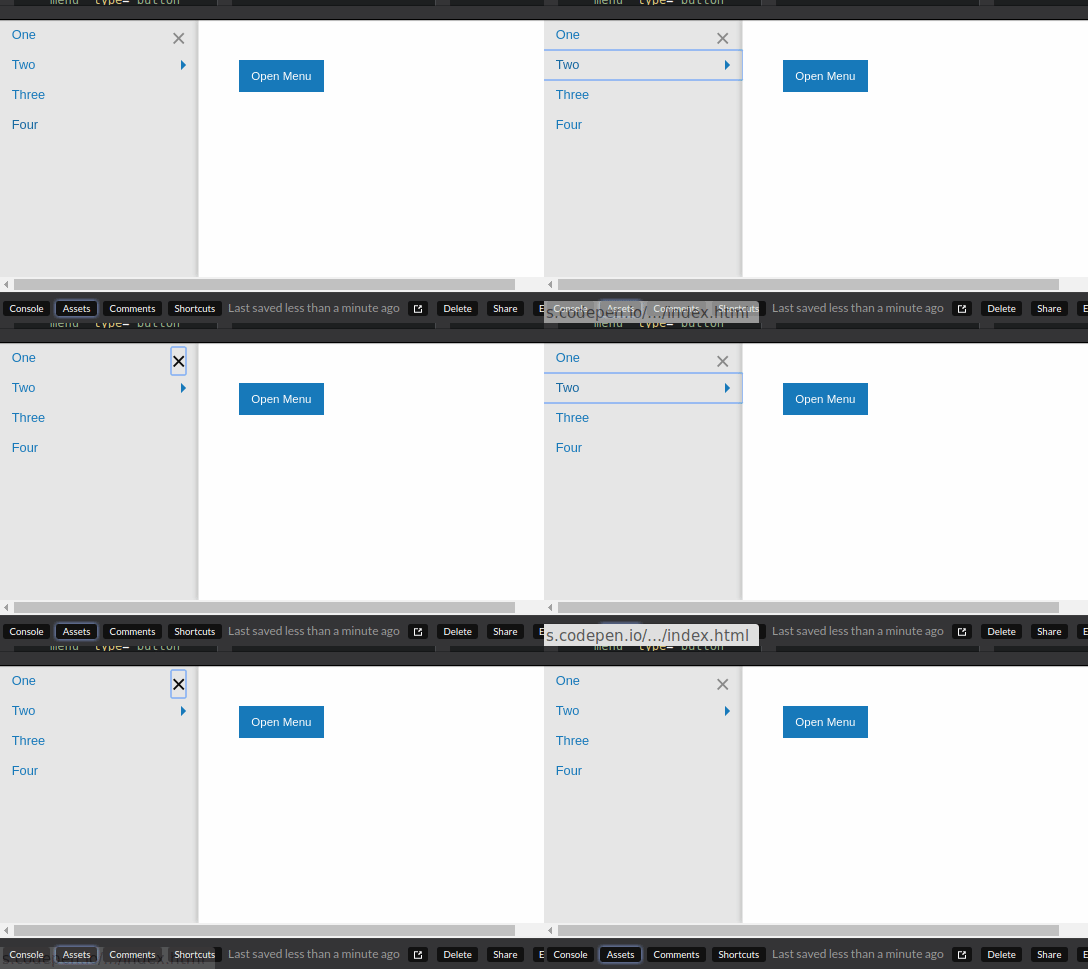
It looks like it's behaving correctly when going down the tree (tab), but
doesn't keep the focus trapped in the off-canvas when going back up
(shift + tab) - it just focuses on the Codepen's JS area instead of the
off-canvas close button.
dbombine
on 11 Dec 2017
For me it jumps from the close button to the last Drilldown element as expected.
Owlbertz
on 11 Dec 2017
Must be browser-specific then somehow. Getting this misbehaviour in Safari.
dbombine
on 11 Dec 2017
I tested with Firefox and Chrome. Unfortunately I do not have access to a Safari browser right now - sorry.
Owlbertz
on 11 Dec 2017
All good - thanks for the help!
dbombine
on 11 Dec 2017
@Owlbertz I've tested your codepen as well (Mac OSX High Sierra):
- chrome (62) works fine, no problems with tab and shift + tab
- firefox (57 / quantum) doesn't work: after having opened the off-canvas the X is focused but the next tab leaves the off-canvas and focuses the 'Open Menu'
- safari (11) works when using tab but fails in the other direction (shift + tab) once the 'One' is focused
 SassNinja
on 12 Dec 2017
SassNinja
on 12 Dec 2017
@SassNinja - I assume you tested with Firefox on MacOS? I tried it with Quantum on Windows and it works fine.
Owlbertz
on 12 Dec 2017
Yes, tested on Mac OS X (10.13.1 / High Sierra)
SassNinja
on 13 Dec 2017
So can we merge this then?
 DanielRuf
on 13 Mar 2018
DanielRuf
on 13 Mar 2018
@DanielRuf
- chrome (62) works fine, no problems with tab and shift + tab
- firefox (57 / quantum) doesn't work: after having opened the off-canvas the X is focused but the next tab leaves the off-canvas and focuses the 'Open Menu'
- safari (11) works when using tab but fails in the other direction (shift + tab) once the 'One' is focused
@SassNinja (https://github.com/zurb/foundation-sites/issues/10429#issuecomment-350998010)
Tested it on Firefox 61 (macOS) and got the same result.
 ncoden
on 25 Mar 2018
ncoden
on 25 Mar 2018
Can not reproduce it in Firefox 59 on Windows.
DanielRuf
on 25 Mar 2018
Related issues
 curtisblack2004
·
3Comments
curtisblack2004
·
3Comments
 umphy
·
4Comments
umphy
·
4Comments
 Yanchek99
·
4Comments
ncoden
·
3Comments
Yanchek99
·
4Comments
ncoden
·
3Comments
 CGTS
·
3Comments
CGTS
·
3Comments
Most helpful comment
@Owlbertz I've tested your codepen as well (Mac OSX High Sierra):