Foundation.mozilla.org: V-day: add new category
Based on parent ticket #2438.
_Do not push live until around Feb 5._
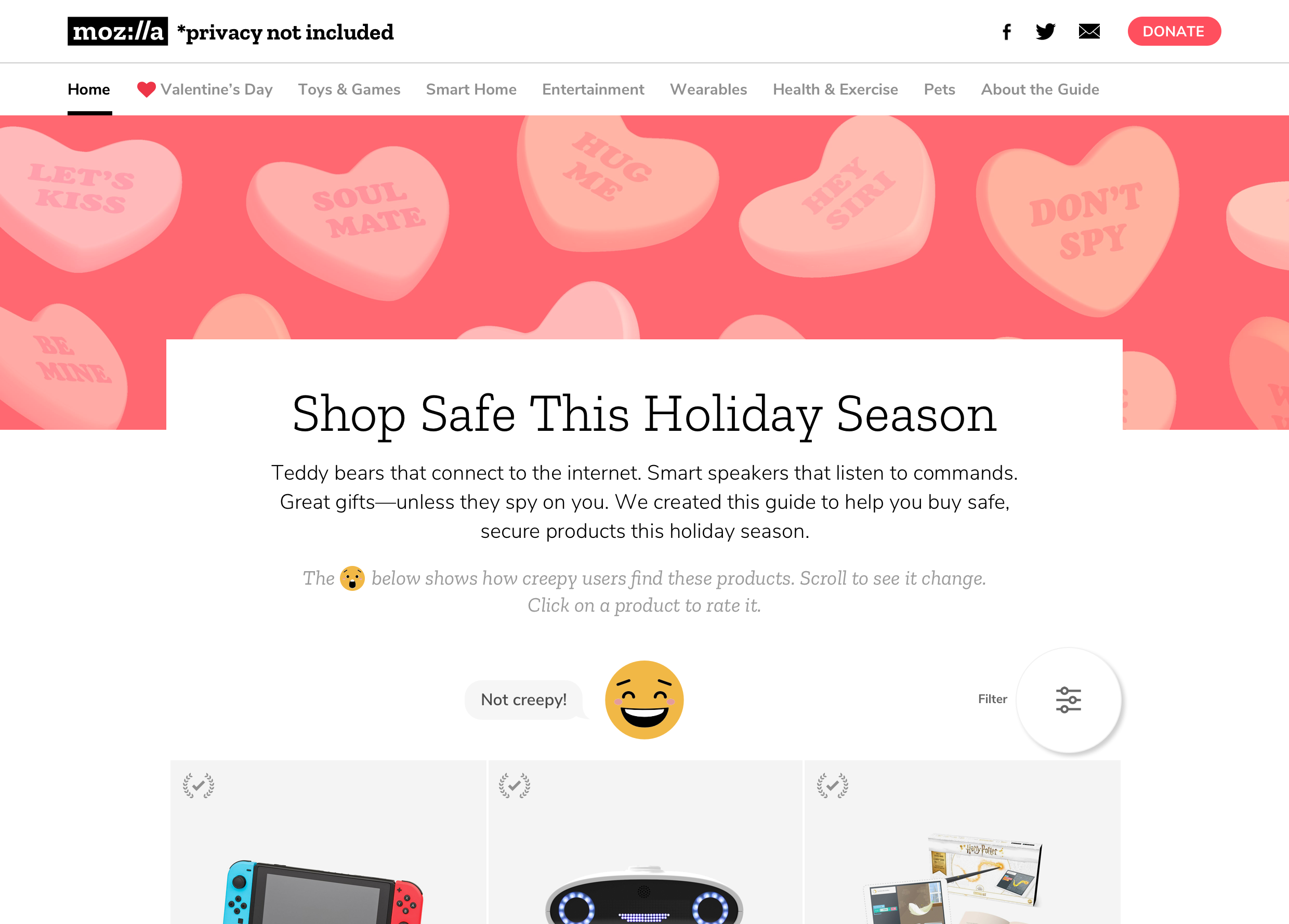
- [x] Add new category called
Valentine's Day - [x] Should appear after
Hometab - [x] If possible, add heart.svg.zip to draw more attention to it!
 kristinashu
All 10 comments
@kristinashu should the new category Valentine's Day be available on CMS before Feb 5(ish)?
 mmmavis
on 22 Jan 2019
mmmavis
on 22 Jan 2019
From our slack convo: not necessary since there aren't very many new products
kristinashu
on 22 Jan 2019
Let's update the tabs so that empty categories (ones with only draft products) don't show up. That way when we add the category in the CMS and flip all products from draft to published, it automatically appears.
 alanmoo
on 23 Jan 2019
alanmoo
on 23 Jan 2019
@alanmoo @Pomax If we want to add a new category called Valentine's Day and make it show as the first item in the category list on website's nav (note that "Home" doesn't count since it's not a product category), what would be the best approach?
Option 1
- Add the new category
Valentine's Dayin via migration
# -*- coding: utf-8 -*-
# Generated by Django 1.11.18 on 2019-01-23 21:12
from __future__ import unicode_literals

from django.db import migrations

def create_vday_category(apps, schema_editor):
    BuyersGuideProductCategory = apps.get_model("buyersguide", "BuyersGuideProductCategory")
    BuyersGuideProductCategory.objects.get_or_create(name="Valentine's Day")

class Migration(migrations.Migration):

    dependencies = [
        ('buyersguide', '0018_product_is_draft'),
    ]

    operations = [
        migrations.RunPython(create_vday_category, migrations.RunPython.noop),
    ]
- In template, in the nav section loop through the
categorylist, if name matchesValentine's Day, make that category show first.
Option 2
- Update the
BuyersGuideProductCategorymodel so it includes a new fieldFeatured(boolean) - Add the new category
Valentine's Dayin withFeaturedset to True. - In template, always show
Featuredcategory first
Other suggestions?
Thoughts?
mmmavis
on 23 Jan 2019
Isn't there a way to make the whole model orderable via the admin UI? I feel like @gideonthomas has done that in the past. (And I don't think there's a need to run a manual migration, we can add the category in the production UI as long as we add the check for categories having published products.)
alanmoo
on 23 Jan 2019
I see in the codebase we have django-admin-sortable for Highlight and Person but I can't tell what that is for as they both don't seem to be sortable on Wagtail admin?
mmmavis
on 25 Jan 2019
Oh damn, that's right. The Wagtail admin squashes that functionality.
Ok, go with option 2, but also make sure that the category has live products in it before showing it.
alanmoo
on 25 Jan 2019
While you're doing this, you can probably knock out #2519 too.
alanmoo
on 25 Jan 2019
@alanmoo
go with option 2, but also make sure that the category has live products in it before showing it
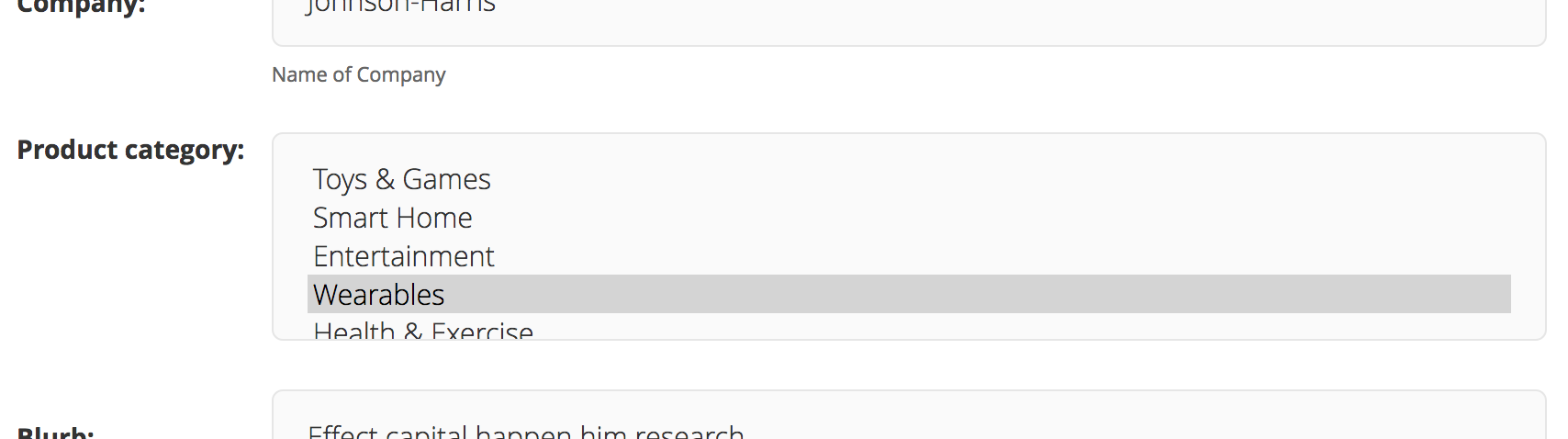
Wondering if that Featured field should be CMS'able and if so, how do we want that field to look? A new dropdown field "Featured Product Category" below "Product Category"?
mmmavis
on 25 Jan 2019
Oh yes, it totally should be CMS'able.
I was thinking the featured category would just be in the same list as other products (since a product can already be in multiple categories), and then the "featured" boolean happens on the category edit admin view. I'm not tied to that if there's a better option, but including "Featured Product Category" on each product seems like we could technically end up with multiple featured categories.
alanmoo
on 25 Jan 2019
Related issues
 taisdesouzalessa
·
5Comments
kristinashu
·
5Comments
taisdesouzalessa
·
5Comments
kristinashu
·
5Comments
kristinashu
·
3Comments
taisdesouzalessa
·
5Comments
kristinashu
·
5Comments
taisdesouzalessa
·
5Comments
kristinashu
·
5Comments
kristinashu
·
3Comments