Foundation-emails: [Getting Started with Sass] unable to install correctly
Hello !
I'm not able to install correctly the email framework.
I tried by using founction-cli and by cloning the repo but both end with the same issue.
Thanks for any help !!
How can we reproduce this bug?
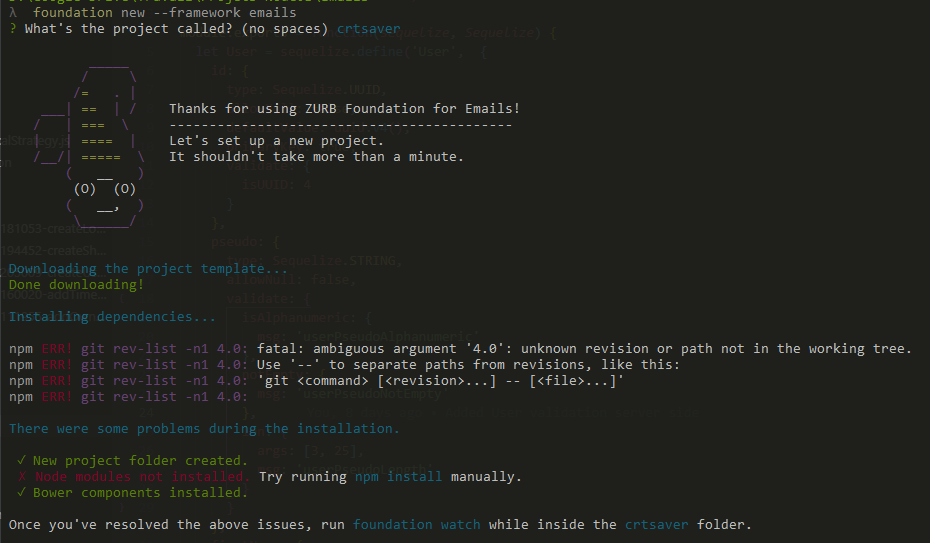
run foundation new --framework emails
name the project "crtsaver"
✗ Node modules not installed. Try running npm install manually.
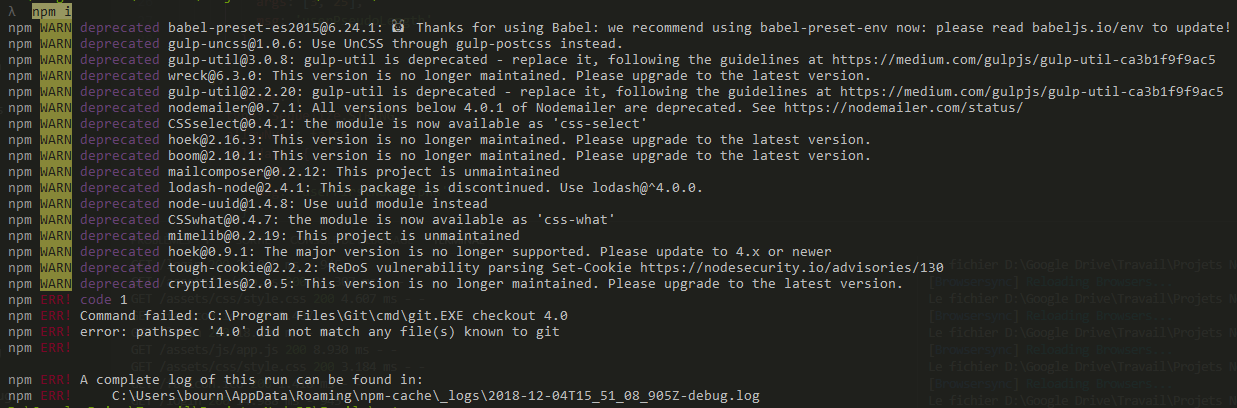
run npm i in the crtsaver folder
npm ERR! Command failed: C:\Program Files\Git\cmd\git.EXE checkout 4.0
npm ERR! error: pathspec '4.0' did not match any file(s) known to git
What did you expect to happen?
The project template will be downloaded, and the various dependencies installed
What happened instead?
The project template is downloaded, but the various dependencies are not istalled
 LyLuX
LyLuX
All 5 comments
change the gulp devDependencies to "gulp": "4.0",. Then run npm install, this will install gulp correctly as it was not finding gulp v4.0.
 dan10gc
on 5 Dec 2018
dan10gc
on 5 Dec 2018
@LyLuX, Hi.
You can fix it by editing a few strings of devDependencies object in gulpfile.js as follows:
"gulp": "^4.0.0", and "gulp-sass": "^3.2.1".
 rudants
on 5 Dec 2018
rudants
on 5 Dec 2018
A known problem as we used a tag instead of a version and the Gulp team removed it. The previous comments should solve this.
 DanielRuf
on 5 Dec 2018
DanielRuf
on 5 Dec 2018
Hi guys !
Thanks for your answers, it works !
LyLuX
on 6 Dec 2018
Was going to create a PR but it seems someone beat me to it by three months.
https://github.com/zurb/foundation-emails-template/pull/56
Who has the authority to accept and merge?
 IngoVals
on 13 Feb 2019
IngoVals
on 13 Feb 2019
Related issues
 dnglr
·
5Comments
dnglr
·
5Comments
 stevesmename
·
3Comments
stevesmename
·
3Comments
 camaech
·
5Comments
camaech
·
5Comments
 GBratsos
·
4Comments
GBratsos
·
4Comments
 joshvito
·
5Comments
joshvito
·
5Comments
Most helpful comment
@LyLuX, Hi.
You can fix it by editing a few strings of devDependencies object in gulpfile.js as follows:
"gulp": "^4.0.0",and"gulp-sass": "^3.2.1".