Formik: Typescript error when useing "useField" and "FieldAttributes"
I updated Formik to "2.0.8" and I tried to use the new useField hook.
I followed a tutorial online by Ben Awad, but typescript is not happy and refuses to compile ...
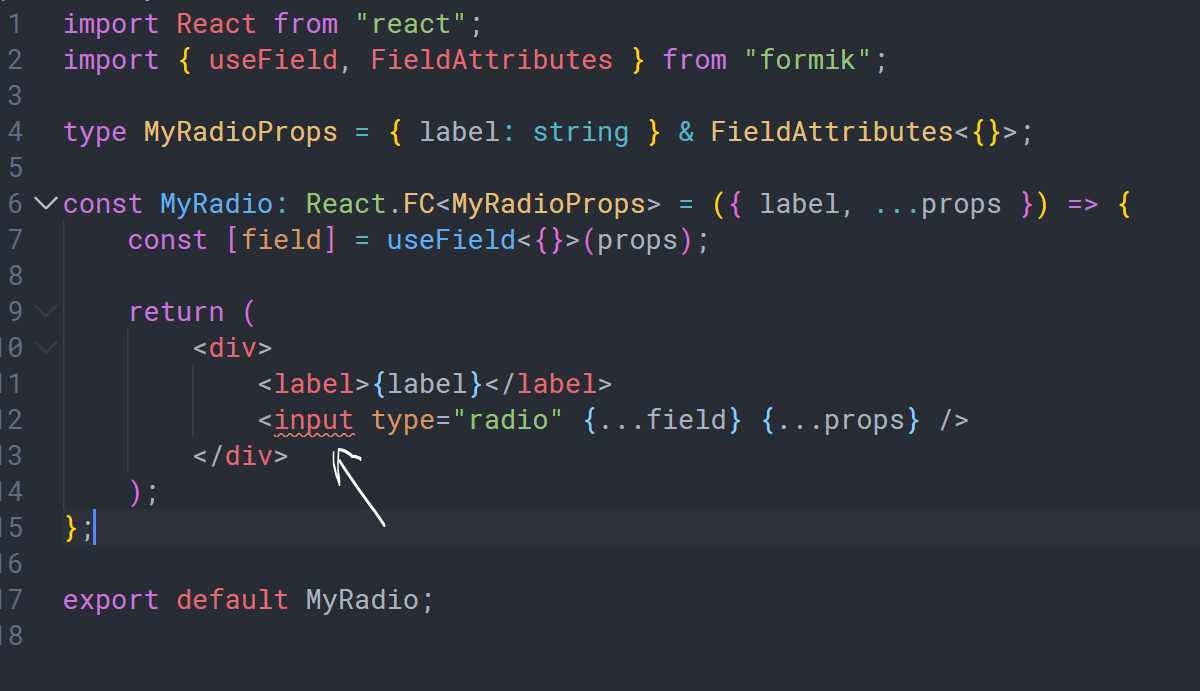

Here's my component ...
import React from "react";
import { useField, FieldAttributes } from "formik";

type MyRadioProps = { label: string } & FieldAttributes<{}>;

const MyRadio: React.FC<MyRadioProps> = ({ label, ...props }) => {
    const [field] = useField<{}>(props);

    return (
        <div>
            <label>{label}</label>
            <input type="radio" {...field} {...props} />
        </div>
    );
};

export default MyRadio;
I couldn't find any Typescript demos for useField.
The only demo I found was this ...
https://jaredpalmer.com/formik/docs/api/useField
| Software | Version(s) |
| ---------------- | ---------- |
| Formik | 2.0.8
| React | 16.12.0
| TypeScript | 3.7.3
| next | 9.1.5
| Operating System | Windows
 Shaker-Hamdi
All 7 comments
Now when I do it like this, Typescript seems happy with it and works fine ...
import React from "react";
import { useField, FieldInputProps } from "formik";
interface MyRadioProps extends FieldInputProps<""> {
label: string;
}
const MyRadio: React.FC<MyRadioProps> = ({ label, ...props }) => {
const [field] = useField(props);
return (
<div>
<label>{label}</label>
<input type="radio" {...field} {...props} />
</div>
);
};
export default MyRadio;
I don't know if that is correct or not, but it works.
Shaker-Hamdi
on 15 Dec 2019
This is related to #1961. I have a PR #2154 open for that.
 lightwave
on 29 Dec 2019
lightwave
on 29 Dec 2019
Fixed in 2.1
 jaredpalmer
on 7 Jan 2020
jaredpalmer
on 7 Jan 2020
Hi Team, @jaredpalmer @lightwave
Still facing the issue.
I have latest version of formik installed.
My Type look like this:
type MyInputProps = FieldHookConfig<string> & {
    id: string,
    label: string
};
But, getting the same typescript error.
Any help would be appreciated.
 mkdudeja
on 1 May 2020
mkdudeja
on 1 May 2020
Any solution to this?
 farah
on 4 Aug 2020
farah
on 4 Aug 2020
Same here, too
 ahmedosama5200
on 1 Sep 2020
ahmedosama5200
on 1 Sep 2020
Hi Team, @jaredpalmer @lightwave
Still facing the issue.
I have latest version of formik installed.
My Type look like this:
type MyInputProps = FieldHookConfig<string> & {
    id: string,
    label: string
};
But, getting the same typescript error.
Any help would be appreciated.
type BaseTextFieldProps = FieldHookConfig<string> & {
    label: string
};

const BaseTextField = (props: BaseTextFieldProps) => {
    const [field, meta, helpers] = useField(props);
    const {label, name, type } = props
    return (
        <>
            <TextField
                {...field}
                label={label}
                name={name}
                type={type}
            />

            {meta.touched && meta.error ? (
                <div className="error">{meta.error}</div>
            ) : null}
        </>
    );
};
With the code from @mkdudeja
Here is my solution, it works for me.
 oliver-au
on 18 Dec 2020
oliver-au
on 18 Dec 2020
Related issues
 jordantrainor
·
3Comments
jordantrainor
·
3Comments
 Jungwoo-An
·
3Comments
jaredpalmer
·
3Comments
Jungwoo-An
·
3Comments
jaredpalmer
·
3Comments
 najisawas
·
3Comments
najisawas
·
3Comments
 PeerHartmann
·
3Comments
PeerHartmann
·
3Comments
Most helpful comment
Hi Team, @jaredpalmer @lightwave
Still facing the issue.
I have latest version of formik installed.
My Type look like this:
But, getting the same typescript error.
Any help would be appreciated.