Fomantic-ui: Toast is not semantic
Hi!
Have been using Semantic UI for a long time and i love it and ofcourse this fork.
But unfortunately i have to notice that the main idea of Semantic UI (yes, it is semantic ui) is not implemented by Toast component. I'd like to suggest to minimize amount of JavaScript and maximize of semantic html.
Best wishes.
 baterflyrity
All 13 comments
i know what you mean but if you use toasts in production you pretty much realize that it always gets called out of JS context. Ajax results, error handling, after action notifcations etc.
An html first approach will end up in appending items to the body or having an placeholder div with all notifications in use. Both options are in my opinion not good
 maidzen
on 18 Mar 2020
maidzen
on 18 Mar 2020
If desired, you can already create and handle the toasts manually via HTML, nothing else is the JS doing.
<div class="top right ui toast-container">
  <div class="toast-box transition visible">
    <div class="pink ui toast">
      <div class="content">
        <div>I am a toast generated out of pure HTML</div>
      </div>
    </div>
  </div>
</div>
change class transition visible to transition hidden to hide the toast (you still would need to use js then... 🙄 )
See https://jsfiddle.net/6u7m5kab/
 lubber-de
on 18 Mar 2020
lubber-de
on 18 Mar 2020
Yes, dynamic content is not good for markup. But what about static sides like style, context. classes, structure and so on?
I think it's better to use approach like in modal component.
baterflyrity
on 18 Mar 2020
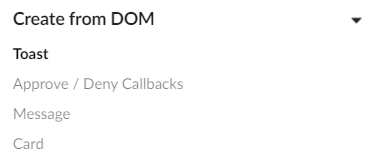
Please also look at already supported predefined HTML DOM Node examples (like the modal) in the docs https://fomantic-ui.com/modules/toast.html#toast
lubber-de
on 18 Mar 2020
Please also look at already supported predefined HTML DOM Node examples (like the modal) in the docs https://fomantic-ui.com/modules/toast.html#toast
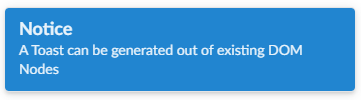
Very nice, did not noticed. But how can I use custom content and context?
$('#domtoast').toast({message:'asd'});
baterflyrity
on 18 Mar 2020
That's not possible via the toast module (isn't for modal either). You have to decide between existing DOM node or dynamic creation via settings. When using existing DOM nodes, the module does not know about its structure.
Some settings are still possible like progressbar even when providing an existing DOM node though
lubber-de
on 18 Mar 2020
That's why I've created this thread. I suggest to use semantic ui markup for static part and javascript for dynamic part. Because now it's something like react with it's jsx :(
Now I need either transfer logic to markup or move markup to logic. This is not semantic, this is not clear, this is messy.
Overall, I also suggest to include context feature to toast.
baterflyrity
on 18 Mar 2020
Ok, but the same applies to other modules (modal, popup, dropdown) as well 😉
lubber-de
on 18 Mar 2020
btw, there already is a context setting available for toast, however it's not documented
lubber-de
on 18 Mar 2020
I'm coming from a React context, and I am struggling with the lack of documentation of the HTML required. In the Semantic UI docs for the modal it has a section on jQuery, and then static examples of the markup, which is really useful.
I'd love to use the new toast markup, but can't find any documentation on what the class names are. Can we add that to the docs to allow non-jQuery users a chance to implement it however they like?
 charliematters
on 26 Mar 2020
charliematters
on 26 Mar 2020
The docs https://fomantic-ui.com/modules/toast.html#toast show both the jQuery and HTML in the “Create from DOM” section 🤔
 jamessampford
on 26 Mar 2020
jamessampford
on 26 Mar 2020
Some markup is, yes. Not all though.
For example, the class "neutral" can only be discovered by using Chrome devtools quickly before the toast disappears. How many other options are available? I can't tell from the docs.
charliematters
on 26 Mar 2020
Dynamic usage of predefined toast markup and changing the content via properties is now implemented by #1773
lubber-de
on 17 Nov 2020
Related issues
 hammy2899
·
5Comments
hammy2899
·
3Comments
hammy2899
·
5Comments
hammy2899
·
3Comments
 peili0413
·
3Comments
peili0413
·
3Comments
 hajanajubudeen88
·
4Comments
hajanajubudeen88
·
4Comments
 davekc
·
4Comments
davekc
·
4Comments
Most helpful comment
btw, there already is a
contextsetting available for toast, however it's not documented