Fomantic-ui: [Feature Request] Add common layouts
Feature Request
Description
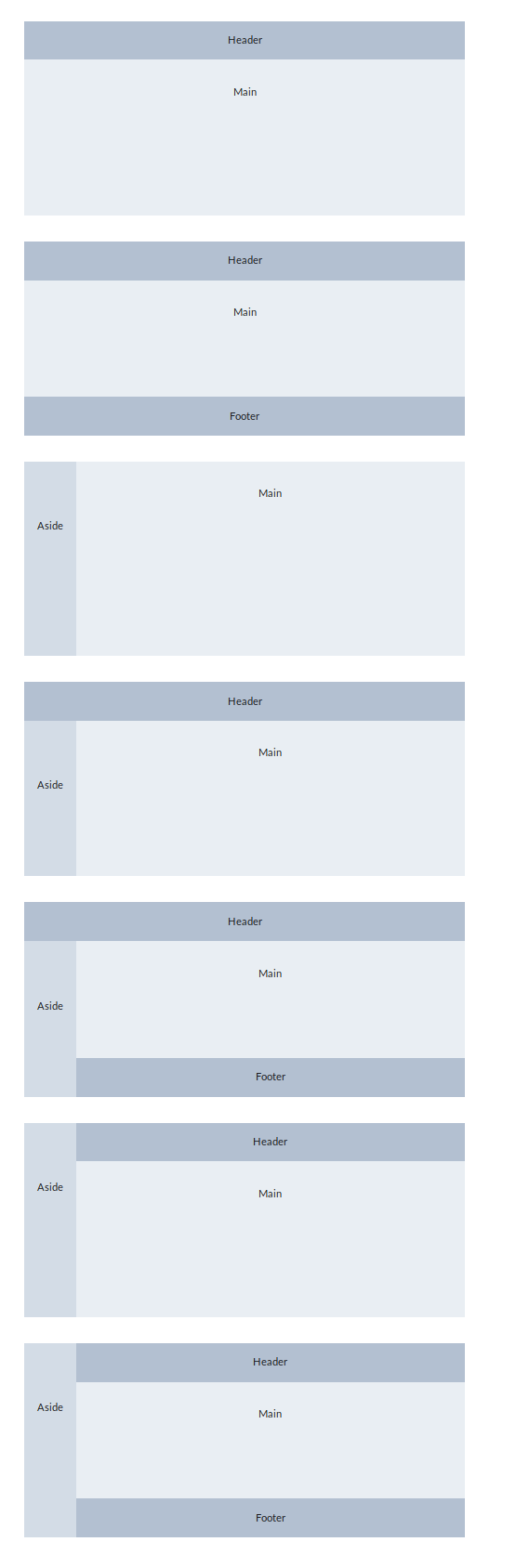
Common layouts that define headers, footers, asides, and content. This is a much needed, and commonly used, UI feature that Fomantic does not support out of the box. This can be achieved by manually doing it, but it's not ideal and seems like a relatively easy addition.
Examples:
https://jsfiddle.net/douglasg14b/zxt7pyk9/show
Screenshot:
Screenshot of some examples:
 douglasg14b
All 12 comments
Very well done approach :+1: . Thanks for sharing.
I suggest to name such new UI Element region ( container was the first intention, but this is already used differently in FUI)
In addition, i think this new UI Element should follow the usual FUI naming conventions then
Idea
|Your class|FUI class|remark|
|-|-|-|
|header|top region| header is used differently in FUI already|
|aside|left region, right region||
|main|center region||
|footer|bottom region||
|view container|base region||
If we would have something like this then something like a splitter ( the area in between two regions, usually used to drag and resize both connected regions) could also be of interest
 lubber-de
on 14 Feb 2019
lubber-de
on 14 Feb 2019
Thanks!
I'll change my example to fit those so it's clear.
However, for the aside. There is no right or left region, it depends where you place the aside in reference to the other sections. If an aside is put after main it will be on the right if it's put before it's on the left. The examples have a ton more combinations that can be done with the sample css.
For the footer, will there be confusion between the SUI footer and a bottom region?
Note: My css knowledge is VERY poor, I made this mostly by looking at examples. So it's not likely I can effectively make major changes to how it works by myself.
douglasg14b
on 14 Feb 2019
Here is an updated jsfiddle: https://jsfiddle.net/douglasg14b/zxt7pyk9/
The classes present are:
| Class | Modifier Class | Info | Remarks |
|---------------|----------------|-----------------------------------------------------------------------------------------------------------------------------------------------------|---------------------------|
| top region | | The "header" | |
| aside | | Can be left or right depending on the relationship with other regions | More FUI-like name? |
| center region | | The main "center" region where the content goes | content region instead? |
| bottom region | | The "footer" | |
| base region | vertical | The wrapper/container for the regions. Regions must be nested under a base region. The vertical modifier changes the direction the regions orient | |
Issues/challenges I see with this:
- Fixed/unfixed top and bottom regions
- Confusion with
footer - Integration with
top&bottomfixed menuto avoid confusion/conflicts? - Toggleable aside and
center regionscrolling - Confusion/conflicts with
sidebar? - Confusion/conflicts with
rail?
douglasg14b
on 14 Feb 2019
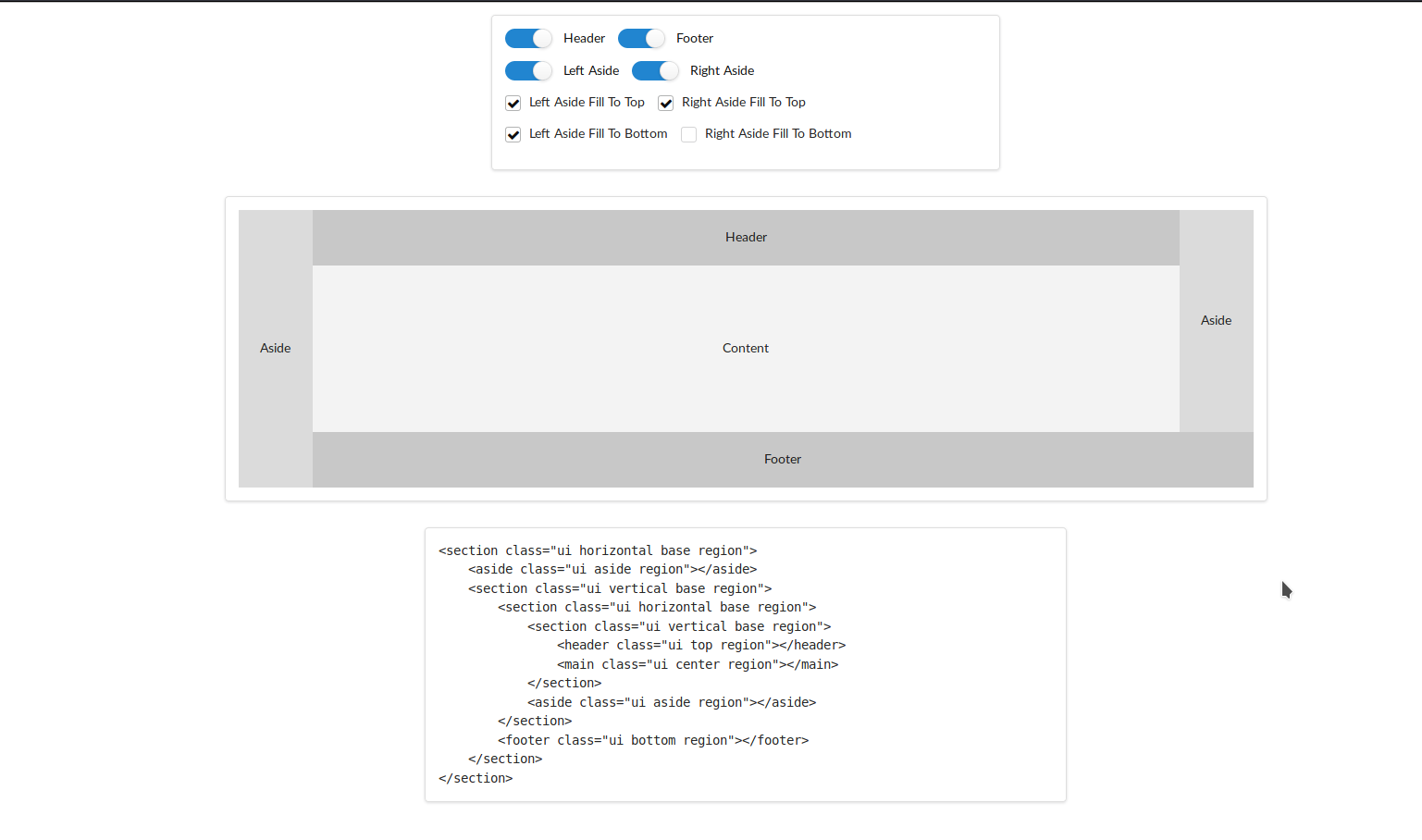
@lubber-de I've fixed a couple issues and setup a layout tool that would be handy in the docs if this is moved forward with. The JS is a bit of a mess from carryovers from previous attempts, but it works.
https://codepen.io/douglasg14b/full/dawJPG
douglasg14b
on 19 Feb 2019
@douglasg14b Awesome! 🎉
Is it possible to create nested layouts this way already? Means the content region could contain another header or another aside only inside the content , so the content boundaries work just like the normal viewport does for the current layout?
Btw: Currently the fullpage and details view of codepen seems to be broken (checkboxes/toggles do not work) , but it works fine in editors view 😃
lubber-de
on 19 Feb 2019
@lubber-de
Yeah the codepen throws an error from some resource it requires, seems to be a codepen issue.
It can yes! The catch is that since this is flexbox, you need the containers for each level, which can be tricky to figure out if you are not familiar with flexbox (I spent the weekend thoroughly learning it for this...). Thus the layout helper. Example nested: https://jsfiddle.net/douglasg14b/hy1og4f7/3/
I've made more changes to the CSS to try and handle scrolling and what not a bit better as well. and I'm testing with other components to find issues. In this case you can have a fixed top menu and a fixed vertical menu without any absolute positioning. Example 1 Example 2
Do I just fork Fomantic and add in the module, then make a pull request like most repos. Or is there more to this here? I'd like to start tracking the changes I make as I go along.
douglasg14b
on 20 Feb 2019
Providing common layout is wonderful idea 👍
The layout builder concept @douglasg14b created is also awesome !!
But... what are advantages of the proposed region against the exising modules ?
As similar as @douglasg14b said already, I am afraid that the proposed modules introduces complexity and confusion. 🤔
IMHO, it is better to provide a layout builder tool that produces a layout made of existing modules on https://http://fomantic-ui.com/.
I think layout builder will help new and existing users of FUI as simiilar as theme builder which is considered for v3.
Layout builders are common tool in UI, specially in bootstrap framework.
https://www.google.com/search?q=layout+builder+bootstrap
 exoego
on 20 Feb 2019
exoego
on 20 Feb 2019
@exoego
Thanks for the comment
The reason I decided to propose this is because there isn't a common layout setup for SUI, this has been a common problem for myself and coworkers (Who are all backend devs unfamiliar with CSS) that use SUI for new projects. The existing modules don't come together into common layouts without crowbarring a css grid or flexbox layout into them with your own CSS.
Which is where this comes in, native support for the building blocks of a layout. The issue now is that there are SUI modules that have been kludged into acting like rigid pieces of a layout, but really don't come together without extra work. Such as sidebar, fixed menu, and rail.
Having a layout replaces/duplicates some of these behaviors to an extent, which is where confusion can come in. An XY Grid lets you have a fixed header, footer, and sidebar without using position: fixed; (which has been the cause of many a layout headache).
That being said, a more dynamic grid system for FUI that includes vertical grid sections would let you create any of these layouts with ease. As that is essentially what this is, just a simple set of containers that define a very simple XY grid. This of course still clashes with the components that seem to have been kludged into layout roles.... which requires a more in-depth evaluation.
Of course change causes confusion. I don't consider this a bad thing as frameworks have to change to meet the expectations set by competing frameworks.
douglasg14b
on 20 Feb 2019
Yeah, I understood your pain points of existing modules in terms of layout.
For real, I had spent extra works into using such modules at same time...
I agree that existing modules may require some enhancements in terms of layout/integration with other modules, and new modules may be needed even though there are some duplicates of responsibility.
exoego
on 20 Feb 2019
@douglasg14b I think this should be considered a change for v3 not v2, if you look at all the points you make about sidebar, menus etc. we can possibly address this issue in v3 and maybe create a better starting point which will allow us to reuse some components.
Also we need to decide how we want to handle responsiveness of the layout, so how it will break down on smaller screens etc.
 hammy2899
on 20 Feb 2019
hammy2899
on 20 Feb 2019
@douglasg14b
Do I just fork Fomantic and add in the module, then make a pull request like most repos. Or is there more to this here? I'd like to start tracking the changes I make as I go along.
Sure, you are always welcome for contribution by forking and creating a proper PR. 😉
For the layout tool, you should provide this as a separate PR in https://github.com/fomantic/Fomantic-UI-Docs
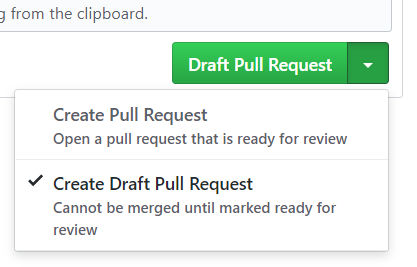
You may also use the new github feature "Draft Pull Request" until everything necessary has been implemented (like possible adjustments of existing modules)
lubber-de
on 20 Feb 2019
@hammy2899
I agree to some extent if changes needed to be made to other components, but this can be added to v2 without breaking changes to those components. Which makes me feel that it should, once I've refined it down more and sorted out what kind of "gotchas" there might be with existing components, how responsiveness will work, how collapse-able regions will work....etc
Sidenote, this kind of XY grid might be very nice to have in v3 as an extension to the existing Grid. In the same way that Foundation changed theirs.
douglasg14b
on 20 Feb 2019
Related issues
hammy2899
·
5Comments
 peili0413
·
3Comments
peili0413
·
3Comments
 prmdhost
·
5Comments
prmdhost
·
5Comments
 PhilippGrashoff
·
3Comments
PhilippGrashoff
·
3Comments
 rmarchiori
·
3Comments
rmarchiori
·
3Comments
Most helpful comment
@lubber-de I've fixed a couple issues and setup a layout tool that would be handy in the docs if this is moved forward with. The JS is a bit of a mess from carryovers from previous attempts, but it works.
https://codepen.io/douglasg14b/full/dawJPG