Focus-android: [meta] Add toggle to onboarding card to turn on ad blocking
Why/User Benefit/User Problem
As a user (new/existing) I would like to know that I can block ads and where/how to do it so I can take advantage of all the privacy options Focus has to offer.
What / Requirements
We can take advantage of the existing onboarding feature:
-For existing users who have updated to the new version, add a new card and include a switch/toggle to turn ad blocking on.
-For new users, change one of the cards to include the toggle.
Acceptance Criteria (how do I know when I’m done)
-Existing user will see the new card with toggle when opening Focus for the first time after an update.
-New user will see card with toggle when opening Focus for the first time after new install.
 vesta0
All 15 comments
@brampitoyo and @BrianNJones we need string for this by 10/29 EoD, and UX by 11/1, to get this into 8.0. Please let us know if that isn't possible. cc @vesta0
 Sdaswani
on 26 Oct 2018
Sdaswani
on 26 Oct 2018
@BrianNJones, this is how we got to this point.
On Focus v8.0, we’re planning to ship the ability to block ads. This is a momentous occasion. We’re absolutely sure that most of our users – who already chose to download a privacy browser on top of their everyday browser – will benefit from more speed and less distraction by using this feature.
Ideally, we’d like to turn ad blocking on by default and have it work silently in the background. We can’t do this.
But what we can do is present ad blocking in a way that’s both straightforward and appealing, so that users who would benefit from it can easily turn it on.
To that end, we’ve chosen to take advantage of 2 of our existing infrastructures: onboarding cards and start screen tips.
- Every new user will see a tweaked first onboarding card
- Every existing user will see a single onboarding card
- If users don’t turn ad blocking ON, they will see a start screen tip after some time
I’ve come up with new strings to communicate the benefits of ad blocking, in these three different contexts. Would you have a look at them below, and see how they may be improved?
@Sdaswani we will present different UIs to new users, existing users, and all users who have seen the card but haven’t turned ad blocking on.
For new users
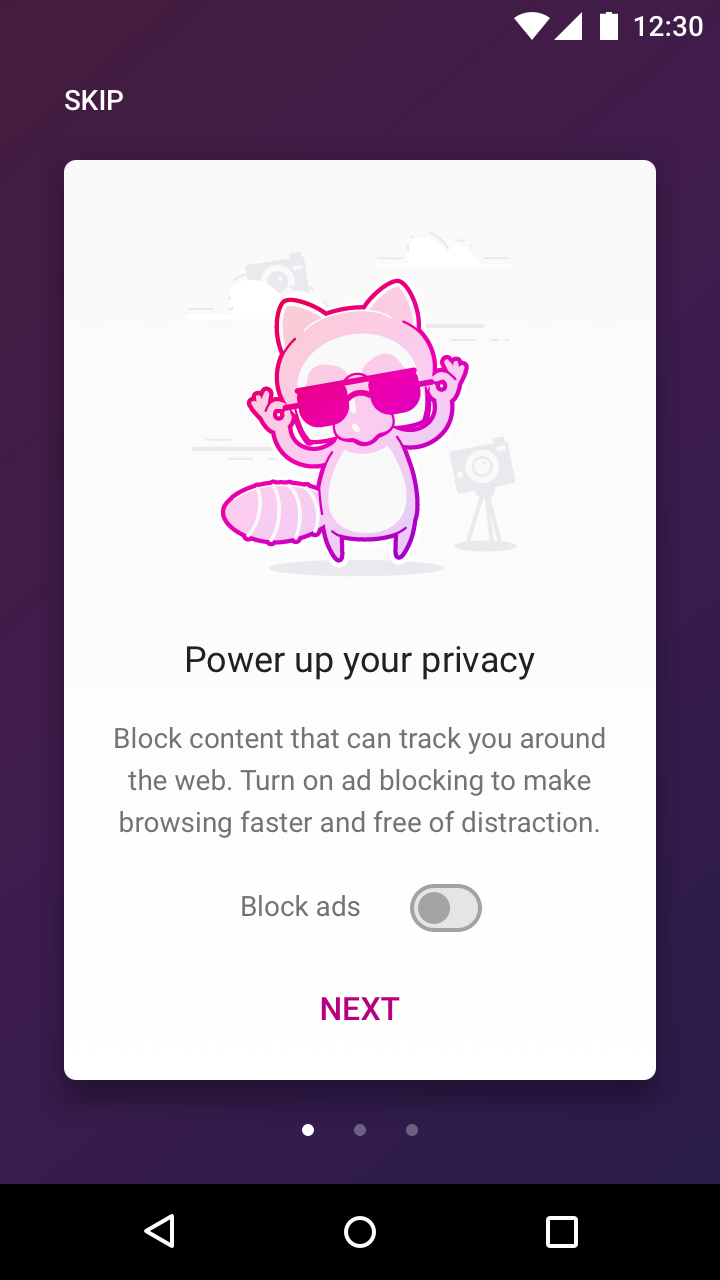
Change the first onboarding card to include a new message and a toggle.
Power up your privacy ← title stays the same
Block content that can track you around the web. Turn on ad blocking to make browsing faster and free of distraction.
Block ads [ON/OFF]
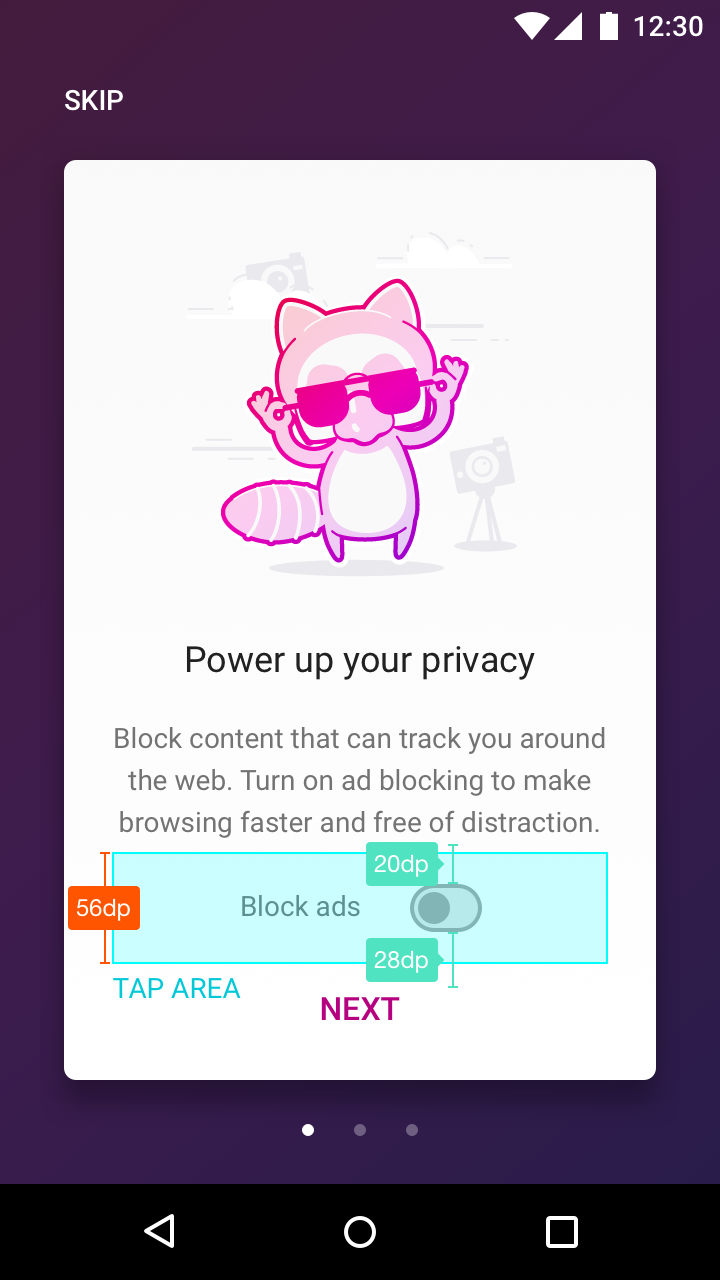
Spec
For existing users
Focus has always been designned to be as minimal and non-interruptive as possible. 99% of the time, we won’t show anything that would interrupt the user’s task. Ad blocking is the 1% – a very special exception.
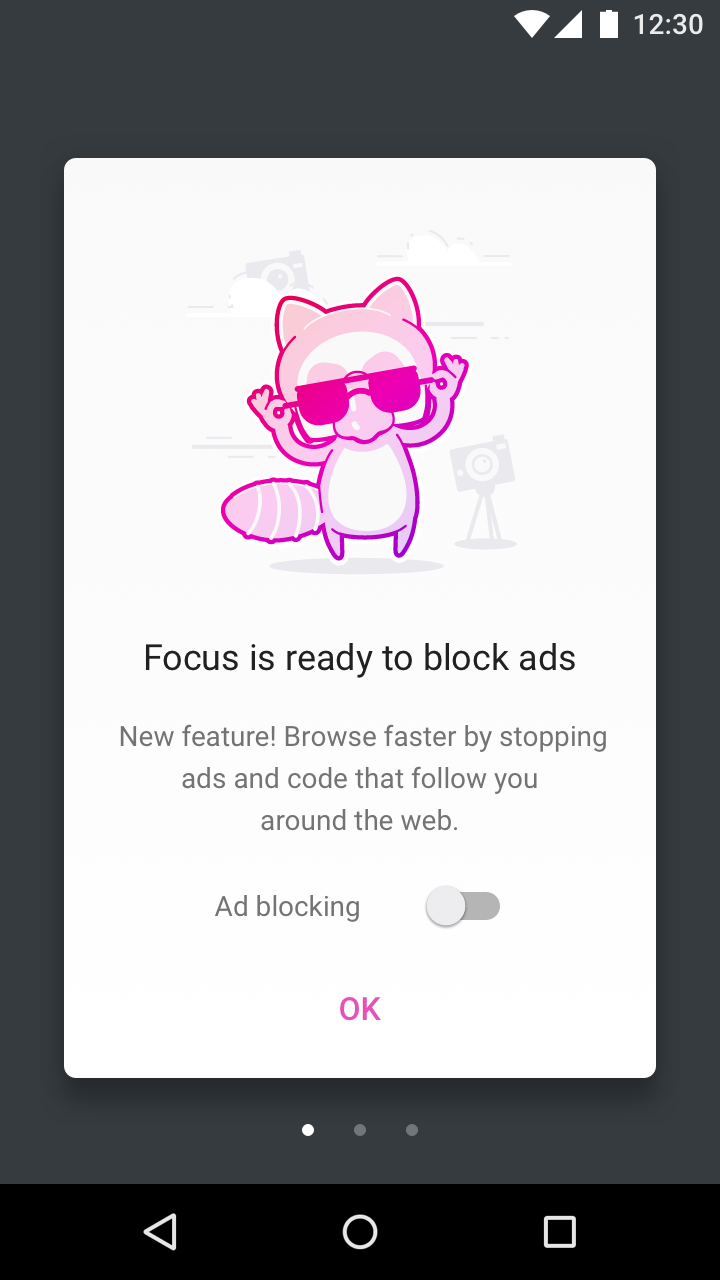
On firstrun of the new version, we will show a single card that includes a message and a toggle. There’s no “Skip” button. If the user doesn’t want to turn ad blocking on, tapping “OK” will dismiss the dialogue.
Block ads
Turn on ad blocking to make browsing faster and free of distraction.
Block ads [ON/OFF]

For new and existing users, if ad blocking is OFF
Show a start screen tip that will inform user of the feature, and lets them turn ad blocking on, without going into Settings.
This start screen tip is special in the fact that it will never be the first one to show up. Remember that we’ve just shown onboarding cards to all users. We want to wait a while (ie. after a few sessions) until we show this tip.
Other than that special fact, all limitations that we’ve put on other start screen tips also apply to this tip. For example, it won’t be shown too many times in order not to be annoying.
Make browsing faster and free of distraction.
Block ads [ON/OFF]

Spec

 brampitoyo
on 29 Oct 2018
brampitoyo
on 29 Oct 2018
This looks great @brampitoyo , but of course @vesta0 has the final say.
I do want to hear from the eng team on the feasibility of the toggle in the onboarding card and then start screen tip.
Sdaswani
on 29 Oct 2018
@brampitoyo @Sdaswani Let's go with:
For new users:
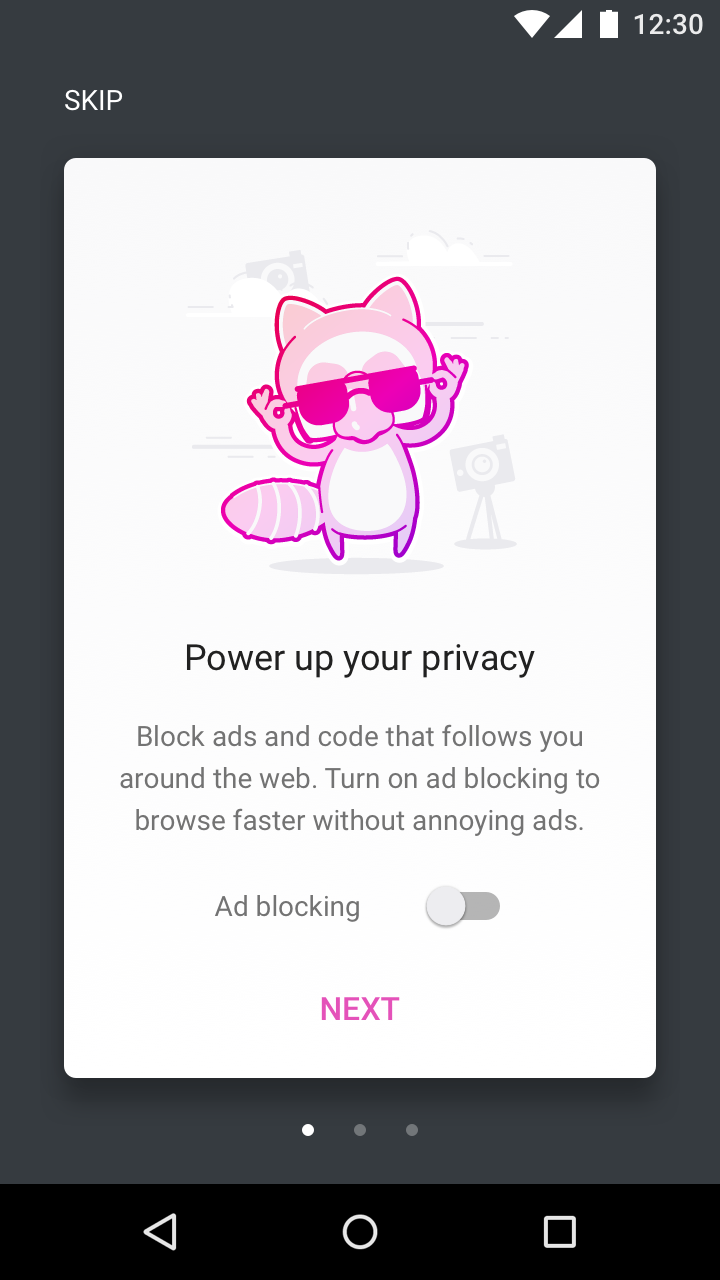
Power up your privacy
Block content like ads and code that follow you around the web and slow you down. Turn on ad blocking to browse faster without annoying ads.
(It's a tad long, but I don't think the idea of "distraction" gives enough context.)
For existing users
Focus is ready to block ads
New feature! Browse faster by stopping ads and code that follow you around the web.
For new/existing users if ad blocking = off
Browse faster by stopping ads and code that follow you around the web.
 BrianNJones
on 29 Oct 2018
BrianNJones
on 29 Oct 2018
@brampitoyo I like the mockups, thanks!
@BrianNJones thanks for the strings. Any chance we can use something other than "code" in "Block content like ads and code"? Maybe ads and trackers?
@Sdaswani we won't have the ad blocking feature in 8.0 so this related onboarding feature will not be required for 8.0. However, we should break it down and size sooner rather than later so we can make sure it's ready to go as soon as we can build ad blocking.
vesta0
on 29 Oct 2018
ok thanks @vesta0! @boek so it seems like the export you did on Friday is good as these strings _do not_ need to be in 8.0.
Sdaswani
on 29 Oct 2018
Any chance we can use something other than "code" in "Block content like ads and code"? Maybe ads and trackers?
@vesta0, that depends. What's happening to the "Tracking Protection" option that's already live in Focus? We're already using "trackers" in that context.
BrianNJones
on 29 Oct 2018
Updated the first run and home screen tips to include copy that @BrianNJones have written:
For new users
For existing users
For new and existing users, if ad blocking is OFF
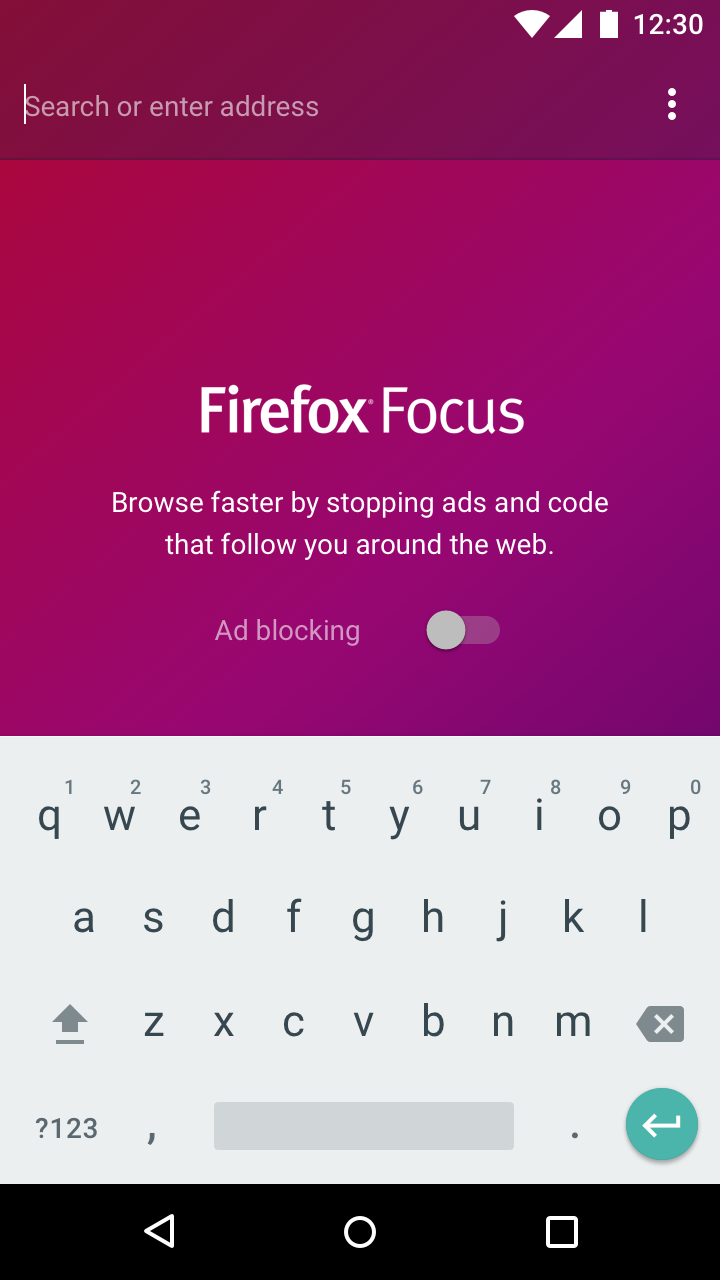
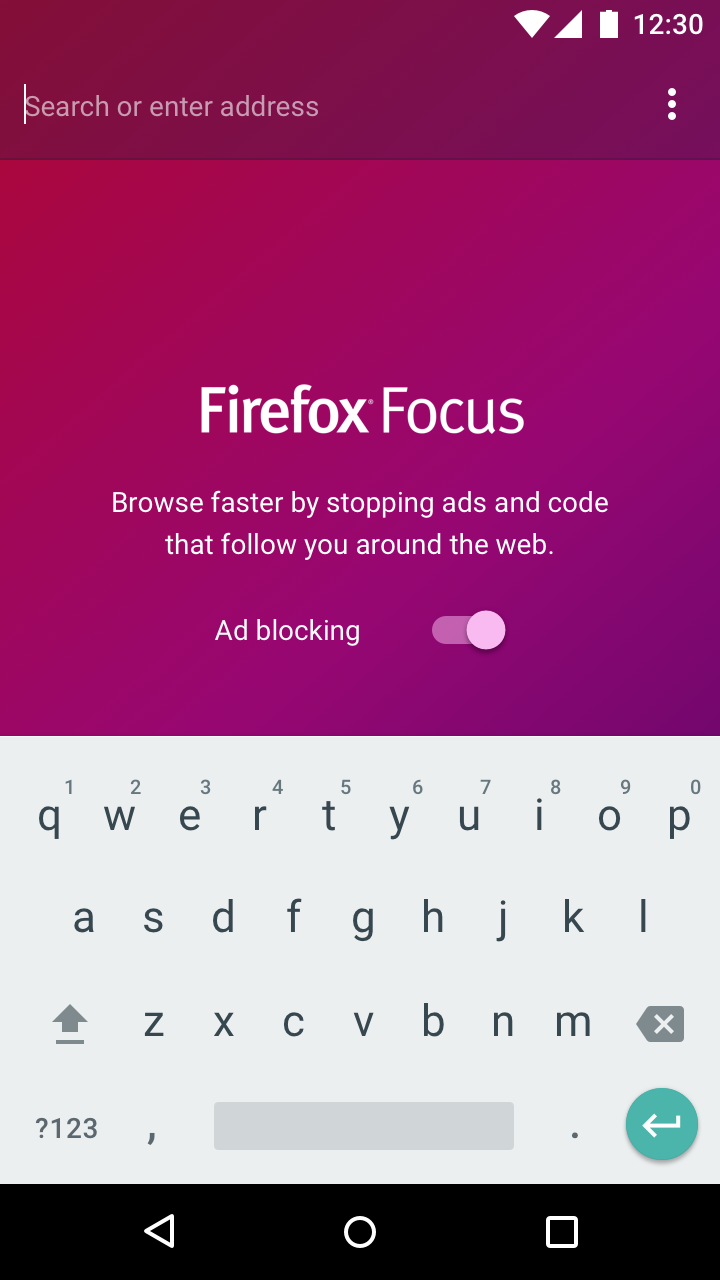
Notes
- All design measurements and specs stay the same
- There’s one behaviour change. When you turn the toggle on the onboarding or start screen tips, ALL THREE TOGGLES under the “Ad blocking” headings are turned on simultaneously.
When you turn this toggle ON:
All three of these toggles are also turned ON:
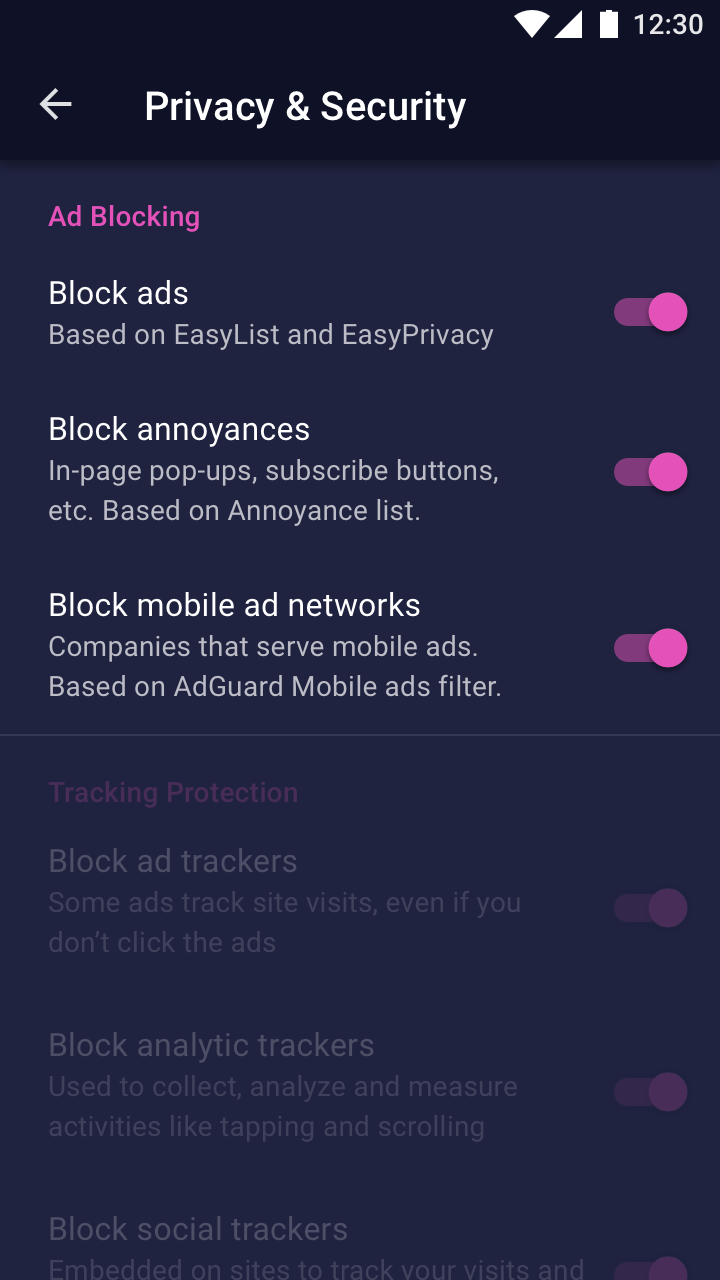
To see how these “Ad blocking” toggles fit into the rest of the page, see #2603.
brampitoyo
on 10 Dec 2018
I like the new tip that has the embedded settings toggle. I wonder if that is something we can easily apply to existing tips @sblatz?
Sdaswani
on 10 Dec 2018
Just a note: I believe adding a toggle on the home screen was originally deemed 'too distracting' in our original conversations of adding tips, and we wanted to make sure users had the context of where the settings were when changing them (which they will no longer get). Obviously fine if we still want to move ahead, just wanted to make sure we considered these points.
@Sdaswani: Adding a toggle would require a small rework of the tips label as it's just a text view right now, but it's certainly possible without a huge amount of effort!
 sblatz
on 11 Dec 2018
sblatz
on 11 Dec 2018
@BrianNJones to approve strings
vesta0
on 11 Dec 2018
@sblatz @Sdaswani I was fully aware that home screen tips should contain nothing other than text and (in only some cases) text links. I thought that ad blocking is going to be so life-changing to users and fits so closely to our product mission, that it’s worth breaking the rule just this once.
At the same time, I realise that we’re setting a precedent for future use of “in your face” elements. This worries me.
One alternative we have is to turn the second line of the tips into links, like this:
Browse faster without annoying ads
Turn on ad blocking
Then it’s up to the users to turn on the ad blocking toggles. It would actually be interesting to know how many users turn on all three.
brampitoyo
on 11 Dec 2018
FYI @brampitoyo I fully support adding the toggle to the home screen tip. Let’s do it!
@sblatz glad to hear it’s not a lot of work to make a generalized switch!
Sdaswani
on 11 Dec 2018
Thanks @brampitoyo and @sblatz. Let's go with the home screen toggle. This issue is now in our current sprint and @BrianNJones already provided strings above. Note: minor typo in the new user onboarding mockup (follow instead of follows).
vesta0
on 12 Dec 2018
Breakout issues
- [ ] Onboarding card: #4016
- [ ] Adblock card on first updated launch: #4017
- [ ] Add adblock tip with toggle #4018
- [x] Add settings toggles #4030
sblatz
on 12 Dec 2018
Related issues
 pocmo
·
7Comments
pocmo
·
7Comments
 abusedcharacter
·
5Comments
abusedcharacter
·
5Comments
 jonalmeida
·
6Comments
jonalmeida
·
6Comments
 callahad
·
8Comments
callahad
·
8Comments
 zekooooo
·
7Comments
zekooooo
·
7Comments
Most helpful comment
Breakout issues