Focus-android: One-tap action – Add Custom URL
 brampitoyo
All 9 comments
Is this the finalized breakdown of 7.0 in-app tips, @brampitoyo?
 bbinto
on 31 Jul 2018
bbinto
on 31 Jul 2018
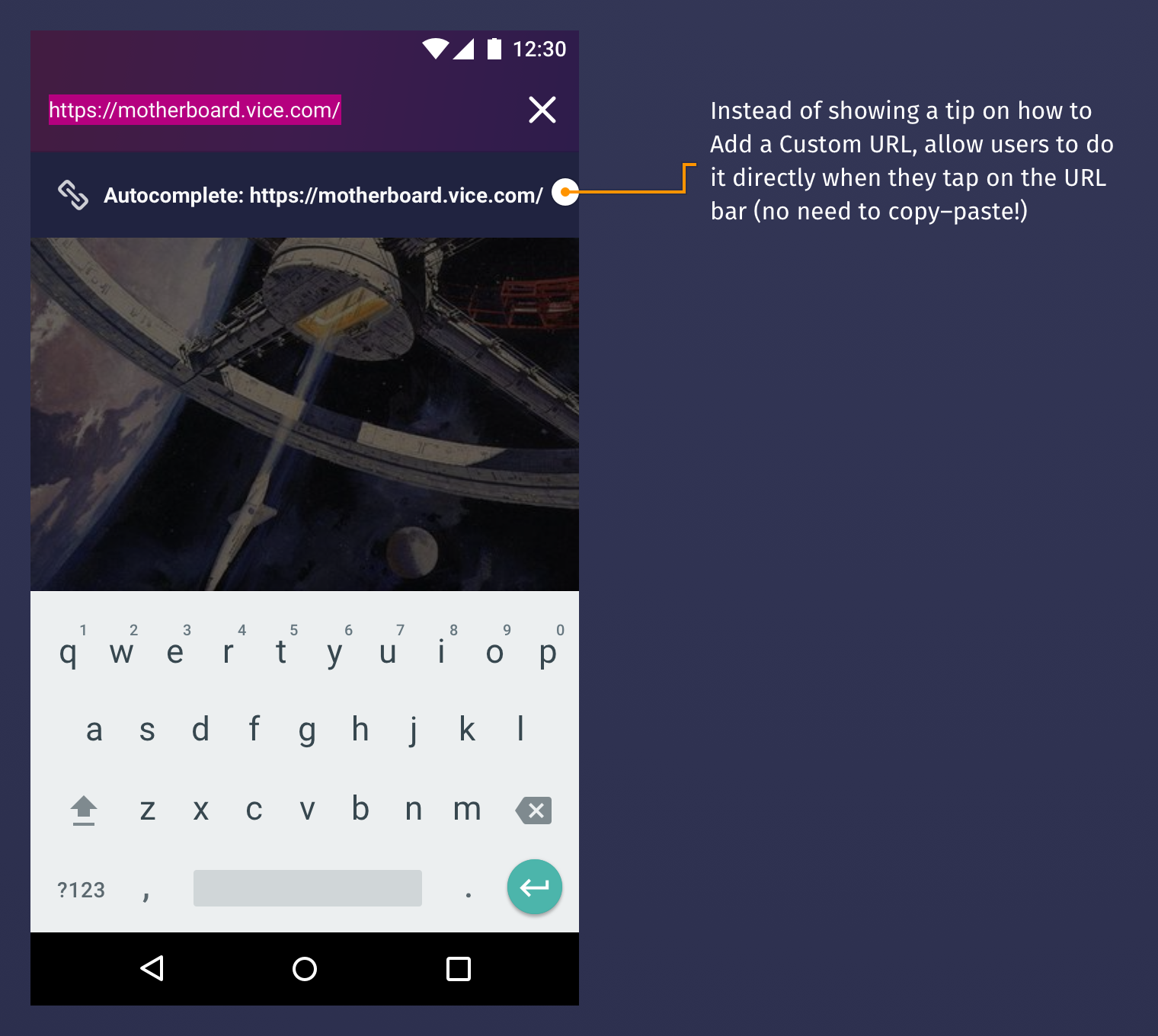
Yes. This is the finalised breakdown for the Add Custom URL one-tap action – which is not a tip, but still achieves the same objective: expose less common features.
brampitoyo
on 1 Aug 2018
@boek to raise a few questions for @brampitoyo before estimating this.
bbinto
on 17 Aug 2018
@brampitoyo I finished this and @ekager brought up a couple of good points.
To someone who isn't sure what autocomplete is the wording here isn't totally clear what will happen if I tap this button. Also now that we added the link glyph to search suggestions the glyph here seems a little out of place.
Maybe using the add glyph with the string Add Autocomplete: ...?
 boek
on 19 Sep 2018
boek
on 19 Sep 2018
@boek @ekager Good points!
…the wording here isn't totally clear what will happen if I tap this button.
…the glyph here seems a little out of place.
Autocomplete was a feature that we designed because bookmarking is too visible and not private enough. But it was always meant as another means to access bookmarks.
So why don’t we reinforce the close relationship between adding custom URL and bookmarking?
First, we can use the bookmark outline glyph. Then, we can reword the string slightly – Add link to autocomplete – without repeating the link the second time.
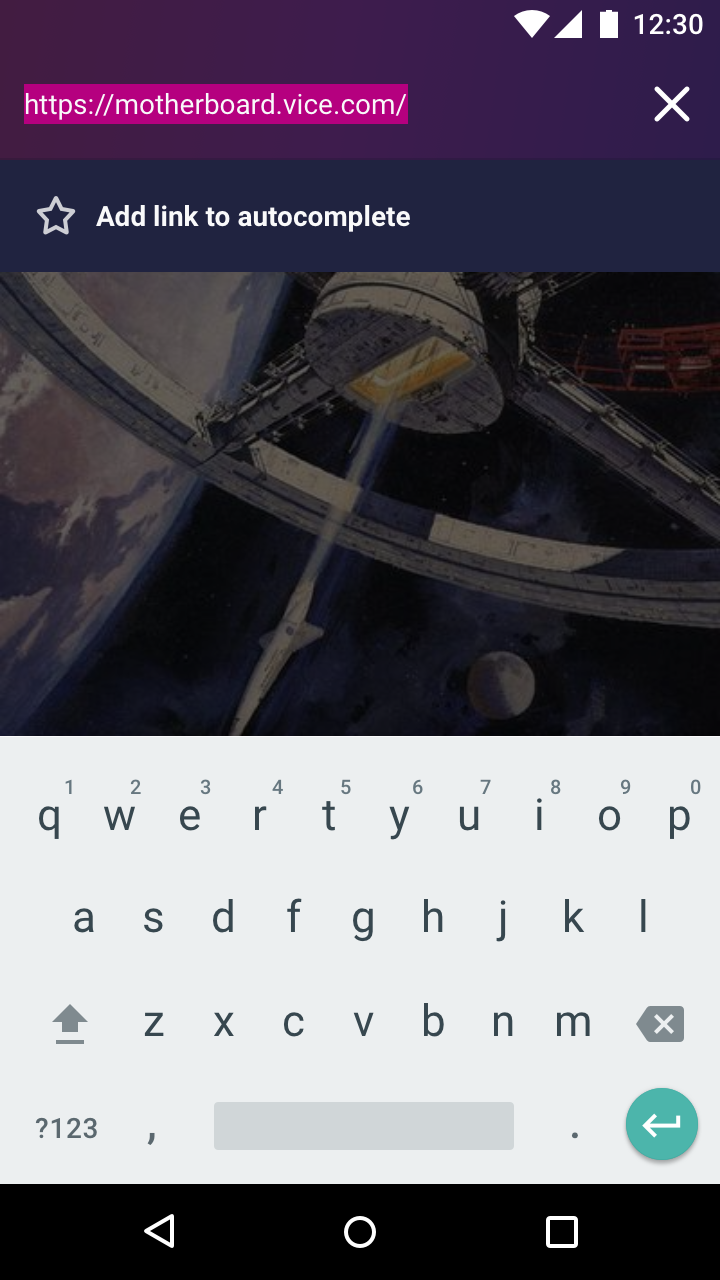
This changes the analogy from “add a link to a list” to “bookmark a link that you want to be autocompleted”.
Asset: bookmark-outline-24.svg
Finally, our Settings need to be reworded a bit in order to keep the keyword consistent. (I’m aware that not many users access Settings to begin with, and even fewer would go into a sub-page inside Settings).
First, we’ll remove all the headings. Then we’ll rename the duplicate “Autocomplete” toggles to “Default URL list” and “My URL list”.
Instead of calling it “Custom URLs”, we’ll call it “My URLs”. This again changes the analogy. It’s no longer “autocomplete custom URL – what does ‘custom’ mean?”. It’s now “autocomplete URLs that I’ve added on my own”.
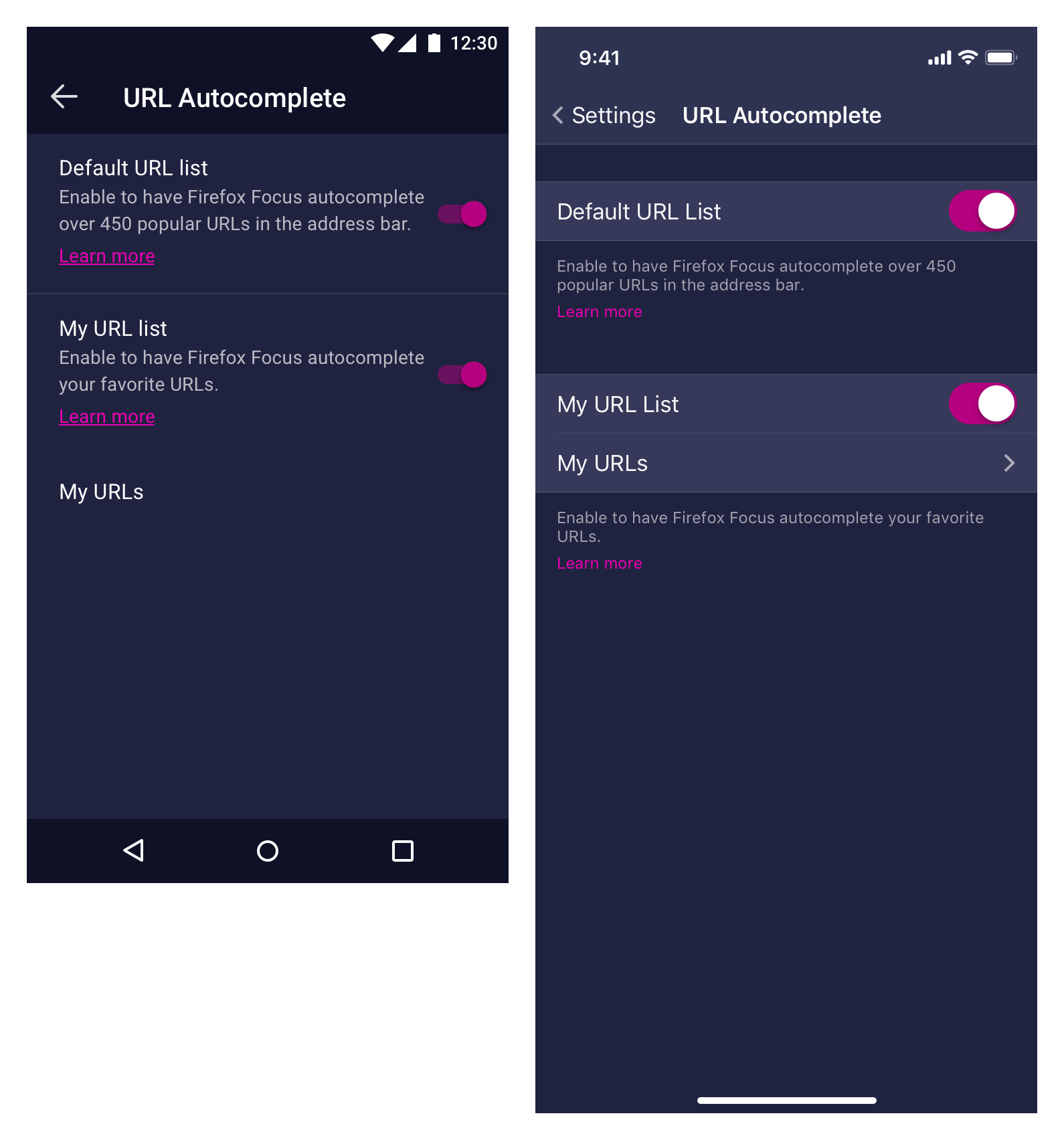
Thoughts?
brampitoyo
on 20 Sep 2018
This sounds good to me. @vesta0, @bbinto?
boek
on 20 Sep 2018
@brampitoyo I like your proposed changes and I think calling it "My URLs" is much more clear for the user. A couple of thoughts if we are to update the settings page:
-Instead of "Default" URL list would it be more accurate to call it something like "Common/Popular/Frequent" URLs? The top URL list is not enabled by default.
-Would it be more clear to change the "My URL List" heading to "Enable My URL List"? In a quick glance, the difference between "My URL List" and "My URLs" may not be obvious to the user.
Let me know what you think.
 vesta0
on 20 Sep 2018
vesta0
on 20 Sep 2018
@vesta0 I agree with both of your points. I will pull this out into another issue 👍
boek
on 21 Sep 2018
Good points, @vesta0! @boek I’ve filed #3467 to rename the list items. Please put your thoughts there.
brampitoyo
on 24 Sep 2018
Related issues
 STPR
·
6Comments
STPR
·
6Comments
 danilodorgam
·
5Comments
danilodorgam
·
5Comments
 mcomella
·
5Comments
brampitoyo
·
5Comments
mcomella
·
5Comments
brampitoyo
·
5Comments
 jonalmeida
·
6Comments
jonalmeida
·
6Comments
Most helpful comment
@boek @ekager Good points!
Autocomplete was a feature that we designed because bookmarking is too visible and not private enough. But it was always meant as another means to access bookmarks.
So why don’t we reinforce the close relationship between adding custom URL and bookmarking?
First, we can use the bookmark outline glyph. Then, we can reword the string slightly –
Add link to autocomplete– without repeating the link the second time.This changes the analogy from “add a link to a list” to “bookmark a link that you want to be autocompleted”.
Asset: bookmark-outline-24.svg
Finally, our Settings need to be reworded a bit in order to keep the keyword consistent. (I’m aware that not many users access Settings to begin with, and even fewer would go into a sub-page inside Settings).
First, we’ll remove all the headings. Then we’ll rename the duplicate “Autocomplete” toggles to “Default URL list” and “My URL list”.
Instead of calling it “Custom URLs”, we’ll call it “My URLs”. This again changes the analogy. It’s no longer “autocomplete custom URL – what does ‘custom’ mean?”. It’s now “autocomplete URLs that I’ve added on my own”.
Thoughts?