Focus-android: Add First Run slides for Default Search, and Tracker Blocking/Speed/Data consump
User Story
I want to know why and when I should use Focus
Feature/Suggestion
Provide information why Focus is better than using private browsing mode in another browser app
Tasks
- [x] Define scope
- [x] Add slide for default search messaging
- [x] Update an existing slide for add Tracker blocking/Speed/Data consumption messaging
 pocmo
pocmo
All 13 comments
To start scoping this work, we’ll need to know two things:
- Why is Focus better than private browsing mode?
- When and how do we surface this information?
Why is Focus better than private browsing mode?
- You don’t need to worry about whether you’re opening a website in normal or private tabs. It’s always private.
- It’s got a one-tap panic “Erase” button.
- It’s got a few more panic actions:
- In case somebody is looking behind your shoulder and you want to hide Focus from view, you can tap the Home or the Recent Apps button, and Focus will show a black screen there.
- Want to open Focus but have something that you don’t want others to see? Swipe down and tap the Erase button on the notification area. The browser is cleared when you open it.
- It blocks trackers, which means that:
- Your browsing is even more private than usual.
- It loads web pages faster and consumes less data.
Answer 1 and 2 is already described by our welcome screen tagline: “Automatic Private Browsing. Browse. Erase. Repeat.” while answer 3 and 4 needs more explanation.
When and how do we surface this information?
In the past, we’ve designed a set of first run screens that looks like this:
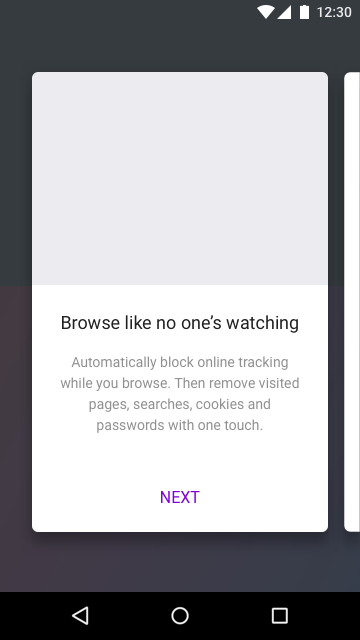
I’m guessing that we can do some more explanation there, but we should also not shy away from things like:
- Just-in-time help.
- e.g. when you set blocking to OFF and then turn it ON again, show a message that says “Tap on Settings to customise what you want to block”.
- e.g. when you have switched away from Focus and then return to the app, show a message that says “Want to erase your data first before switching back? Swipe down and tap ‘Erase’.”)
- Tips on the welcome screen. We can use the same area that says “Browse. Erase. Repeat.” and fill it up with tips.
- e.g. Tips 4: The more trackers you blocked, the faster your browsing will be.
What should the scope be?
For example, the scope of this project can be a combination of three things: onboarding tour, just-in-time help and tips on the welcome screen. They all should work together to help explain why Focus is better (4 reasons as written above).
But if this is the case, then we should split this issue up into several manageable chunks.
What do you think?
 brampitoyo
on 10 Jul 2017
brampitoyo
on 10 Jul 2017
This one's hard to quantify and measure.
As is, it could be really big (too big to add to the 2.0 list), or something that's already being tackled in part by more features, additional settings descriptions, the Stealth mode first run slide, or even added marketing efforts.
I feel like other issues currently in 2.0 are beginning to address this theme theme we heard from our Focus on iOS research.
@pocmo did you have something more specific in mind that you felt like we could "fix"?
 antlam
on 17 Jul 2017
antlam
on 17 Jul 2017
@pocmo did you have something more specific in mind that you felt like we could "fix"?
No, not really. This issue was a 1:1 copy from @bbinto's spreadsheet.
pocmo
on 18 Jul 2017
This is a suggestion from Gemma's research.
I really like how @brampitoyo tackled the issue and presented option and solutions. Thanks.
As a start, I would like to focus in on the ad blocker message, see Bram's 4-th item for onboarding
"It blocks trackers, which means that: Your browsing is even more private than usual. It loads web pages faster and consumes less data."
and... I'd love to play around with welcome screen tips
see "e.g. Tips 4: The more trackers you blocked, the faster your browsing will be."
I assume @mheubusch will have great copy suggestions.
 bbinto
on 18 Jul 2017
bbinto
on 18 Jul 2017
and... I'd love to play around with welcome screen tips
Definitely, this is something we've started thinking about on the UX side but we need to consider the new UI that this will affect/ be affected by (issue https://github.com/mozilla-mobile/focus-android/issues/832)
As a start, I would like to focus in on the ad blocker message, see Bram's 4-th item for onboarding
"It blocks trackers, which means that: Your browsing is even more private than usual. It loads web pages faster and consumes less data."
Sounds good. I'm going to morph this GH issue into content updates for first run slides then. Specifically, we want to include and address that blocking trackers == more private == faster == less data consumption. (rough paraphrasing obviously)
antlam
on 18 Jul 2017
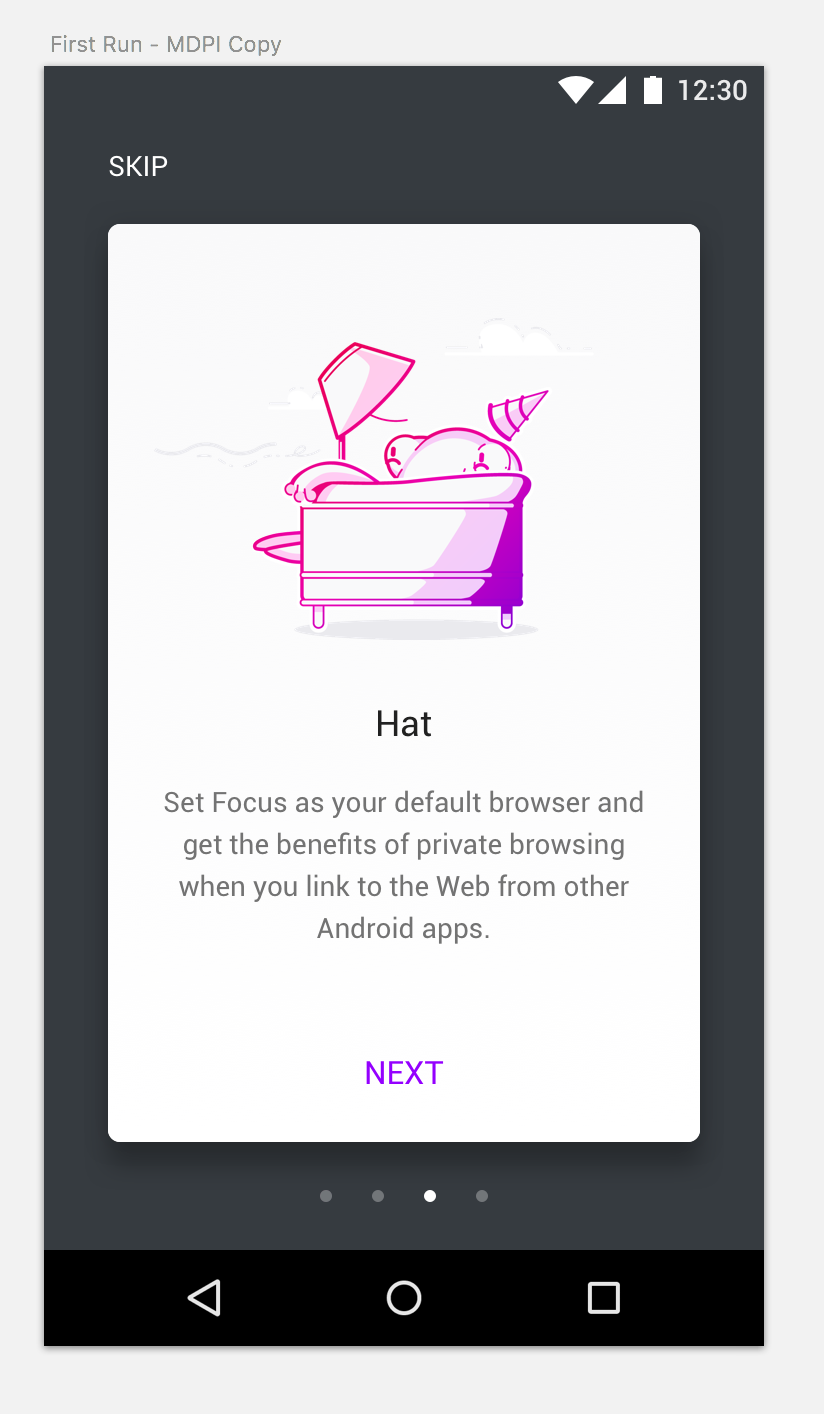
Sean suggests we could switch out the illustration for the Perf Gecko (I'm attaching that illustration here). I think this will largely depend on the final copy from @mheubusch and if we decide to replace a slide (versus adding another one) or not.
antlam
on 9 Aug 2017
Here are all proposed strings for first run panels:
First Run strings
Browse like no one’s watching
A simple-to-use app that’s always in private browsing mode. Just browse, then clear your history, passwords, and cookies with a tap to the trash icon or from your device’s notification panel.
Keep trackers at bay
Built-in tracking protection blocks content (including some ads) that tracks your browsing across sites.
Privacy, posthaste
An added benefit of blocking content with tracking protection: with less to download, web pages often load faster and use less mobile data.
Avoid prying eyes
Turn on Stealth mode (in Settings) to hide the content of webpages when switching apps.
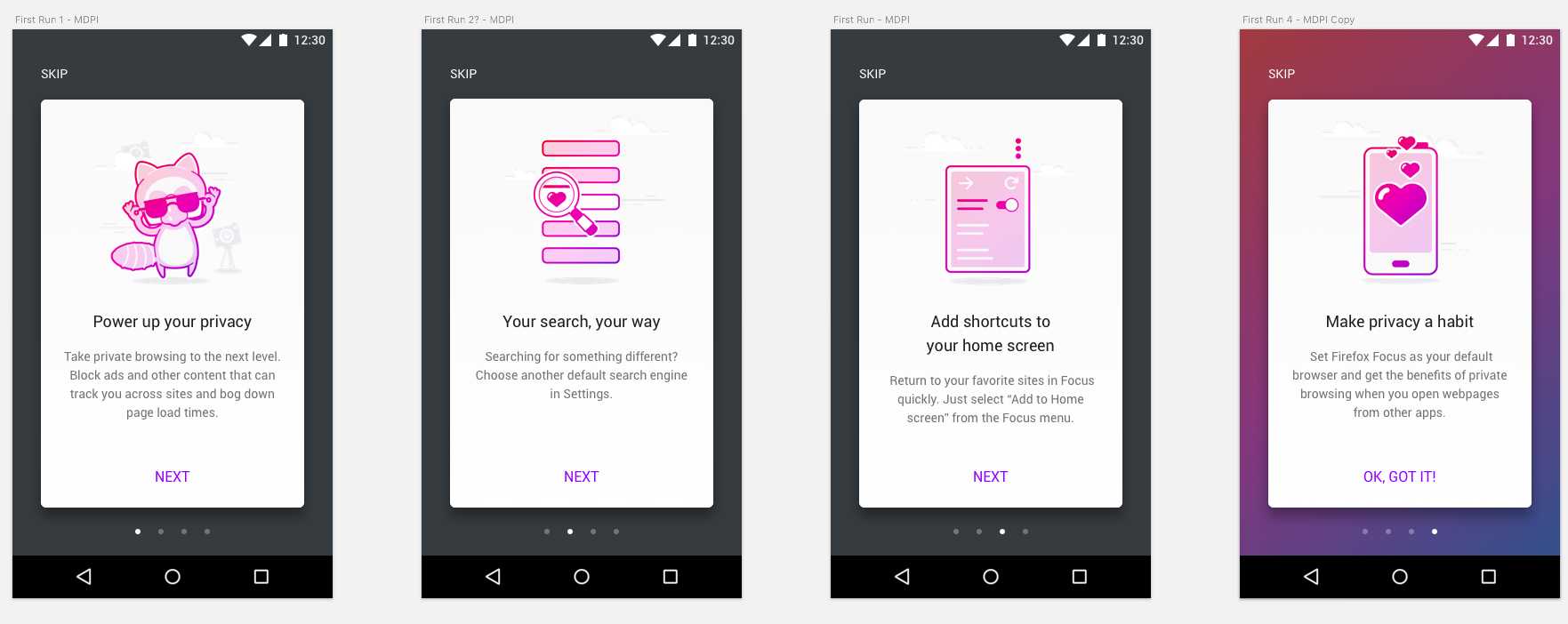
Add shortcuts to your home screen
Return to your favorite sites in Focus quickly. Just select “Add to Home screen” from the Focus menu.
Power up your privacy
Set Firefox Focus as your default browser and get the benefits of private browsing when you open webpages from other apps.
 mheubusch
on 11 Aug 2017
mheubusch
on 11 Aug 2017
There's a lot of slides now. But one that I see missing from this scope is Choosing a default search.
@mheubusch do you have something choosing a default search provider as well? That's something we might want to do here too.
antlam
on 14 Aug 2017
Just wrapped up the final 4 we're shipping in this issue with @mheubusch and @bbinto
antlam
on 15 Aug 2017
@pocmo assets!
antlam
on 15 Aug 2017
@antlam Your mocks and the strings from @mheubusch do not match. I do not know what strings to land. :(
pocmo
on 16 Aug 2017
I added the strings and slides like shown in the latest mock.
pocmo
on 16 Aug 2017
My fault. @mheubusch and I had chatted offline but I didn't update here. Too many things going on!
Good call @pocmo ;)
antlam
on 16 Aug 2017
Related issues
 st3fan
·
5Comments
st3fan
·
5Comments
 callahad
·
8Comments
callahad
·
8Comments
 zekooooo
·
7Comments
zekooooo
·
7Comments
 facyber
·
4Comments
pocmo
·
7Comments
facyber
·
4Comments
pocmo
·
7Comments