Hi,
I just tried to follow up the docs on: https://flynn.io/docs/apps#https
And it says:
flynn route update http/2b3b2004-38f1-4e68-b856-7d8af3e4c6e1 --tls-cert cert.pem --tls-key cert.key
However this seems to be outdated as the correct usage is:
usage: flynn route
       flynn route add http [-s <service>] [-c <tls-cert> -k <tls-key>] [--sticky] [--leader] [--no-leader] [--no-drain-backends] <domain>
       flynn route add tcp [-s <service>] [-p <port>] [--leader] [--no-drain-backends]
       flynn route update <id> [-s <service>] [-c <tls-cert> -k <tls-key>] [--sticky] [--no-sticky] [--leader] [--no-leader]
       flynn route remove <id>
So the correct command would be: flynn route update http/{ID} -c yourcert.crt -k yourkey.key
Cheers.
 thomasmodeneis
All 9 comments
Question: How do I force http to be always forwarded to https ?
Cheers.
thomasmodeneis
on 5 Mar 2017
related to https://github.com/flynn/flynn/issues/2310
thomasmodeneis
on 5 Mar 2017
@thomasmodeneis you can use either the short flags (-c and -k) or the long flags (--tls-cert and --tls-key), see the options in flynn help route:
$ flynn help route
...
Options:
        -s, --service=<service>    service name to route domain to (defaults to APPNAME-web)
        -c, --tls-cert=<tls-cert>  path to PEM encoded certificate for TLS, - for stdin (http only)
        -k, --tls-key=<tls-key>    path to PEM encoded private key for TLS, - for stdin (http only)
Are you finding that those flags aren't working?
 lmars
on 5 Mar 2017
lmars
on 5 Mar 2017
@lmars Great, this could help enhancing https text:
The router can automatically terminate HTTPS traffic, the certificate chain and key are specified with the --tls-cert and --tls-key flags when creating or updating the route. Enabling HTTPS for a route also enables HTTP/2 automatically.
flynn route update http/2b3b2004-38f1-4e68-b856-7d8af3e4c6e1 --tls-cert cert.pem --tls-key cert.key
You can use either the short flags (-c and -k) or the long flags (--tls-cert and --tls-key), see the options in flynn help route:
$ flynn help route
...
Options:
        -s, --service=<service>    service name to route domain to (defaults to APPNAME-web)
        -c, --tls-cert=<tls-cert>  path to PEM encoded certificate for TLS, - for stdin (http only)
        -k, --tls-key=<tls-key>    path to PEM encoded private key for TLS, - for stdin (http only)
--
Another thing I would like to clarify on the docs is how to add fullchain.pem
- I've purchased a comodo certificate and the certificate report on digicert says:
SSL Certificate is not trusted, so, it seems that the installation is not right.
I'm still trying to understand why. When reading the digitalocean ssl tutorial for load balancer the instructions are: We will need the contents of the cert.pem, privkey.pem, and fullchain.pem files to set up SSL termination on the Load Balancer..
Thank you.
thomasmodeneis
on 6 Mar 2017
@thomasmodeneis Regarding your cert not showing as not trusted: You have to combine your cert with your ca-chain and set that combined file as the cert on your http route. The ca-chain is provided by your certificate issuer, usually with your domain certificate. You cat the files together to make a single certificate bundle. See https://support.comodo.com/index.php?/Knowledgebase/Article/View/1145
Edit: Better example using pem-encoded certs:
https://support.globalsign.com/customer/portal/articles/1224583-root-intermediate-certificate-bundles
 sleighter
on 10 Mar 2017
sleighter
on 10 Mar 2017
That doc is really bad, but thanks for the hint, I have now the A certificate after concatenating the files and creating the full bundle.
The certificate update steps for for comodo are,
Create comodo ssl bundle:
cat STAR_yoursite_com.crt STAR_yoursite_com.ca-bundle > ssl-bundle.crt
And update:
flynn route update http/2b3b2004-38f1-4e68-b856-7d8af3e4c6e1 --tls-cert ssl-bundle.crt --tls-key cert.key
@thomasmodeneis this should be shared for sure in the docs.
I purchased an EV SSL certificate from godaddy. I downloaded the apache CRT files:
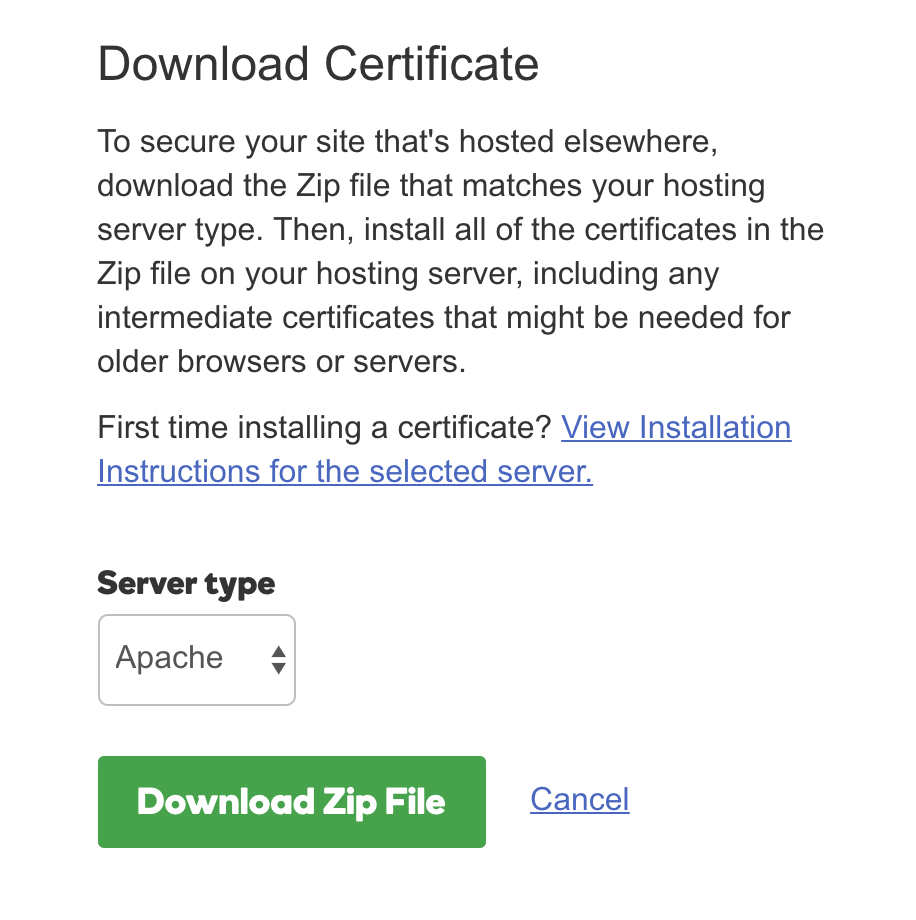
I then used open ssl to merge the two certs together:
cat certfile.crt gd_bundle-g2-g1.crt > combined.crt
After I combined the certificates I converted them to PEM format:
openssl x509 -in combined.crt -out combined.pem -outform PEM
Lastly I shipped it with Flynn using the private key that i used when generating the CSR
flynn -a MYAPP-NAME route update http/XXXXXX --tls-cert combined.pem --tls-key server.key
 TheRyanHickman
on 10 Feb 2018
TheRyanHickman
on 10 Feb 2018
flynn route update <route-id> -c <cert-pem> -k <key> doesn't work for me. The command returns with no error but the site doesn't have https.
only flynn -a <app-name> route update ... -c <pem> -k <key> works for me.
 Vorror
on 3 Sep 2018
Vorror
on 3 Sep 2018
Flynn is unmaintained and our infrastructure will shut down on June 1, 2021. See the README for details.
 titanous
on 18 Feb 2021
titanous
on 18 Feb 2021
Related issues
thomasmodeneis
·
19Comments
 jojobo
·
14Comments
titanous
·
24Comments
jojobo
·
14Comments
titanous
·
24Comments
 philiplb
·
12Comments
philiplb
·
12Comments
 obrienmd
·
25Comments
obrienmd
·
25Comments
Most helpful comment
That doc is really bad, but thanks for the hint, I have now the A certificate after concatenating the files and creating the full bundle.
The certificate update steps for for comodo are,
Create comodo ssl bundle:
And update: