Fluxion: Captive portal unreachable on rogue AP.
Read the wiki?
No
Do you want to request a feature or report a bug?
Bug
What is the current behaviour?
Can not load Captive Portal on target device with Internal Wifi as Fake AP hotspot, but worked with external wifi/ usb wifi (TP-LINK TL WN722N v1.0) which load Captive Portal load instanty when open browse and typing google.com
If the current behaviour is a bug, please provide the steps to reproduce it.
What do you think the expected behaviour should be?
Able to load Captive Portal on target device immediately
If this is a feature request, what is the motivation or use case for the added feature?
Specs
Paste the output of ./script/diagnostics.sh [interface]
FLUXION Info
FLUXION V4.7
BASH Info
GNU bash, version 4.4.12(1)-release (x86_64-pc-linux-gnu)
Copyright (C) 2016 Free Software Foundation, Inc.
License GPLv3+: GNU GPL version 3 or later http://gnu.org/licenses/gpl.html
This is free software; you are free to change and redistribute it.
There is NO WARRANTY, to the extent permitted by law.
Path: /bin/bash
Interface (wlan0) Info
Device: phy0
Driver: ath9k
Chipset: Qualcomm Atheros AR9485 Wireless Network Adapter (rev 01)
Master Modes Yes
Injection Test: ioctl(SIOCSIWMODE) failed: Device or resource busy
Injection is working!
XTerm Infos
Version: XTerm(331)
Path: /usr/bin/xterm
Test: XServer/XTerm success!
HostAPD Info
hostapd v2.6
User space daemon for IEEE 802.11 AP management,
IEEE 802.1X/WPA/WPA2/EAP/RADIUS Authenticator
Copyright (c) 2002-2016, Jouni Malinen j@w1.fi and contributors
Path: /usr/sbin/hostapd
Aircrack-ng Info
Aircrack-ng 1.2 rc4 - (C) 2006-2015 Thomas d'Otreppe
http://www.aircrack-ng.org
System Info
Chipset: Linux version 4.14.0-kali3-amd64 ([email protected]) (gcc version 7.2.0 (Debian 7.2.0-18)) #1 SMP Debian 4.14.12-2kali1 (2018-01-08)
 stevanuscolonne
All 49 comments
i have the same problem https://github.com/FluxionNetwork/fluxion/issues/479
 gearcapitan
on 28 Apr 2018
gearcapitan
on 28 Apr 2018
@stevanuscolonne @gearcapitan Can you guys try running fluxion with the airmon-ng flag? Just launch it like so:
fluxion -n
# or
fluxion --airmon-ng
 MPX4132
on 28 Apr 2018
MPX4132
on 28 Apr 2018
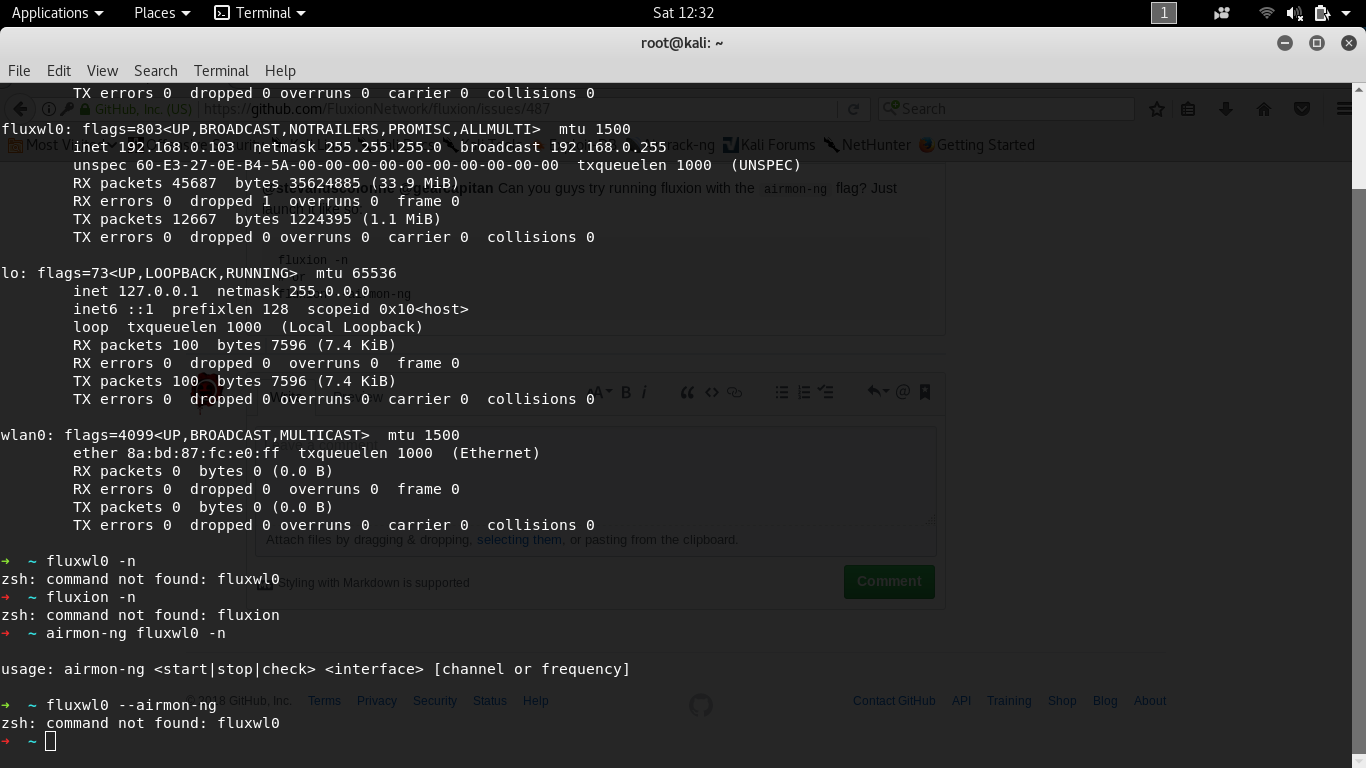
????????????????????????????????
gearcapitan
on 28 Apr 2018
try airmon-ng stop fluxwl0 if u want to put the interface in managed mode...
 djmeero
on 28 Apr 2018
djmeero
on 28 Apr 2018
Oh sorry i didn't read the thread 😂 I think @MPX4132 was referring to run fluxion with --airmon-ng as a parameter?
djmeero
on 28 Apr 2018
Like the following, perhaps?
./fluxion.sh --airmon-ng
oooh ok ok, i try, i will post the result
gearcapitan
on 28 Apr 2018
@djmeero exactly like that.
@gearcapitan You should not have that interface available and you should not be modifying fluxion interfaces manually. You should see something like "wlanX". You need to rename your interfaces or restart your system so it does it for you.
MPX4132
on 28 Apr 2018
@stevanuscolonne Can you check the web server is working? All you have to do is launch the Captive Portal attack as you've done before, and on the machine running fluxion, open a web browser and navigate to "http://localhost" and make sure the captive portal page loads.
MPX4132
on 29 Apr 2018
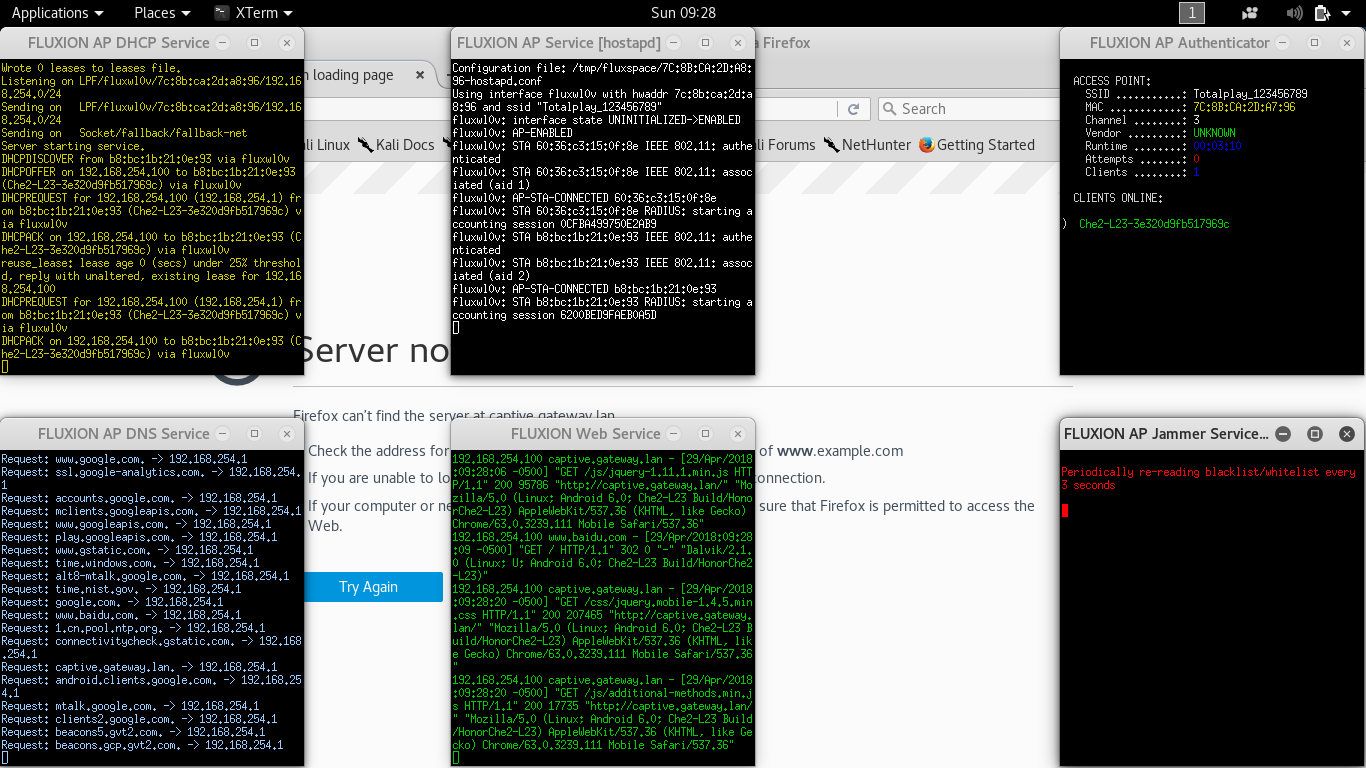
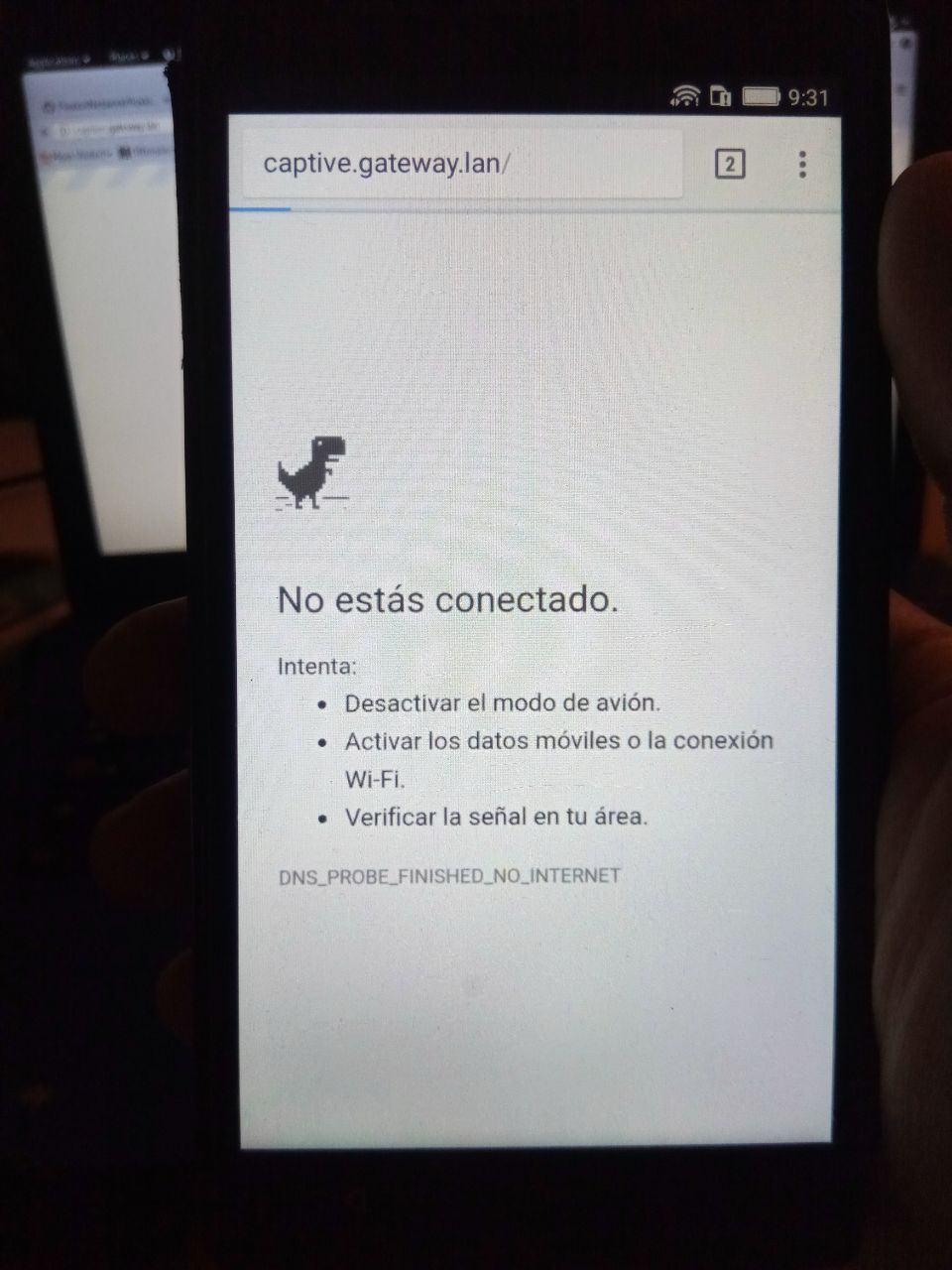
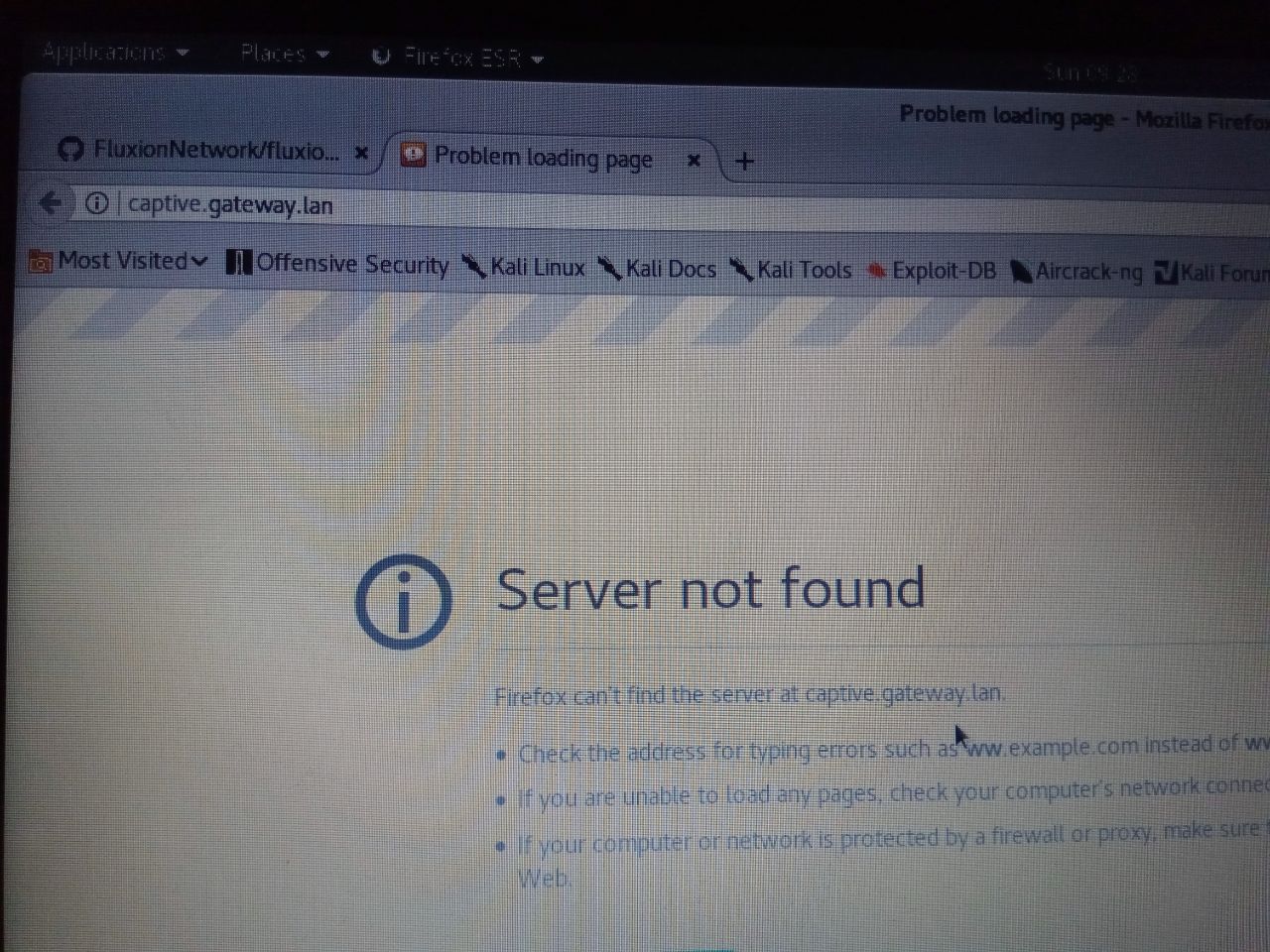
whit the last update :/
gearcapitan
on 29 Apr 2018
@gearcapitan looks like eveything’s working properly, according to those logs by fluxion on the images. There’s probably something wrong with the device you’re using for testing.
MPX4132
on 29 Apr 2018
@gearcapitan Live boot kali from usb and try again and see if that works for you.
 usama7628674
on 29 Apr 2018
usama7628674
on 29 Apr 2018
I tried with the last update in a completely different kali and the problem is the same, the devices do not enter the hostpot page, I also realized that devices such as laptops are not de-authenticated by the capture of the handshake or by the fake ap, but as I said the problem is the same, the website does not load, I tried to flush the dns and nothing else the problem persists.
gearcapitan
on 29 Apr 2018
@gearcapitan You MUST navigate to http://localhost on the fluxion host, otherwise it will not load.
MPX4132
on 29 Apr 2018
@gearcapitan If the target access point is multi-band capable, fluxion will not be able to jam the secondary band, meaning you must jam manually.
By the way, are you using hostapd or airbase-ng?
MPX4132
on 29 Apr 2018
Let's see!!!!, I put in the localhost browser but it automatically redirects me to cptive.gateway.lan, and it stays that way, I wouldn't be saying anything if you were right, you think I'm dumb or what?, plus fluxion worked perfectly in version 4.4, but then they updated it and it went to shit!
gearcapitan
on 29 Apr 2018
@gearcapitan Download fluxion v4.4 here and check if the issues persist.
MPX4132
on 29 Apr 2018
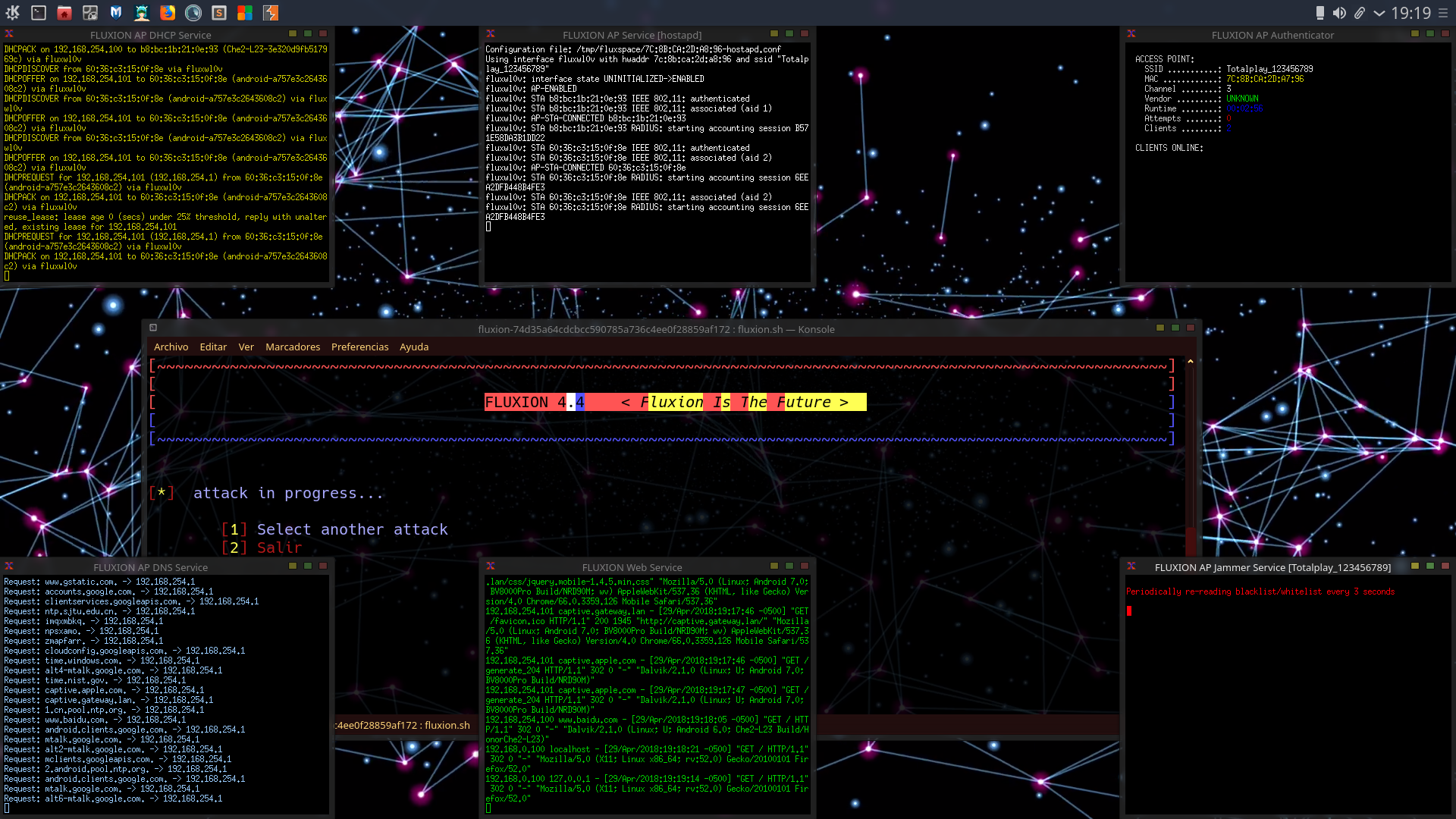
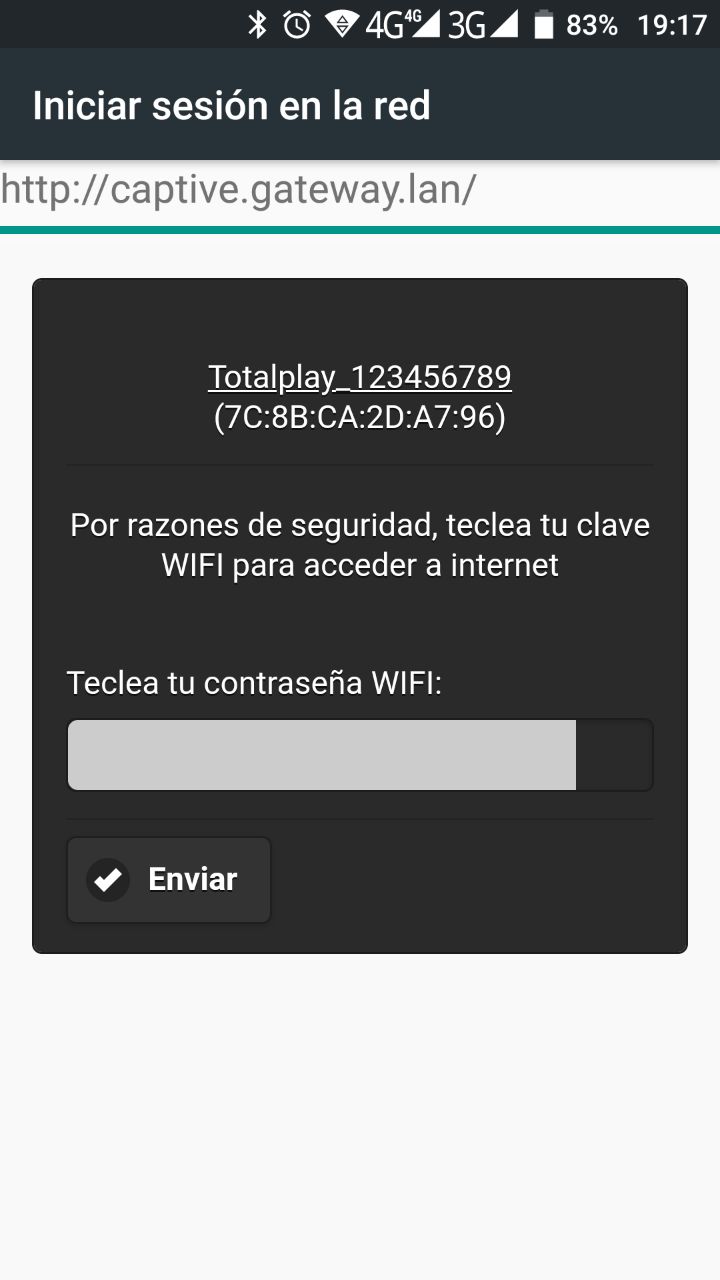
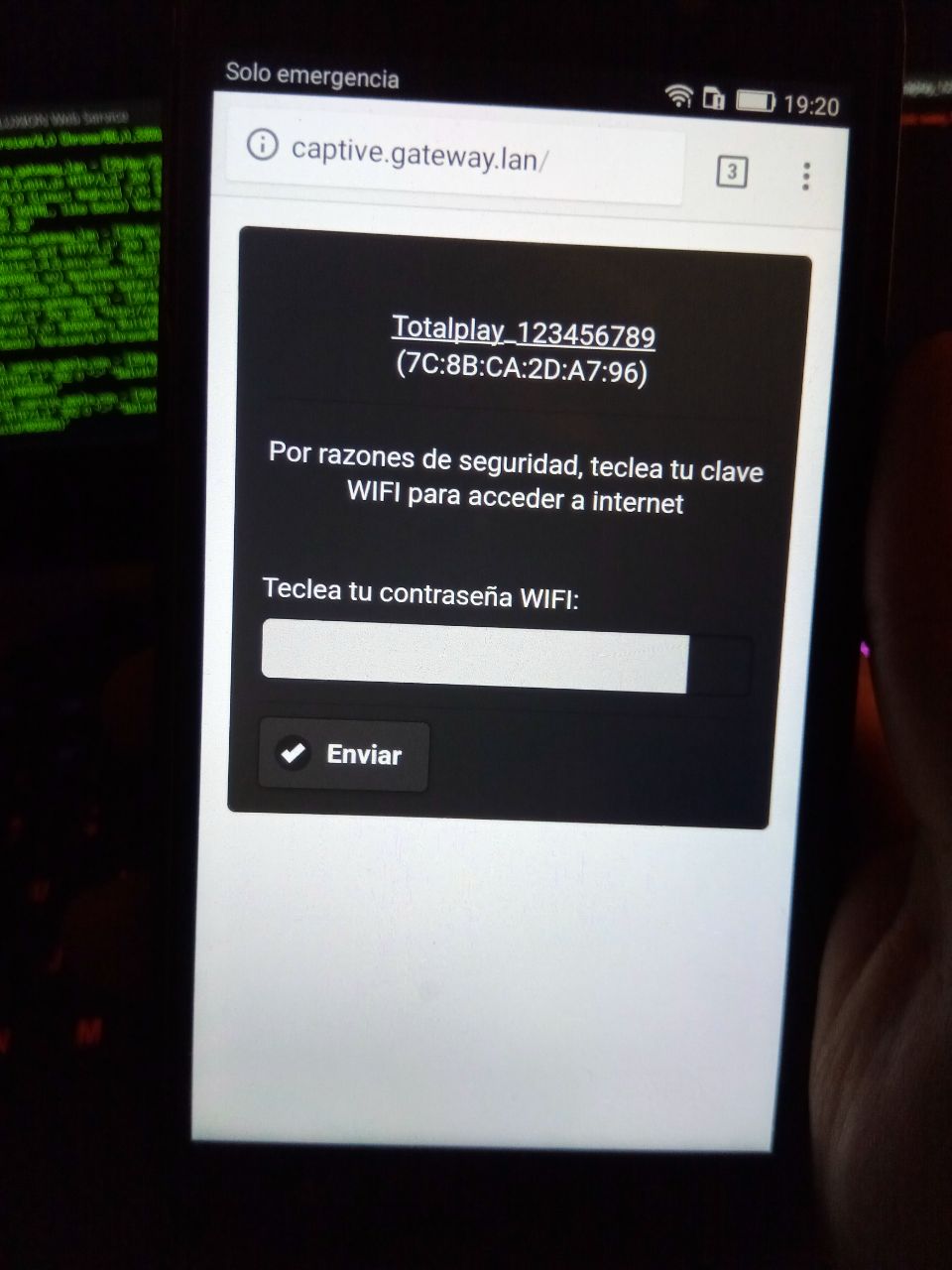
check this men!!!
gearcapitan
on 30 Apr 2018
@gearcapitan thank you for all the info you’ve posted, I appreciate the help. Can you please open a new issue with the issue you’ve mentioned and showed here so we can continue there? We might be able to gather more data. Please run the diagnostics script and paste it where the issue template says (at the very bottom).
To run the diagnostics script, just do:
./scripts/diagnostics.sh INTERFACE
# Make sure to replace interface with your wlanX interface.
FLUXION Info
FLUXION V4.7
BASH Info
GNU bash, versión 4.4.19(1)-release (x86_64-pc-linux-gnu)
Copyright (C) 2016 Free Software Foundation, Inc.
Licencia GPLv3+: GPL de GNU versión 3 o posterior http://gnu.org/licenses/gpl.html
This is free software; you are free to change and redistribute it.
There is NO WARRANTY, to the extent permitted by law.
Path: /bin/bash
Interface (fluxwl0) Info
Device: phy0
Driver: rt2800usb
Chipset: Ralink Technology, Corp. RT2870/RT3070
Master Modes Yes
Injection Test: Injection is working!
XTerm Infos
Version: XTerm(331)
Path: /usr/bin/xterm
Test: XServer/XTerm success!
HostAPD Info
hostapd v2.6
User space daemon for IEEE 802.11 AP management,
IEEE 802.1X/WPA/WPA2/EAP/RADIUS Authenticator
Copyright (c) 2002-2016, Jouni Malinen j@w1.fi and contributors
Path: /usr/sbin/hostapd
Aircrack-ng Info
Aircrack-ng 1.2 rc4 - (C) 2006-2015 Thomas d'Otreppe
http://www.aircrack-ng.org
System Info
Chipset: Linux version 4.15.0-kali2-amd64 ([email protected]) (gcc version 7.3.0 (Debian 7.3.0-11)) #1 SMP Debian 4.15.11-1kali1 (2018-03-21)
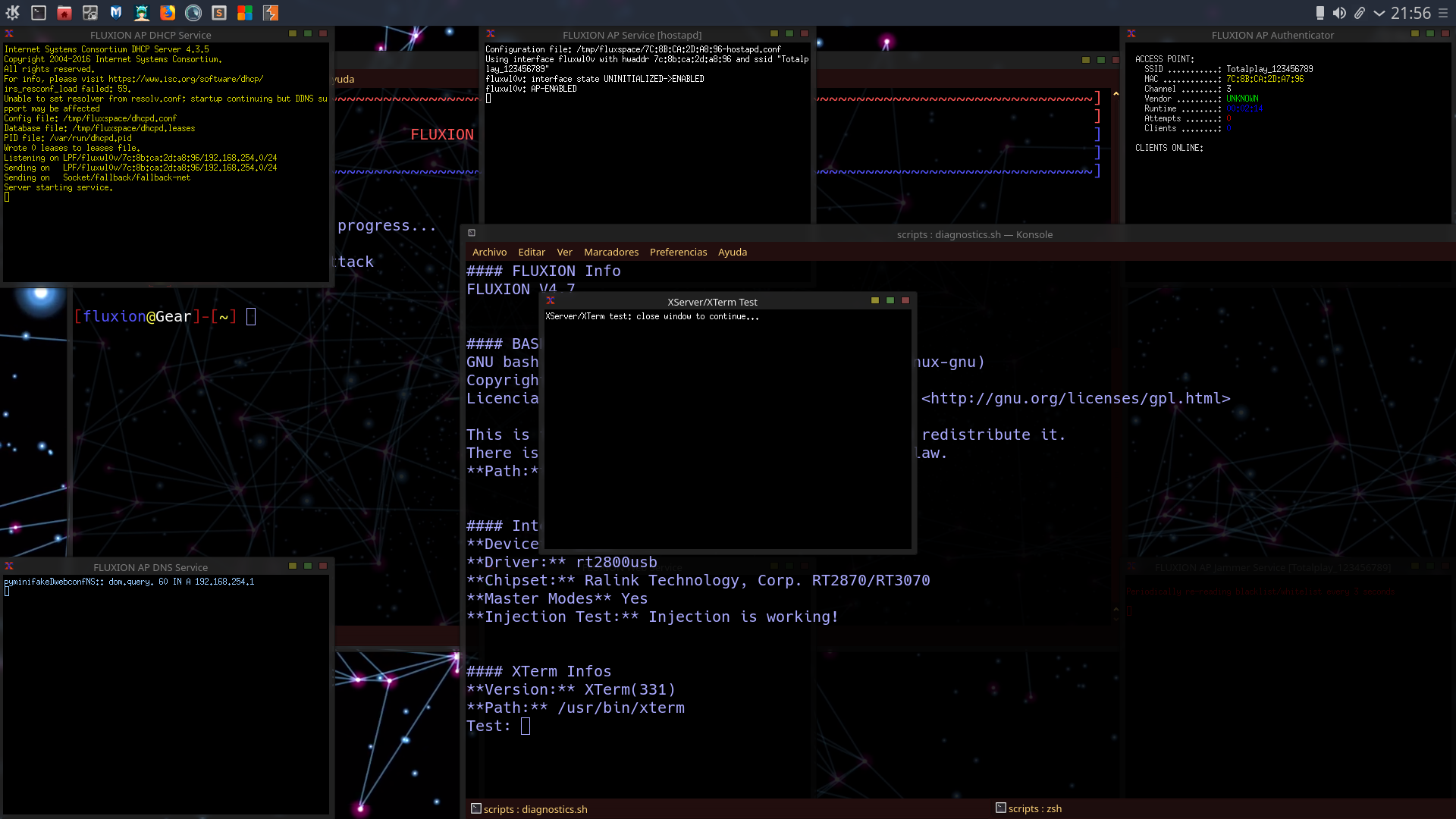
gearcapitan
on 30 Apr 2018
@gearcapitan
I could imagine it is related to some changes I made when I cleaned up the iptables rules and the dns server script.
To test this, clone the most recent fluxion via git and then execute
git revert -n ab1681d -m1
this will revert the merge commit ab1681d from @deltaxflux and thereby undo my changes.
If it works after the revert, we know what's probably causing the issue.
 rad4day
on 30 Apr 2018
rad4day
on 30 Apr 2018
Confirmed with a DNS test, unreachable externally. It's a combination of problems between the DNS and NAT rules, I'm reverting the commit.
MPX4132
on 30 Apr 2018
@gearcapitan Checkout the latest version on the repository and let us know if anything changed.
MPX4132
on 30 Apr 2018
Still funny how it worked for me while testing though
rad4day
on 30 Apr 2018
@rad4day It was working for me as well, I’ll have a closer look today.
MPX4132
on 30 Apr 2018
@stevanuscolonne seems like your wireless device was experiencing issues.
Injection Test: ioctl(SIOCSIWMODE) failed: Device or resource busy
Injection is working!
MPX4132
on 30 Apr 2018
because the truth is that the only version that has served me is the 4.4, from then on pure failures, the truth is that I don't know if you require another type of antenna or hardware now, because in fact, the handshake takes a long time to get compared to version 4.4 and previous, i.e. the handshake I realize that the handshake is not configured in the ap channel to get the handshake and it is difficult to channel itself to the ap channel and also makes few deauthentications, and in the end when I pick up my hostpot or fake ap, in any case the clients do not connect to the phishing page, i.e. the page simply does not load is blank, but it is more of the same thing, these errors have already been reported with screen inaccuracies, better tell me which antenna they recommend?
gearcapitan
on 1 May 2018
@gearcapitan The hardware requirements haven't changed man, however, I just noticed your wireless device is using the "rt2800usb" driver, which is known to have issues. Go to the issues section and look that driver up. I'm positive we've found it's got issues with virtual interfaces. I develop and test fluxion with a AWUS036NHA, which uses the ath9k_htc driver. So long as you use a wireless device with that driver you should be good. I also have a WNA1100 which also uses the ath9k_htc driver and it also works great.
By the way, I think you've been using airbase-ng, which is known to be super slow and unreliable.
MPX4132
on 1 May 2018
@MPX4132 Then why version 4.4 is working for him?That's the question now.
usama7628674
on 1 May 2018
@usama7628674 If I remember correctly, the device he's using only works with airbase-ng, which works, but it's super slow. We need to investigate more if he's still having issues though, and he can't get the latest versions to work for him. Nothing major has changed that would affect the core of fluxion. The only major change happened between fluxion v3 to fluxion v4. I know that's the case because I designed both versions. Unless someone committed something between then and now that broke something, but I'm not sure. Do you have any issues like he does?
MPX4132
on 1 May 2018
@MPX4132 I'm thinking maybe he should try airgeddon script.It does have evil twin attack method like fluxion.If that script works then perhaps there is something wrong with fluxion.
usama7628674
on 1 May 2018
@MPX4132 I also use awus036nha.I haven't tried fluxion for quite some time.I'll give a shot tomorrow and share the result here.
usama7628674
on 1 May 2018
@MPX4132 Unfortunately it's not working for me as well.I didn't use awus036nha but internal card (atheros ar9565).I was able to capture handshakes but captive portal wasn't working.It's stuck at Starting captive portal access point service.Then I tried airgeddon script which has evil twin method with captive portal as fluxion and it worked(same internal card).After using fluxion I couldn't start network-manager and restart or shutdown kali.I have to turn it off using power button.
usama7628674
on 2 May 2018
@usama7628674 sound so like you’re having issues with your device’s driver. It sounds like the driver hanged and your system froze or something. Unplugging and replugging the wireless device usually works.
MPX4132
on 2 May 2018
@MPX4132 I'll do one more testing with my awus036nha.My awus036nha dropping connection everytime I plug in the card led flashes for a second(wifi icon at top right appears and disappers) and this cycle continues.I think there is a problem with my laptop's usb ports so I'll try it on my pc tomorrow and post here.
usama7628674
on 2 May 2018
@usama7628674 @gearcapitan I went over every single change to the repository between fluxion 4.4 and the current version. I can't find anything that affects previous functionality. Seems like both of you, or just me, is falling for confirmation bias.
MPX4132
on 2 May 2018
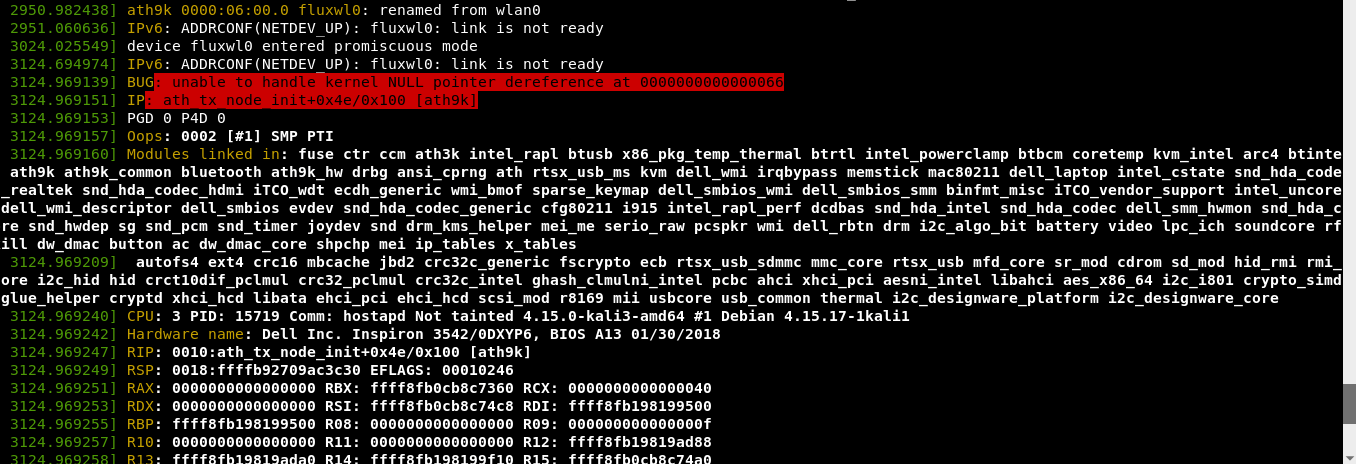
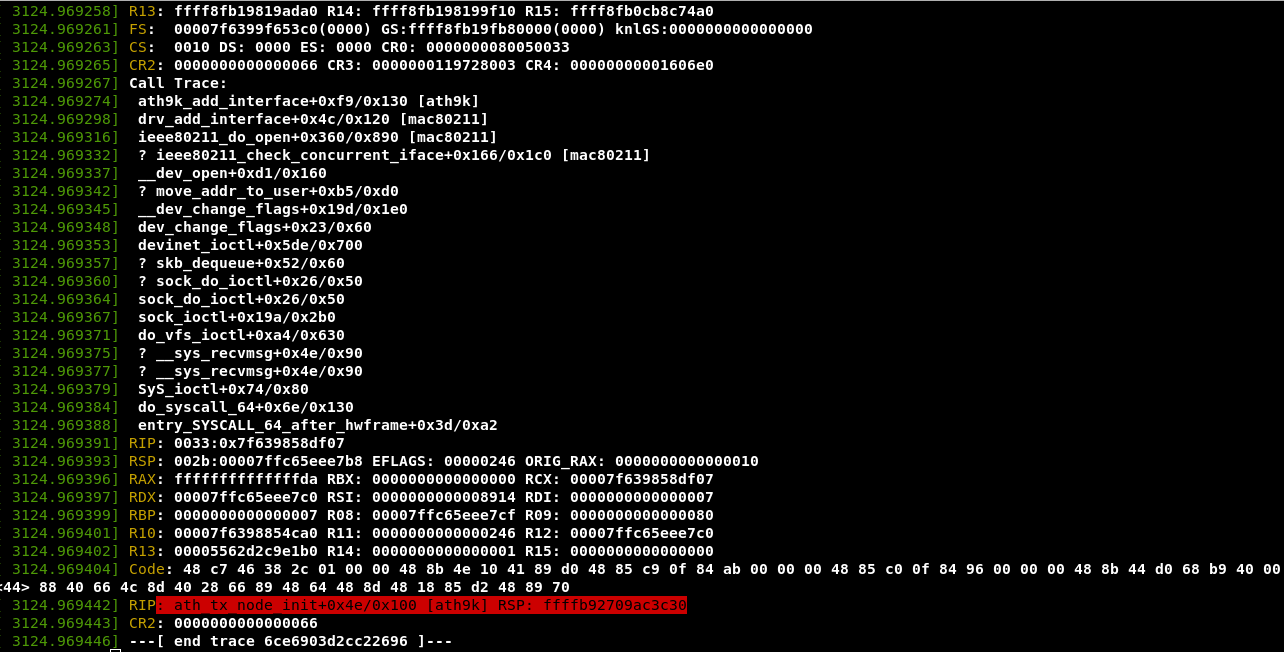
@MPX4132 Ok now it's working fine.Captive portal does load on my device with internal and as well as with external card.But I found that on kernal-4.15.17 version my internal card does not work.It hangs at starting captive portal access point service then at the same instant what dmesg says is in the following picsI think it is a bug in kernal.In the following images ath9k is driver that my internal card used.
usama7628674
on 3 May 2018
@MPX4132 sorry for late reply. Just have time to read email since i've important project at the office. Will try your suggestion as soon as i have leisure time.
Sent from Yahoo Mail on Android
On Sun, Apr 29, 2018 at 10:07, Matias Barcenasnotifications@github.com wrote:
@stevanuscolonne Can you check the web server is working? All you have to do is launch the Captive Portal attack as you've done before, and on the machine running fluxion, open a web browser and navigate to "http://localhost" and make sure the captive portal page loads.
—
You are receiving this because you were mentioned.
Reply to this email directly, view it on GitHub, or mute the thread.
stevanuscolonne
on 3 May 2018
@stevanuscolonne that won’t work anymore. Just go ahead and try to run fluxion regularly again. We made a couple of changes.
MPX4132
on 3 May 2018
@stevanuscolonne please use my tag (@MPX4132), rather than my name, otherwise I won’t get a direct notification.
MPX4132
on 3 May 2018
@MPX4132 noted will try tonight (GMT +7) and will give feedback soon. Thank you for responses & support.
Sent from Yahoo Mail on Android
On Fri, May 4, 2018 at 3:11, Matias Barcenasnotifications@github.com wrote:
@stevanuscolonne that won’t work anymore. Just go ahead and try to run fluxion regularly again. We made a couple of changes.
—
You are receiving this because you were mentioned.
Reply to this email directly, view it on GitHub, or mute the thread.
stevanuscolonne
on 5 May 2018
I'm running the app but you can help me with the captive gatavey link not starting
 celik869013
on 9 May 2018
celik869013
on 9 May 2018
I also have the TL-WN722N wireless card, I have found that if you skip or disable target tracking on the wifi card, it totally fixes the problem.
 jbrotosky
on 10 May 2018
jbrotosky
on 10 May 2018
@vampireactual When you were using target tracking, were you using two separate wireless cards/devices?
MPX4132
on 10 May 2018
I tried both, when I used two it worked. With one, it didn't.
On May 9, 2018 19:20, "Matias Barcenas" notifications@github.com wrote:
@vampireactual https://github.com/vampireactual When you were using
target tracking, were you using two separate wireless cards/devices?
—
You are receiving this because you were mentioned.
Reply to this email directly, view it on GitHub
https://github.com/FluxionNetwork/fluxion/issues/487#issuecomment-387931747,
or mute the thread
https://github.com/notifications/unsubscribe-auth/AVo7ubXCLaDcifCMMUkJiP2ZMWWEvp7Nks5tw6P8gaJpZM4TrbW7
.
jbrotosky
on 10 May 2018
@vampireactual Yeah, that's why I put a warning on there. You can't use virtual interfaces for target tracking. A virtual interface is a logical secondary interface adding on to the original interface that a wireless device has. You can ONLY use target tracking if you've got two physical devices. There could be drivers that support three virtual interfaces, so if you've got a rare card that can do that, good for you, but more than likely it can only do a maximum of two.
MPX4132
on 10 May 2018
I do have two physical devices.
On Wed, May 9, 2018, 19:30 Matias Barcenas notifications@github.com wrote:
@vampireactual https://github.com/vampireactual Yeah, that's why I put
a warning on there. You can't use virtual interfaces for target tracking. A
virtual interface is a logical secondary interface adding on to the
original interface that a wireless device has. You can ONLY use target
tracking if you've got two physical devices. There could be drivers that
support three virtual interfaces, so if you've got a rare card that can do
that, good for you, but more than likely it can only do a maximum of two.—
You are receiving this because you were mentioned.
Reply to this email directly, view it on GitHub
https://github.com/FluxionNetwork/fluxion/issues/487#issuecomment-387933191,
or mute the thread
https://github.com/notifications/unsubscribe-auth/AVo7uWIox5JOHsSJXJa_HvkoX28awaTHks5tw6ZLgaJpZM4TrbW7
.
jbrotosky
on 10 May 2018
Right, that's why you said it worked with two. That's great, but I'm letting you know it will very likely not work with a single wireless device having to do everything, monitor, deauthenticate, and channel scan.
MPX4132
on 10 May 2018
Sorry all I forgot to update that this error previous solved for me but facing another issue that i just opened.
stevanuscolonne
on 12 May 2018
Related issues
 prabhavdaga
·
6Comments
prabhavdaga
·
6Comments
 s4iya
·
9Comments
s4iya
·
9Comments
 EOS123
·
3Comments
EOS123
·
3Comments
 christiantokevin
·
16Comments
christiantokevin
·
16Comments
 navyarm
·
8Comments
navyarm
·
8Comments
Most helpful comment
I also have the TL-WN722N wireless card, I have found that if you skip or disable target tracking on the wifi card, it totally fixes the problem.