Fluxion: updated fluxion no permision to execute - no such file or directory
please help... last week i installed fluxion just fine and using it without a problem in my virtual machine.. but last night my son accidentally deleted/uninstalled my kali along with oracle virtual machine. so i need to reinstall both. while installing fluxion (the same as i did before last week) i encountered a problem running it..
cd fluxion
./fluxion.sh
no such file or directory (so i did)
/fluxion#ls
(shows only) "fluxion" not "fluxion.sh" (no "installer or not executable file")
how can i make it to show fluxion.sh?
i dont want to use
cd fluxion
chmod u+x fluxion
./fluxion
(even though its working, it is not giving me an option to choose which driver i will use "wlan0/wlan1" as im using two, one for monitoring and capturing handshake and the other one is for packet injection capturing portal) plus, with this chmod u+x fluxion command to run, the "hostapd" quitting in the middle of creating fake AP.
i really prefered the way i installed and running fluxion last week. the "./fluxion.sh" as it runs very smoothly without tiny bit of problem. (i know its the same fluxion.. but the way it runs is different)
i am hoping for detailed instruction on how can the fluxion shows fluxion.sh in fluxion#ls" after getting it.
thank you in advance and more power to you guys.
 blueflame357
All 20 comments

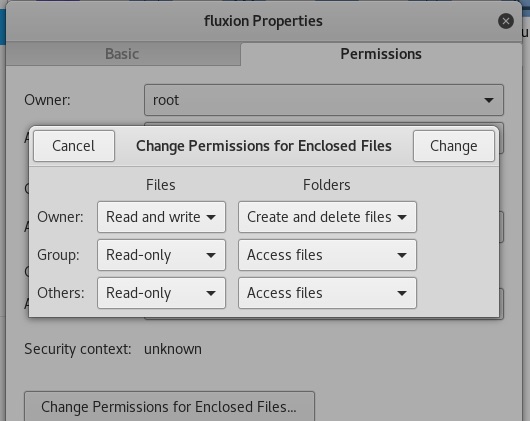
also, i dont have option for "check box" enable executable file.
blueflame357
on 13 Mar 2018
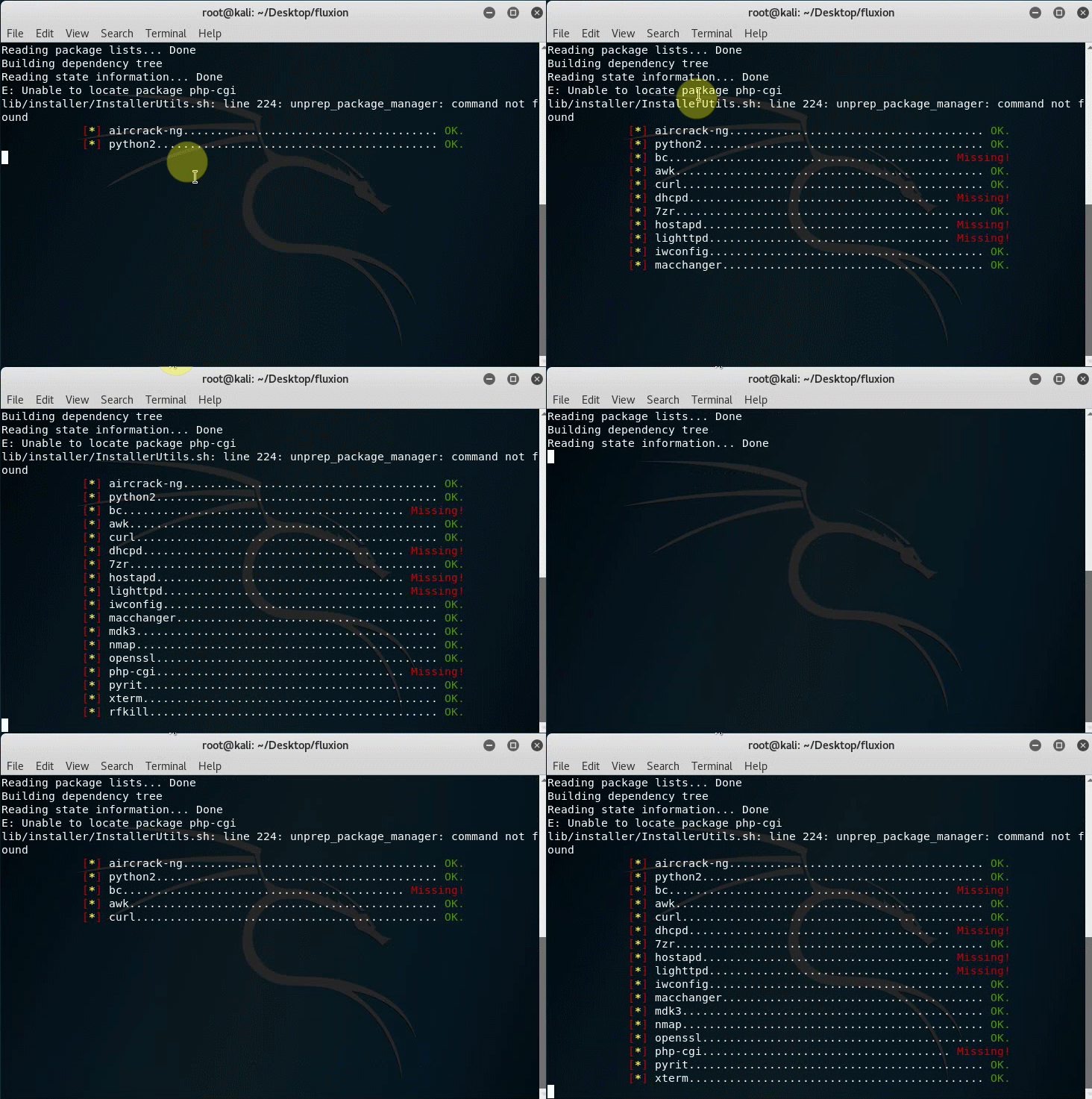
installing it again lately over and over again now giving this error cycle.. it keeps repeating. not continuing to install. (not because its a .gif, its because its literally never ending cycle like that. the chmod u+x install not working anymore. tried a lot of installing/run procedure that ive seen in web earlier and nothing helps. :(
blueflame357
on 13 Mar 2018
I renamed the file again to fluxion.sh. Try it new simply update your fluxion file with git pull
 deltaxflux
on 13 Mar 2018
deltaxflux
on 13 Mar 2018
still having issue.. that last screenshot is a .gif i sent.. never ending loop. it keeps repeating from start, not continuing to install... i tried reinstalled kali 2018.1 and reinstalled fluxion again.. but same thing happened.
blueflame357
on 13 Mar 2018
Well, I hoped that this was resolved with: dc0ab6d855d6e5d4bc443e17cf84eacc6b1f8583. Can you please provide more information if it is resolved since this commit? If not I will test it in a VM.
deltaxflux
on 13 Mar 2018
thank you for the assistance. though can you give me step by step on what to do? what to put in terminal or editing scripts... sorry.. still a newbie here. or if its not big of a bother, please try it in VM. very much appreciated. 6am here. needed some sleep.. i look forward for later. thank you.
blueflame357
on 13 Mar 2018
I installed Kali on a new VM, I think you’re having different issues man.
On a clean install of Kali, download fluxion. If you’re not familiar with git, download it from the download link in the repository page (green download button), download it as a zip file and extract it.
Try running fluxion and it should install everything proplerly. I know it works because I did it a couple of hours ago.
 MPX4132
on 14 Mar 2018
MPX4132
on 14 Mar 2018
thank you.. i tried both git clone and download zip and extraction.. still not continuing to install.. but im having a different issue this time.. i attached a videoclip/gif below.
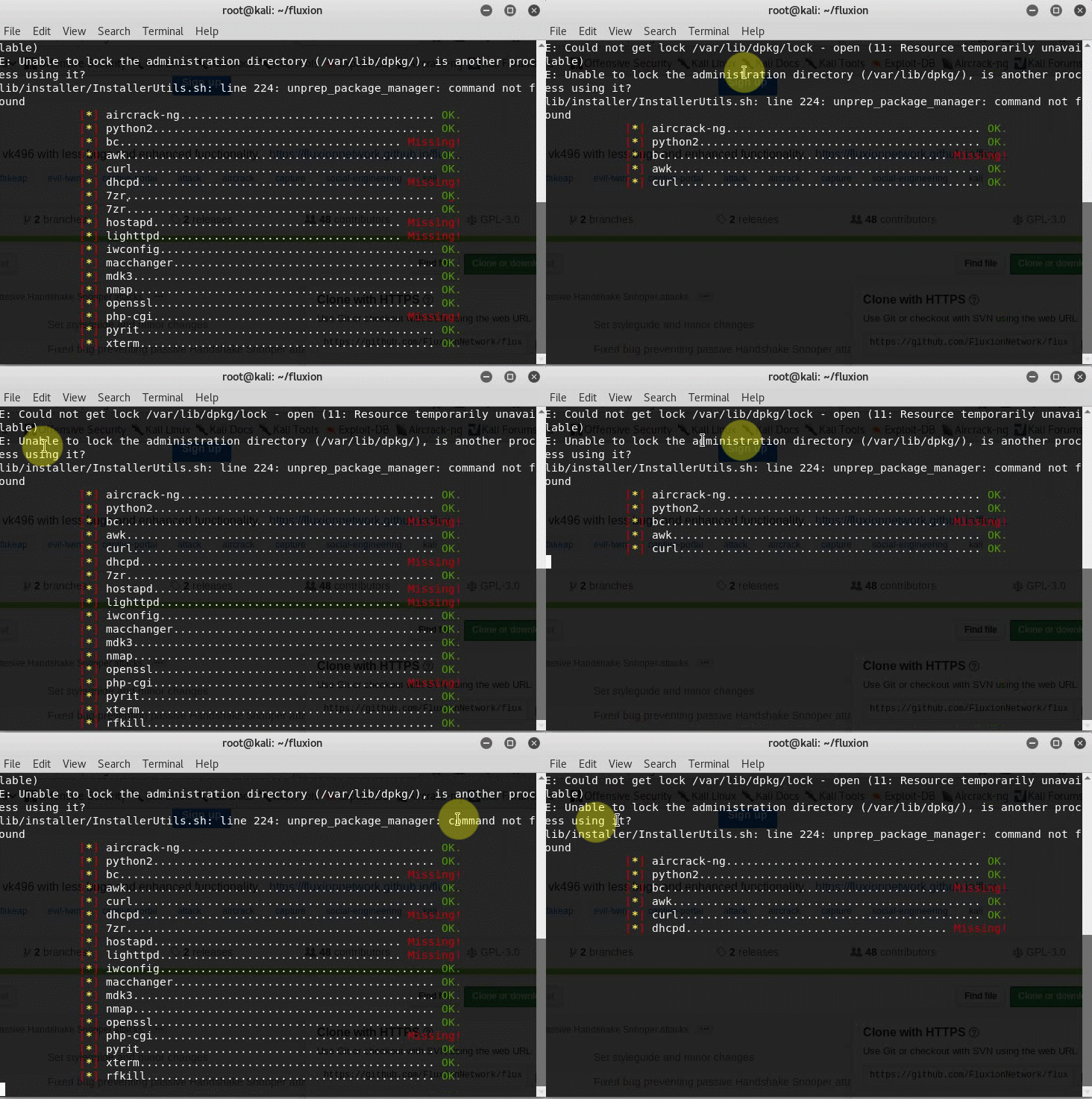
i wonder whats causing this..
though last week i installed and using it just fine. in same device, same VM and same install process. :(
if its only happening to me now, please stay a bit with me and help me get through it. :(
blueflame357
on 14 Mar 2018
@blueflame357 go to task manager and type package you will packagekitd end it then try again.
 usama7628674
on 14 Mar 2018
usama7628674
on 14 Mar 2018
sorry. ive read your comment a little bit late. i did
sudo /var/lib/apt/lists/lock
sudo rm /var/cache/apt/archives/lock
and tried
apt-get update
(to see if they are still "lock")
i was surprised that after a clean install of kali 2018.1, its still has 876 files need to upgrade (though i usually installing kali and checking the update/upgrade thing and its always up to date). now im running a full upgrade.. it will take 4-6hrs.. after this im going to install fluxion again and see if this completely solves my issue.
i should have installed fluxion first though to see if the above procedure to remove the lock works :)
blueflame357
on 14 Mar 2018
Yeah, you should never remove the apt lock, it could seriously screw up the package manager and your machine. Something was updating in the background and you probably killed it.
If the lock was busy, you should’ve waited until it wasn’t.
MPX4132
on 14 Mar 2018
IT WORKED! i perfectly installed and run fluxion.. thank you guys for the assistance.. its good to be here.
-though i noticed something in the end of the attack.
i tried using it on my own wifi,
after i created a fake AP, my phone perfectly got "disconnected through wifi" and it shows two same name wifi. one is secured and one is open. i first connect to the secured (real AP) as it connects automatically so i forget the network, then tried to connect again typing my password in it. it connects but the fluxion authenticator shows no client, no attempt, no nothing. then i once again forget the network and the second time, i connect to the open one (fake AP). i typed my password and then suddenly the "real AP" is the one connecting and yet still in fluxion authenticator, no clients, no attempts, nothing. (the auto-show up browser where you will put the password when trying to connect not showing up in phone too)
im not sure if its something to do with my phone, my wireless driver (AlfaAwus036NH) or the new ZTE/ZXHN_H108N router anti hacking privileges.
im fully aware that this is a whole lot different issue far from this thread as my problem installing is solved. but you guys might want to check the last issue and let me know before closing this thread...
once again, thank you very much and more power.
blueflame357
on 14 Mar 2018
Yeah, that's a different issue. Fluxion should've prevent you from connecting to the secured network, and should've forced you to connect to the open network. It sounds like you might have encountered an issue with the wireless driver. Try running the attack again and make sure the bottom right window does NOT say "wl_down" or something like that.
MPX4132
on 14 Mar 2018
sorry for late response,
i tried to reconnect on wifi in 3 different phones and 1 laptop in secured name, still connecting but not recorded in authenticator., also tried connecting them in fake AP, still nothing. no browser showing up like last week. laptop says, "cant connect to this network" the phones saying "saved" and "error authenticating" (defend on phone brand) but not letting me type the password or browser show up thing portal.
i shared a screnshot.

as i've said on my early post, im using fluxion last week just fine. everytime the target reconnects, or a new device connects in fake AP, browser automatically show up asking for a key. and the authenticator records it and just saved the right password in file.
using same device, same VM, same wireless driver, and same procedure.
blueflame357
on 14 Mar 2018
That's weird, it looks like fluxion is working completely fine. You should try deleting the saved network, so launch the attack and once you see the two networks available, press and hold the unencrypted one, then tap "forget". Now try to connect to that one again.
I don't think much has changed in the attack between fluxion 3 & fluxion 4, make sure you use the same settings you used like when it was working.
MPX4132
on 14 Mar 2018
im using same device, same VM, same wireless driver, and same procedure.
i tried deleting saved network, and forget both networks too. everytime i tap the open one, it automatically saved. in other phones, it says error authenticating. not giving me the option to enter password. no browser pop up too.
blueflame357
on 14 Mar 2018
There's a chance it's a problem the device you're testing things with. Try running the attack and connect the device to the fake AP, the open one. Once you do that, go to a browser and navigate to:
http://somebssite.com
If it redirects you to captive.gateway.lan or something like that, fluxion is working properly and it's very likely your device is having problems, you could try rebooting it.
MPX4132
on 14 Mar 2018
i will try that tomorrow. 7am now here. going to sleep. thank you for staying with me with long patience.. highly appreciated. tomorrow ill let you know.
blueflame357
on 14 Mar 2018
you were right bro.... the issue has something to do with my wireless driver. i guess sometimes its malfunctioning.. it worked once over the 7th times of trying, so i came up
ttrying "another" same model of my wireless driver and it runs smoothly.
FLUXION IS PERFECT AS IT IS RIGHT NOW.
its just me and my crappy devices..
thanks for the big help... i'll never forget.
blueflame357
on 15 Mar 2018
Great, I’m glad you got it figured out.
MPX4132
on 15 Mar 2018
Related issues
 S3cur3Th1sSh1t
·
5Comments
S3cur3Th1sSh1t
·
5Comments
 yuginiwa
·
9Comments
yuginiwa
·
9Comments
 Eladtopaz
·
8Comments
Eladtopaz
·
8Comments
 kandarpgautam
·
15Comments
kandarpgautam
·
15Comments
 christiantokevin
·
16Comments
christiantokevin
·
16Comments
Most helpful comment
Great, I’m glad you got it figured out.