Fluxion: New Feature: Channel Hopping
Read the wiki?
Yes
Do you want to request a feature or report a bug?
Feature
If this is a feature request, what is the motivation or use case for the added feature?
I have implemented a new feature to the Fluxion v2 which you can find here: https://github.com/CVino/fluxion_v2ChannelHop
This new feature checks periodically the channel of the target AP and restarts the attack if a Channel change is detected using the new channel. This automatizes the process for those Routers which change channel automatically when restarted or if some sort of attack is detected.
Would it be possible to integrate it in fluxion v3? I am not quite familiar with the re-adaptation of the implementation in v3.
 CVino
CVino
All 32 comments
Agree, this feature is very essential. However I have a lack of time till next week. I try to implement it and if I need help I will contact you back. ( maybe at the awk script stuff )
 deltaxflux
on 7 Feb 2018
deltaxflux
on 7 Feb 2018
Let me know if you need a tester. I'm absolutely anxious for this feature.
 rodrigogs
on 19 Feb 2018
rodrigogs
on 19 Feb 2018
@CVino i have tested it but it does nothing ...
i had started fluxion by bash fluxion .sh and used the other options normally .. in the Wifi information tap it shows me a new line called channel hops and in front of it there 0 .. although the router channel has been changed ..
 minanagehsalalma
on 26 Feb 2018
minanagehsalalma
on 26 Feb 2018
@minanagehsalalma Wich secondary wifi interface are you using? If it detects that yo have a second wifi card it will promt you to select which one you want to use for the fake AP and then the other one will be used for periodic checkings of the real AP. You will need to select as well the period for such checkings. I have only tested with limited WiFi cards (Atheros and Realtek chipsets). Please let me know any example of the info u get from any AP using the iwlist scanning command using your secondary WiFi interface. (No need to copy full BSSID). BTW , you can use any secondary card, no need for injection or monitor mode support.
CVino
on 26 Feb 2018
@CVino first of all the secondary WiFi adapter that i use ia tplink tlw722n
.. Bro you messed it all up.. The main problem is not having two wifi adapters / or having two adapters but one of the adapters doesn't support monitor mode. So even i have 2 wifis adapters one of them support all modes and the other support just ap and monitor mode your edit didn't work. All what you did can be done by mdk3 -c ( channel hopping) .. Please read this. The original issue
minanagehsalalma
on 27 Feb 2018
@minanagehsalalma that it does not work for you does not mean that it only performs a simple mdk3 on different channels. The new script restarts the whole new attack when a change in the Channel is detected (I explain that in my repo). Instead of complaining you can, for example, do a "git diff" between my version and fluxion 2.0 to see the changes and if you want to collaborate on the implementation you can send me the output of your "iwlist scanning" command so I can rework the AWK script to support your adapter.
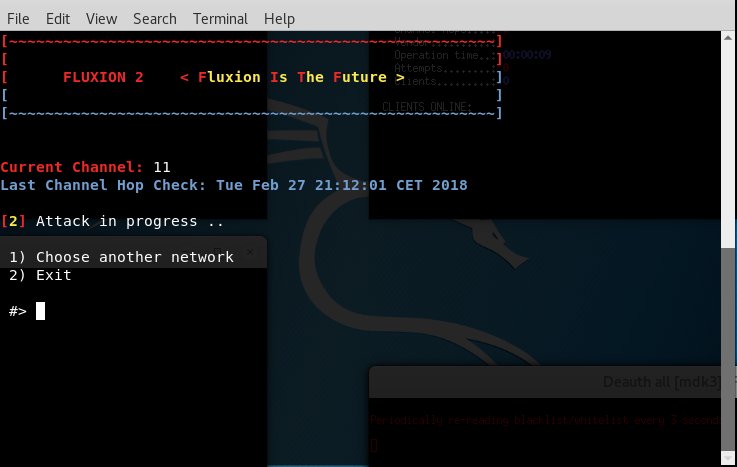
When you configure the whole attack, do you see some new info in the main screen as in the attached picture?
CVino
on 27 Feb 2018
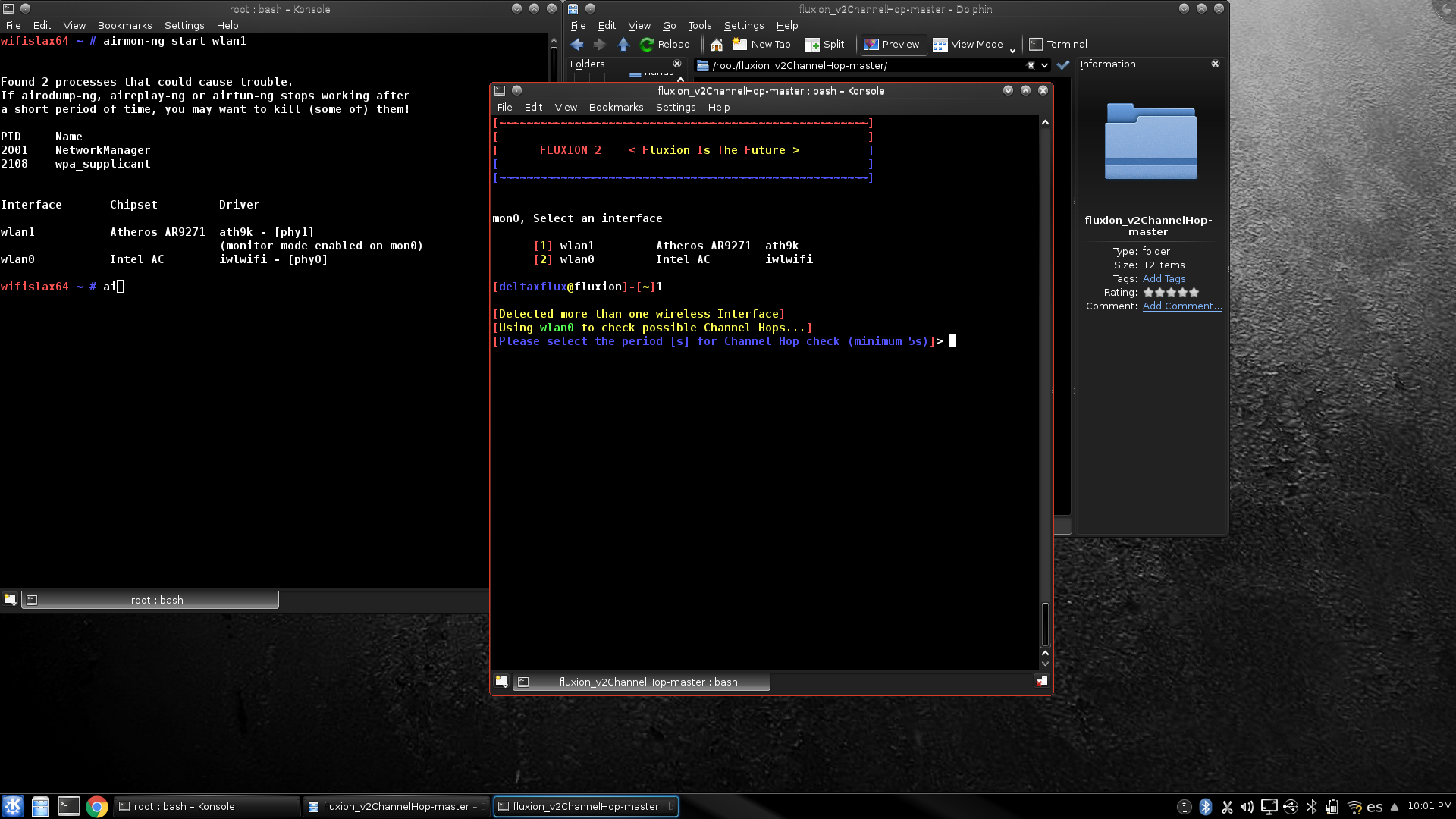
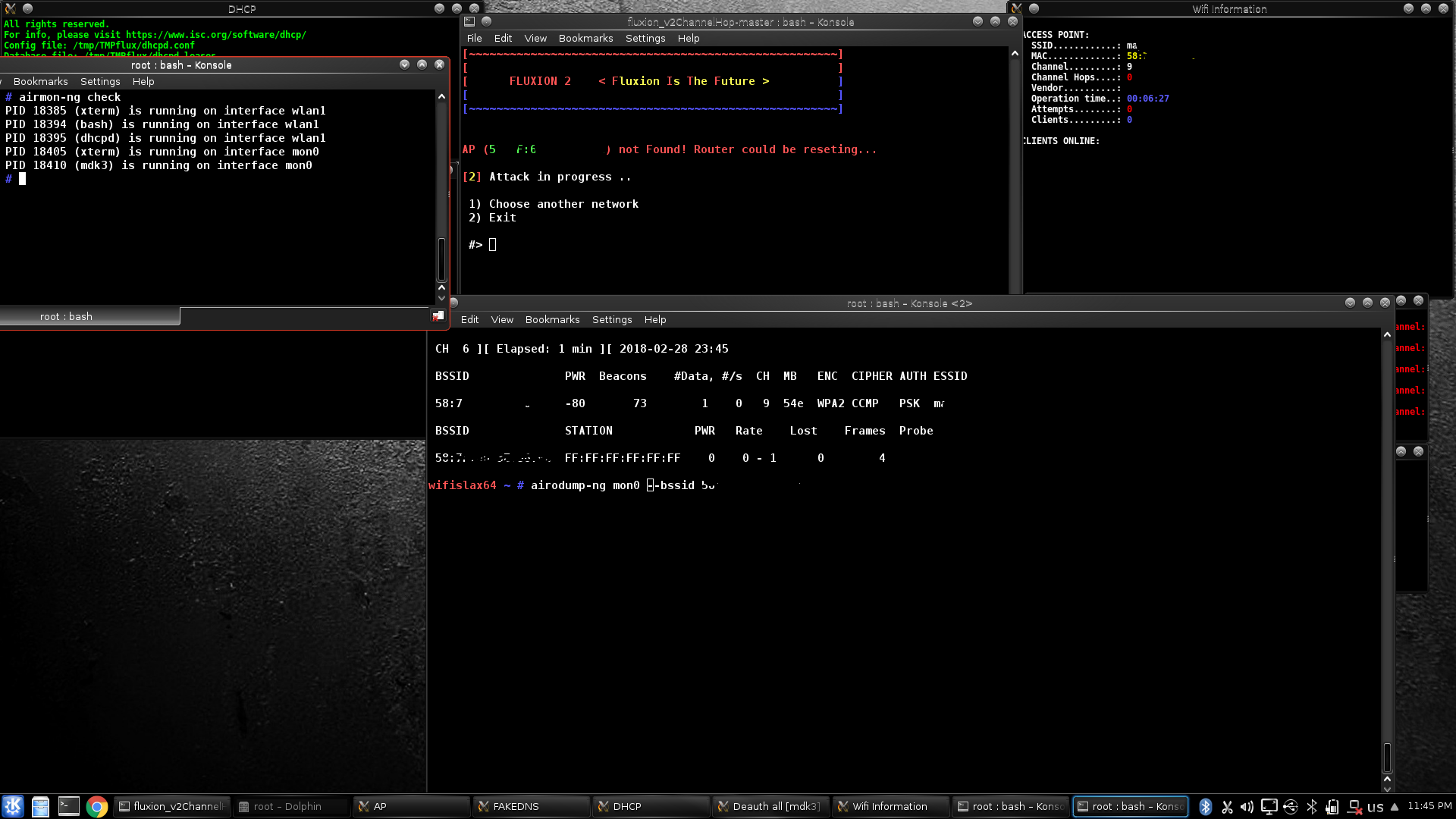
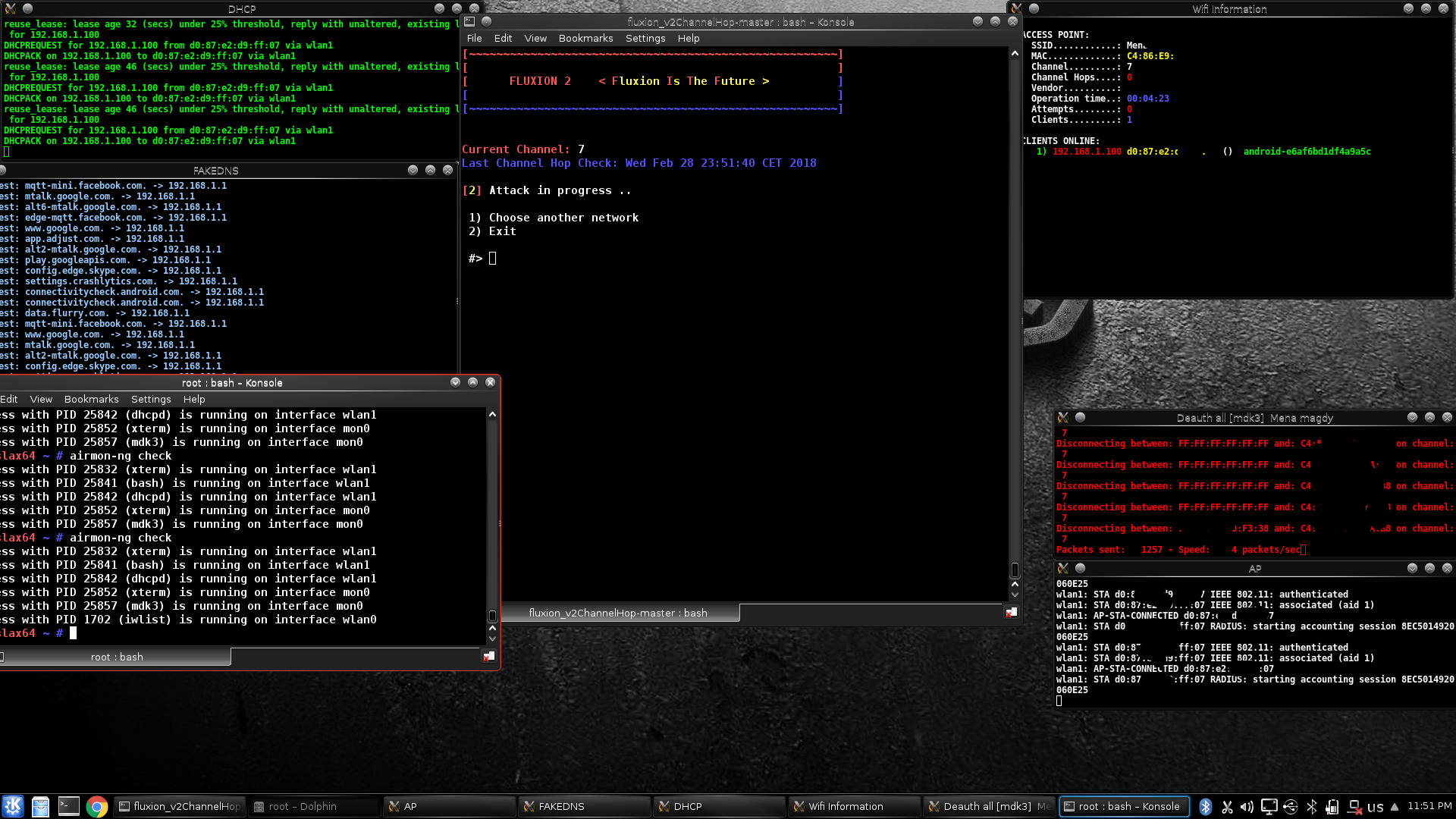
@CVino it worked i don't know what was the problem .

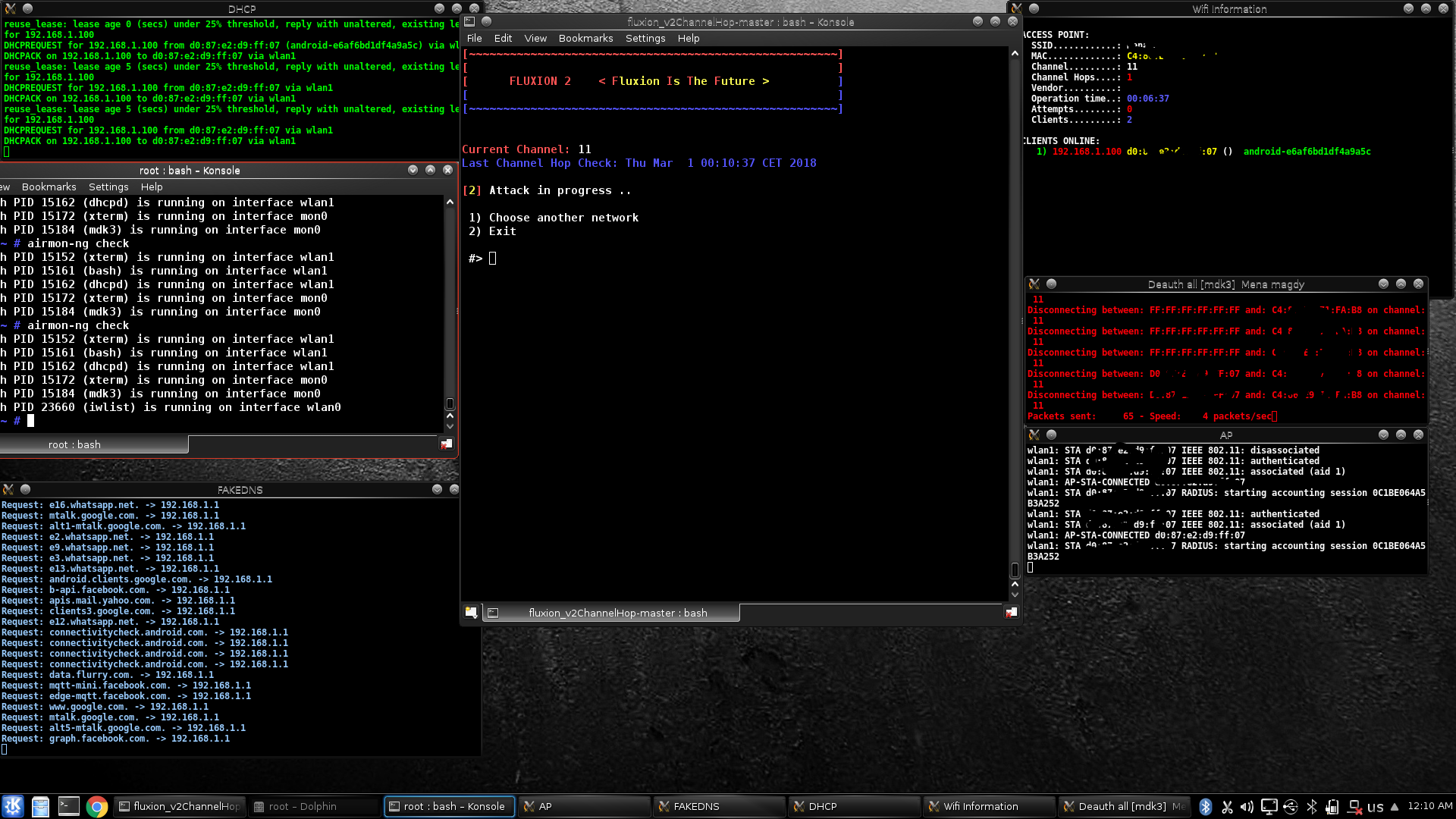
minanagehsalalma
on 1 Mar 2018
the iwlist scanning output
wlan0 Scan completed :
Cell 01 - Address: :::::
Channel:3
Frequency:2.422 GHz (Channel 3)
Quality=36/70 Signal level=-74 dBm
Encryption key:on
ESSID:"Rxxxxxxx"
Bit Rates:1 Mb/s; 2 Mb/s; 5.5 Mb/s; 11 Mb/s; 6 Mb/s
9 Mb/s; 12 Mb/s; 18 Mb/s
Bit Rates:24 Mb/s; 36 Mb/s; 48 Mb/s; 54 Mb/s
Mode:Master
Extra:tsf=0000000844627088
Extra: Last beacon: 1930ms ago
IE: Unknown: 001052616D6164616E2E656C336167616D79
IE: Unknown: 010882848B960C121824
IE: Unknown: 030103
IE: Unknown: 2A0100
IE: Unknown: 32043048606C
IE: Unknown: 2D1A8C191FFFFF000000000000000000000000000000000000000000
IE: Unknown: 3D1603000000000000000000000000000000000000000000
IE: WPA Version 1
Group Cipher : TKIP
Pairwise Ciphers (2) : TKIP CCMP
Authentication Suites (1) : PSK
IE: IEEE 802.11i/WPA2 Version 1
Group Cipher : TKIP
Pairwise Ciphers (2) : TKIP CCMP
Authentication Suites (1) : PSK
IE: Unknown: DD180050F202010100000364000027A4000041435E0061322F00
IE: Unknown: DD1E00904C338C191FFFFF000000000000000000000000000000000000000000
IE: Unknown: DD1A00904C3403000000000000000000000000000000000000000000
IE: Unknown: 0706454720010D14
IE: Unknown: DD0600E04C020160
Cell 02 - Address: :::::
Channel:6
Frequency:2.437 GHz (Channel 6)
Quality=51/70 Signal level=-59 dBm
Encryption key:on
ESSID:"xcxcxcxcx"
Bit Rates:1 Mb/s; 2 Mb/s; 5.5 Mb/s; 11 Mb/s; 9 Mb/s
18 Mb/s; 36 Mb/s; 54 Mb/s
Bit Rates:6 Mb/s; 12 Mb/s; 24 Mb/s; 48 Mb/s
Mode:Master
Extra:tsf=0000000919332a97
Extra: Last beacon: 1861ms ago
IE: Unknown: 00074368656C736561
IE: Unknown: 010882848B961224486C
IE: Unknown: 030106
IE: Unknown: 2A0100
IE: Unknown: 32040C183060
IE: Unknown: 2D1A8C0103FFFF0000000000000000000000000000000C0000000000
IE: Unknown: 3D1606000400000000000000000000000000000000000000
IE: Unknown: 3E0100
IE: IEEE 802.11i/WPA2 Version 1
Group Cipher : CCMP
Pairwise Ciphers (1) : CCMP
Authentication Suites (1) : PSK
IE: Unknown: DD180050F2020101000003A4000027A4000042435E0062322F00
IE: Unknown: DD07000C4307000000
IE: Unknown: 0706454720010D10
Cell 03 - Address: :::::
Channel:1
Frequency:2.412 GHz (Channel 1)
Quality=36/70 Signal level=-74 dBm
Encryption key:on
ESSID:"xoxoxxoxox"
Bit Rates:1 Mb/s; 2 Mb/s; 5.5 Mb/s; 11 Mb/s; 6 Mb/s
9 Mb/s; 12 Mb/s; 18 Mb/s
Bit Rates:24 Mb/s; 36 Mb/s; 48 Mb/s; 54 Mb/s
Mode:Master
Extra:tsf=0000000491e5be8f
Extra: Last beacon: 1990ms ago
IE: Unknown: 00095761656C73616D6972
IE: Unknown: 010882848B960C121824
IE: Unknown: 030101
IE: Unknown: 2A0100
IE: Unknown: 32043048606C
IE: Unknown: 2D1A0E181FFFFF000000000000000000000000000000000000000000
IE: Unknown: 3D1601051100000000000000000000000000000000000000
IE: WPA Version 1
Group Cipher : TKIP
Pairwise Ciphers (2) : TKIP CCMP
Authentication Suites (1) : PSK
IE: IEEE 802.11i/WPA2 Version 1
Group Cipher : TKIP
Pairwise Ciphers (2) : TKIP CCMP
Authentication Suites (1) : PSK
IE: Unknown: DD180050F2020101000003A4000027A4000042435E0062322F00
IE: Unknown: DD1E00904C330E181FFFFF000000000000000000000000000000000000000000
IE: Unknown: DD1A00904C3401051100000000000000000000000000000000000000
IE: Unknown: DD0600E04C020160
IE: Unknown: DD900050F204104A0001101044000102103B00010310470010630412531019200612284144534C204D1021000F5A544520436F72706F726174696F6E1023000A5A58484E20483130384E1024000A5A58484E20483130384E1042000F3132333435363738393031323334371054000800060050F2040001101100114144534C204D6F64656D2F526F75746572100800020080
Cell 04 - Address: :::::
Channel:6
Frequency:2.437 GHz (Channel 6)
Quality=49/70 Signal level=-61 dBm
Encryption key:on
ESSID:""
Bit Rates:1 Mb/s; 2 Mb/s; 5.5 Mb/s; 11 Mb/s; 9 Mb/s
18 Mb/s; 36 Mb/s; 54 Mb/s
Bit Rates:6 Mb/s; 12 Mb/s; 24 Mb/s; 48 Mb/s
Mode:Master
Extra:tsf=00000009193322bd
Extra: Last beacon: 1864ms ago
IE: Unknown: 0000
IE: Unknown: 010882848B961224486C
IE: Unknown: 030106
IE: Unknown: 32040C183060
IE: Unknown: 0706454720010D14
IE: Unknown: 33082001020304050607
IE: Unknown: 33082105060708090A0B
IE: Unknown: 050400010000
IE: IEEE 802.11i/WPA2 Version 1
Group Cipher : CCMP
Pairwise Ciphers (1) : CCMP
Authentication Suites (1) : PSK
IE: Unknown: 2A0100
IE: Unknown: 2D1A8C0103FFFF0000000000000000000000000000000C0000000000
IE: Unknown: 3D1606000400000000000000000000000000000000000000
IE: Unknown: DD180050F2020101000003A4000027A4000042435E0062322F00
IE: Unknown: DD07000C4307000000
Cell 05 - Address: :::::
Channel:6
Frequency:2.437 GHz (Channel 6)
Quality=28/70 Signal level=-82 dBm
Encryption key:on
ESSID:"WiFi-mav"
Bit Rates:1 Mb/s; 2 Mb/s; 5.5 Mb/s; 11 Mb/s; 9 Mb/s
18 Mb/s; 36 Mb/s; 54 Mb/s
Bit Rates:6 Mb/s; 12 Mb/s; 24 Mb/s; 48 Mb/s
Mode:Master
Extra:tsf=00000079012470ea
Extra: Last beacon: 1869ms ago
IE: Unknown: 000D576946692D5265706561746572
IE: Unknown: 010882848B961224486C
IE: Unknown: 030106
IE: Unknown: 2A0104
IE: Unknown: 32040C183060
IE: Unknown: 2D1A2C0017FFFF000000000000000000000000000000000000000000
IE: Unknown: 3D1606000400000000000000000000000000000000000000
IE: IEEE 802.11i/WPA2 Version 1
Group Cipher : CCMP
Pairwise Ciphers (1) : CCMP
Authentication Suites (1) : PSK
IE: Unknown: 7F080100000000000000
IE: Unknown: 0B0501002B127A
IE: Unknown: DD180050F2020101000003A4000027A4000042435E0062322F00
IE: Unknown: 7F09010000000000000000
IE: Unknown: 0706555320010D10
IE: Unknown: DDA70050F204104A0001101044000102103B000103104700102880288028801880A88000E0201A02731021001852616C696E6B20546563686E6F6C6F67792C20436F72702E1023001C52616C696E6B20576972656C6573732041636365737320506F696E74102400065254323836301042000831323334353637381054000800060050F20400011011000952616C696E6B41505310080002210C103C0001011049000600372A000120
IE: Unknown: DD07000C4300000000
Cell 06 - Address: :::::
Channel:4
Frequency:2.427 GHz (Channel 4)
Quality=19/70 Signal level=-91 dBm
Encryption key:on
ESSID:"sxx"
Bit Rates:1 Mb/s; 2 Mb/s; 5.5 Mb/s; 11 Mb/s; 9 Mb/s
18 Mb/s; 36 Mb/s; 54 Mb/s
Bit Rates:6 Mb/s; 12 Mb/s; 24 Mb/s; 48 Mb/s
Mode:Master
Extra:tsf=0000001b4c499407
Extra: Last beacon: 1920ms ago
IE: Unknown: 000473693761
IE: Unknown: 010882848B961224486C
IE: Unknown: 030104
IE: Unknown: 32040C183060
IE: Unknown: 0706555300010B14
IE: Unknown: 33082001020304050607
IE: Unknown: 33082105060708090A0B
IE: Unknown: 050400010000
IE: IEEE 802.11i/WPA2 Version 1
Group Cipher : CCMP
Pairwise Ciphers (1) : CCMP
Authentication Suites (1) : PSK
IE: Unknown: DD270050F204104A000110104400010210470010BC329E001DD811B28601F4F26D88718D103C000101
IE: Unknown: 2A0100
IE: Unknown: 2D1AEC1117FFFF000001000000000000000000000000000000000000
IE: Unknown: 3D1604000600000000000000000000000000000000000000
IE: Unknown: 4A0E14000A002C01C800140005001900
IE: Unknown: 7F080000000100000000
IE: Unknown: DD180050F2020101000003A4000027A4000042435E0062322F00
IE: Unknown: DD07000C4300000000
minanagehsalalma
on 1 Mar 2018
@CVino sorry 😓😓 you have done a great work but here is some points
1- why do you use iwlist instead of airodump-ng
2- this is a great work if you have 2 wireless adapters
but the main problem that made open issue that I do not always have two wireless adapter a secondary adapter that support monitor mode .. i do think that you hadn't read my issue
3- i think it didn't work in the first try because iwlist do a fast scan that my adapter isn't powerfully enough to catch the channel in the time ..
and thanks
minanagehsalalma
on 1 Mar 2018
@minanagehsalalma Thanks for your appreciation. Looks like the AWK filter works as well with your interface so no need to modify it. As far as for your questions:
1.It is easier to parse the iwlist plus you might need some action from the user to stop the airodump-ng process (unless you kill the PID after a timout but that was a bit more complicated). As a first try I wanted to implement something simpler.
- Sorry I didn't implement this focusing on your issue. Actually I didn't know anything about it. I just implemented it because I saw the lack of this feature and I found it really useful in my case to totally automatize the channel change. When you use one interface as the fake AP, you cannot run the iwlist command. Maybe it can be modified to use the airodump-ng command with only one interface being necessary.
- You are right. It happened to me as well. If the AP is a bit far, the iwlist fails to find it sometimes. That is why I left the "check period" open to the user so you can run the command more often. I thought as well to add a double check of the AP in case it was not found but if you set a short period to check the AP, it makes usually no big difference.
CVino
on 2 Mar 2018
@CVino at the first Great greetings from me for the great answer.. Here what i have in my mind : with only one adapter you are forced to stop the ap and mdk3. But before this you can check if the channel of the ap has been changed or not by running airodump-ng on the current channel if it doesn't found the ap. And there no active clients on our fake ap than stop the attack then search for the fake ap channel and resume the attack with the new channel.. And let check period time open to the user. 😀😊😀😉
minanagehsalalma
on 3 Mar 2018
@CVino bro i tried it once again and it doesn't work.. What is the problem?!? Should I start monitor mode first??
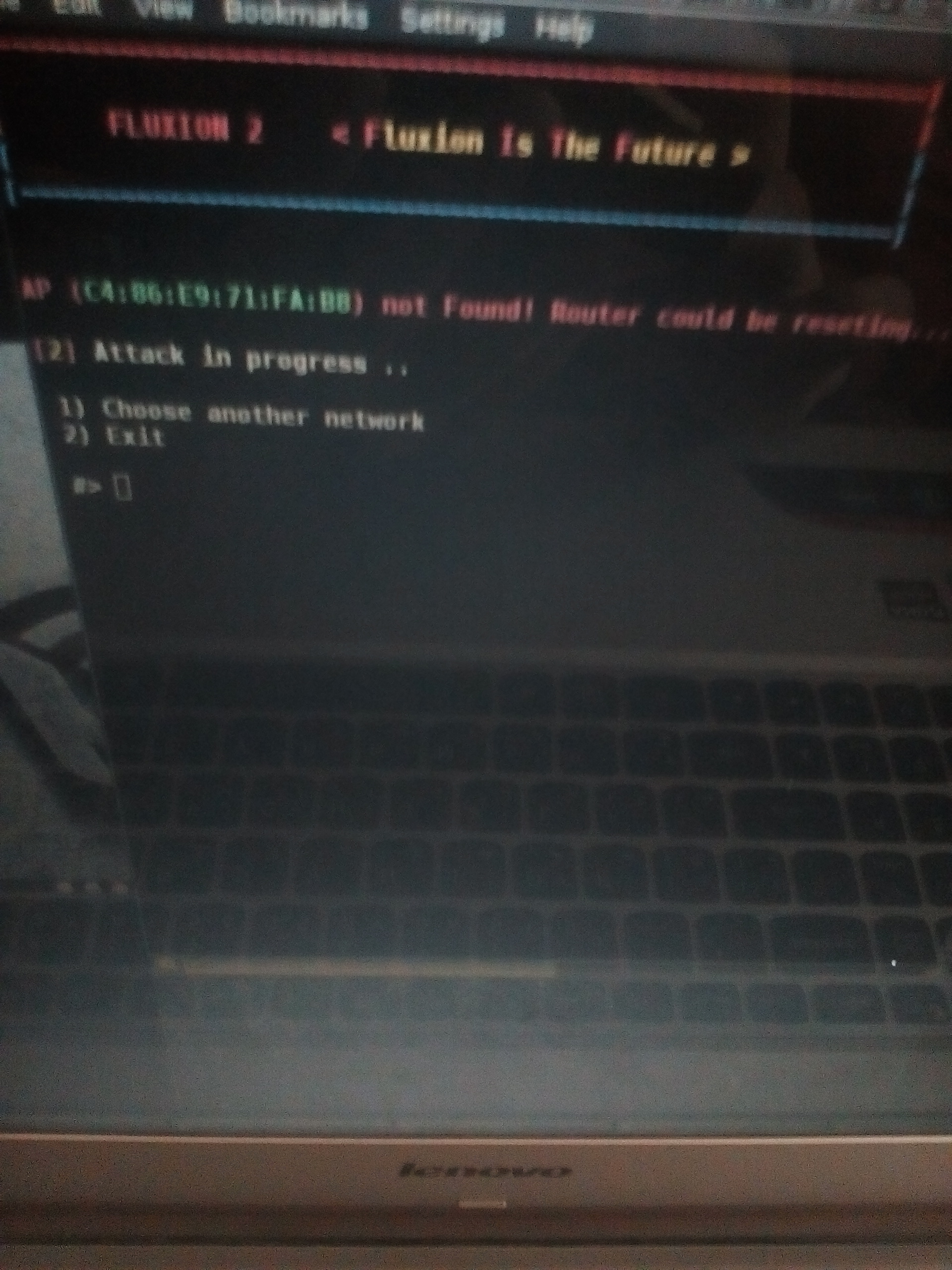
minanagehsalalma
on 3 Mar 2018
@minanagehsalalma could you please use his repository for issues.
deltaxflux
on 3 Mar 2018
@deltaxflux the link for it please
minanagehsalalma
on 3 Mar 2018
@CVino i found the source of the problem
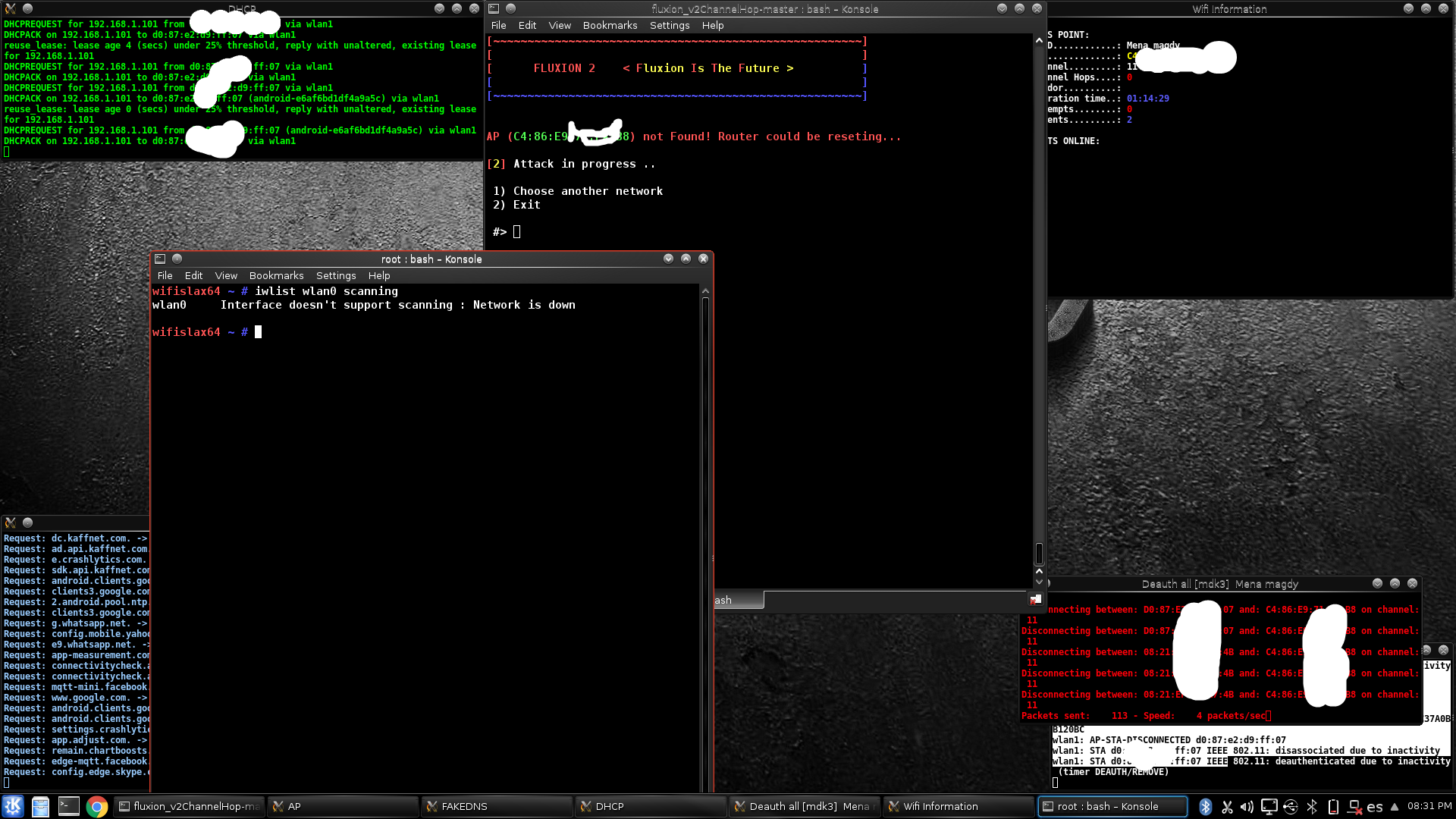
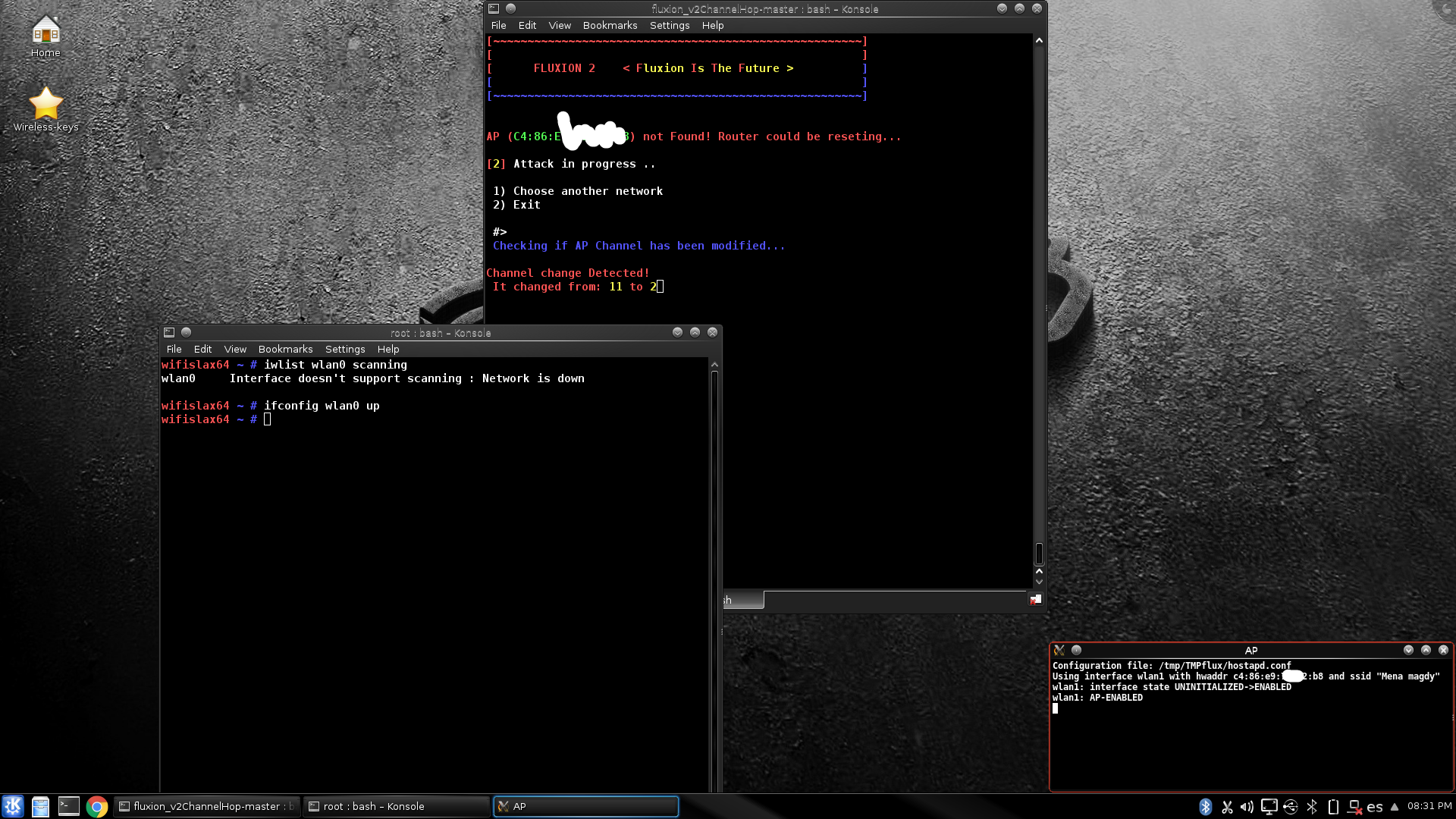
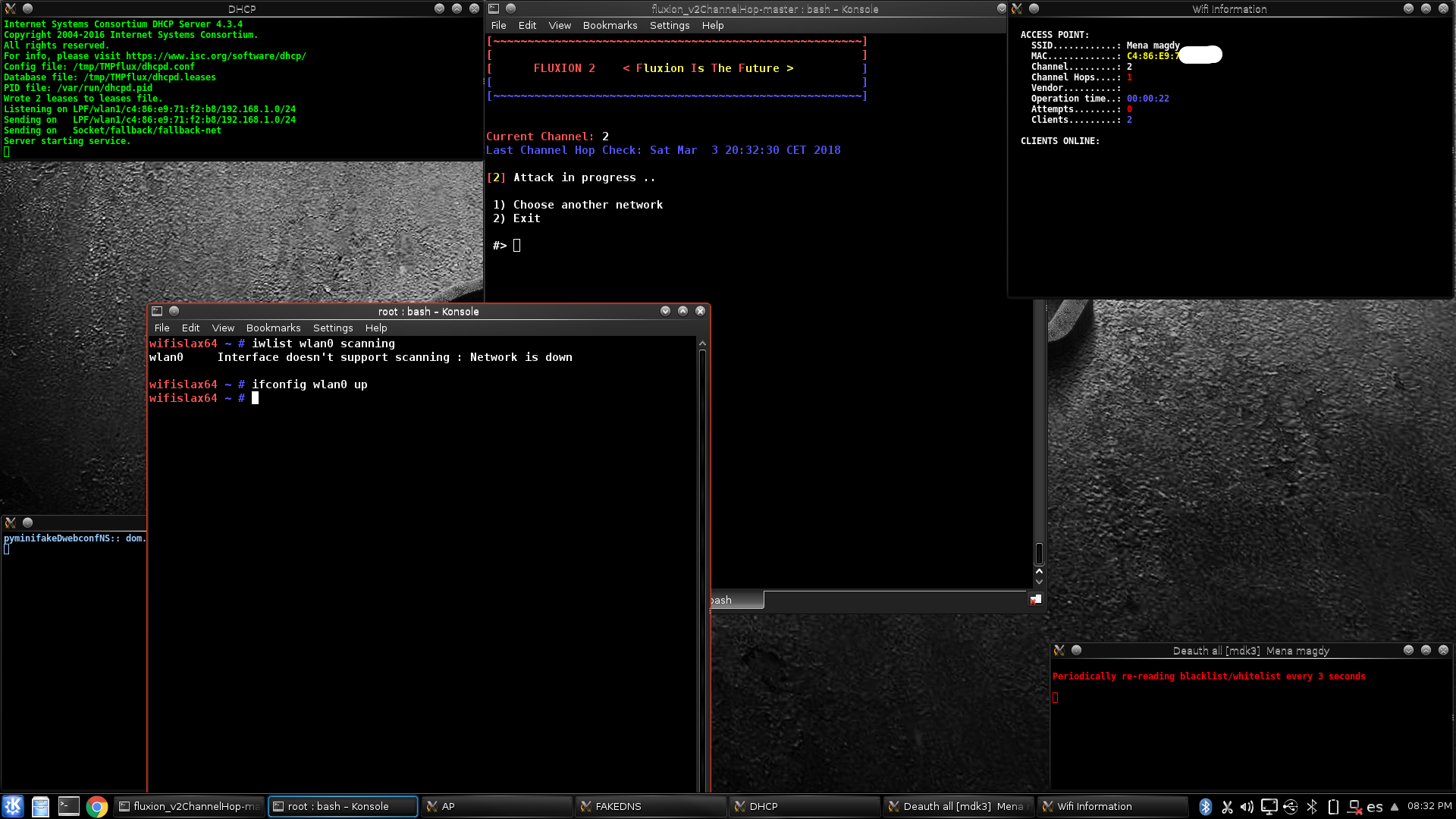
but why it's not up in the first place ?!!
minanagehsalalma
on 3 Mar 2018
@CVino i have noticed that attempts number will be restarted when the channel changes .. but it makes me think that know have tried entering a password it will be better to make the number stays with every channel change

minanagehsalalma
on 9 Mar 2018
I was going to work on implementing this feature today but I'm having trouble connecting the AWUS036NHA to windows, where I've got the Kali VM. It was working great on the iMac with the Kali VM, I might have to go back to that tomorrow.
edit: Any tips on how to get the damn thing connected to Windows would be appreciated. I can't even install the drivers because windows smartfilter blocks the installation. Annoying.
 MPX4132
on 14 Mar 2018
MPX4132
on 14 Mar 2018
@MPX4132 check this link
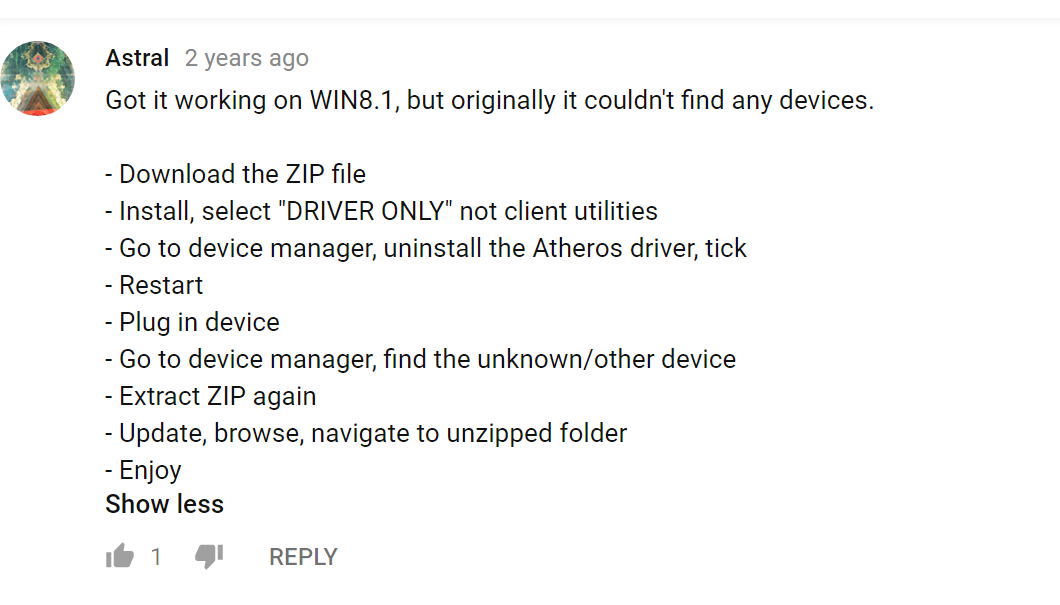
minanagehsalalma
on 14 Mar 2018
@minanagehsalalma I managed to install the drivers but the thing still connects and disconnects over and over indefinitely. It only happens on Windows. I verified the card works on a Mac, and on a Linux laptop today. I’ll probably go back to developing on the iMac.
MPX4132
on 15 Mar 2018
In my previous tests, Kali VM on Windows ends up shutting down the network card driver sooner or later.
It works, but eventually it will just hang.
rodrigogs
on 15 Mar 2018
Yeah, I think I’ll use the VM running on the Mac.
MPX4132
on 15 Mar 2018
Well, use the alfa drivers on the website. I have never had a problem with these.
deltaxflux
on 15 Mar 2018
I did download those drivers, but I had a hard time installing them. I had to use an administrator command prompt to launch the driver setup because the "User account control" was blocking the installation ("This app has been blocked for your protection."). Something about another administrator blocking that action, even though I'm the only administrator in the system. So once I got it installed, I plugged in the device, but it still connects and disconnects almost immediately, and keeps doing that as long as the device is connected. It's not a problem with the USB cable, I connected three different Arduino nanos to the PC with the same cable after I had the issue with the card and they connected perfectly fine.
I'm starting to think it might be a lower level problem, like something with the USB serial bus or something, but it's strange because the proper drivers are already installed. Maybe the card has internal damage, but that's strange because it works fine on a Kali VM running on MacOS, and a laptop running Kali.
The Windows machine is running Windows 10 (x64).
MPX4132
on 15 Mar 2018
Well the first I thought was that the card don't get enough juice. However, this is definitely a driver problem because you said that the card works fine in kali. Also, I would conclude that the card doesn't have any internal damage because it also works fine in linux. Sounds very strange. You could only disable / reinstall the Wi-Fi driver using the device manager.
Edit:
Or you think about dualboot on your mac.
deltaxflux
on 15 Mar 2018
Lol, I don't mind using the Mac for development, I just wanted to use the PC because my headset and mechanical keyboard are attached to it and it's a hassle having to hook them to the Mac, although the iMac's keyboard is also pretty nice, I just don't want to keep swapping the headset because it's a bit annoying lol. So, it's not a big deal, I just wanted to use the PC with a Kali VM for convenience.
It's strange because I have another device with identical drivers, the ath9k_htc, and it works perfectly fine on the PC, and I can use it on the Kali VM while running it on Windows, so it might be something specific with the card.
MPX4132
on 15 Mar 2018
Alright, this feature’s going to require the implementation of another feature, the attack stop & resume feature, to have the tracker daemon stop and restart the attack with updated parameters when the target changes channels.
On the plus side, I think I’ve got the general idea of how to implement it, so that won’t take too long. In the more annoying side, I’ll have to debug with the access point by changing channels manually and I’m getting irritated just thinking about it.
MPX4132
on 16 Mar 2018
@MPX4132 you could use a 2nd wifi card in master mode and a script to let it change channels periodically. Would make debugging easier I guess.
 rad4day
on 16 Mar 2018
rad4day
on 16 Mar 2018
Yeah, I could try that, however, I’ve only got two cards and I’m going to be using them both with fluxion. One will be doing jamming and master mode, while the other will have to do periodic scanning to check for changes.
MPX4132
on 16 Mar 2018
@minanagehsalalma sorry for the late answer, I have been very busy these last weeks. Regarding the issue you mention (not saving the password attempts when the attack is restarted), you are right it is implemented as that and I did not save the data on "hit.txt" between attacks. Thought that usually when there is an attempt to introduce the password there is not going to be another channel hop. But I can try to work on it on the next days.
CVino
on 16 Mar 2018
@CVino yeah you are right but there is no point saving the hit.txt because this counts only the number of passwords which where given by the victim.
deltaxflux
on 17 Mar 2018
@CVino HI bro you may like to add the one wifi adapter channel hopping feature
and it's the same as the two wifi cards channel hopping feature but with a one point difference
first the attack starts normal then while it's running at the stage of (fake ap-mdk3-dns-.....) make it starts scan on the router channel with Iwlist scanning or airodump-ng if it founds the Ap on the channel so no need to hop channels if it didn't give it a chance to scan the same channel couple of times in case of the router restarting or the signal is weak then after some times of scanning without finding the Ap
... stop the attack then scan for the new channel with Iwlist .. then start the attack with the new channel... @deltaxflux what do you think of this idea ??
minanagehsalalma
on 7 Apr 2018
This feature was implemented and introduced with this pull request.
MPX4132
on 23 Apr 2018
Related issues
 yuginiwa
·
9Comments
yuginiwa
·
9Comments
 TheProtocoler
·
18Comments
TheProtocoler
·
18Comments
 navyarm
·
8Comments
navyarm
·
8Comments
 EOS123
·
3Comments
EOS123
·
3Comments
 Eladtopaz
·
8Comments
Eladtopaz
·
8Comments
Most helpful comment
Agree, this feature is very essential. However I have a lack of time till next week. I try to implement it and if I need help I will contact you back. ( maybe at the awk script stuff )