Read the wiki?
yes*
Do you want to request a feature or report a bug?
Bug
What is the current behaviour?
If the current behaviour is a bug, please provide the steps to reproduce it.
What do you think the expected behaviour should be?
Capture password
If this is a feature request, what is the motivation or use case for the added feature?
Specs
Paste the output of ./script/diagnostics.sh [interface]
Wow, hope I do this correctly. So I tried running this on my own network.. It's strange.. I don't get a pop up window to enter password and if I try to log in to network while fluxion is running it wont accept the password. Nothing happens, it just wont connect.
 tomford007
All 97 comments
same here except the pop up window tells me that this network has connectivity issues try another one
but if try to browse in no https it redirects me to the captive portal correctly i think the only issue is just the pop up window
 zartaz
on 21 Dec 2017
zartaz
on 21 Dec 2017
You guys need to post more info. We have no idea what you're running. Is it Kali? Ubuntu? Raspbian? Arch? That's why you're supposed to do what the template says:
cd fluxion # Go to fluxion's root directory
./script/diagnostics.sh [interface] # Execute the diagnostics script, but substitute [interface]
 MPX4132
on 21 Dec 2017
MPX4132
on 21 Dec 2017
Sorry mate , i am running kali 2017,3 full updated and fluxion 3,9,when i go home i ll run the diagnostic script
zartaz
on 21 Dec 2017
./diagnostics.sh wlan0
[ FLUXION Info ]
grep: fluxion.sh: Δεν υπάρχει τέτοιο αρχείο ή κατάλογος(folder doesn't exists)
FLUXION V.
[ BASH Info ]
GNU bash, έκδοση 4.4.12(1)-release (x86_64-pc-linux-gnu)
Copyright (C) 2016 Free Software Foundation, Inc.
License GPLv3+: GNU GPL έκδοση 3 ή νεώτερη http://gnu.org/licenses/gpl.html
This is free software; you are free to change and redistribute it.
There is NO WARRANTY, to the extent permitted by law.
Path: /bin/bash
[ Interface (wlan0) Info ]
Device: phy0
Driver: rt2800usb
Chipset: Ralink Technology, Corp. RT2870/RT3070
Injection Test: Injection is working!
[ XTerm Info ]
Version: XTerm(330)
Path: /usr/bin/xterm
Test: XServer/XTerm success!
[ HostAPD Info ]
hostapd v2.4
User space daemon for IEEE 802.11 AP management,
IEEE 802.1X/WPA/WPA2/EAP/RADIUS Authenticator
Copyright (c) 2002-2015, Jouni Malinen j@w1.fi and contributors
Path: /usr/sbin/hostapd
[ Aircrack-ng Info ]
Aircrack-ng 1.2 rc4 - (C) 2006-2015 Thomas d'Otreppe
http://www.aircrack-ng.org
[ System Info ]
Linux version 4.13.0-kali1-amd64 ([email protected]) (gcc version 6.4.0 20171026 (Debian 6.4.0-9)) #1 SMP Debian 4.13.13-1kali1 (2017-11-17)
zartaz
on 21 Dec 2017
We’re you running the attack with internet connectivity emulated, or was it with internet connectivity disconnected?
MPX4132
on 22 Dec 2017
Disconnected
zartaz
on 22 Dec 2017
everything works fine till the popup window(no internet access try another network),also when i try to connect from my laptop it just don't connect.from my android when i try browse in http the dns spoof work it redirects me to the fake security message,in the earlier versions the popup window was redirecting me automatically in the captive portal without errors asking me the password
zartaz
on 22 Dec 2017
Are you using SSL? If you aren’t, try using it and see if it changes anything.
MPX4132
on 22 Dec 2017
Yes ssl also i test 3,10 and the result was the same it also gives me an error about captive portal folder missing resulting no correct pop up window when i go home i'll give you details
zartaz
on 22 Dec 2017
./diagnostics.sh wlan0
[ FLUXION Info ]
FLUXION V3.10
[ BASH Info ]
GNU bash, έκδοση 4.4.12(1)-release (x86_64-pc-linux-gnu)
Copyright (C) 2016 Free Software Foundation, Inc.
License GPLv3+: GNU GPL έκδοση 3 ή νεώτερη http://gnu.org/licenses/gpl.html
This is free software; you are free to change and redistribute it.
There is NO WARRANTY, to the extent permitted by law.
Path: /bin/bash
[ Interface (wlan0) Info ]
Device: phy0
Driver: rt2800usb
Chipset: Ralink Technology, Corp. RT2870/RT3070
Injection Test: ioctl(SIOCSIWMODE) failed: Device or resource busy
Injection is working!
[ XTerm Info ]
Version: XTerm(330)
Path: /usr/bin/xterm
Test: XServer/XTerm success!
[ HostAPD Info ]
hostapd v2.4
User space daemon for IEEE 802.11 AP management,
IEEE 802.1X/WPA/WPA2/EAP/RADIUS Authenticator
Copyright (c) 2002-2015, Jouni Malinen j@w1.fi and contributors
Path: /usr/sbin/hostapd
[ Aircrack-ng Info ]
Aircrack-ng 1.2 rc4 - (C) 2006-2015 Thomas d'Otreppe
http://www.aircrack-ng.org
[ System Info ]
Linux version 4.14.0-kali1-amd64 ([email protected]) (gcc version 7.2.0 (Debian 7.2.0-16)) #1 SMP Debian 4.14.2-1kali1 (2017-12-04)
1)sometimes after exiting script wlan0 remains in monitor mode
2)it leaves fluxion AP Authenticator window open every time after exit
3)it gives me the error "touch: cannot touch '/root/Desktop/fluxion-master/attacks/Captive Portal/pwdlog/MPAMIAS-XXXXXX-XX:XX:XX:XX:XX:XX-IP.log': Δεν υπάρχει τέτοιο αρχείο ή κατάλογος(the file doesn't exists)" i change mac on purpose
4) the captive portal is not working
zartaz
on 22 Dec 2017
Have you updated the device you're testing with recently? Maybe something changed with it. Check which version of fluxion was working properly for you and let me know to see if I can find any significant changes related to your issue.
MPX4132
on 22 Dec 2017
My first move everytime before i run your script is update upgrade and dist upgrade,i think the last working version was 3,6, the same exactly error i have in my laptop with the internal wifi adapter aka different machine diferent card same os same script version
zartaz
on 22 Dec 2017
Updates to the host machine are fine. You mentioned a pop up window on some system that would take you to the login portal. I’m talking about that system. Did you update it or change anything from the time it was working to now? Chances are that’s what changed. Fluxion hasn’t changed much from 3.6. The only difference now is that we added options to allow emulating a connectivity and to enable or disable SSL.
MPX4132
on 22 Dec 2017
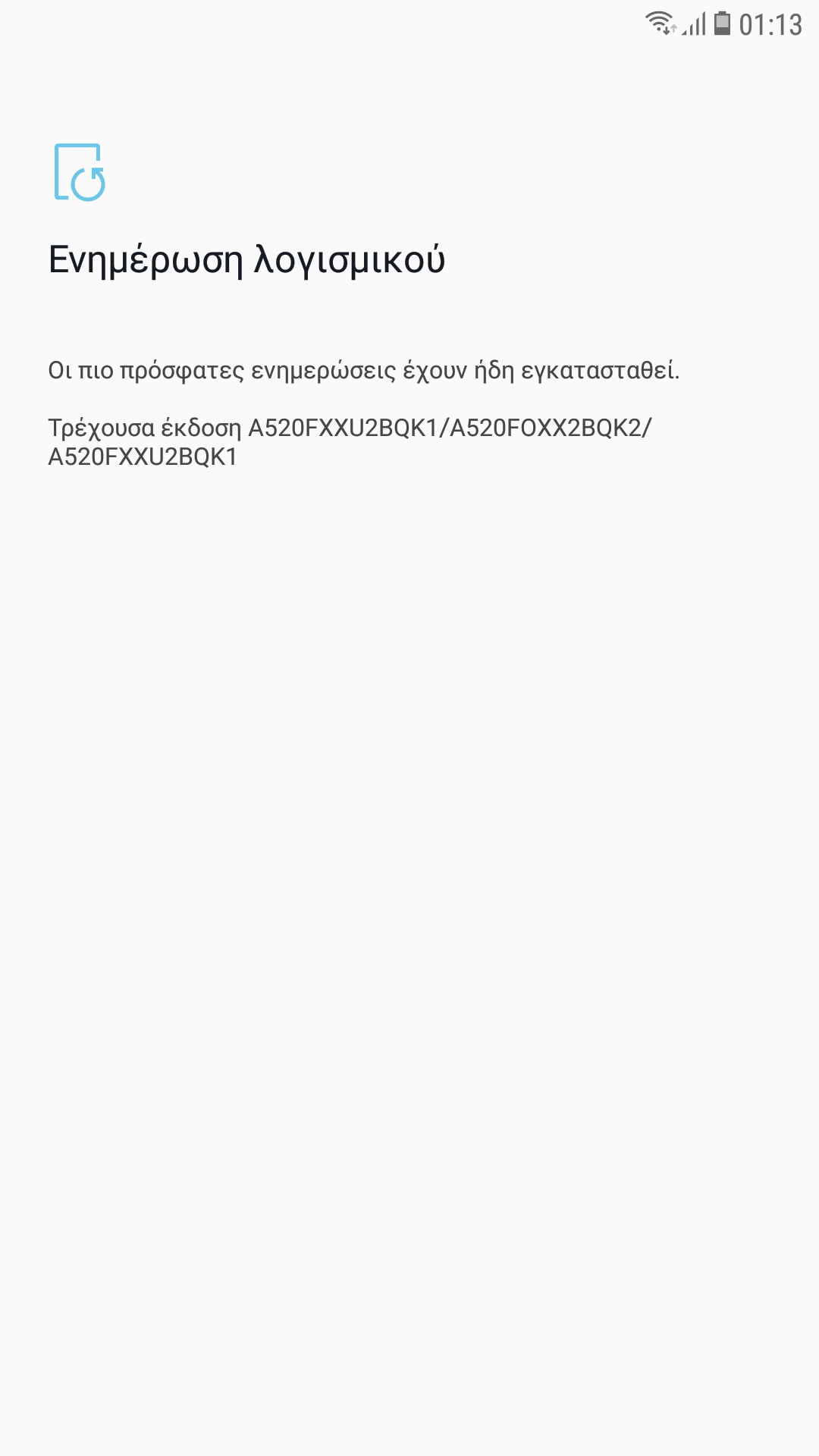
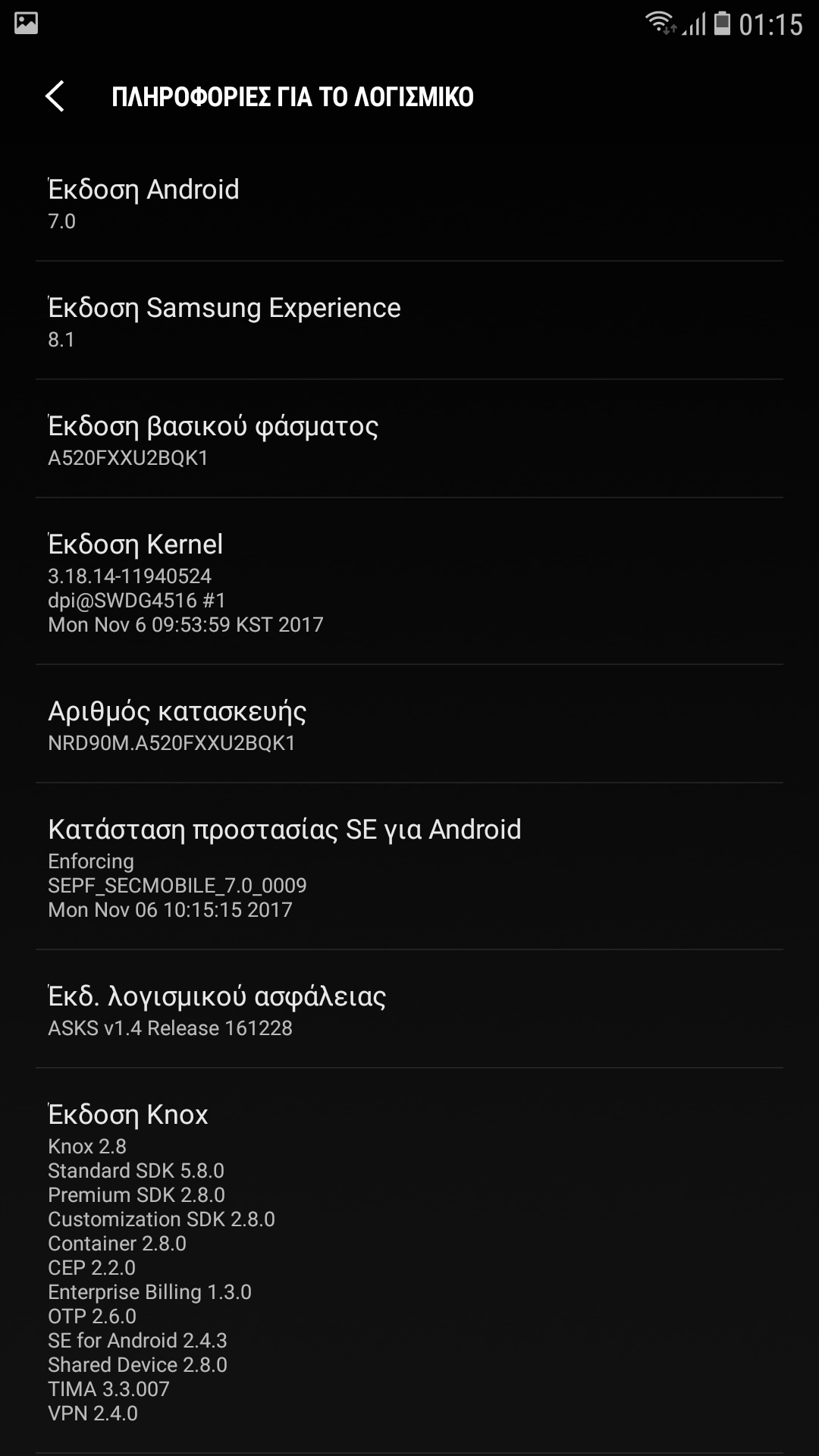
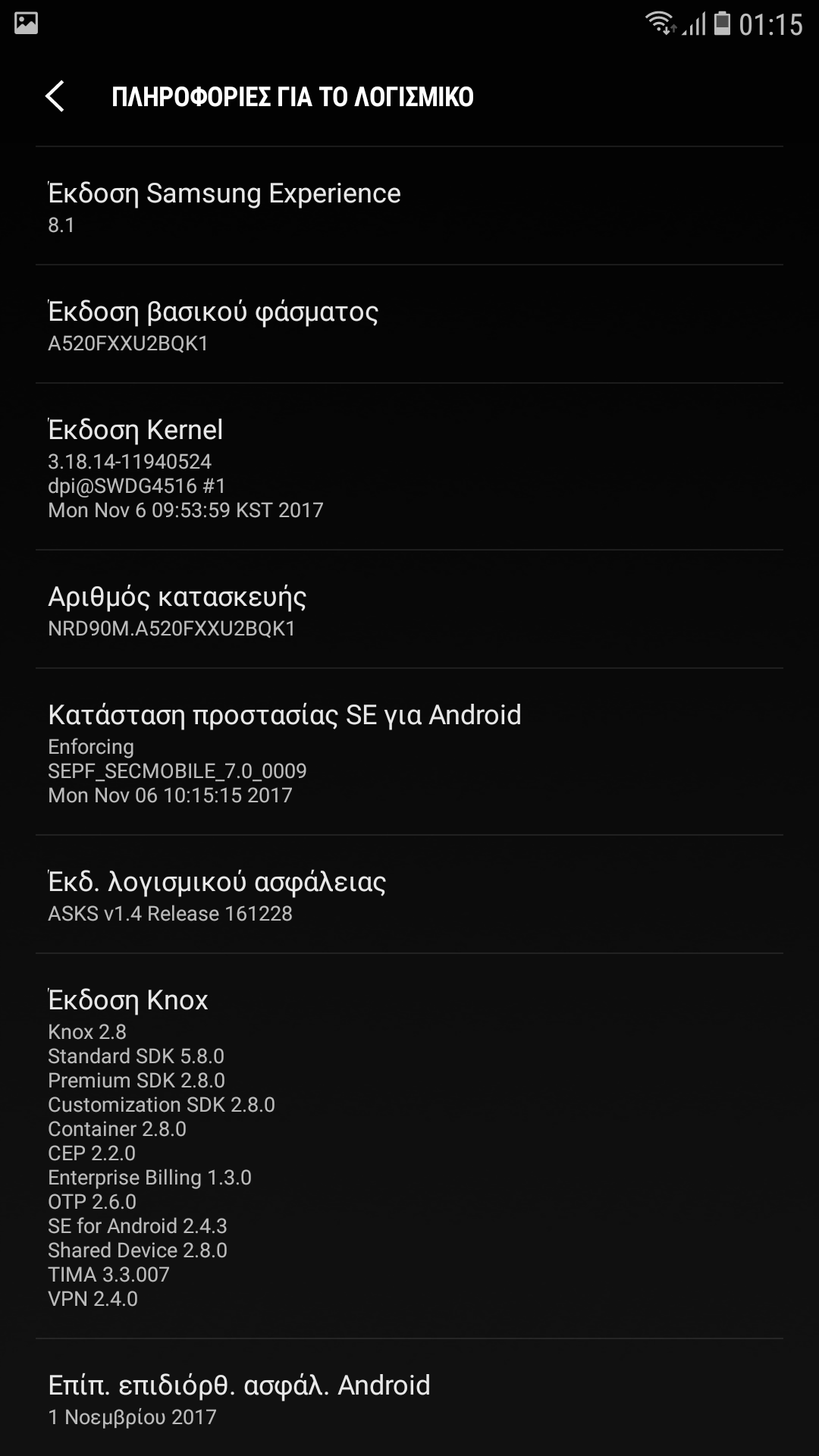
Yes my android sm-a520f was updated in that period but when i try to login to an ap that needs some kind of info or code in order to connect me the pop up windows works,i didn't think to connect with anorher device cause i tried to connect with my laptop and i failed andbibthoughtit was general error of dhcp
zartaz
on 23 Dec 2017
I will try another device and i will respond asap,do you think samsung or manufacter general would take countermeasures about that attack???
zartaz
on 23 Dec 2017
zartaz
on 23 Dec 2017
zartaz
on 23 Dec 2017
zartaz
on 23 Dec 2017
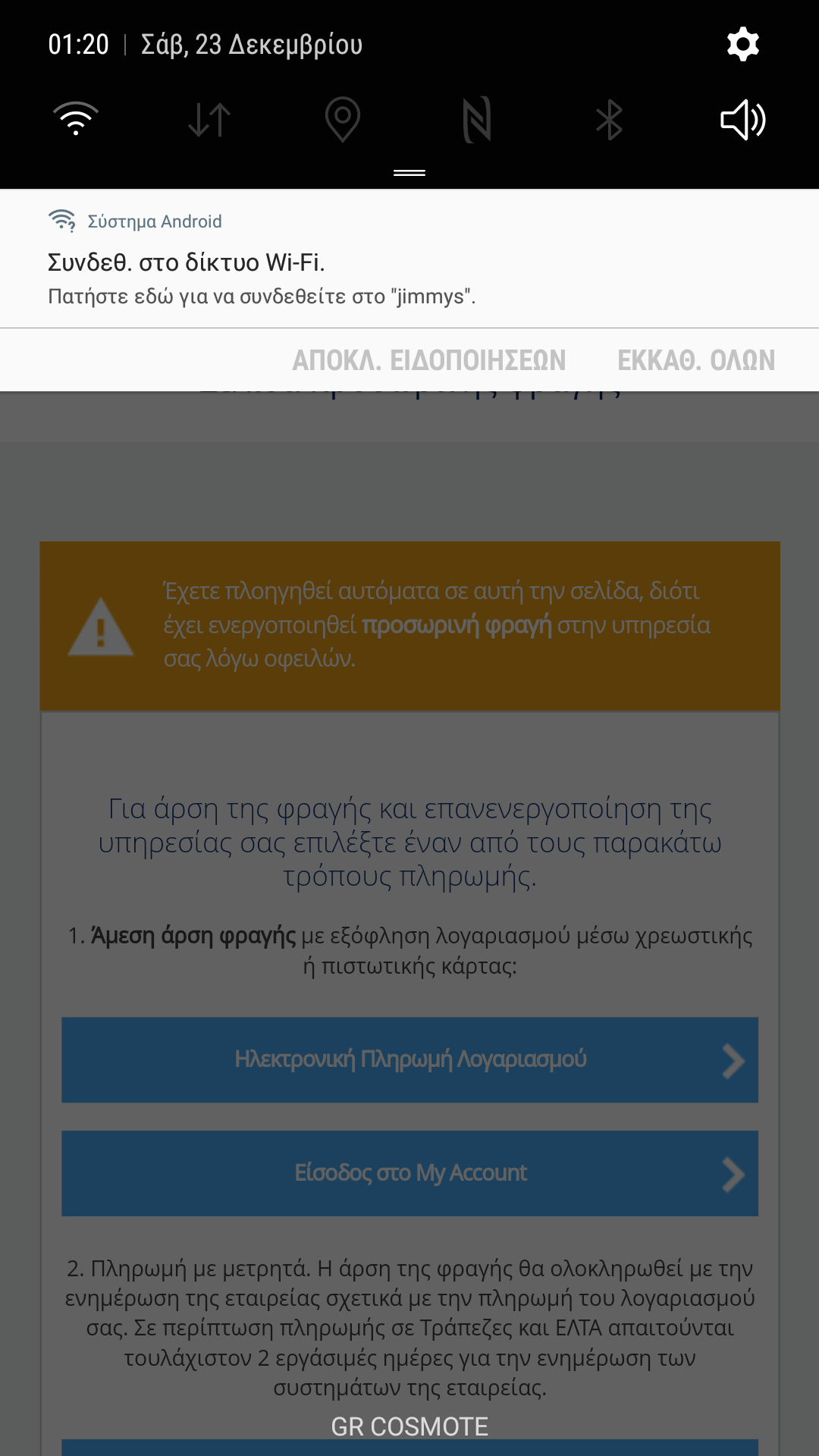
When i try to connect in that legimate network its redirects me at once in that page giving insrtructions in order to connect the pop up saying tap here to connect to network
zartaz
on 23 Dec 2017
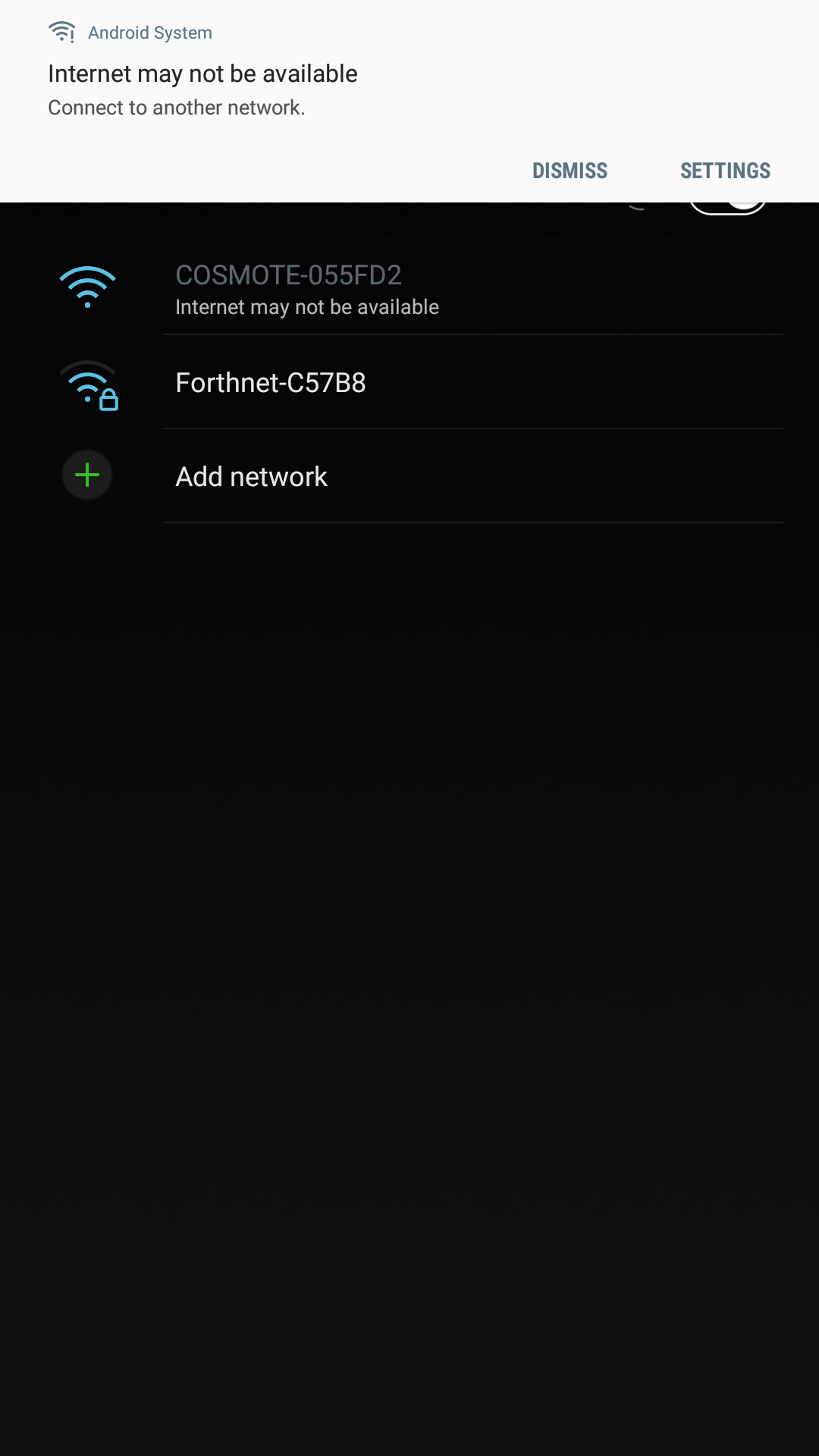
With fluxion that pop up is writing that network is not connected tobthe internet try another one
zartaz
on 23 Dec 2017
It can't be Samsung, they can't really detect this type of thing, plus, it's Google that develops Android. It's probably just a misconfiguration with fluxion's lighttpd's server. I don't have an android device to test things with, but last time I did test it, we had success and the device would show a popup asking to advance to the network login. I can't understand what appear to be Greek, man, so I'm having a bit of a hard time understanding the images you're posting. I don't have much experience with Android either, so I'm not familiar with the interface.
You need to check which exact version of the script was working fine for you, so I can take a look at it. Verify it still works fine and it's not just an update by Samsung/Google that broke it.
MPX4132
on 23 Dec 2017
Thanks for your response i will try another devices in order to figure whats going on
zartaz
on 23 Dec 2017
ok with lg smartphone everything works fine also the errors are gone after your last fix except the authenticator window which needed to be manually closed ,samsung still prompts to change network and last its my turn to contribute in el.sh :D
zartaz
on 23 Dec 2017
The authenticator window remains open by design. It’s supposed to be like that so users can see the key immediately, and dismiss it when they want.
MPX4132
on 23 Dec 2017
ok now i understand about the window,its good tha remains open so if someony accidentally close the script without writing tha wpa would keep it,so anyone who has a newer version of android would not be able to see the prompt to give us the wpa?
zartaz
on 23 Dec 2017
Well, the prompt should still come up, even on newer versions. If it doesn’t, it’s a problem. I can’t test it because I have not Android devices.
MPX4132
on 23 Dec 2017
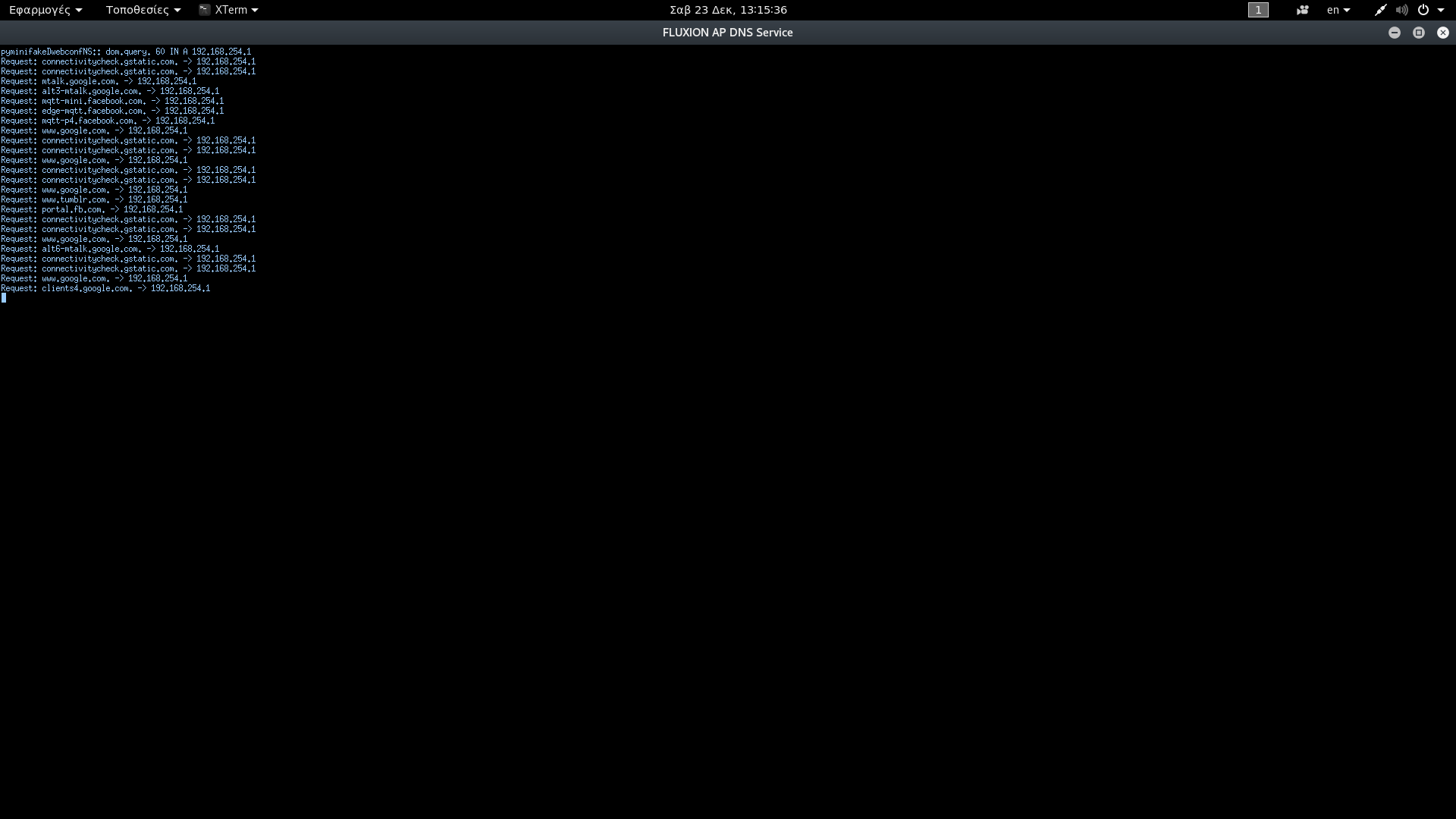
@zartaz Can you help me out a bit? Can you tell me what sites your Android 8 device tries to connect to immediately after connecting to the rogue AP? You’ll see what it tries to connect to in the DNS window. We might’ve missed a domain, or maybe your device has a new domain. The following is a list of the (Android) domains fluxion is actively redirecting right now:
www.google.com
clients[0-9].google.com
connectivitycheck.gstatic.com
connectivitycheck.android.com
android.clients.google.com
everything seems to work until the last phase. Where it is waiting for clients, when i checked on my iPhone 6S it would not connect to fake AP automatically and would give error "no internet connection"... tried with SSL option still same issue..
Above was solved on its own... now i do get a window to key in password but when i enter the legtimate one it says password is incorrect, trying again... also in fluxion it does not prompt me the password user has entered... same issue in iOS, Android and Windows 10...
 aki2419
on 23 Dec 2017
aki2419
on 23 Dec 2017
zartaz
on 23 Dec 2017
@aki2419 That’s interesting, can you give us more details? I’m particularly curious about what password you use, but I don’t want to know your password. I’d like to know if the correct password has any special characters, for example, any characters not in the English alphabet (any non-ASCII characters).
MPX4132
on 23 Dec 2017
@MPX4132 my via wifi password is pure numerical... the same worked in older version without any issues.. i tried using both SSL and without SSL.. and both in emulated and disconnected setup...
aki2419
on 23 Dec 2017
@zartaz Thanks for the info. We might have to add that *mtalk.google.com domain...
MPX4132
on 23 Dec 2017
You are welcome ,whenever u need info tell me
zartaz
on 23 Dec 2017
@aki2419 What's the encryption method for your wireless network? Are you by any chance using WEP encryption, rather than WPA or WPA2? If you're using WEP, I highly suggest you change to WPA2. WEP encryption can be broken in less than five minutes with the aircrack-ng suite.
MPX4132
on 23 Dec 2017
@zartaz I added the domain, but I don't think that was the problem. Can you check if anything changed with that device that doesn't prompt you for network login?
MPX4132
on 23 Dec 2017
yes i'll try it now
zartaz
on 23 Dec 2017
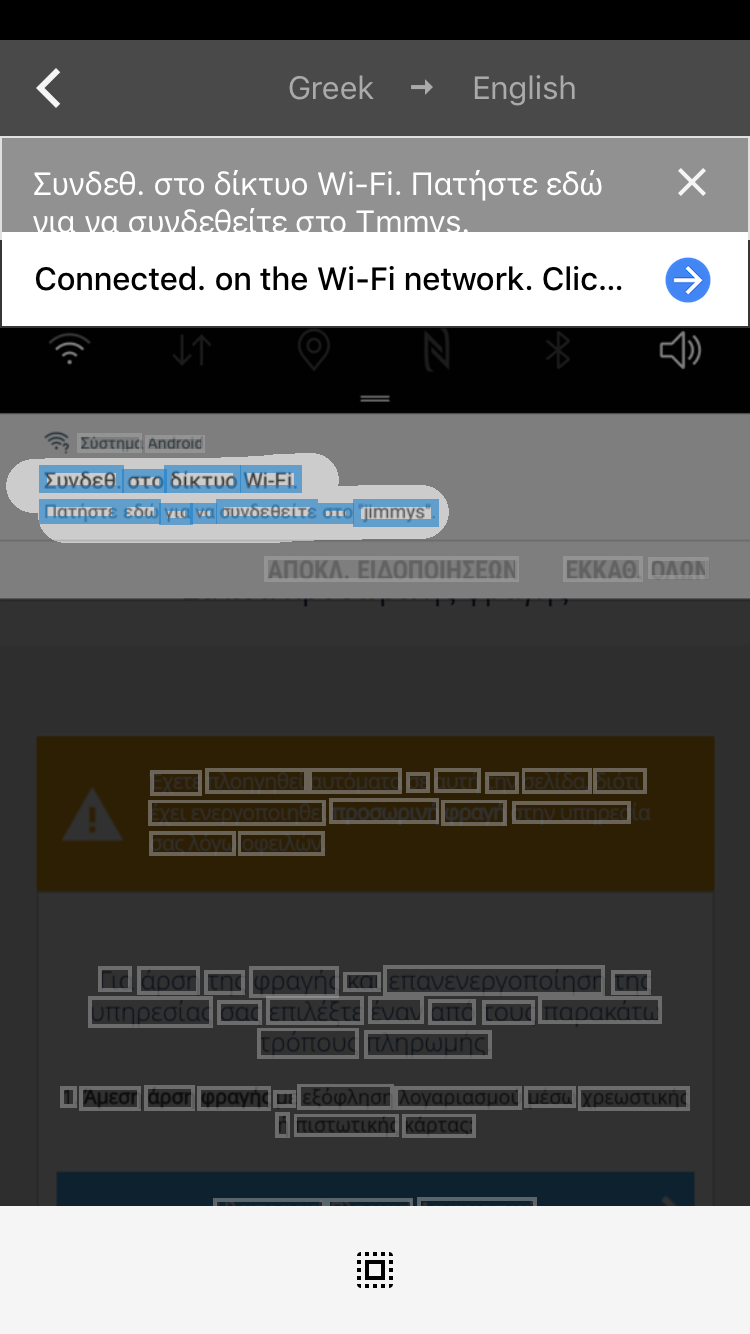
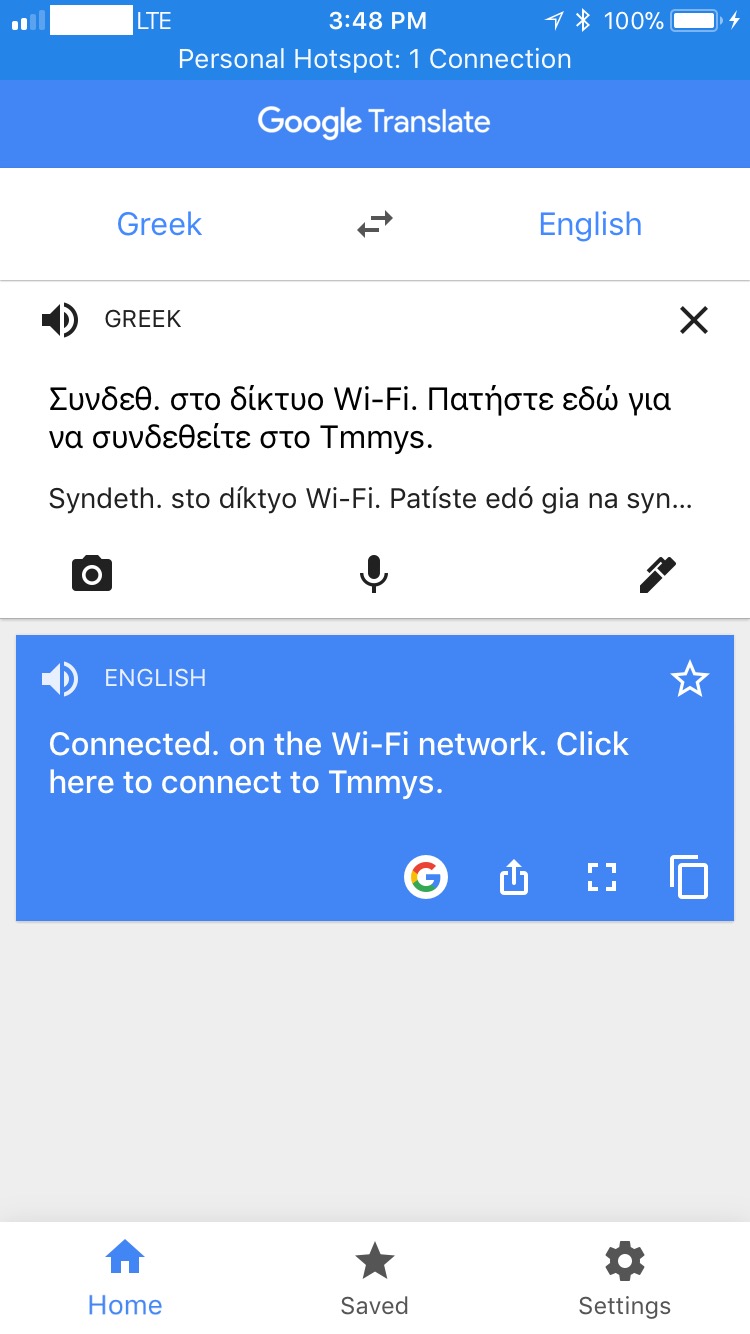
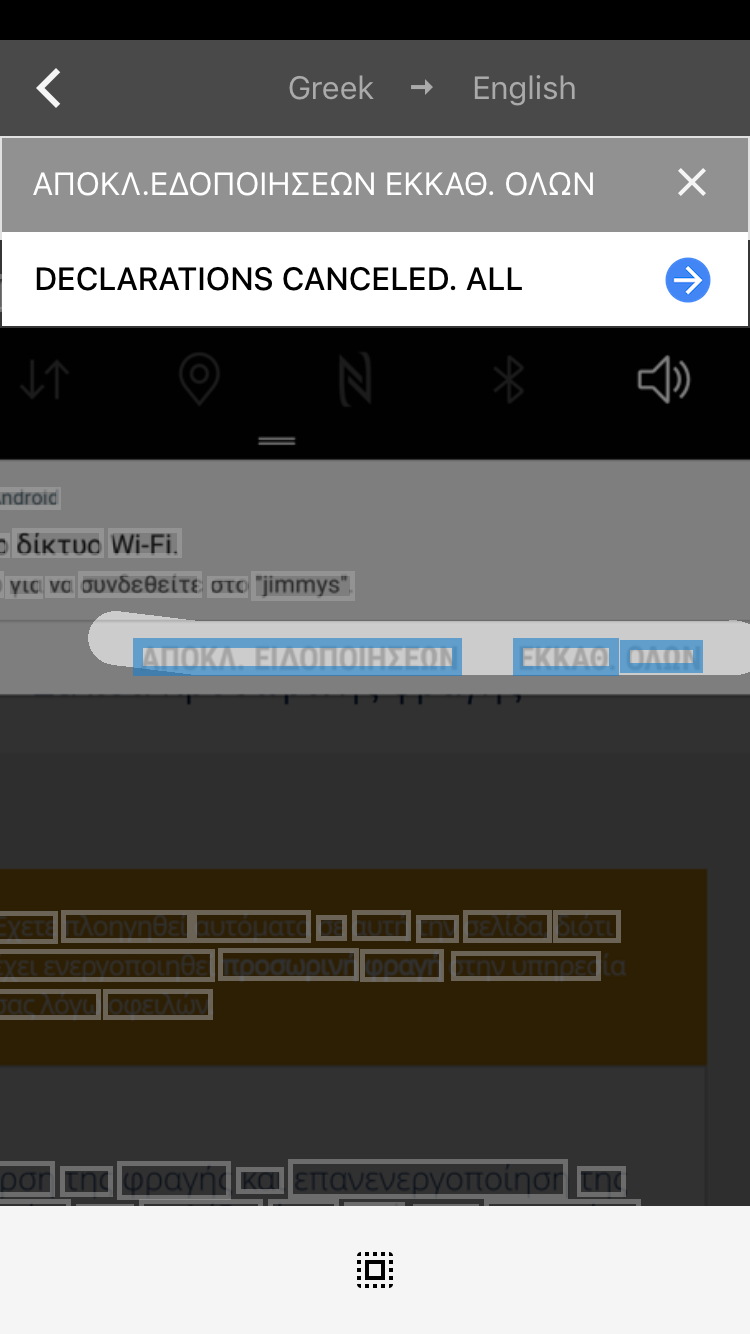
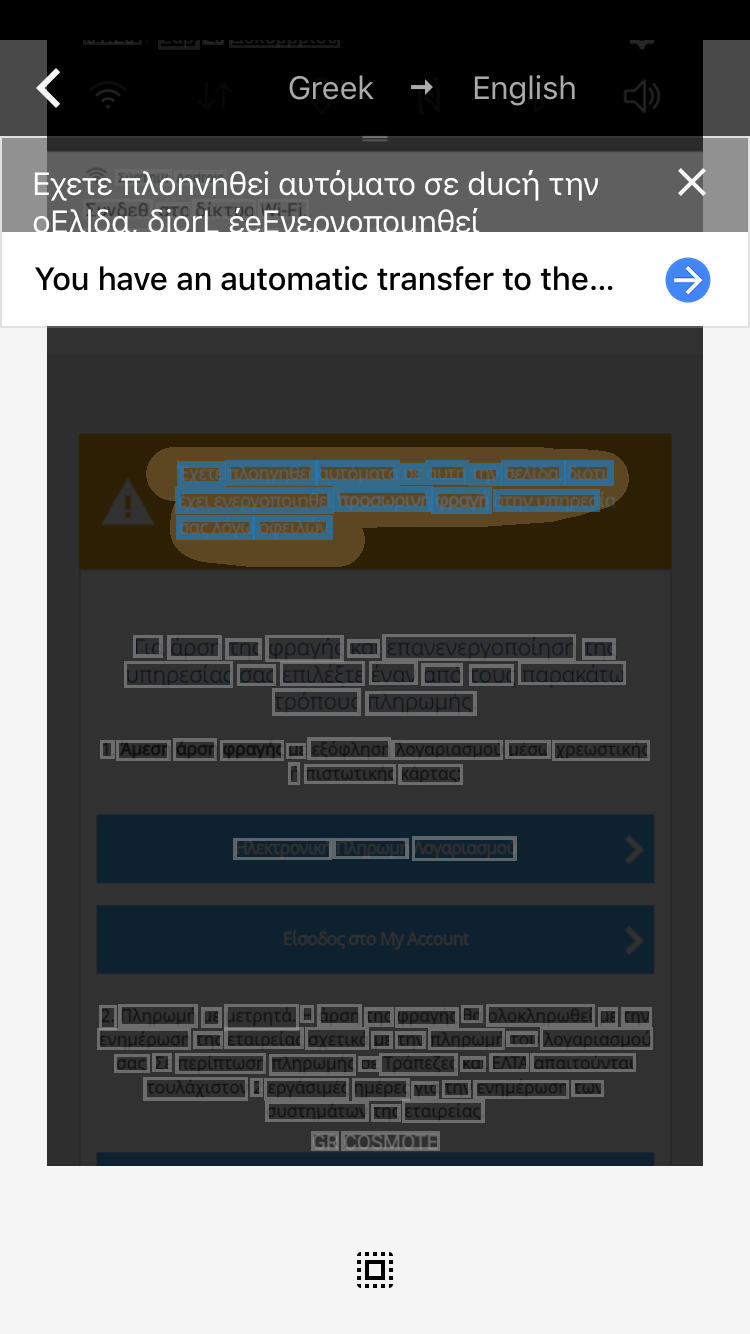
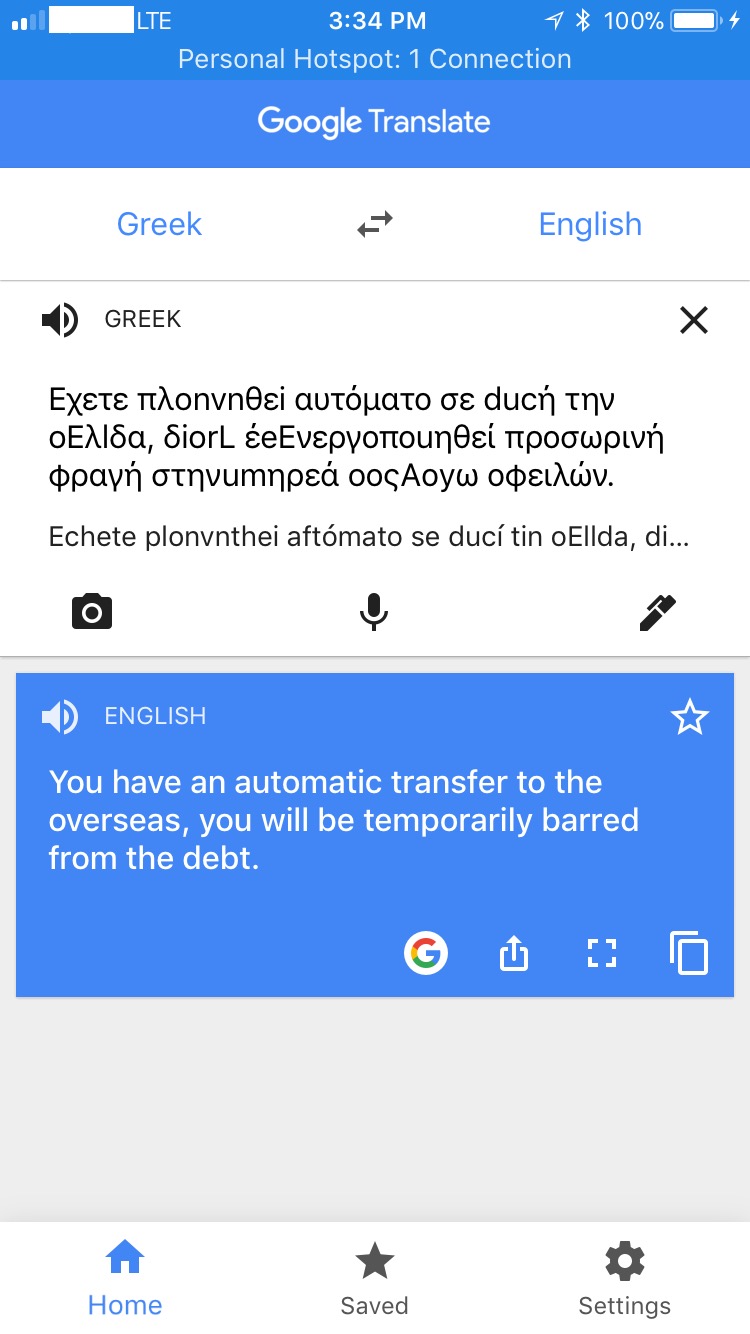
@zartaz I'm having trouble translating this screenshot:
Can you switch your phone's language temporarily to english, then try to screenshot that same screen?
I tried translating it with Google but I don't understand what the translation means:
MPX4132
on 23 Dec 2017
zartaz
on 24 Dec 2017
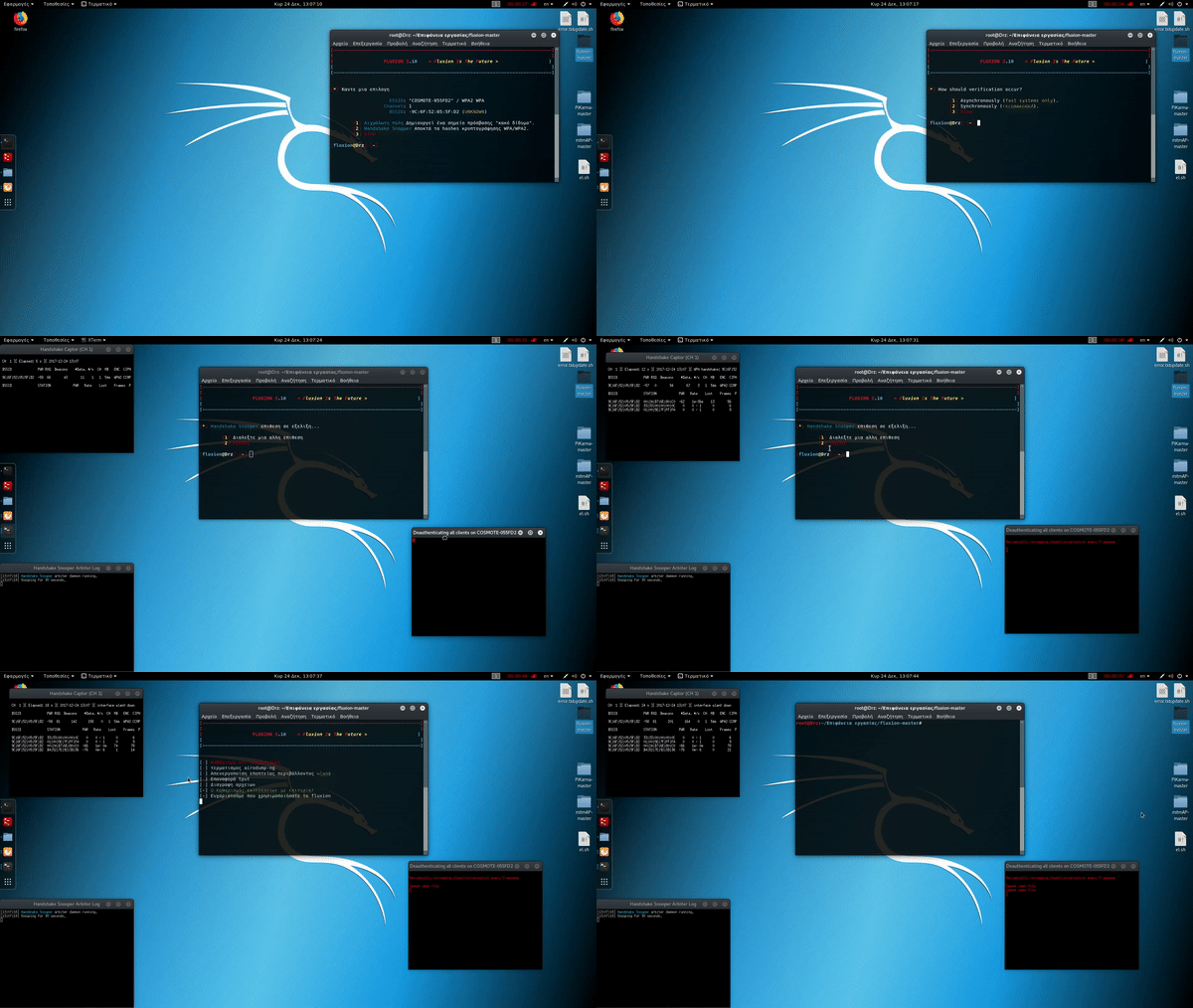
sorry for not responding asap my bro,i found a new bug when i exit mdk3 process for handshake the process does;t stop at all and all windows remain open
zartaz
on 24 Dec 2017
zartaz
on 24 Dec 2017
i have tested on ios latest version windows 10 and android of other manufacters also updated and the prompt was the same as mine i think is the most serious problem
zartaz
on 24 Dec 2017
In my upper example I show you a router that redirects my device after connecting without need to press the prompt button,can we replicate that settings ??? And it worked on all the devices i've tested in that way,btw the pop up window says "press here to connect"
zartaz
on 24 Dec 2017
That’s what I was trying to fix by adding mtalk.google.com. Your Android device is checking for something, but I don’t know what.
About the bug you said you found. Try waiting a bit to see if the windows don’t auto-close. If I remember correctly, there’s a delay because the authenticator waits a bit.
MPX4132
on 24 Dec 2017
I tried that I just don't wait so long for the file size of the uploaded gif
zartaz
on 24 Dec 2017
u r right i am sorry it stops after 13-14 secs
zartaz
on 24 Dec 2017
@zartaz It’s all good, don’t worry about it. I know what’s causing that. Essentially, it has to do with the script waiting to recheck for a handshake. It sleeps for the amount of time you selected when you were configuring the attack (where it says 30 seconds recommended). So, if you stop the attack at around 15 seconds, it’ll sleep for another 15 and once it wakes up it’ll realize it needs to stop, and it proceeds to kill all other windows.
I’ll try to see if I can fix that somehow in a bit. I think it might be possible by using wait along with the sleep command.
MPX4132
on 24 Dec 2017
ok mate,i don't understand how a routers firmware that has 1+ year to be updated redirects me correctly even after my device update.can't we replicate that routers redirection settings(these routers have a captive portal waiting also for right password or other type of credentials in order to connect you)?maybe is the way the script redirects traffic to our ip? i remember when i was mitming with ettercap the configuration file had an "("star"."star")" option which was redirecting everything to me except ssl which was after redirected with the sslstrip,u think it propably conflicts with the rest of the script?. i don't know how accurate are my questions in the scripts situation,but i try to give some thoughts with appreciation feelings :P
zartaz
on 24 Dec 2017
my friend also why you remove the handshake folder by default? is there a reason to be created by the script?for writing permissions eg? can we add the choise of txpower after selecting the wireless interface in your script (informing that some cards doesn't support that function)?
zartaz
on 24 Dec 2017
The handshake directory should be created dynamically, by the arbiter in the Handshake Snooper attack. There’s no need to create it manually and add it to the repository.
Do you mind testing something for me? We can try to redirect all traffic to see if that helps your phone recognize the fact it’s behind a captive portal.
If you don’t mind, edit fluxion/attacks/Captive Portal/attack.sh and replace the lines below (lines 484 to 487):
# Redirect www.domain.com to domain.com
#\$HTTP[\"host\"] =~ \"^www\.(.*)$\" {
#   url.redirect = ( \"^/(.*)\" => \"http://%1/\$1\" )
#}
With these lines:
\$HTTP[\"host\"] =~ \".*" {
    url.redirect  = (
        \"^/(.*)\" => \"http://captive.gateway.lan/\",
    )
}
After you’ve edited the attack script, try running the Captive Portal attack again.
MPX4132
on 24 Dec 2017
ok i'll do ti now
zartaz
on 24 Dec 2017
it gives me syntax error
zartaz
on 24 Dec 2017
Please post a screenshot of what it looks like after you replaced the text. You might’ve replaced something wrong, I’m not sure.
MPX4132
on 24 Dec 2017
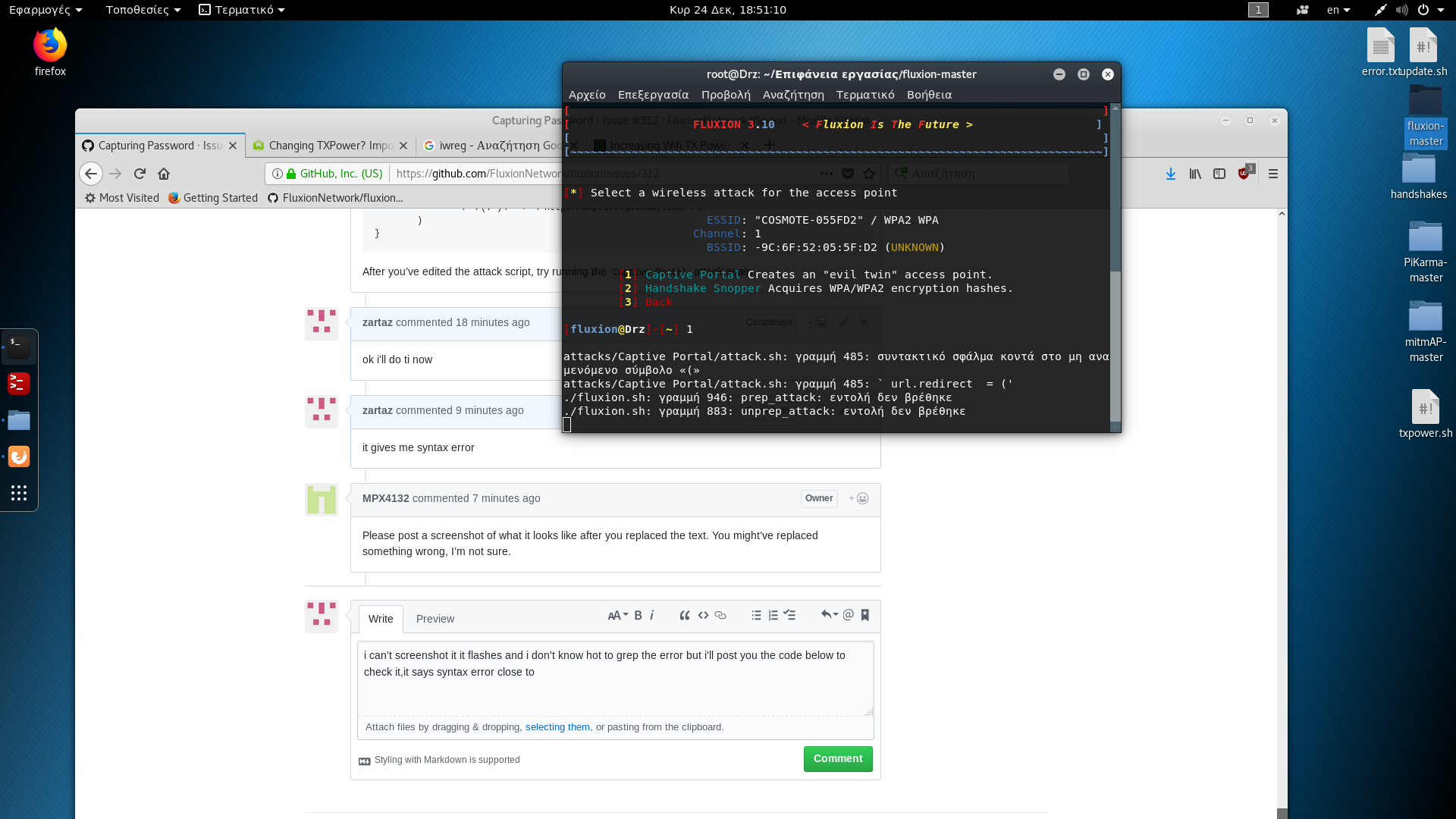
zartaz
on 24 Dec 2017
syntax error close to non acceptable symbol <<(>>
and command not found is the ending of the other lines
zartaz
on 24 Dec 2017
static-file.exclude-extensions = (
\".fcgi\",
\".php\",
\".rb\",
\"~\",
\".inc\"
)
index-file.names = (
\"index.htm\",
\"index.html\",
\"index.php\"
)
\$HTTP[\"host\"] =~ \"." {
url.redirect = (
\"^/(.)\" => \"http://captive.gateway.lan/\",
)
}
" > "$FLUXIONWorkspacePath/lighttpd.conf"
# Configure lighttpd's SSL only if we've got a certificate and its key.
if [ -f "$FLUXIONWorkspacePath/server.pem" -a -s "$FLUXIONWorkspacePath/server.pem" ]; then
    echo "\
\$SERVER[\"socket\"] == \":443\" {
ssl.engine = \"enable\"
ssl.pemfile = \"$FLUXIONWorkspacePath/server.pem\"
}
zartaz
on 24 Dec 2017
I will try to replicate this.
Edit:
Well, I thought that we have a bug but I can't replicate this because it wasn't merged.
 deltaxflux
on 24 Dec 2017
deltaxflux
on 24 Dec 2017
If you want modify the script so I can test it and send you back the results guys
zartaz
on 24 Dec 2017
I thought that you modify the script.
deltaxflux
on 24 Dec 2017
Matias did I just test it :P
zartaz
on 24 Dec 2017
@zartaz download this experimental branch and test it on your device. If it works, we can merge it with the master branch.
MPX4132
on 24 Dec 2017
perfect i'll try it now
zartaz
on 24 Dec 2017
no pop up window appears,everything else is the same except the message on my fake ap name informing that there is no internet, so if i don't manyally redirect my self in the fake portal there is no reason or something to force me give the wpa
zartaz
on 24 Dec 2017
can u sent me the 3.4 version just to test it?
zartaz
on 24 Dec 2017
This is Fluxion 3.4's repository.
The versions are all in the commit history. To find a particular version in the repository, click "fluxion.sh" and click the "history" button. Then open the changes until you see that the revision changes.
MPX4132
on 24 Dec 2017
thanks mate
zartaz
on 24 Dec 2017
its definitely my android update causing the error
zartaz
on 24 Dec 2017
Yeah, I suspected it was something like that. You mentioned all other devices seem to work fine, huh?
MPX4132
on 24 Dec 2017
my lg only with modified firmware cyanogenmod version 2014
zartaz
on 24 Dec 2017
What’s the model of the Samsung phone?
MPX4132
on 24 Dec 2017
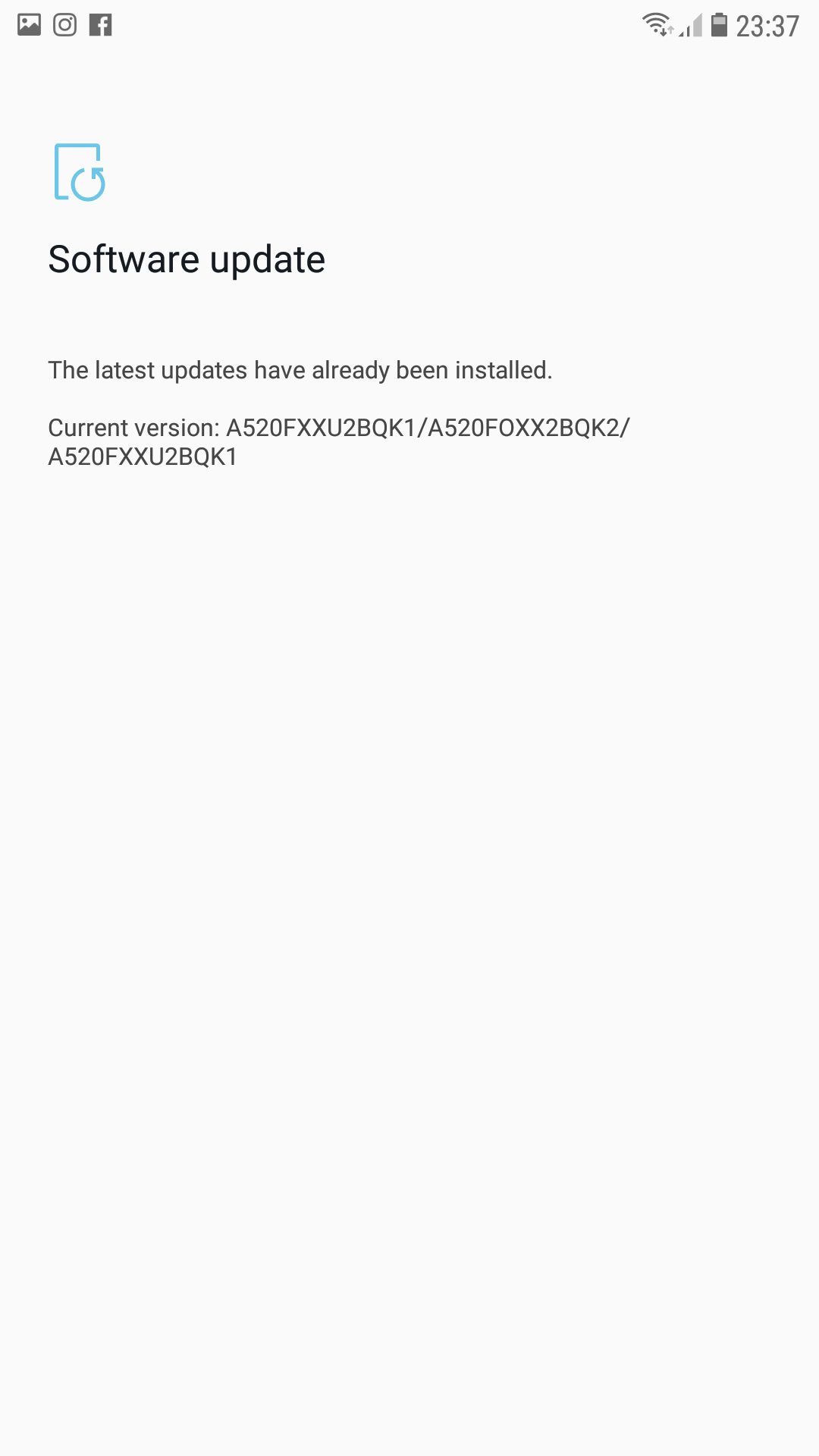
zartaz
on 24 Dec 2017
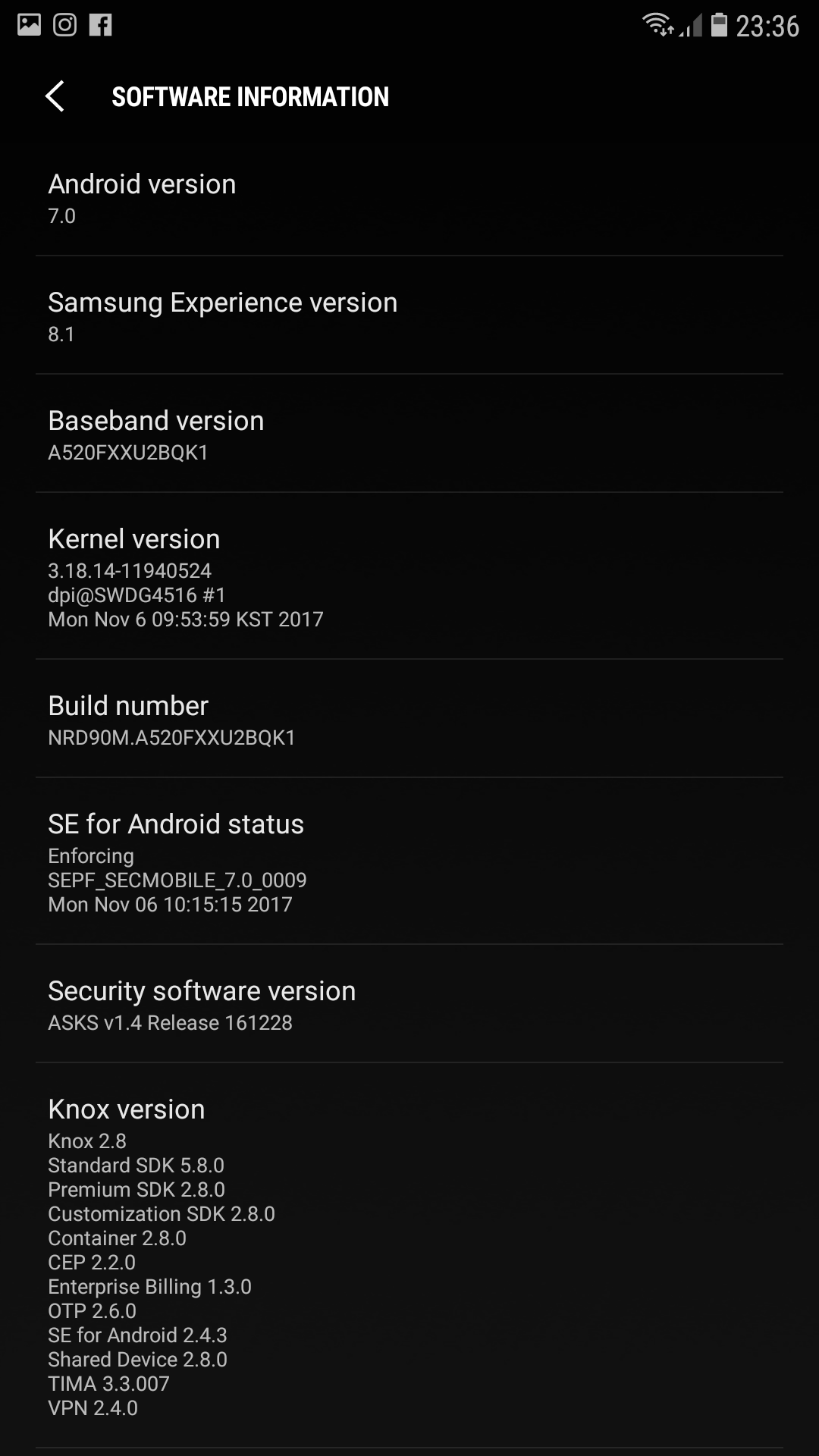
zartaz
on 24 Dec 2017
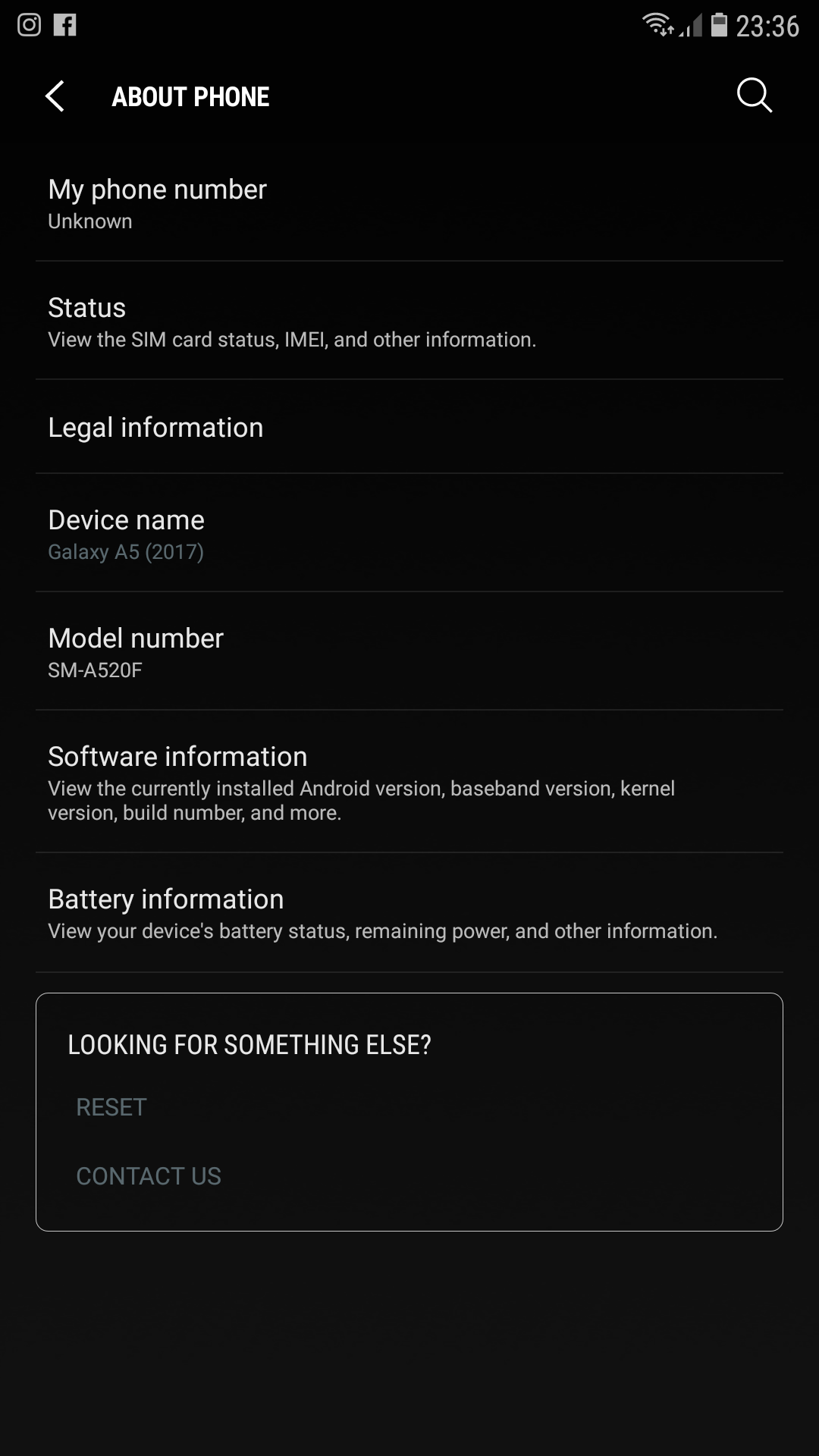
zartaz
on 24 Dec 2017
@zartaz try the latest version on the repo. I added the standard redirect code for captive portals with this commit. Before, I assumed it was sending the proper code by default, but I was wrong. The server was sending redirect code 301 ("permanent redirect"), rather than redirect code 302 ("found a redirect"). Just get the latest version on the repo and see if it fixes anything man.
MPX4132
on 25 Dec 2017
If that doesn't fix it I don't think I can do much more. I don't have a device like that one to test things with.
MPX4132
on 25 Dec 2017
Ok mate I'll try it when I go home btw merry Xmas
zartaz
on 25 Dec 2017
Thanks man, Merry Christmas.
MPX4132
on 25 Dec 2017
my friend i've just tested ,the script is unstable with random behavior,1st time it gave me the first pop up that saying there is no internet connection,after 5 sec it gives another pop up with messenger redirecting me to the captive portal,2 time in captive portal it crashes and stops,3 time it doesn't open dns window and 4th everything runs smoothly except the pop up that said no internet connection try another network i've been w8 for 20 sec but nothing else happens,very strange and unstable behavior,if you stable it and at least gives the prompt in messenger it can do the job Keep up the good work mate!!!
zartaz
on 25 Dec 2017
That’s odd man, the latest change I made couldn’t have caused those issues. Try restarting the fluxion host machine, and the Samsung phone.
The latest change couldn’t have caused those issues because all I changed was the lighttpd server configuration VERY little. I literally added a line with a return code, so that affects nothing in fluxion. The only thing that’s affected is the client device, in your case, the Samsung phone.
So, again, try restarting your devices and try fluxion again, along with the Samsung phone.
MPX4132
on 25 Dec 2017
@MPX4132 i am using WPA2 with AES encryption... i will try again to test it, in case if it works and post the same here..
aki2419
on 25 Dec 2017
@MPX4132 hey... I tried, but still i am getting the same error, "password incorrect"...
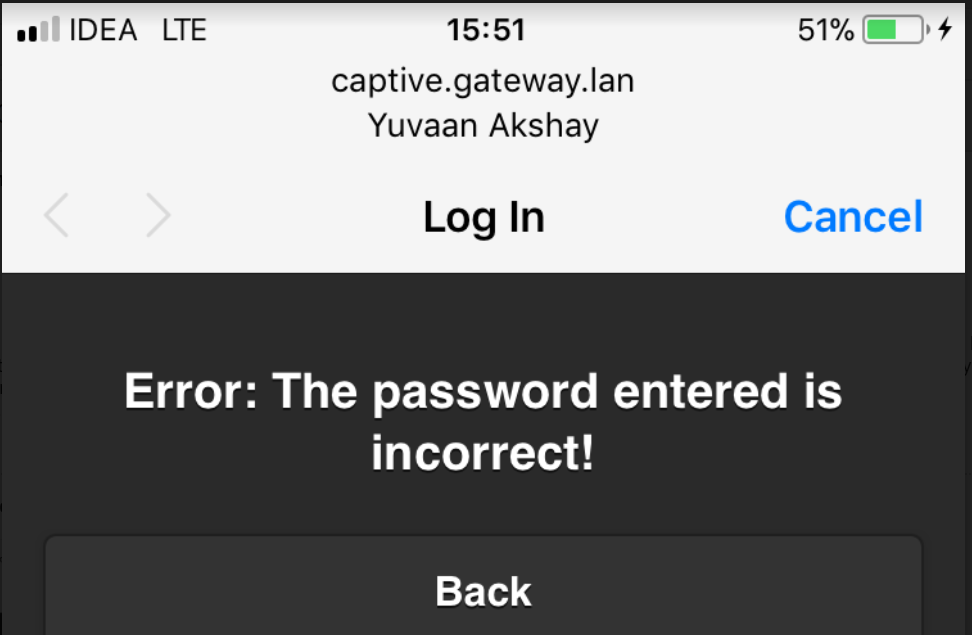
P.S
Updated the files via "git pull -f" ... Tried in both Emulated and Disconnected setup... In emulated it would just connect to FakeAP but no prompt to key in passcode...
aki2419
on 25 Dec 2017
Yeah, the emulated option makes the phone think it has a connection to the internet (it emulates connectivity), so no prompt comes up.
Have you tried a different interface? Like 54? I can’t think of any issues with fluxion that would cause the issue you’re having.
MPX4132
on 25 Dec 2017
@aki2419 I know it's idiotic question, but are you 100% sure you are entering valid password ?
Try running aircrack-ng against your handshake with wordlist containing only your password.
 M1z23R
on 25 Dec 2017
M1z23R
on 25 Dec 2017
echo "YOURPASSWORD" >> password.lst
aircrack-ng -w password.lst -b AA:BB:CC:DD:EE YOURHANDSHAKEFILE.cap
M1z23R
on 25 Dec 2017
Matias when I go home I'll try it again ,so I have a question,when we use 1 adapter we are forced to use only one channel? Can I use mdk3 with channel hoping to deauth the ap? Sometimes mdk3 crashes without ap changing channel.in that situation the best solution is two usb 3,0 Alfa adapters one for mdk3 and the other for the captive? Do I need to place the antennas of the different cards away from each other to avoid jamming between them? Also can I use my first adapter with channel hoping for the case that ap changes channel and the second for the captive?
zartaz
on 25 Dec 2017
@MPX4132 yes, i am entering the correct password.. i did crack my WPA handshake via aircrack-ng and hashcat with the my WPA2 passcode... can you share with me the older versions of fluxion so i can test them as well..
aki2419
on 25 Dec 2017
@zartaz that’s not possible right now man. We haven’t implemented dynamic deauthentication. I’ll see if I can work on something later on. I’m a bit busy right now.
MPX4132
on 25 Dec 2017
Bro don't worry, I'll choose my first adapter for scan and mdk3 thru your script removing -c option from mdk3 command that will do the work and the second for captive portal,also I added a function with your variables to increase the txpower ,my question was if you know if that is hardware possible for the adapters
zartaz
on 25 Dec 2017
@aki2419 I really don’t know what could be causing that man. I can take a look, but you have to share your cap file and password, which might not be comfortable for you.
If you do decide you want me to check it, send it directly to me via email. My email is in the git repository, just do:
git log
And use the arrow to find my email next to my name.
Before you decide, know that I can’t really do anything if the cap file works fine in my machine. It could be your has a problem that’s preventing aircrack-ng from working properly.
MPX4132
on 25 Dec 2017
@zartaz Yeah, it should be possible to deauthenticate two different channels with two different adapters.
MPX4132
on 25 Dec 2017
@MPX4132 I have emailed you the data.. Can you share the older version of fluxion so i can test them out ??
thanks in advance...
aki2419
on 25 Dec 2017
@aki2419 I’ll check it out in a bit. Every version is in the repo. You just have to go to the repo and click on fluxion.sh, then click the “history” button at the top right to see all changes. I labeled revision changes with “Upgraded revision...”
You’ll have to click the link to the commit and check the version change:

For example, this one is from fluxion 3.4 to fluxion 3.5:

Once you find the version you need, click browse files and you’ll be taken to the repository for that version:
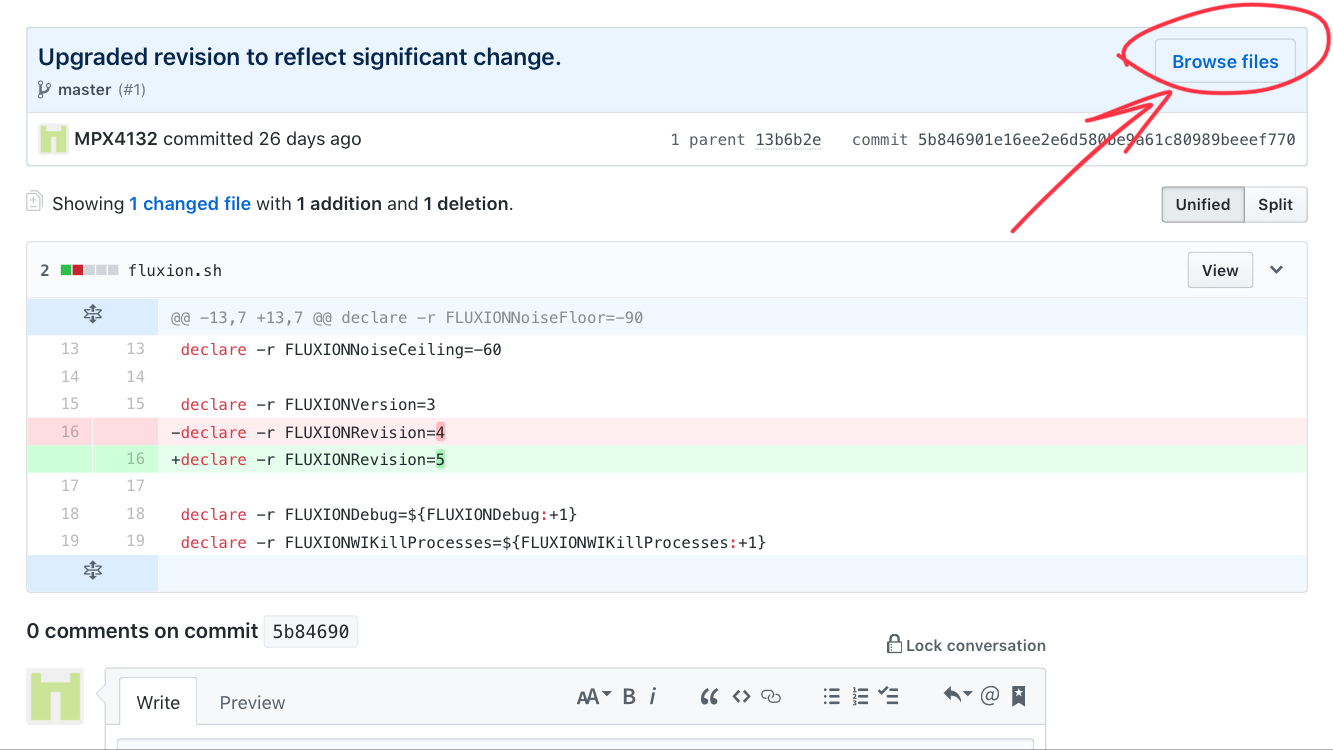
At that point, you can click the download button and you’ll download that version of fluxion.
MPX4132
on 25 Dec 2017
ok fully tested,the pop up window still prompt me that i don't have internet connection and to choose another network,it still does't undertand that is behind captive portal
zartaz
on 26 Dec 2017
Considering the fact you said it worked one time, even though it was unstable, says the problem probably lies with the phone. Fluxion isn’t actively doing or changing anything. I don’t really know what else to do, sorry.
MPX4132
on 27 Dec 2017
Yes the problem is the update,don't worry man you gave your best
zartaz
on 27 Dec 2017
Yeah, sorry. I’ll check it out If I ever get access to a device like that, but chances are it’s something with the software itself.
MPX4132
on 27 Dec 2017
Closed for no-reply after a week.
MPX4132
on 28 Dec 2017
@yoriatet please open an issue and follow the instructions.
 rad4day
on 7 May 2018
rad4day
on 7 May 2018
Related issues
 prabhavdaga
·
6Comments
prabhavdaga
·
6Comments
 christiantokevin
·
16Comments
christiantokevin
·
16Comments
 EOS123
·
3Comments
EOS123
·
3Comments
 brunoaduarte
·
7Comments
brunoaduarte
·
7Comments
 yuginiwa
·
9Comments
yuginiwa
·
9Comments