Flutterlocation: No such module 'location' when building on macos
`gintas-mac:mapphotos gintas$ flutter doctor
Doctor summary (to see all details, run flutter doctor -v):
[✓] Flutter (Channel master, v1.18.0-6.0.pre.106, on Mac OS X 10.15.4 19E287, locale en-GB)
[✓] Android toolchain - develop for Android devices (Android SDK version 29.0.3)
[✓] Xcode - develop for iOS and macOS (Xcode 11.4.1)
[✓] Chrome - develop for the web
[✓] Android Studio (version 3.6)
[!] VS Code (version 1.43.2)
✗ Flutter extension not installed; install from
https://marketplace.visualstudio.com/items?itemName=Dart-Code.flutter
[✓] Connected device (3 available)
! Doctor found issues in 1 category.`
Trying to build on macos with location: 3.0.2 but I get this error:
`
Launching lib/main.dart on macOS in debug mode...
Running pod install... 8.1s
Building macOS application...
* BUILD FAILED *
The following build commands failed:
CompileSwift normal x86_64 /Users/gintas/Documents/AppProjects/mapphotos/macos/Runner/MainFlutterWindow.swift
CompileSwift normal x86_64 /Users/gintas/Documents/AppProjects/mapphotos/macos/Runner/AppDelegate.swift
CompileSwift normal x86_64 /Users/gintas/Documents/AppProjects/mapphotos/macos/Flutter/GeneratedPluginRegistrant.swift
CompileSwiftSources normal x86_64 com.apple.xcode.tools.swift.compiler
(4 failures)
Exception: Build process failed
`
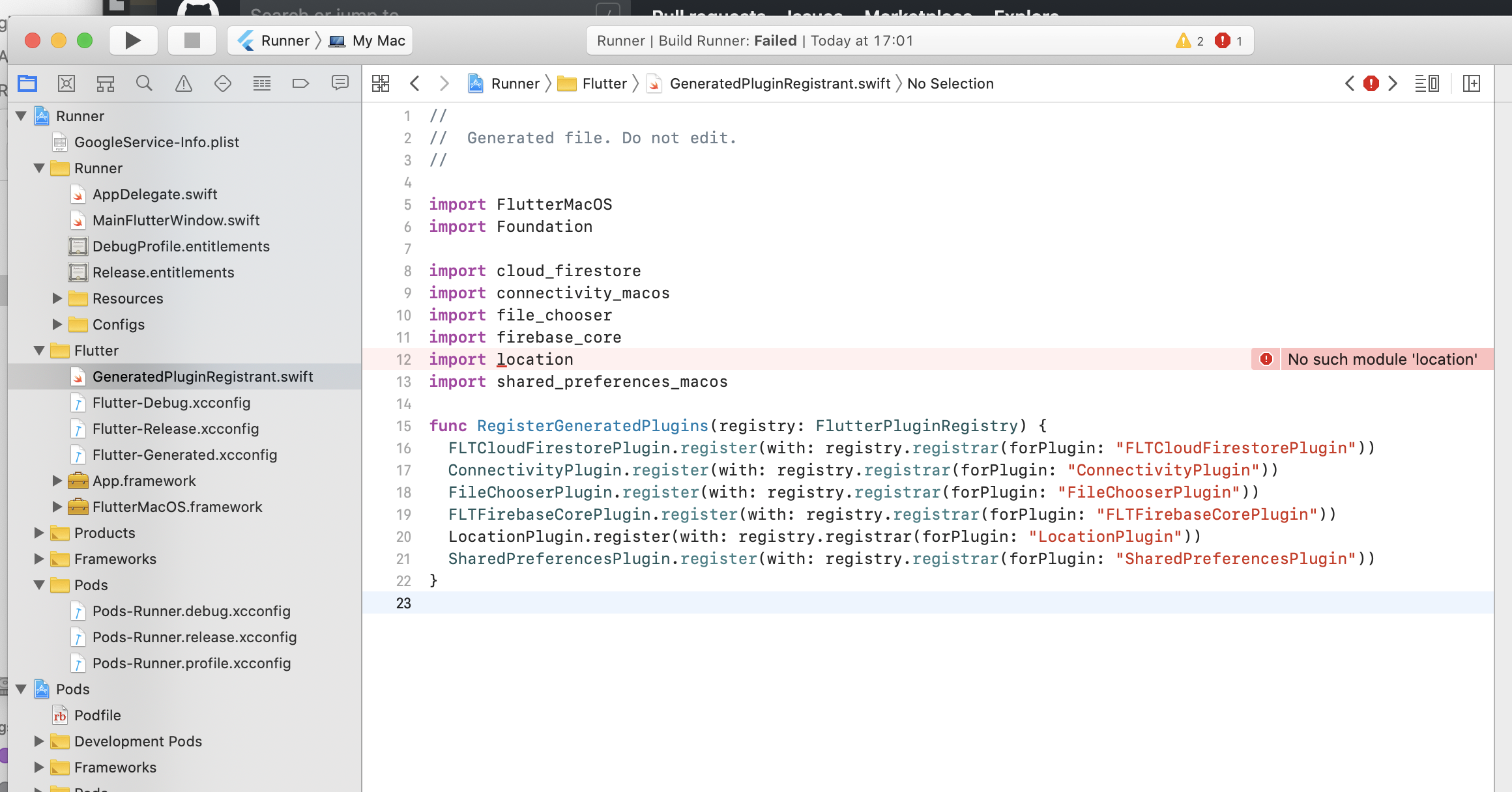
full pubspec.yaml here: https://pastebin.com/RhCtc0LV
 Gintasz
All 9 comments
The symlink trick is not working, you have to copy the .m file from ios to macos.
Try:
cp ~/.pub-cache/hosted/pub.dartlang.org/location-3.0.2/ios/Classes/*.m ~/.pub-cache/hosted/pub.dartlang.org/location-3.0.2/macos/Classes/
Then run flutter clean
 DavBfr
on 11 May 2020
DavBfr
on 11 May 2020
This works for me, thanks!
 beagle-barks
on 18 May 2020
beagle-barks
on 18 May 2020
Works for me too. Could this be integrated into the pub?
Gintasz
on 21 May 2020
@Lyokone I also face this issue. Could it be fixed in the next release?
Is it as easy as copying the .m file to macos folder indeed?
 PieterAelse
on 30 May 2020
PieterAelse
on 30 May 2020
This issue has been automatically marked as stale because it has not had recent activity. It will be closed if no further activity occurs. Thank you for your contributions.
![stale[bot] picture](https://avatars.githubusercontent.com/in/1724?v=4&s=40) stale[bot]
on 30 Jun 2020
stale[bot]
on 30 Jun 2020
@Lyokone Is this repo still maintained?
DavBfr
on 30 Jun 2020
This issue has been automatically marked as stale because it has not had recent activity. It will be closed if no further activity occurs. Thank you for your contributions.
stale[bot]
on 31 Jul 2020
@DavBfr Good question... I'm only getting stale updates on issues...
PieterAelse
on 31 Jul 2020
Still nothing ?
 radvansky-tomas
on 21 Dec 2020
radvansky-tomas
on 21 Dec 2020
Related issues
 zanecidan
·
6Comments
zanecidan
·
6Comments
 Robouste
·
7Comments
Robouste
·
7Comments
 LinusU
·
3Comments
LinusU
·
3Comments
 fasteater
·
11Comments
fasteater
·
11Comments
 LondonJammo
·
4Comments
LondonJammo
·
4Comments
Most helpful comment
The symlink trick is not working, you have to copy the .m file from ios to macos.
Try:
Then run
flutter clean