Flutterfire: [firebase_admob] ads invades safe area and close button is blocked on iPhone X
Describe the bug
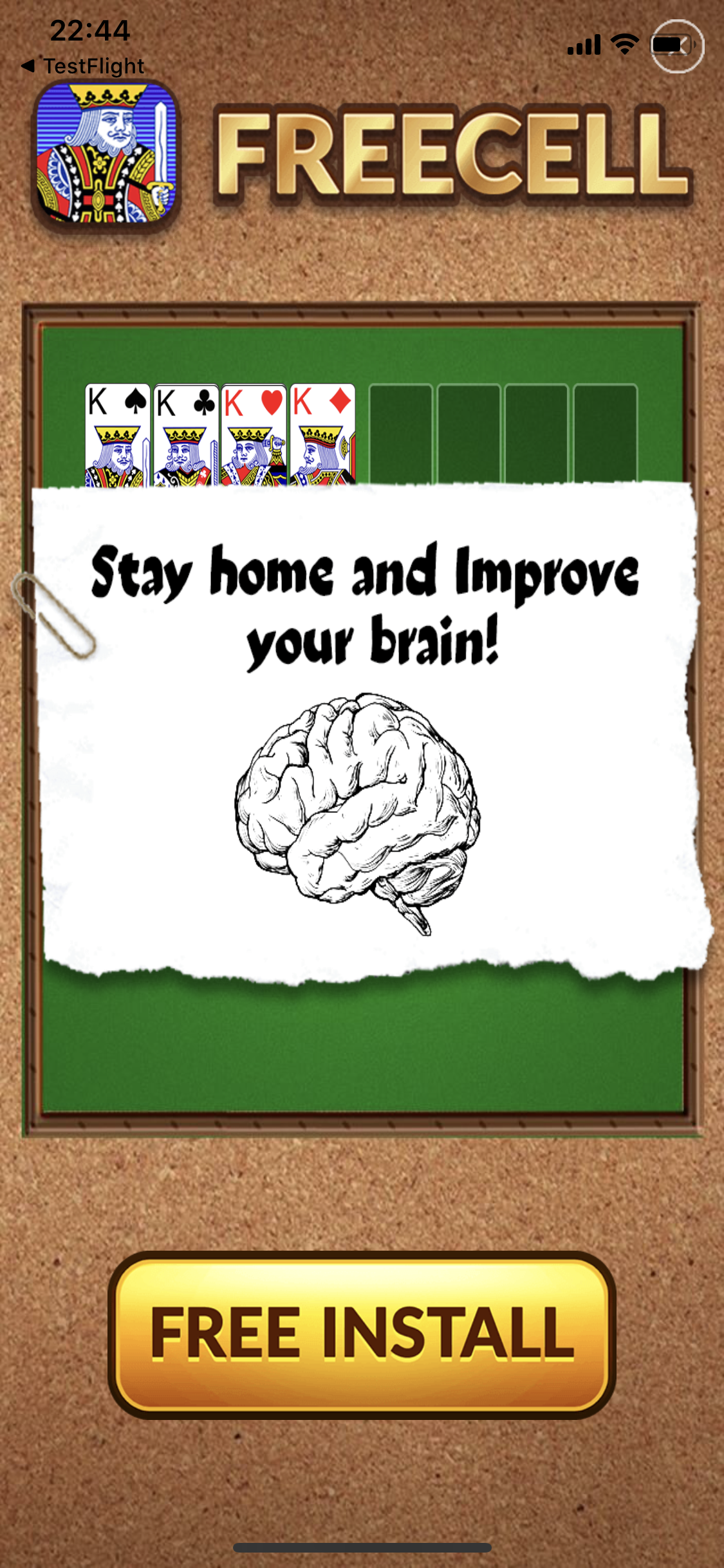
Some of the interstitial ads are not rendered right on iPhone X, the close button is blocked.
To Reproduce
- Create project with firebase_admob 0.9.3+4 and pod 'Google-Mobile-Ads-SDK' ~> '7.63.0'
- Build and install release app on iPhone X 13.6
- Some of the interstitial ads are not rendered right on iPhone X, the close button is blocked. Mostly games.
Expected behavior
Ad displayed within safe area
Additional context
Screenshots:


 longphanmn
All 18 comments
I’m having the exact same problem. They closed my ticked as you had already reported it.
 belisqui
on 13 Aug 2020
belisqui
on 13 Aug 2020
This doesn't seem right. This is a duplicate of https://github.com/FirebaseExtended/flutterfire/issues/2531.
@jjliu15 how is this handled in the AdMob SDK?
 blasten
on 13 Aug 2020
blasten
on 13 Aug 2020
This doesn't seem right. This is a duplicate of #2531.
@jjliu15 how is this handled in the AdMob SDK?
I've never had this issue on rewarded ads. Only in interstitial.
2531 is only rewarded ads, look like many fullscreen ads has this issue.
longphanmn
on 14 Aug 2020
I have same issue in interstitial ad.
 code-kooc
on 8 Sep 2020
code-kooc
on 8 Sep 2020
My app users complain to me about this.
This is severe because user should close app completely and start app again. (swipe back is also not working)
This is terrible User Experience
 wonpyohong
on 17 Sep 2020
wonpyohong
on 17 Sep 2020
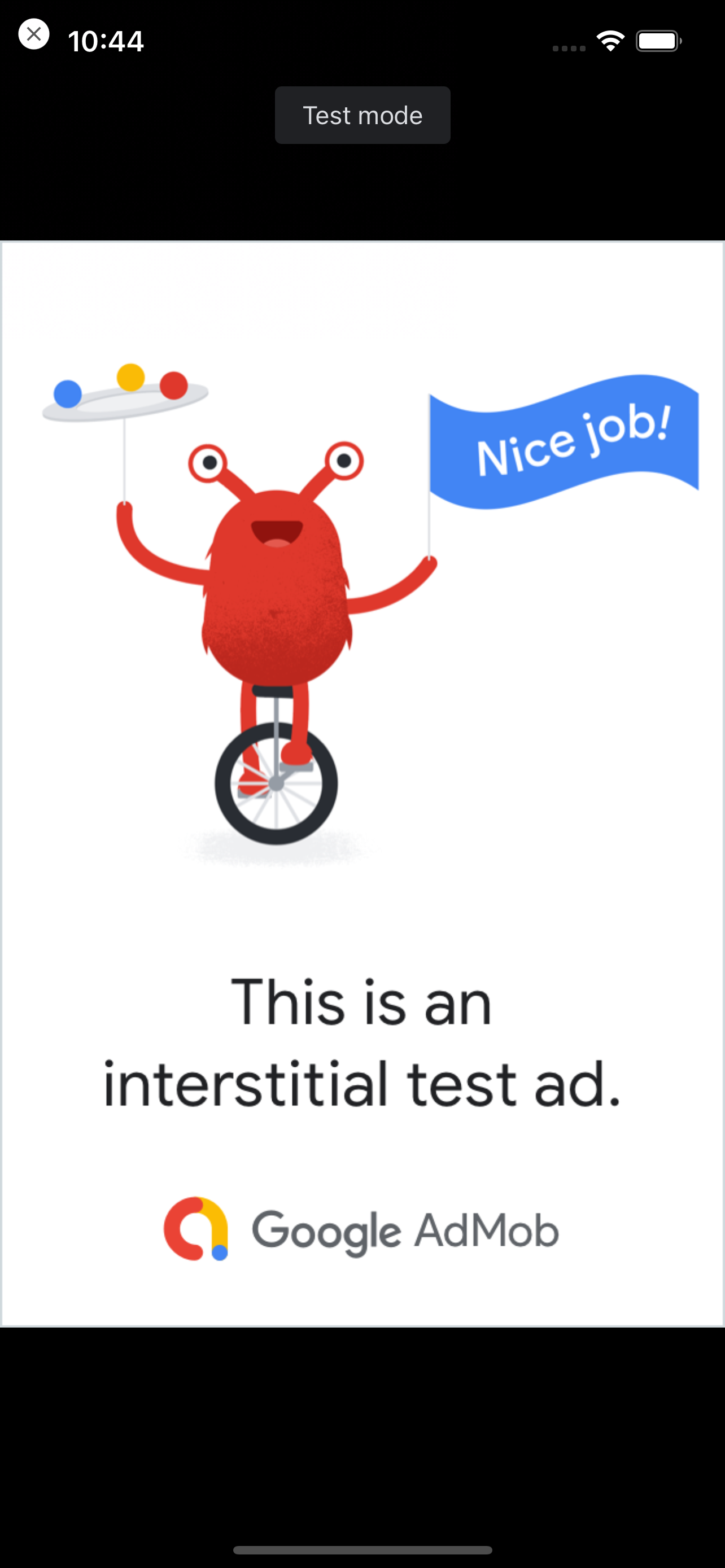
It can be reproduced simply on test ads and simulator (iPhone SE, non-notch)

Upper half of close button is overlapped with status bar,
Lower half is not overlapped with status bar.
Upper half cannot be touched.
Close button should not be overlapped with status bar (in notch style, it seems not overlap)
wonpyohong
on 3 Oct 2020
Same here :(
 summonerriftofficial
on 10 Oct 2020
summonerriftofficial
on 10 Oct 2020
Many 1 star due to this lroblem, we need a fix
summonerriftofficial
on 21 Oct 2020
Is there any update on this? I had to disable the interstitial ads on most of my apps? I can't believe it is not a high priority issue.
 Tibbs
on 26 Oct 2020
Tibbs
on 26 Oct 2020
I think this problem ist not only relevant on iOS, but on android devices with rounded corners as well. For example I can reproduce this behaviour on a Google Pixel 4.
Looking into the code the native part only invokes the show method of the InterstialAd class. I guess one cannot do much here, since the layout happens inside of the AdMob Library?
 avbk
on 27 Oct 2020
avbk
on 27 Oct 2020
Same problem here. We need a solution
 diegocom
on 30 Oct 2020
diegocom
on 30 Oct 2020
I found a workaround. If you hide the status bar in the presenting viewcontroller before the interstitial is presented, it obviously won't cover the close button.
You can hide the status bar by overwriting preferStatusbarHidden method
- (BOOL) prefersStatusBarHidden {
return hideStatusbar;
}
hideStatusbar = true;
[self prefersStatusBarHidden];
[self.admMobInterstitial presentFromRootViewController:self];
- (void) interstitialDidDismissScreen:(GADInterstitial *)interstitial {
hideStatusbar = false;
[self setNeedsStatusBarAppearanceUpdate];
}
- (void) interstitialWillLeaveApplication:(GADInterstitial *)ad {
hideStatusbar = false;
[self setNeedsStatusBarAppearanceUpdate];
}
If you don't have full control from which viewcontroller it's presented from
It is a bit of a hack using the setStatusBarHidden deprecated API:
Before you present the interstitial, save the prefersStatusBarHidden value for the viewcontroller
statusBarHiddenForPresentingRootVC = rootVC.prefersStatusBarHidden;
[self.admMobInterstitial presentFromRootViewController:rootVC];
- (void) interstitialWillPresentScreen:(GADInterstitial *)ad {
if (statusBarHiddenForPresentingRootVC == false) {
[[UIApplication sharedApplication] setStatusBarHidden:YES];
}
}
When the interstitial is dismissed or tapped, restore the statusbarHidden value
- (void) interstitialDidDismissScreen:(GADInterstitial *)interstitial {
if (statusBarHiddenForPresentingRootVC == false) {
[[UIApplication sharedApplication] setStatusBarHidden:false];
}
}
- (void) interstitialWillLeaveApplication:(GADInterstitial *)ad {
if (statusBarHiddenForPresentingRootVC == false) {
[[UIApplication sharedApplication] setStatusBarHidden:false];
}
}
Same problem here. I'm using firebase_admob: ^0.10.2. Close Button do not work.
 fleoparra
on 8 Nov 2020
fleoparra
on 8 Nov 2020
hiding the statusbar fixes for me, however it's not the best way, but works:
SystemChrome.setEnabledSystemUIOverlays([]);
 csongorkeller
on 9 Nov 2020
csongorkeller
on 9 Nov 2020
Having the same problem
Temporary solution:
Hide status bar when ads are shown
listener: (MobileAdEvent event) {
      if (event == MobileAdEvent.closed) {
        SystemChrome.setEnabledSystemUIOverlays(SystemUiOverlay.values);
      }
      if (event == MobileAdEvent.clicked) {
        SystemChrome.setEnabledSystemUIOverlays([]);
      }
},
Hope this issue will be fixed asap
 shunnokw
on 10 Nov 2020
shunnokw
on 10 Nov 2020
"Hide status bar" works.
Thanks @Tibbs and @shunnokw
Testing (iOS 14.1):
iPhone 12/ iPhone 12 Pro / iPhone 12 Pro Max (Simulator*): NOT WORK
iPhone 12/ iPhone 12 Pro / iPhone 12 Pro Max (Real device): WORK (Reported by users)
iPhone 11 Pro Max (Device/Simulator): Work
iPhone 11 / iPhone 11 Pro (Simulator): Work
 clk0115
on 10 Nov 2020
clk0115
on 10 Nov 2020
Thank you for the solution, Tested with real device iPhone 12 Pro Max : WORK
 erickcchoi
on 30 Nov 2020
erickcchoi
on 30 Nov 2020
One issue is I added this ads on an Exit button where I pop the page. So in this case since I pop then the if (event == MobileAdEvent.closed) condition will never trigger. So the status bar will be hidden and not be displayed again after ads is closed. Any solution?
This is my code:
RaisedButton(
                color: Colors.blueAccent,
                padding: EdgeInsets.fromLTRB(12.0, 6.0, 12.0, 6.0),
                shape: RoundedRectangleBorder(
                    borderRadius: BorderRadius.all(Radius.circular(22.0))),
                onPressed: ()
                {
                  AdsProvider.showInterstitialAd();
                   Navigator.of(context).pop();
                },
                child: Text(
                  '    Quit    ',
                  style: TextStyle(color: AppColors.withe),
                ),
              ),


**AdsProvider Class:**

static void _onInterstitialAdEvent(MobileAdEvent event) {
    switch (event) {
      case MobileAdEvent.loaded:
        _isInterstitialAdReady = true;
        print('Interstitial ad loaded');
        break;
      case MobileAdEvent.failedToLoad:
        _isInterstitialAdReady = false;
        print('Failed to load an interstitial ad');
        break;
      case MobileAdEvent.closed:
        SystemChrome.setEnabledSystemUIOverlays(SystemUiOverlay.values);
        print('closed to load an interstitial ad');
        //context.bloc<ProgramCubit>().startProgram( context,_program);
        break;
      case MobileAdEvent.clicked:
        print('clicked to hide top bar');
        SystemChrome.setEnabledSystemUIOverlays([]);
        break;
      default:
      // do nothing
    }
  }

  static void readyInterstitialAd() {
    _isInterstitialAdReady = false;

    _interstitialAd = InterstitialAd(
      adUnitId: AdManager.interstitialAdUnitId,
      listener: _onInterstitialAdEvent,
    );
    _interstitialAd.load();
  }

  static void showInterstitialAd(bool isTime) {
    if (_isInterstitialAdReady) {
      _interstitialAd.show();
    }
  }
 AliRezaeian
on 30 Nov 2020
AliRezaeian
on 30 Nov 2020
Related issues
 earyzhe
·
3Comments
earyzhe
·
3Comments
 awhitford
·
3Comments
awhitford
·
3Comments
 kroikie
·
3Comments
kroikie
·
3Comments
 tapsey
·
3Comments
tapsey
·
3Comments
 ronytesler
·
3Comments
ronytesler
·
3Comments
Most helpful comment
Having the same problem
Temporary solution:
Hide status bar when ads are shown
Hope this issue will be fixed asap