Flutterfire: [firebase_crashlytics] I don't see any report in firebase console
when I call Crashlytics.instance.crash(); or div by 0... I don't see any report in console
════════ Exception caught by gesture ═══════════════════════════════════════════════════════════════
The following StateError was thrown while handling a gesture:
Bad state: Error thrown by Crashlytics plugin

When the exception was thrown, this was the stack:
#0      Crashlytics.crash (package:firebase_crashlytics/src/firebase_crashlytics.dart:54:5)
#1      _MyHomePageState._incrementCounter.<anonymous closure> (package:firebase_crashlytics_test/main.dart:50:30)
#2      State.setState (package:flutter/src/widgets/framework.dart:1141:30)
#3      _MyHomePageState._incrementCounter (package:firebase_crashlytics_test/main.dart:47:5)
#4      _InkResponseState._handleTap (package:flutter/src/material/ink_well.dart:654:14)
...
Handler: "onTap"
Recognizer: TapGestureRecognizer#1a99a
  debugOwner: GestureDetector
  state: ready
  won arena
  finalPosition: Offset(342.9, 710.9)
  finalLocalPosition: Offset(22.2, 23.6)
  sent tap down
════════════════════════════════════════════════════════════════════════════════════════════════════
my repo firebase_crashlytics_test
doctor -v
[✓] Flutter (Channel stable, v1.9.1+hotfix.6, on Linux, locale en_US.UTF-8)
    • Flutter version 1.9.1+hotfix.6 at /home/tbm98/Documents/FLUTTER_SDK/flutter
    • Framework revision 68587a0916 (9 weeks ago), 2019-09-13 19:46:58 -0700
    • Engine revision b863200c37
    • Dart version 2.5.0


[!] Android toolchain - develop for Android devices (Android SDK version 29.0.2)
    • Android SDK at /home/tbm98/Android/Sdk
    • Android NDK location not configured (optional; useful for native profiling support)
    • Platform android-29, build-tools 29.0.2
    • Java binary at: /home/tbm98/Documents/android-studio/jre/bin/java
    • Java version OpenJDK Runtime Environment (build 1.8.0_202-release-1483-b49-5587405)
    ! Some Android licenses not accepted.  To resolve this, run: flutter doctor --android-licenses

[✓] Android Studio (version 3.5)
    • Android Studio at /home/tbm98/Documents/android-studio
    • Flutter plugin version 41.1.2
    • Dart plugin version 191.8593
    • Java version OpenJDK Runtime Environment (build 1.8.0_202-release-1483-b49-5587405)

[✓] Connected device (1 available)
    • AOSP on IA Emulator • emulator-5554 • android-x86 • Android 9 (API 28) (emulator)

! Doctor found issues in 1 category.
 tbm98
tbm98
All 17 comments
Have the same issue. Did you find any solution?
 olga0
on 18 Nov 2019
olga0
on 18 Nov 2019
@olga0 it is not a bug, It will display on the console within 24 hours
tbm98
on 19 Nov 2019
I still do not see any reports in console even after 3 days.
olga0
on 19 Nov 2019
@olga0 what did you do ?
tbm98
on 19 Nov 2019
- I added Fabric repository and classpath to my [project]/android/build.gradle:
buildscript {
    ext.kotlin_version = '1.3.50'
    repositories {
        google()
        jcenter()
        maven {
            url 'https://maven.fabric.io/public'
        }
    }

    dependencies {
        classpath 'com.android.tools.build:gradle:3.5.2'
        classpath "org.jetbrains.kotlin:kotlin-gradle-plugin:$kotlin_version"
        classpath 'com.google.gms:google-services:4.3.3'
        classpath 'io.fabric.tools:gradle:1.26.1'
    }
}
- I added plugins and crashlytics dependency to the [project]/android/app/build.gradle:
dependencies {
    implementation "org.jetbrains.kotlin:kotlin-stdlib-jdk7:$kotlin_version"
    implementation 'com.crashlytics.sdk.android:crashlytics:2.10.1'
    testImplementation 'junit:junit:4.12'
    androidTestImplementation 'androidx.test:runner:1.2.0'
    androidTestImplementation 'androidx.test.espresso:espresso-core:3.2.0'
}

apply plugin: 'com.google.gms.google-services'
apply plugin: 'io.fabric'
- I added dependency
firebase_crashlytics: ^0.1.0+3
to my pubspec.yaml file and run "Packages get".
- Here is my main.dart file:
import 'dart:async';
import 'package:firebase_crashlytics/firebase_crashlytics.dart';
import 'package:flutter/material.dart';
import 'package:kids_development/levels/main_page.dart';

void main() {
  Crashlytics.instance.enableInDevMode = true;
  FlutterError.onError = Crashlytics.instance.recordFlutterError;

  runZoned<Future<void>>(() async {
    runApp(MyApp());
  }, onError: Crashlytics.instance.recordError);
}

class MyApp extends StatefulWidget {
  @override
  State<StatefulWidget> createState() => _MyAppState();

}

class _MyAppState extends State<MyApp> {

  @override
  Widget build(BuildContext context) {
    return MaterialApp(
      title: 'Flutter Demo',
      debugShowCheckedModeBanner: false,
      theme: ThemeData(
        primarySwatch: Colors.amber,
      ),
      home: MainPage(),
    );
  }
}
- Here is my main_page.dart file:
import 'package:firebase_crashlytics/firebase_crashlytics.dart';
import 'package:flutter/material.dart';

class MainPage extends StatefulWidget {
  final String _locale;

  MainPage(this._locale);

  @override
  State<StatefulWidget> createState() {
    return MainPageState();
  }
}

class MainPageState extends State<MainPage> {

  @override
  Widget build(BuildContext context) {
    return Scaffold(
      appBar: AppBar(
        title: Text('Kids Development'),
      ),
      body: Container(
        width: double.infinity,
        margin: EdgeInsets.all(15.0),
        child: RaisedButton(
          child: Text('Crash!'),
          onPressed: () {
            Crashlytics.instance.crash();
          },
        ),
      ),
    );
  }
}
I created a project in Firebase Console and added my app there.
I run my app on my Android phone and the app was connected to Firebase Console.
When I click "Crash" button I got this logs:
════════ Exception caught by gesture ═══════════════════════════════════════════════════════════════
The following StateError was thrown while handling a gesture:
Bad state: Error thrown by Crashlytics plugin

When the exception was thrown, this was the stack:
#0      Crashlytics.crash (package:firebase_crashlytics/src/firebase_crashlytics.dart:50:5)
#1      MainPageState.build.<anonymous closure> (package:kids_development/levels/main_page.dart:150:38)
#2      _InkResponseState._handleTap (package:flutter/src/material/ink_well.dart:654:14)
#3      _InkResponseState.build.<anonymous closure> (package:flutter/src/material/ink_well.dart:729:32)
#4      GestureRecognizer.invokeCallback (package:flutter/src/gestures/recognizer.dart:182:24)
...
Handler: "onTap"
Recognizer: TapGestureRecognizer#b4911
  debugOwner: GestureDetector
  state: possible
  won arena
  finalPosition: Offset(182.2, 527.5)
  finalLocalPosition: Offset(46.2, 26.5)
  sent tap down
Flutter doctor:
[√] Flutter (Channel stable, v1.9.1+hotfix.6, on Microsoft Windows [Version 10.0.18362.476], locale en-US)
    • Flutter version 1.9.1+hotfix.6 at C:\Users\olgam\source\flutter
    • Framework revision 68587a0916 (10 weeks ago), 2019-09-13 19:46:58 -0700
    • Engine revision b863200c37
    • Dart version 2.5.0

[√] Android toolchain - develop for Android devices (Android SDK version 28.0.3)
    • Android SDK at C:\Users\olgam\AppData\Local\Android\sdk
    • Android NDK location not configured (optional; useful for native profiling support)
    • Platform android-28, build-tools 28.0.3
    • Java binary at: C:\Program Files\Android\Android Studio\jre\bin\java
    • Java version OpenJDK Runtime Environment (build 1.8.0_202-release-1483-b03)
    • All Android licenses accepted.

[√] Android Studio (version 3.5)
    • Android Studio at C:\Program Files\Android\Android Studio
    • Flutter plugin version 41.1.2
    • Dart plugin version 191.8593
    • Java version OpenJDK Runtime Environment (build 1.8.0_202-release-1483-b03)

[√] Connected device (2 available)
    • SM G930U            • d77c5f0b      • android-arm64 • Android 8.0.0 (API 26)
    • AOSP on IA Emulator • emulator-5554 • android-x86   • Android 9 (API 28) (emulator)

• No issues found!
Also experiencing this. No fatal or non-fatal crash reports are appearing in Firebase console's crashlytics tab. The version string for the flutter app is also unsearchable in the filters on the crashlytics tab.
 KieranLafferty
on 20 Nov 2019
KieranLafferty
on 20 Nov 2019
default console set filter like this
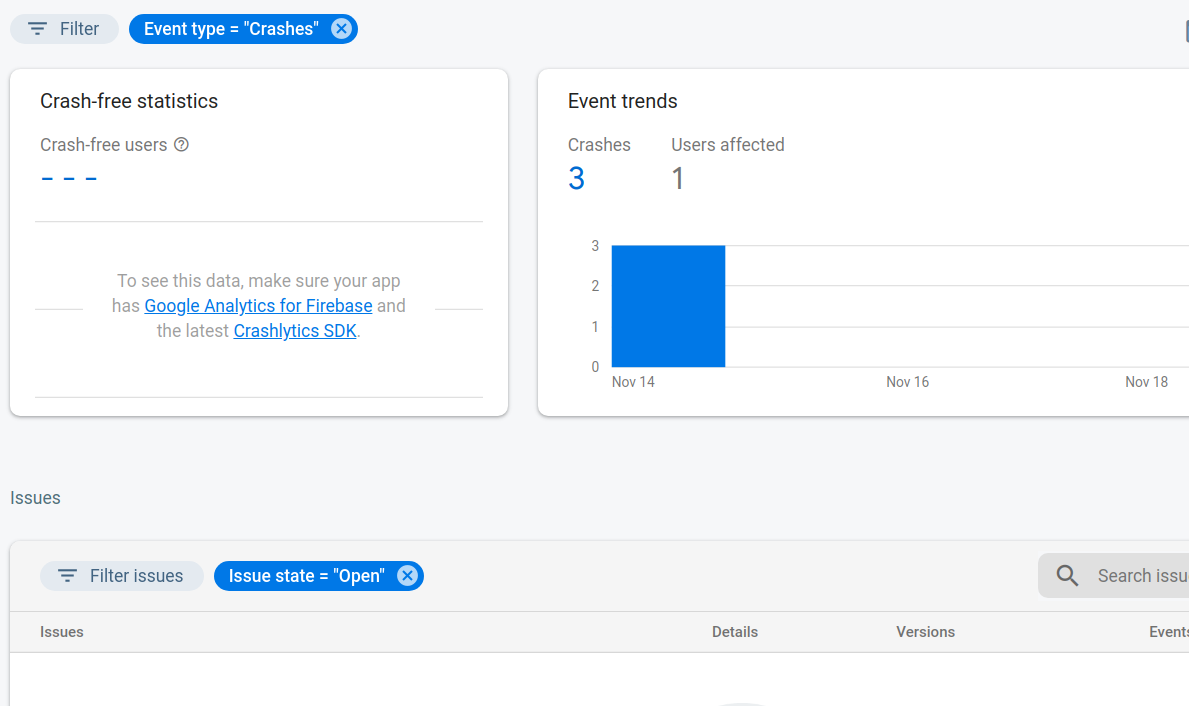
after cancel all filter
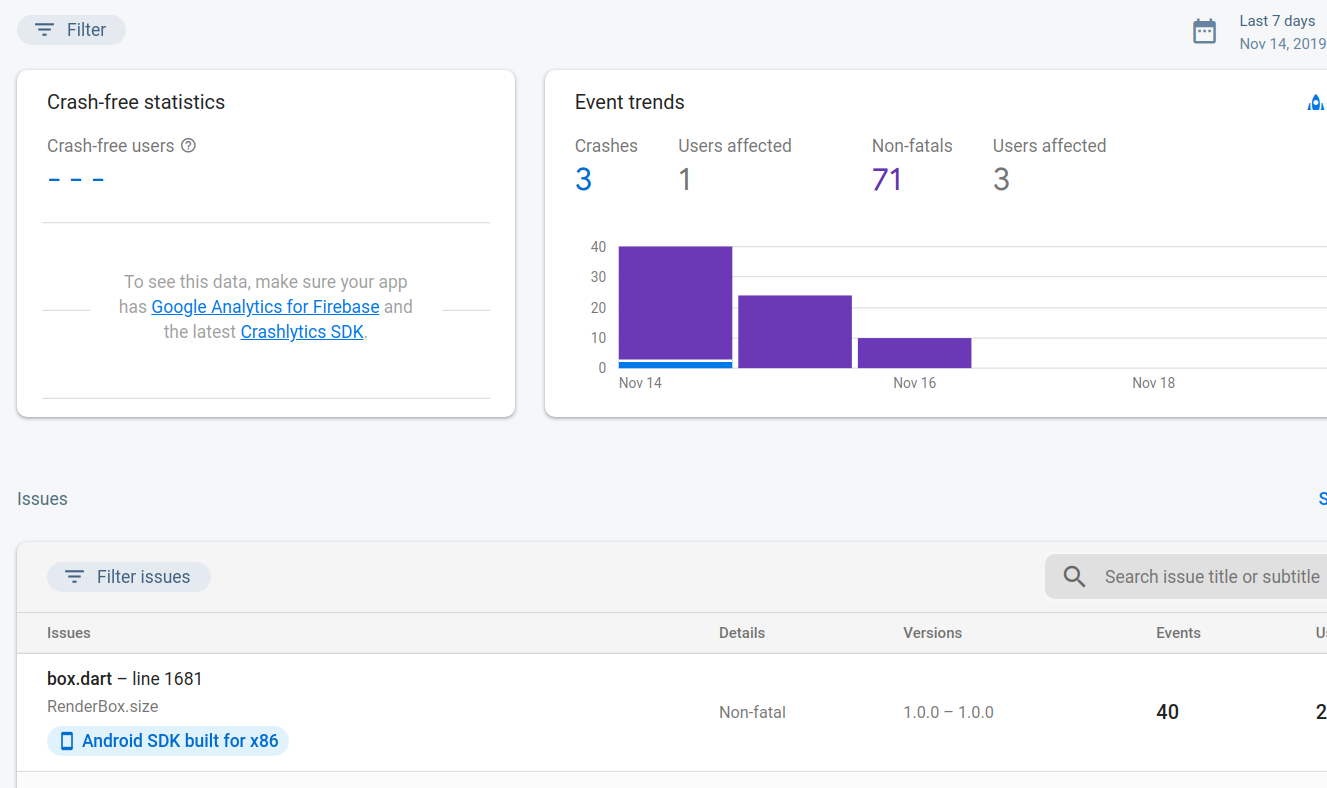
let try cancel all filter :D
tbm98
on 20 Nov 2019
I cancelled all filters. Still nothing.

olga0
on 20 Nov 2019
probably wait for flutter team :D
tbm98
on 21 Nov 2019
I have the same problem
 gallinaettore
on 21 Nov 2019
gallinaettore
on 21 Nov 2019
Is there any way to fix this?
 sobhan15
on 14 Dec 2019
sobhan15
on 14 Dec 2019
I can't get it to work for iOS, see full description of the issue here.
StackOverflow #60111182
Someone who got it to work for iOS?
 viktor-morin
on 16 Feb 2020
viktor-morin
on 16 Feb 2020
@olga0 You seem to have done everything as per the documentation. Note Crashlytics seems to have never been right. See the long standing issue https://github.com/FirebaseExtended/flutterfire/issues/1147
I'd recommend using something else like Sentry.
 workerbee22
on 11 Apr 2020
workerbee22
on 11 Apr 2020
I am also seeing this issue. But I don't want to use sentry, because firebase has much better pricing (Free). Sentry wants 26$ a month if I want more than one user on my team - i'm sure people here know there are alternatives @workerbee22 but would rather not use them particularly once the flutter version matures
 ChaseGuru
on 23 Apr 2020
ChaseGuru
on 23 Apr 2020
@ChaseGuru Sounds like you are we many of us have been. All setup correctly as per the doco, but nothing comes through.
But btw I have two older projects (pre flutter v1.12 setup) that work fully and correctly, which makes this even more frustrating, because newer projects I just cannot get to work and spent man-weeks trying.
So if/when you can't get it working because of this issue, I just suggested Sentry for the time being if you need something right now.
You are having the same issues as so many others but try this to try and debug your issues:
https://firebase.google.com/docs/crashlytics/force-a-crash?platform=android#enable_debug_logging
Or follow the progress of the new Beta SDK PR which hopefully will fix this issue: https://github.com/FirebaseExtended/flutterfire/pull/2288
workerbee22
on 24 Apr 2020
A new Crashlytics plugin has now landed on master which should solve this issue.
Checkout the migration guide to get started on upgrading to the new Crashlytics plugin: https://firebase.flutter.dev/docs/migration/
 Salakar
on 2 Sep 2020
Salakar
on 2 Sep 2020
I have the same probolem. Just migrated by instruction but still nothing shows up in the console.
EDIT: Nevermind, it works now.
Forgot to enable FirebaseCrashlytics.instance.setCrashlyticsCollectionEnabled(true);
 Tiebo
on 7 Sep 2020
Tiebo
on 7 Sep 2020
Related issues
 kroikie
·
3Comments
kroikie
·
3Comments
 emadd
·
3Comments
emadd
·
3Comments
 zadcall
·
3Comments
zadcall
·
3Comments
 ronytesler
·
3Comments
ronytesler
·
3Comments
 yuichirokato
·
3Comments
yuichirokato
·
3Comments
Most helpful comment
I have the same problem