Flutter_svg: Image sizes should only be fixed on one dimension
Consider the following repro, which I have attached in full as a zip at the end of this issue:
import 'package:flutter/material.dart';
import 'package:flutter_svg/flutter_svg.dart';

void main() => runApp(MyApp());

class MyApp extends StatelessWidget {
  @override
  Widget build(BuildContext context) {
    final column = Column(
      children: <Widget>[
        Row(children: [
          ImageWithText(),
        ]),
        Row(
          children: <Widget>[
            ImageWithText(),
            ImageWithText(),
          ],
        ),
        Row(
          children: <Widget>[
            ImageWithText(),
            ImageWithText(),
            ImageWithText(),
            ImageWithText(),
          ],
        ),
        Row(
          children: <Widget>[
            ImageWithText(),
            ImageWithText(),
            ImageWithText(),
            ImageWithText(),
            ImageWithText(),
            ImageWithText(),
          ],
        ),
        Row(
          children: <Widget>[
            ImageWithText(),
            ImageWithText(),
            ImageWithText(),
            ImageWithText(),
            ImageWithText(),
            ImageWithText(),
            ImageWithText(),
            ImageWithText(),
          ],
        ),
      ],
    );
    final scaffold = Scaffold(
      appBar: AppBar(),
      body: column,
    );
    final materialApp = MaterialApp(
      home: scaffold,
    );
    return materialApp;
  }
}

class ImageWithText extends StatelessWidget {
  @override
  Widget build(BuildContext context) {
    final image = SvgPicture.asset('assets/sample.svg');
    //final image = Image.asset('assets/bitmap.png');
    final imageContainer = Container(
      child: image,
      color: Colors.amber,
    );
    final text = Text('Hello');
    final column = Column(
      children: <Widget>[
        imageContainer,
        text,
      ],
    );
    final expanded = Expanded(
      child: column,
    );
    return expanded;
  }
}
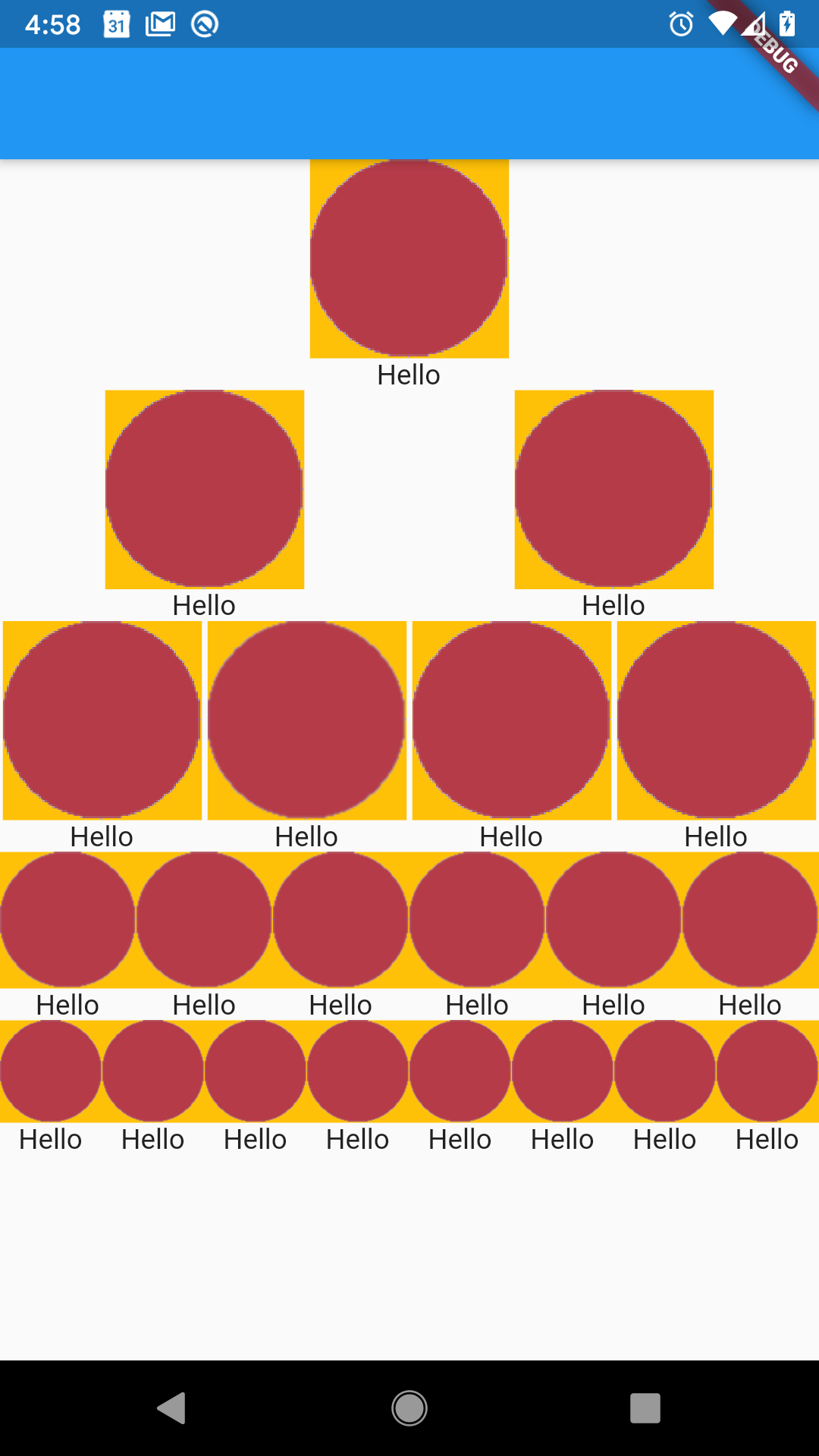
When displaying a bitmap (via Image.asset) I see:
But when displaying an SVG (via SvgPicture.asset) I see:
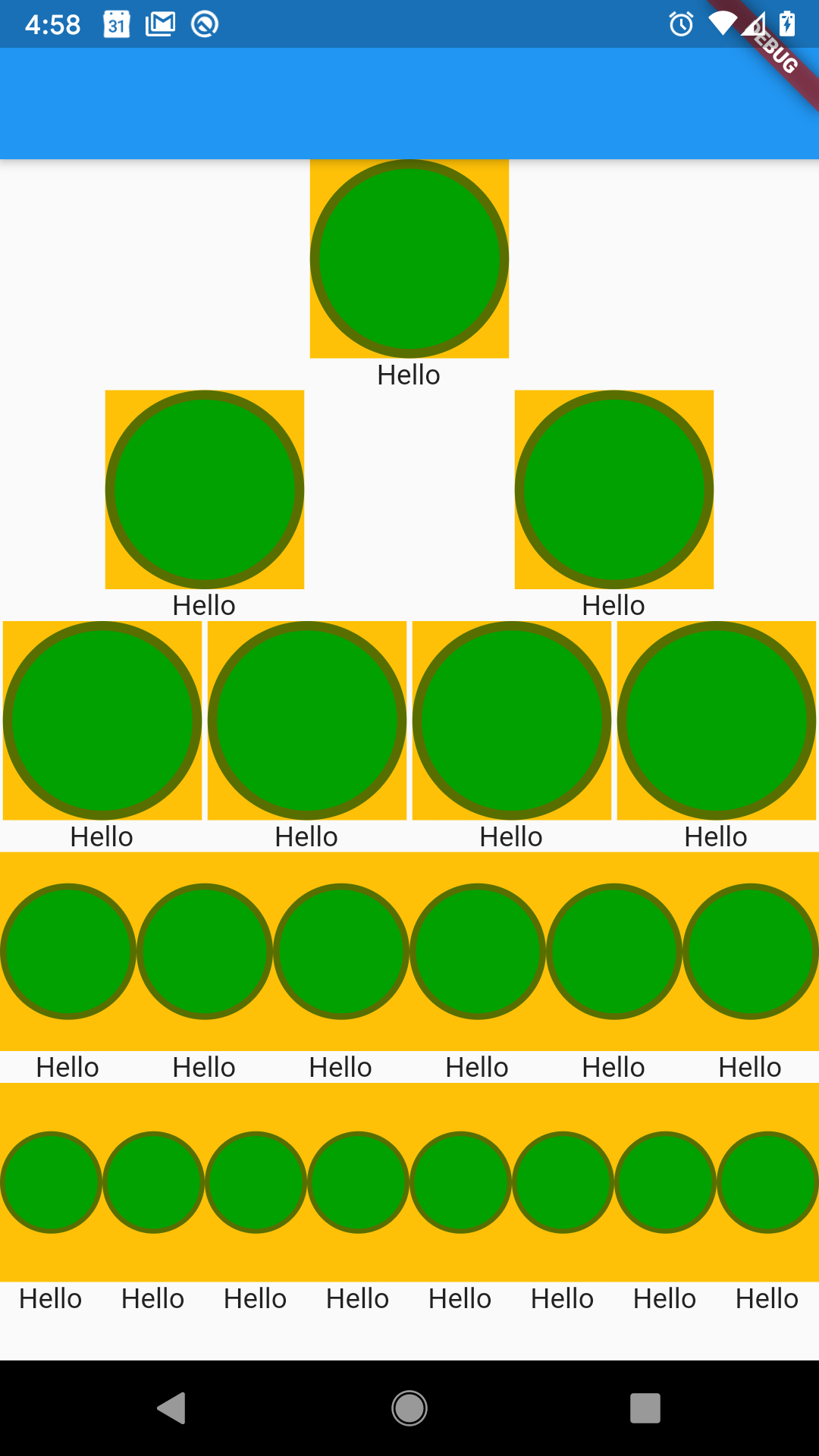
Notice how as the horizontal space gets tighter, the images correctly get narrower, but the SVGs incorrectly retain their height as they get narrower.
Debugging through the code, I believe the problem is here. Setting both the width and height means that the SizedBox only shrinks in one direction. I think it should be setting whichever dimension is largest. I tried commenting out the assignment to height (which works for this case) and it worked as expected. I think the code should be something like:
if (width == null && height == null) {
    width = viewport.width > viewport.height ? viewport.width : null;
    height = viewport.height > viewport.width ? viewport.height : null;
}
 kentcb
All 4 comments
I agree that box sizing is broken at the moment, but removing the SizedBox as in #228 is not a valid fix as it breaks many other use cases, especially the automatic scaling and fitting of the image.
 fl0cke
on 25 Sep 2019
fl0cke
on 25 Sep 2019
any update on this issue? kind of an annoying bug
 ramsestom
on 18 Apr 2020
ramsestom
on 18 Apr 2020
Argh. This ended up being much more breaking than anticipated. I'm probably going to have to at least temporarily revert it. Looking into that more later though.
 dnfield
on 24 Feb 2021
dnfield
on 24 Feb 2021
Remaining issue fixed by #529
dnfield
on 7 Apr 2021
Related issues
 Skyost
·
3Comments
Skyost
·
3Comments
 coupestartup
·
6Comments
coupestartup
·
6Comments
 ifiokjr
·
5Comments
ifiokjr
·
5Comments
 LeandroDoldan
·
3Comments
LeandroDoldan
·
3Comments
 zjiekai
·
6Comments
zjiekai
·
6Comments
Most helpful comment
any update on this issue? kind of an annoying bug