Flutter_svg: Linear gradients broken in newer versions
Hi there,
first of all, thanks for this great library, you're doing an amazing job!
As I was just updating all of my apps dependencies, I was updating flutter_svg from 0.6.3 to 0.10.0+1. Everything seems to run pretty smoothly, but one of my SVGs, which has multiple linear gradients, seems pretty broken now :/
This is how the svg looked in 0.6.3:
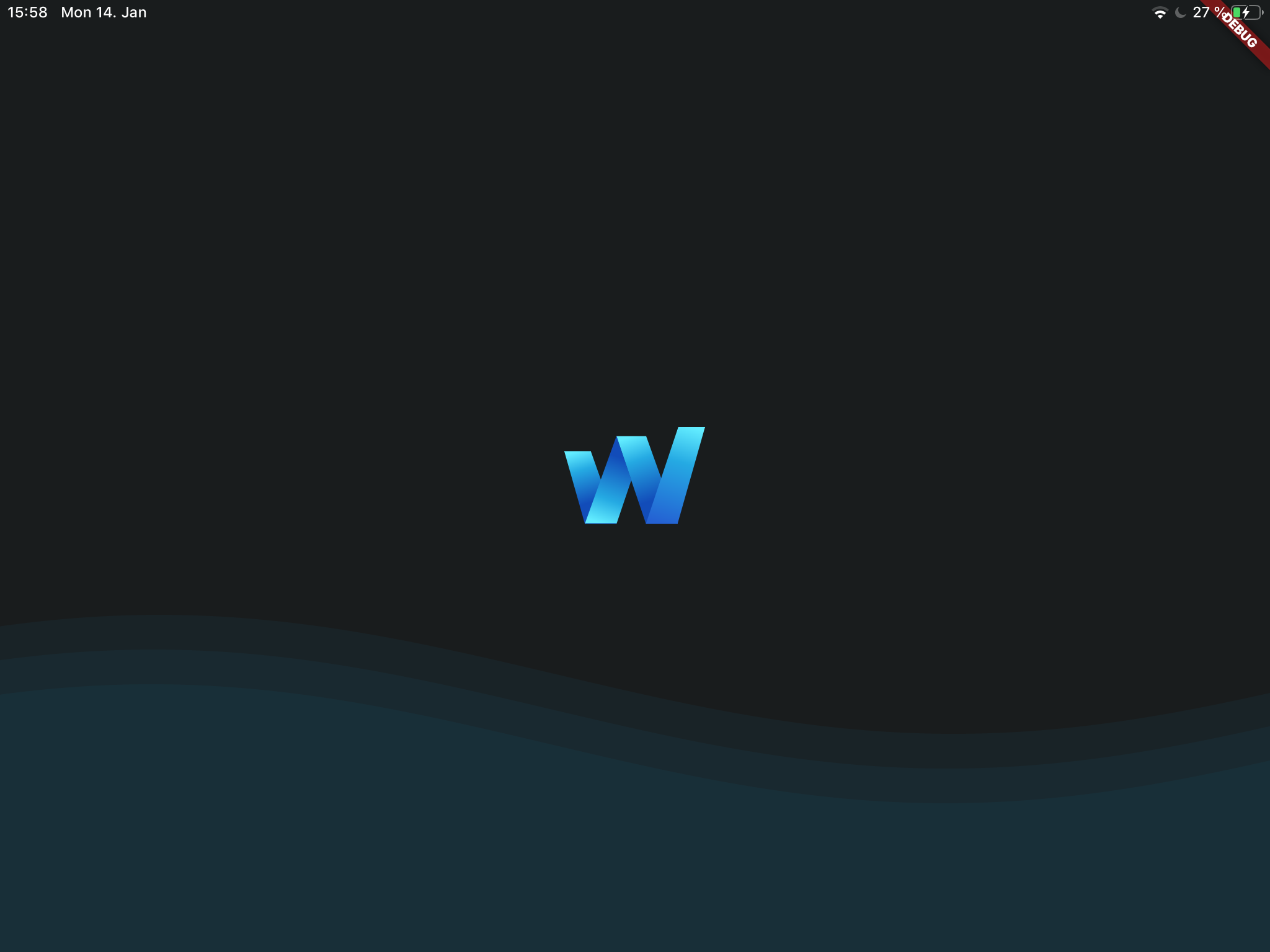
And this is how it looks now:

Below you'll find the content of the SVG file:
<?xml version="1.0" encoding="UTF-8"?>
<svg width="114px" height="79px" viewBox="0 0 114 79" version="1.1" xmlns="http://www.w3.org/2000/svg" xmlns:xlink="http://www.w3.org/1999/xlink">
    <!-- Generator: Sketch 52.5 (67469) - http://www.bohemiancoding.com/sketch -->
    <title>inv_logo_v3 copy 3</title>
    <desc>Created with Sketch.</desc>
    <defs>
        <linearGradient x1="55.1453567%" y1="69.4166326%" x2="26.0898671%" y2="0%" id="linearGradient-1">
            <stop stop-color="#124CB9" offset="0%"></stop>
            <stop stop-color="#25AAE3" offset="63.8344473%"></stop>
            <stop stop-color="#62ECFF" offset="100%"></stop>
        </linearGradient>
        <linearGradient x1="62.1026222%" y1="72.4899754%" x2="26.0898671%" y2="0%" id="linearGradient-2">
            <stop stop-color="#124CB9" offset="0%"></stop>
            <stop stop-color="#25AAE3" offset="63.8344473%"></stop>
            <stop stop-color="#62ECFF" offset="100%"></stop>
        </linearGradient>
        <linearGradient x1="28.459656%" y1="100%" x2="75.8282714%" y2="0%" id="linearGradient-3">
            <stop stop-color="#2461D3" offset="0%"></stop>
            <stop stop-color="#25AAE3" offset="63.8344473%"></stop>
            <stop stop-color="#62ECFF" offset="100%"></stop>
        </linearGradient>
        <linearGradient x1="84.929055%" y1="26.5391046%" x2="34.674874%" y2="100%" id="linearGradient-4">
            <stop stop-color="#124CB9" offset="0%"></stop>
            <stop stop-color="#25AAE3" offset="63.8344473%"></stop>
            <stop stop-color="#62ECFF" offset="100%"></stop>
        </linearGradient>
    </defs>
    <g id="current" stroke="none" stroke-width="1" fill="none" fill-rule="evenodd">
        <g id="screen_home" transform="translate(-481.000000, -180.000000)" fill-rule="nonzero">
            <g id="inv_logo_v3-copy-3" transform="translate(481.000000, 180.000000)">
                <g id="Group">
                    <polygon id="Shape" fill="url(#linearGradient-1)" points="21.4094169 19.5951756 0 19.5951756 16.5758851 78.0369274 42.0846167 78.0369274"></polygon>
                    <g transform="translate(41.750612, 0.000000)" id="Shape">
                        <polygon fill="url(#linearGradient-2)" points="49.5613573 77.9672516 24.2648338 7.35991132 0.177774976 7.35991132 24.0607448 77.9672516"></polygon>
                        <polygon fill="url(#linearGradient-3)" points="50.1654765 0.00171509731 24.0607448 77.9672516 49.6012901 77.9672516 71.7317882 0.00171509731"></polygon>
                    </g>
                    <polygon id="Shape" fill="url(#linearGradient-4)" points="16.7002447 77.6931524 42.2475165 77.6931524 54.1087929 42.6944827 42.0856748 7.21927523"></polygon>
                </g>
            </g>
        </g>
    </g>
</svg>
Thank you so much for your help! :)
 lennartschoch
All 4 comments
Hmm. I'm able to reproduce this - will look into it
 dnfield
on 14 Jan 2019
dnfield
on 14 Jan 2019
Should be fixed in 0c6420d - I wasn't handling the stop element properly if it wasn't self closed. So <stop ... /> was fine, and <stop ...></stop> was not.
I'm working on some other gradient issues right now, I'll publish this up when it's all set (should be soon).
dnfield
on 14 Jan 2019
@dnfield Awesome, thank you so much! 🙌🏼
lennartschoch
on 14 Jan 2019
Fix published in v0.10.1
dnfield
on 15 Jan 2019
Related issues
 jeffersondarcy
·
3Comments
jeffersondarcy
·
3Comments
 Skyost
·
3Comments
Skyost
·
3Comments
 barak-innov
·
4Comments
barak-innov
·
4Comments
 alectogeek
·
5Comments
alectogeek
·
5Comments
 louia
·
3Comments
louia
·
3Comments