Flutter_map: Getting screen position from latlng values
I have several markers in the map and of course I know the LatLng values. However I want to know their coordinates in terms of screen dimensions.
Is there a method which returns a screen position in pixels(x,y) from latlng? Of course I assume current zoom factor must be taken into consideration.
If I there is a solution, I will use this info to implement marker clustering by checking how close are the markers in the actual screen.
 aytunch
All 7 comments
@RaimundWege I am sure you got this:) I know you worked on clustering before. Thanks and sorry for the mention if it is any inconvenience.
aytunch
on 19 Feb 2019
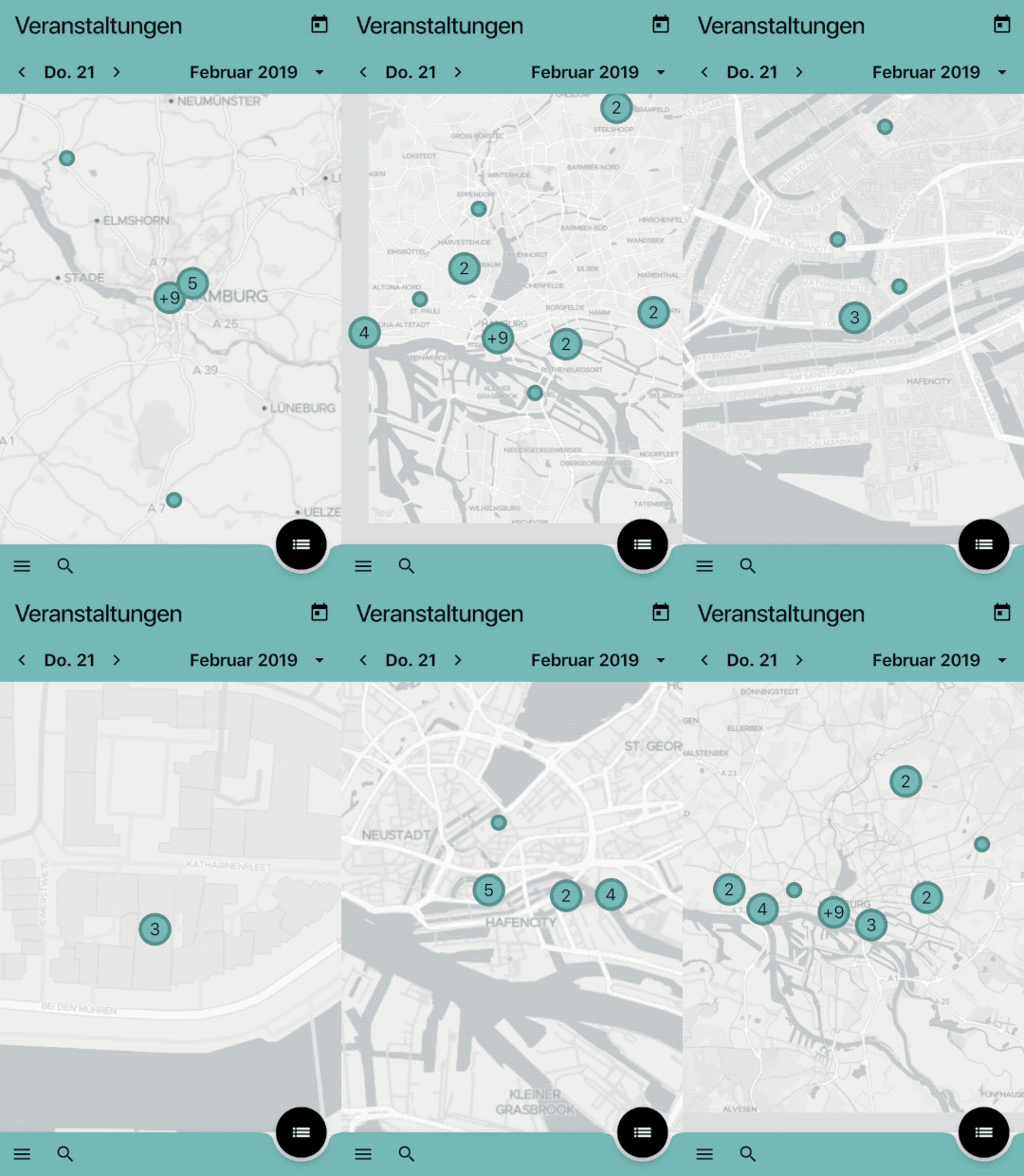
@aytunch right now I prepare a marker layer for each supported zoom level and switch the layer when the zoom level did change. To decide if a marker is to close to another marker I calculate the map tile size for the current zoom level with:
double mapTileLength = 360 / pow(2, zoomLevel);
and then I calculate the min distance two marker should have with:
double minDistanceBetweenMarker = 8 * (mapTileLength / pow(2, zoomLevel));
The values are always in degree.
There are some assumptions but currently it fits my needs:
 RaimundWege
on 21 Feb 2019
RaimundWege
on 21 Feb 2019
@RaimundWege I will try to implement this solution asap. thanks for the detailed info and the beautiful gif:)
One thing I noticed in your gif while I checked the frames one by one is that your markers seems to stay in screen even when more than half of them is out of the screen. There is no unwanted disappearing effect. I opened up an issue here: Issue:230 When the anchor point is out of bounds, the whole marker widget disappears
Do you have a solution for that? Or I am deceived by the Gif?
aytunch
on 21 Feb 2019
@aytunch the gif is missleading. The markers are still disappearing to early.
RaimundWege
on 21 Feb 2019
Guys can you please share the solution? Like a gist please ? Any code snippet will be very useful. Thanks in advance
 guediagael
on 9 Apr 2019
guediagael
on 9 Apr 2019
 lpongetti
on 6 Jun 2019
lpongetti
on 6 Jun 2019
I found a solution:
CustomPoint<num> screenPosition =
            Epsg3857().latLngToPoint(mapPosition.center, mapPosition.zoom);
This should give you the center x,y for your screen so something like x:250, y:450 according to the device of course.
aytunch
on 27 Jun 2019
Related issues
 abhijithvijayan
·
4Comments
abhijithvijayan
·
4Comments
 rktvsiim
·
5Comments
rktvsiim
·
5Comments
 garrrettt
·
3Comments
garrrettt
·
3Comments
 johnpryan
·
4Comments
johnpryan
·
4Comments
 palicka
·
4Comments
palicka
·
4Comments
Most helpful comment
@aytunch right now I prepare a marker layer for each supported zoom level and switch the layer when the zoom level did change. To decide if a marker is to close to another marker I calculate the map tile size for the current zoom level with:
and then I calculate the min distance two marker should have with:
The values are always in degree.
There are some assumptions but currently it fits my needs:
