Flutter-intellij: Hot UI doesn't show device mirror
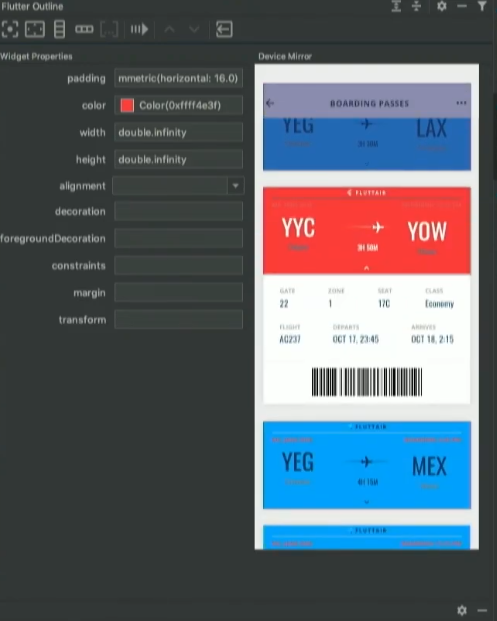
I upgraded Flutter and enabled Hot UI and restarted my IntelliJ IDEA, I get Hot UI working fine, but I can't see this "Device mirror" like you guys showed at the presentation:
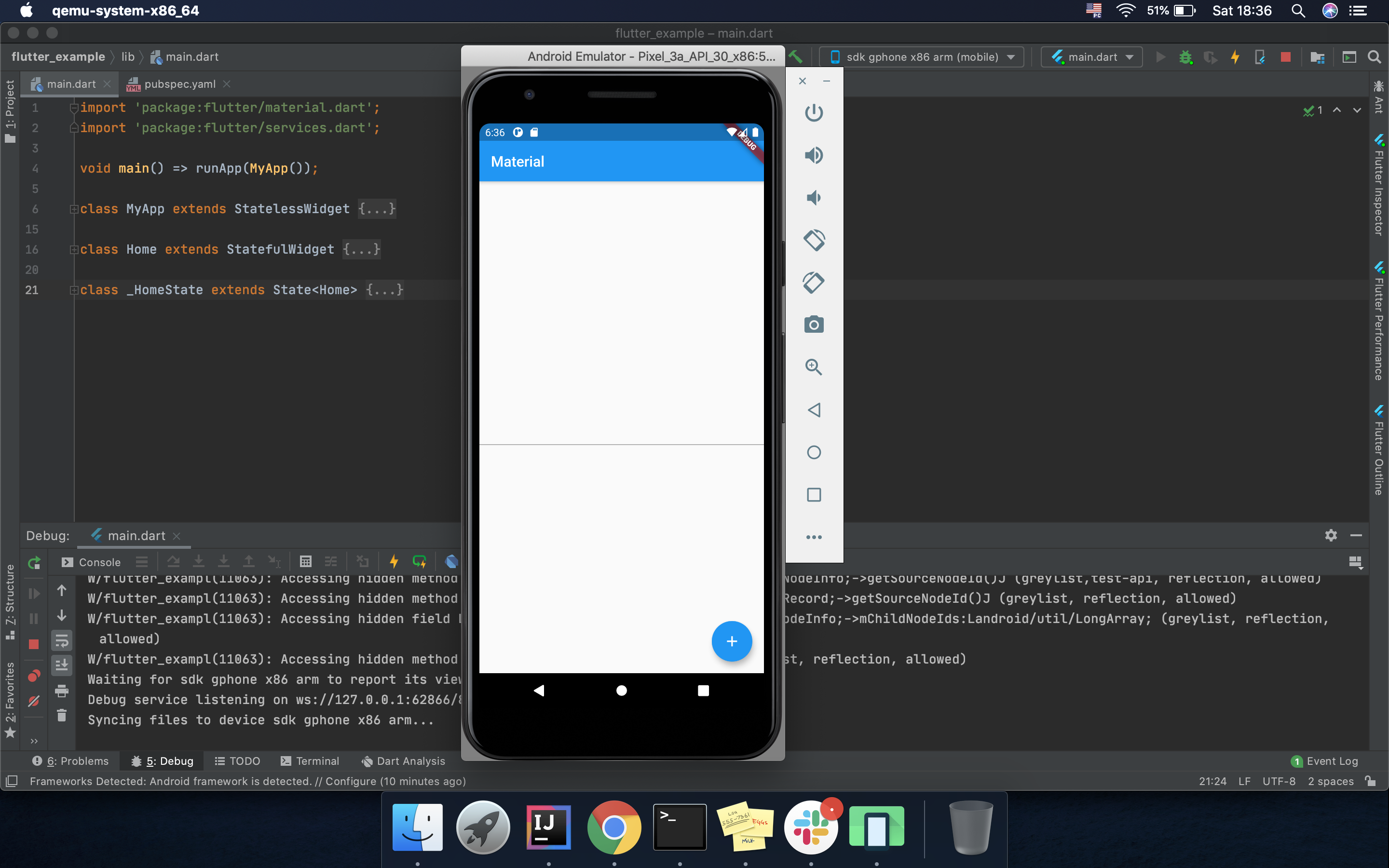
My interface looks very different:

I tested this on Android Studio as well.
 feinstein
All 9 comments

As you can see it's only a preview of property editing which is not very useful without the device mirroring which is the real killer feature.
 humazed
on 12 Dec 2019
humazed
on 12 Dec 2019
Well, I don't see many benefits from having an emulator, instead of having screen mirroring, that's what I wanted to test anyway, to see the practical difference, if any.
feinstein
on 12 Dec 2019
The code is in IntelliJ however, it also requires a newer version of Flutter (tip of Flutter). I'm not sure if it will be in next Dev Channel or next Beta Channel of Flutter. When the version of Flutter that supports Device Mirror is release well update this issue.
@jacob314
 terrylucas
on 12 Dec 2019
terrylucas
on 12 Dec 2019
Oh OK... Just a side question, what's the benefit of mirroring compared to an emulator? Is it just to have the screen of a plugged device on screen?
feinstein
on 12 Dec 2019
The advantages are:
- You can click or hover over the mirror and select widgets without changing the device to a mode where it is non-interactive.
- Having the device mirror right in the ide can be convenient if your emulator isn't visible or if you have a physical device.
- We may add extra actions right clicking on the device mirror in the future.
 jacob314
on 12 Dec 2019
jacob314
on 12 Dec 2019
Perfect, thanks Jacob.
feinstein
on 12 Dec 2019
Any progress on this?
 leaxoy
on 9 Apr 2020
leaxoy
on 9 Apr 2020
Any progress on this?
 parcool
on 21 Jul 2020
parcool
on 21 Jul 2020
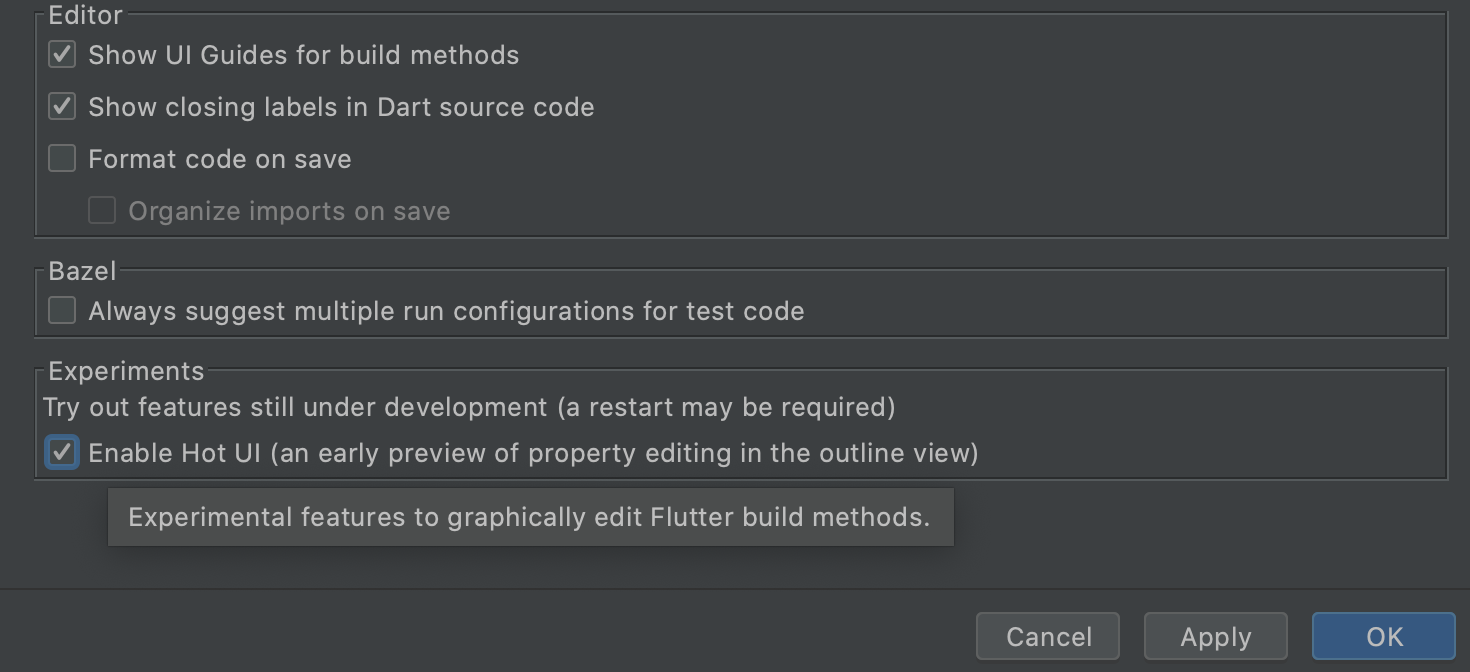
How do I enable this Hot UI feature? I checked the experimental box but when I run my code on an Android device it simply does not show me the widgets on the IDE. Do I need to do anything else?
 pedromassango
on 12 Sep 2020
pedromassango
on 12 Sep 2020
Related issues
 moodi1999
·
4Comments
moodi1999
·
4Comments
 shikechen
·
4Comments
shikechen
·
4Comments
 zoechi
·
3Comments
zoechi
·
3Comments
 DaveShuckerow
·
3Comments
DaveShuckerow
·
3Comments
 ilopX
·
3Comments
ilopX
·
3Comments
Most helpful comment
The advantages are: