Flutter-geolocator: Permission not asked on iOS
🐛 Bug Report
On my app I trying to get the current position like this:
final position = await geolocator.getCurrentPosition(desiredAccuracy: LocationAccuracy.medium);
If permission haven't been asked it should ask for it, but instead it just wait indefinitely :(
And all other calls I'm getting an error saying it's waiting for permission result, but as there is no popup asking for them it just hang forever :(
Expected behavior
Having a popup asking for permissions
Reproduction steps
Not sure :/ deep into our app permissions are not asked, but on your example app popup is here :/
Configuration
Version: 4.0.1
Platform:
- [x] :iphone: iOS both device and emulator on iOS 12.2 (work great on iOS 10)
- [ ] :robot: Android
 jaumard
All 14 comments
@jaumard I have just released new versions of the "Location Permissions" (2.0.1) and "Geolocator" (4.0.3) plugins which I hope fixes this error. Would appreciate it if you could confirm this.
 mvanbeusekom
on 7 May 2019
mvanbeusekom
on 7 May 2019
hey @mvanbeusekom ! Just tested but look like the problem is still here :(
But look like it's something related with iOS 12.2, on emulator iOS10 I have the popup just fine but on device with 12.2 both just hang forever with no popup
jaumard
on 7 May 2019
@jaumard thank you for testing, to bad this didn't solve the issue. But at least we know a bit more now.
Could you maybe check the permissions listed in your Info.plist? In the example App we only use "NSLocationWhenInUseUsageDescription":
         <key>NSLocationWhenInUseUsageDescription</key>
    <string>Allow this App to access your location only when the app is in use?</string>
I think we currently check for NSLocationWhenInUseUsageDescription and NSLocationAlwaysUsageDescription. Could it be you have the older registrations like the ones below?
    <key>NSLocationAlwaysAndWhenInUseUsageDescription</key>
    <string>Always and when in use!</string>
    <key>NSLocationUsageDescription</key>
    <string>Older devices need location.</string>
I have this:
<key>NSLocationWhenInUseUsageDescription</key>
    <string>Need GPS position in order to process and do security check for  your transaction</string>
But I don't have at all NSLocationAlwaysAndWhenInUseUsageDescription and NSLocationUsageDescription should I add them ?
jaumard
on 7 May 2019
No that should not be necessary, looks like you have the same as the example app. Just trying to see what could be different since you mentioned the example app does work.
mvanbeusekom
on 7 May 2019
I test the example app in iOS 10 now you mention it... let me test also in iOS 12.2 see if it's still works
jaumard
on 7 May 2019
Ok just tested and I have the popup on your example :( is there a way for me to ask manually for GPS permissions like it does ? To narrow down the problem a bit more
jaumard
on 7 May 2019
Yes that should be possible, basically you can import the Location Permissions package in the file where you also try to access the location:
import 'package:location_permissions/location_permissions.dart';
And then just before you request the location, you first check and/ or request permissions. Something like this should work:
final PermissionStatus permission = await _getLocationPermission();

if (permission == PermissionStatus.granted) {
  final position = await geolocator.getCurrentPosition(desiredAccuracy: LocationAccuracy.medium);

  // Use the position to do whatever...
}

Future<PermissionStatus> _getLocationPermission() async {
    final PermissionStatus permission = await LocationPermissions()
        .checkPermissionStatus(level: LocationPermissionLevel.location);

    if (permission != PermissionStatus.granted) {
      final PermissionStatus permissionStatus = await LocationPermissions()
          .requestPermissions(
              permissionLevel: LocationPermissionLevel.location);

      return permissionStatus;
    } else {
      return permission;
    }
}
Thanks @mvanbeusekom ! I've made multiple test and iOS 11.4, 12, 12.1 and 12.2 doesn't show me the popup :/ only iOS 10 actually show it to me :/
I'll test and dig more by asking myself the permission to see where it's freeze
jaumard
on 7 May 2019
Thanks that would be incredibly helpful ❤️
mvanbeusekom
on 7 May 2019
So I just tried this:
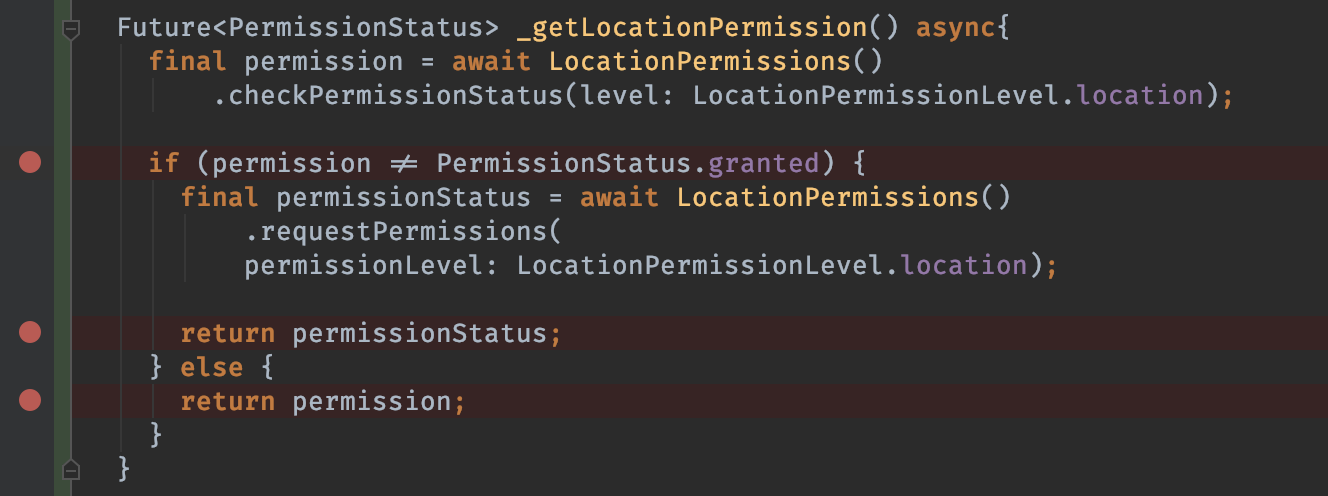
first breakpoint it stop and permissions are 'unknown' so we go on the if and ask for permission with the platform channel, but we never get a response back here (which is normal as there is no popup) :(
ho! just run directly from Xcode and the console say to me:
This app has attempted to access privacy-sensitive data without a usage description. The app's Info.plist must contain both “NSLocationAlwaysAndWhenInUseUsageDescription” and “NSLocationWhenInUseUsageDescription” keys with string values explaining to the user how the app uses this data
So adding the missing key unlock the popup... Sorry for the noise, might help other people ^^
jaumard
on 7 May 2019
Thank you @jaumard, I will start looking into this and make sure that it is documented in the README.md
mvanbeusekom
on 7 May 2019
I solved this after all these permission in info.plist:
 kingkhan7511
on 10 Jul 2019
kingkhan7511
on 10 Jul 2019
It might be late to reply but I was also facing the same problem where the app was not asking for permission in iOS and was working perfectly fine in android.
Because it was not asked for permission that's why the permission code was not working for iOS. I found a package named "location_permissions" which can be used to ask for permission manually.
Steps to do are following
- Add "location_permissions: 3.0.0+1" this dependencies in "pubspec.yaml". Please note that I did that for flutter 1.22.0 so for flutter 2.0 this might be an issue.
Import the package in the file
import 'package:location_permissions/location_permissions.dart';
Add the following code on the page where you want to ask for permission. (Better to add that on the very first page of your app.)
 @override
  void initState() {
   ....
  if (Platform.isIOS) {
    location_permission();
  }
  ....
}
Add the following two methods in the same file
void location_permission() async {
final PermissionStatus permission = await _getLocationPermission();
if (permission == PermissionStatus.granted) {
final position = await geolocator.getCurrentPosition(
desiredAccuracy: LocationAccuracy.best);// Use the position to do whatever... }}
Future
_getLocationPermission() async {
final PermissionStatus permission = await LocationPermissions()
.checkPermissionStatus(level: LocationPermissionLevel.location);if (permission != PermissionStatus.granted) { final PermissionStatus permissionStatus = await LocationPermissions() .requestPermissions( permissionLevel: LocationPermissionLevel.location); return permissionStatus; } else { return permission; }}
That's it now you should get a popup in the iOS app which will ask for the permission of location.
 nite82
on 9 Mar 2021
nite82
on 9 Mar 2021
Related issues
jaumard
·
3Comments
 BigWillieStyle
·
6Comments
BigWillieStyle
·
6Comments
 dark-chocolate
·
3Comments
dark-chocolate
·
3Comments
 deisold
·
3Comments
deisold
·
3Comments
 joesnarky
·
3Comments
joesnarky
·
3Comments
Most helpful comment
I solved this after all these permission in info.plist: