Flow: [Vaadin 19] After install PWA app I can't open this app via clicking on icon (from windows pulpit)
Description of the bug
I installed Vaadin 19 PWA demo app by clicking in Chrome the install button (latest Chrome in Win 10). The app icon appeared on the Windows pulpit. But after clicking this icon on Windows pulpit no app is started but I can only see this:

This is of course the chrome_proxy window but in its content there is only text (from manifest?).
Of course just after installing the application chrome opened a new proxy window and application was shown in this window. You have to close this and open installed app again by clicking on the pulpit icon.
When I do the same with Vaadin 14 demo app everything is ok. After clicking Vaadin 14 PWA application icon (on the Windows pulpit) the app is started and shown in the chrome_proxy window. Sic!
The same app but different Vaadin version (and PWA mechanism).
I must add that this is not the only Vaadin 19 application that has behaved in this way.
I'm creatin real production app (Java + Spring) which was on Vaadin 14. But I upgraded my app to Vaadin 19 version, I configured PWA (exactly as described in documentation- in the AppShellConfigurator), run the app and installed it as PWA application in Chrome. I was surprised that clickin on icon from pulpit doesn't work. That is why I did a test with yours demo app- the same problem. So it has to bee something with a new PWA mechanism in Vaadin (maybe :).
Minimal reproducible example
I took from "Vaadin / Start building" page the demo/starting app named "Vaadin 18 – latest features" (in builder I chose latest Vaadin 19 version). I imported this project into my Eclipse workspace (maven import). I changed packaging to war in pom. Then run this app (tomcat 9, thats why war). Opened this app on Chrome (on Windows), installed it. Then closed Chrome and finaly clicked on the app icon on pulpit.
Source here:
my-app.zip
Expected behavior
Why there's no app in chrome_proxy window but only text? What I'm doing wrong?
I am in a difficult position because I am releasing the application soon and I've promised that it will be a PWA :|
Versions:
- Vaadin / Flow version: Vaadin 19.0.0.beta4
- Java version: 8
- OS version: Windows 10
- Browser version (if applicable): Chrome 88.
- Application Server (if applicable): Tomcat 9
- IDE (if applicable): Eclipse
 darmro
All 9 comments
I've just made the same test on Android (via Browserstack).
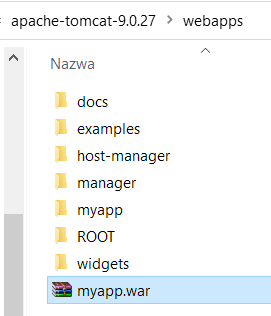
The same war app I deployed on Tomcat9 (directly deployed war on the server, outside IDE).
I opened the main app view in the browser (chrome), next clicked "Install app" in Chrome options menu. App was installed and app icon appeared on phone screen:

Next I closed the browser and clicked on this app icon on phone screen and ...:

There's only text (manifest) instead of the app - so the same problem like in windows.
darmro
on 2 Mar 2021
So maybe the problem is that this is a war app (deployed as war not run as spring boot jar app), like in this issue https://github.com/vaadin/flow/issues/10160
darmro
on 2 Mar 2021
Of course I also cleared the local cache while testing (by clicking the Clear site data in chrome)- nothing has repaired.
darmro
on 3 Mar 2021
So maybe the problem is that this is a war app (deployed as war not run as spring boot jar app), like in this issue #10160
Verified that it's not about war. It has been broken since 19.0.0.alpha2 when the new PWA mechanism was introduced in Vaadin.
 haijian-vaadin
on 3 Mar 2021
haijian-vaadin
on 3 Mar 2021
Hi @darmro, this is a bug in Vaadin, we are working on it. Meanwhile, I found a workaround that maybe you can give it a try to see if it works for you.
The workaround is to define a startPath in the @PWA annotation:
- If your app is deployed to the root context, you can define it as
startPath = "/" - If your app is deployed to a non-root context, e.g.
myappyou can define it asstartPath = "/myapp/"
haijian-vaadin
on 3 Mar 2021
Thank you @haijian-vaadin.
I have a month to get it work on production so I will wait for a fix :)
Will the fix be in 19.0.0.beta5 (or in stable 19 release)?
darmro
on 3 Mar 2021
@darmro, sure. We will release 19.0.0 next Wednesday. The fix won't catch that train, it will land in 19.0.1, which could be about 1 week after the 19.0.0 release.
haijian-vaadin
on 3 Mar 2021
I found another workaround: define startPath = ".", meaning the directory location of the manifest. Then it does not depend on the context path.
I guess we could try using that as a default value for start_url to fix this issue.
 platosha
on 3 Mar 2021
platosha
on 3 Mar 2021
Super! This workaround is nice and I can use it right now (because context of our app is different in dev,test and production and setting '.' is universal). It works. Thanks :)
darmro
on 3 Mar 2021
Related issues
 stefanuebe
·
4Comments
stefanuebe
·
4Comments
 marcushellberg
·
4Comments
marcushellberg
·
4Comments
 vlukashov
·
3Comments
vlukashov
·
3Comments
 SomeoneToIgnore
·
4Comments
SomeoneToIgnore
·
4Comments
SomeoneToIgnore
·
4Comments
SomeoneToIgnore
·
4Comments