Flow: Starting a Wildfly after a Eclipse-Restart causes Vaadin to generate Files in the Wildfly-bin folder
Description of the bug
I noticed recently that after a eclipse start I always have to do a vaadin:prepare-frontend or similar to get my Wildfly with Vaadin working, else it crashes with:
Log (click to toggle)
...
11:55:20,025 INFO  [com.vaadin.cdi.VaadinExtension] (MSC service thread 1-3) VaadinServiceScopedContext registered for Vaadin CDI
11:55:20,025 INFO  [com.vaadin.cdi.VaadinExtension] (MSC service thread 1-3) VaadinSessionScopedContext registered for Vaadin CDI
11:55:20,025 INFO  [com.vaadin.cdi.VaadinExtension] (MSC service thread 1-3) UIScopedContext registered for Vaadin CDI
11:55:20,025 INFO  [com.vaadin.cdi.VaadinExtension] (MSC service thread 1-3) RouteScopedContext registered for Vaadin CDI
11:55:20,344 INFO  [io.undertow.servlet] (ServerService Thread Pool -- 78) Initializing AtmosphereFramework
11:55:20,348 INFO  [com.vaadin.cdi.CdiServletDeployer] (ServerService Thread Pool -- 78) Automatically deploying CDI Vaadin servlet to /*
11:55:20,392 INFO  [com.vaadin.flow.server.startup.DevModeInitializer] (ServerService Thread Pool -- 78) Starting dev-mode updaters in C:\Wildfly\wildfly-19.1.0.Final_Bare\bin folder.
11:55:20,685 INFO  [dev-updater] (ServerService Thread Pool -- 78) Visited 74 classes. Took 14 ms.
11:55:20,699 INFO  [dev-updater] (ServerService Thread Pool -- 78) Skipping `npm install`.
11:55:20,699 INFO  [dev-updater] (ServerService Thread Pool -- 78) Copying frontend resources from jar files ...
11:55:20,765 INFO  [dev-updater] (ServerService Thread Pool -- 78) Visited 12 resources. Took 65 ms.
11:55:20,768 ERROR [org.jboss.msc.service.fail] (ServerService Thread Pool -- 78) MSC000001: Failed to start service jboss.deployment.unit."testproject-1.0-SNAPSHOT.war".undertow-deployment: org.jboss.msc.service.StartException in service jboss.deployment.unit."testproject-1.0-SNAPSHOT.war".undertow-deployment: java.lang.RuntimeException: java.lang.IllegalStateException:

  Failed to find the following css files in the `node_modules` or `C:\Wildfly\wildfly-19.1.0.Final_Bare\bin\.\frontend` directory tree:
      - ./styles/shared-styles.css
      - ./styles/vaadin-text-field-styles.css
  Unable to locate frontend resources and missing token file. Please run the `prepare-frontend` Vaadin plugin goal before deploying the application


    at [email protected]//org.wildfly.extension.undertow.deployment.UndertowDeploymentService$1.run(UndertowDeploymentService.java:81)
    at java.base/java.util.concurrent.Executors$RunnableAdapter.call(Executors.java:515)
    at java.base/java.util.concurrent.FutureTask.run(FutureTask.java:264)
    at [email protected]//org.jboss.threads.ContextClassLoaderSavingRunnable.run(ContextClassLoaderSavingRunnable.java:35)
    at [email protected]//org.jboss.threads.EnhancedQueueExecutor.safeRun(EnhancedQueueExecutor.java:1982)
    at [email protected]//org.jboss.threads.EnhancedQueueExecutor$ThreadBody.doRunTask(EnhancedQueueExecutor.java:1486)
    at [email protected]//org.jboss.threads.EnhancedQueueExecutor$ThreadBody.run(EnhancedQueueExecutor.java:1377)
    at java.base/java.lang.Thread.run(Thread.java:834)
    at [email protected]//org.jboss.threads.JBossThread.run(JBossThread.java:485)
Caused by: java.lang.RuntimeException: java.lang.IllegalStateException:

  Failed to find the following css files in the `node_modules` or `C:\Wildfly\wildfly-19.1.0.Final_Bare\bin\.\frontend` directory tree:
      - ./styles/shared-styles.css
      - ./styles/vaadin-text-field-styles.css
  Unable to locate frontend resources and missing token file. Please run the `prepare-frontend` Vaadin plugin goal before deploying the application


    at [email protected]//io.undertow.servlet.core.DeploymentManagerImpl.deploy(DeploymentManagerImpl.java:254)
    at [email protected]//org.wildfly.extension.undertow.deployment.UndertowDeploymentService.startContext(UndertowDeploymentService.java:96)
    at [email protected]//org.wildfly.extension.undertow.deployment.UndertowDeploymentService$1.run(UndertowDeploymentService.java:78)
    ... 8 more
Caused by: java.lang.IllegalStateException:

  Failed to find the following css files in the `node_modules` or `C:\Wildfly\wildfly-19.1.0.Final_Bare\bin\.\frontend` directory tree:
      - ./styles/shared-styles.css
      - ./styles/vaadin-text-field-styles.css
  Unable to locate frontend resources and missing token file. Please run the `prepare-frontend` Vaadin plugin goal before deploying the application


    at deployment.testproject-1.0-SNAPSHOT.war//com.vaadin.flow.server.frontend.AbstractUpdateImports.getCssLines(AbstractUpdateImports.java:221)
    at deployment.testproject-1.0-SNAPSHOT.war//com.vaadin.flow.server.frontend.AbstractUpdateImports.run(AbstractUpdateImports.java:105)
    at deployment.testproject-1.0-SNAPSHOT.war//com.vaadin.flow.server.frontend.TaskUpdateImports.execute(TaskUpdateImports.java:378)
    at deployment.testproject-1.0-SNAPSHOT.war//com.vaadin.flow.server.frontend.NodeTasks.execute(NodeTasks.java:445)
    at deployment.testproject-1.0-SNAPSHOT.war//com.vaadin.flow.server.startup.DevModeInitializer.initDevModeHandler(DevModeInitializer.java:316)
    at deployment.testproject-1.0-SNAPSHOT.war//com.vaadin.flow.server.startup.DevModeInitializer.process(DevModeInitializer.java:209)
    at deployment.testproject-1.0-SNAPSHOT.war//com.vaadin.flow.server.startup.ClassLoaderAwareServletContainerInitializer.onStartup(ClassLoaderAwareServletContainerInitializer.java:76)
    at [email protected]//io.undertow.servlet.core.DeploymentManagerImpl$1.call(DeploymentManagerImpl.java:204)
    at [email protected]//io.undertow.servlet.core.DeploymentManagerImpl$1.call(DeploymentManagerImpl.java:186)
    at [email protected]//io.undertow.servlet.core.ServletRequestContextThreadSetupAction$1.call(ServletRequestContextThreadSetupAction.java:42)
    at [email protected]//io.undertow.servlet.core.ContextClassLoaderSetupAction$1.call(ContextClassLoaderSetupAction.java:43)
    at [email protected]//org.wildfly.extension.undertow.security.SecurityContextThreadSetupAction.lambda$create$0(SecurityContextThreadSetupAction.java:105)
    at [email protected]//org.wildfly.extension.undertow.deployment.UndertowDeploymentInfoService$UndertowThreadSetupAction.lambda$create$0(UndertowDeploymentInfoService.java:1541)
    at [email protected]//org.wildfly.extension.undertow.deployment.UndertowDeploymentInfoService$UndertowThreadSetupAction.lambda$create$0(UndertowDeploymentInfoService.java:1541)
    at [email protected]//org.wildfly.extension.undertow.deployment.UndertowDeploymentInfoService$UndertowThreadSetupAction.lambda$create$0(UndertowDeploymentInfoService.java:1541)
    at [email protected]//org.wildfly.extension.undertow.deployment.UndertowDeploymentInfoService$UndertowThreadSetupAction.lambda$create$0(UndertowDeploymentInfoService.java:1541)
    at [email protected]//io.undertow.servlet.core.DeploymentManagerImpl.deploy(DeploymentManagerImpl.java:252)
    ... 10 more

11:55:20,770 ERROR [org.jboss.as.controller.management-operation] (Controller Boot Thread) WFLYCTL0013: Operation ("deploy") failed - address: ([("deployment" => "testproject-1.0-SNAPSHOT.war")]) - failure description: {"WFLYCTL0080: Failed services" => {"jboss.deployment.unit.\"testproject-1.0-SNAPSHOT.war\".undertow-deployment" => "java.lang.RuntimeException: java.lang.IllegalStateException:

  Failed to find the following css files in the `node_modules` or `C:\\Wildfly\\wildfly-19.1.0.Final_Bare\\bin\\.\\frontend` directory tree:
      - ./styles/shared-styles.css
      - ./styles/vaadin-text-field-styles.css
  Unable to locate frontend resources and missing token file. Please run the `prepare-frontend` Vaadin plugin goal before deploying the application


    Caused by: java.lang.RuntimeException: java.lang.IllegalStateException:

  Failed to find the following css files in the `node_modules` or `C:\\Wildfly\\wildfly-19.1.0.Final_Bare\\bin\\.\\frontend` directory tree:
      - ./styles/shared-styles.css
      - ./styles/vaadin-text-field-styles.css
  Unable to locate frontend resources and missing token file. Please run the `prepare-frontend` Vaadin plugin goal before deploying the application


    Caused by: java.lang.IllegalStateException:

  Failed to find the following css files in the `node_modules` or `C:\\Wildfly\\wildfly-19.1.0.Final_Bare\\bin\\.\\frontend` directory tree:
      - ./styles/shared-styles.css
      - ./styles/vaadin-text-field-styles.css
  Unable to locate frontend resources and missing token file. Please run the `prepare-frontend` Vaadin plugin goal before deploying the application

"}}
11:55:20,811 INFO  [org.jboss.as.server] (ServerService Thread Pool -- 45) WFLYSRV0010: Deployed "testproject-1.0-SNAPSHOT.war" (runtime-name : "testproject-1.0-SNAPSHOT.war")
11:55:20,812 INFO  [org.jboss.as.controller] (Controller Boot Thread) WFLYCTL0183: Service status report
WFLYCTL0186:   Services which failed to start:      service jboss.deployment.unit."testproject-1.0-SNAPSHOT.war".undertow-deployment: java.lang.RuntimeException: java.lang.IllegalStateException:

  Failed to find the following css files in the `node_modules` or `C:\Wildfly\wildfly-19.1.0.Final_Bare\bin\.\frontend` directory tree:
      - ./styles/shared-styles.css
      - ./styles/vaadin-text-field-styles.css
  Unable to locate frontend resources and missing token file. Please run the `prepare-frontend` Vaadin plugin goal before deploying the application


WFLYCTL0448: 1 additional services are down due to their dependencies being missing or failed
11:55:20,852 INFO  [org.jboss.as.server] (Controller Boot Thread) WFLYSRV0212: Resuming server
11:55:20,854 INFO  [org.jboss.as] (Controller Boot Thread) WFLYSRV0060: Http management interface listening on http://127.0.0.1:9990/management
11:55:20,854 INFO  [org.jboss.as] (Controller Boot Thread) WFLYSRV0051: Admin console listening on http://127.0.0.1:9990
11:55:20,854 ERROR [org.jboss.as] (Controller Boot Thread) WFLYSRV0026: WildFly Full 19.1.0.Final (WildFly Core 11.1.1.Final) started (with errors) in 5265ms - Started 452 of 683 services (3 services failed or missing dependencies, 379 services are lazy, passive or on-demand)
It took me some time to notice, but then it hit me: Starting dev-mode updaters in C:\Wildfly\wildfly-19.1.0.Final_Bare\bin folder.
As you can see in the logs Vaadin tries to compile the frontend-stuff in the Wildfly folder and through that pollutes it with it's files:


The bug doesn't seem to be always 100% reproducible.
Sometimes I have this problem, sometimes not...
Resulting problems :x:
- I have to do a
vaadin:prepare-frontend, refresh the project and restart the server which is uncool and costs a lot of time over a longer period - The wildfly-bin folder get's messed up, I have to clean it regurally (which also costs a lot of time over a longer period)
- In extrem causes (e.g. if there are the same files already in the wildfly/bin-folder) this can damage the wildfly installation
Minimal reproducible example
Setup
- Download and install the latest eclipse (2020-03)
- Download and install the latest Wildfly (19.0.1)
- Download the Vaadin Starter project (CDI + Java EE)
- Start eclipse
- Make a new workspace
- Add the JBoss Tool via Eclipse Marketplace (requires restart)
- Remove any preinstalled JREs and set JDK 11 (Preferences>Java>Installed JREs), set also the compiler to Java 11 (Preferences>Java>Compiler)
- Import the Vaadin Starter project
- Open the servers tab (Windows>Show View)
- Add the Wildfly
- Add the project to the wildfly
Reproduction example
I made a little video:
VaadinBuildsFrontendInWildfly.zip
Or view it directly as gif: 
If the following doesn't work try out my minor modified pom:
pom.zip
- maven → clean install the project
- Refresh the project in eclipse (F5) or Maven Update it (Alt+F5)
- Start the server → no compiling problems
- If everything is working fine try the following at least 2-3 times until the server breaks:
- Shutdown eclipse
- Start eclipse again
- Start the server → server breaks
Expected behavior
- Vaadin uses the correct folder (not the Wildfly/bin)
Actual behavior
Vaadin uses the Wildfly/bin instead of the project-Folder
This behavior is caused due to the non-exsistence of project.basedir in the DeploymentConfiguration while processing DevModeInitalizer

which causes a fallback to user.dir. That resolves to the wildfly-bin folder:

Versions:
- Vaadin / Flow version: 14.2.0 (latest LTS)
- Java version: OpenJDK 11.0.6
- OS version: Win 10
- Browser version (if applicable): -
- Application Server (if applicable): Wildfly 19.0.1 Final
- IDE (if applicable): Eclipse 2020-03 (+JBoss Tools)
 AB-xdev
All 12 comments
Might be related to https://github.com/vaadin/flow/issues/8249
 Legioth
on 22 May 2020
Legioth
on 22 May 2020
I can also preproduce this problem (mostly) with another project.
Here the versions:
- Vaadin / Flow version: 14.1.29
- Java version: OpenJDK 11.0.6
- OS version: Win 10
- Browser version (if applicable): -
- Application Server (if applicable): Wildfly 18.0.1 Final and Wildfly 15.0.1 Final
- IDE (if applicable): Eclipse 2019-09 (+JBoss Tools)
We also very likely aborted the companywide introduction (not sure anymore what was the exact reason maybe also other problems; it's now more than 9 months since our update to V14) of the "dev-webpack-server" (I don't know how it's called corretly, but when you start the server it does build-frontend) and are now generating the frontend files (prepare + build-frontend) with a eclipse launcher, which has to be executed every time you change a frontend-file or if the styling breaks (not as often as this problem).
AB-xdev
on 22 May 2020
@AB-xdev I'm not able to reproduce this with the exact same Eclipse and Vaadin versions. It looks like your Eclipse is deploying a new war without the file WEB-INF/classes/META-INF/VAADIN/config/flow-build-info.json after restarting it. This file gives DevModeInitializer the location of the project base dir. This file is produced by vaadin:prepare-frontend, goal and the m2e-specific lifecycle configuration metadata in vaadin-maven-plugin should trigger the goal automatically when building the project. So, after restarting Eclipse, it should be sufficient to rebuild the project (e.g. "Project" -> "Clean" if "Build automatically" checked).
There are two subproblems to be solved:
- IDE-specific: Why does Eclipse deploy a new war without
flow-build-info.jsonupon restart? - Flow should not in any case write files into the
bindirectory of the web server when it's missingflow-build-info.json. Some ideas how to determine whether we are in the right directory proposed here. Update: This PR introduces a check to fail fast otherwise.
 joheriks
on 1 Jul 2020
joheriks
on 1 Jul 2020
@AB-xdev Regarding subproblem 1, I am still unable to reproduce this behavior. Do you have specific JBoss Tools or Eclipse settings or is everything at default? A zip of the Eclipse workspace containing the failing starter project could help tremendeously in reproducing this.
joheriks
on 2 Jul 2020
Nice to see a PR, which tries to fix the problem 👍
My informations:
I tested it with a fresh Eclipse (Java EE Edition) and fresh JBoss Tools
Installed:
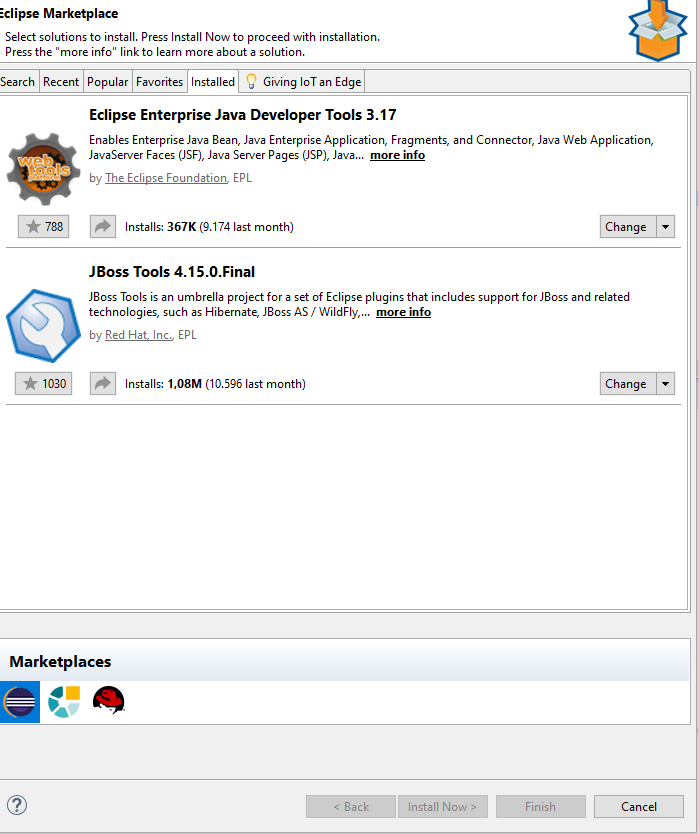
Reported values from usage report:
Version: 2.2.300.v20200323-1608
Components: AS-CDI-FORGE-FUSE-HIBERNATE-JSF-MAVEN-RUNTIME-VPE

Eclipse product: org.eclipse.epp.package.jee
Eclipse product version: 4.15.0

Operating system: win32
Operating system version: 10.0

JVM name: Java HotSpot(TM) 64-Bit Server VM
JVM architecture: 64
JVM version: 1.8.0_192

Locale: de-DE
Screen Colors: 32-bit
Screen Resolution: 3840x1080

Report owner: jboss.org

Number of usage-hits: 34
First usage reported on: 22.05.2020 08:28
Last usage reported on: 22.05.2020 12:12
Current usage reported on: 06.07.2020 15:10
JBoss Central Enabled: false

Events:

Component: central
Component version: 2.1.301
Category: central
Action: browser
Label: Specifies which browser was used for JBoss Tools Central

Component: usage
Component version: 2.2.300.v20200323-1608
Category: central
Action: showOnStartup
Label: true|false|N/A

Component: server
Component version: 3.9.101
Category: server
Action: detect
Label: Server Runtime ID

Component: usage
Component version: 2.2.300
Category: jbt
Action: installed
Label: Installed plugins: AS-CDI-FORGE-FUSE-HIBERNATE-JSF-MAVEN-RUNTIME-VPE

Component: ws
Component version: 2.0.102
Category: ws
Action: jaxwstester
Label: Request method (JAX-WS)
Value: How many times during the day

Component: server
Component version: 3.9.101
Category: server
Action: new
Label: Server Runtime ID
Value: 0 = failed, 1 = successful

Component: forge
Component version: 2.0.400
Category: forge
Action: start
Label: Forge Runtime Version
Value: major.minor.micro.identifier

Component: examples
Component version: 3.1.300
Category: examples
Action: create
Label: Project example name

Component: usage
Component version: 2.2.300
Category: jbt
Action: finishWizard
Label: Wizard class name
Value: How many times the 'Finish' button pressed during the day
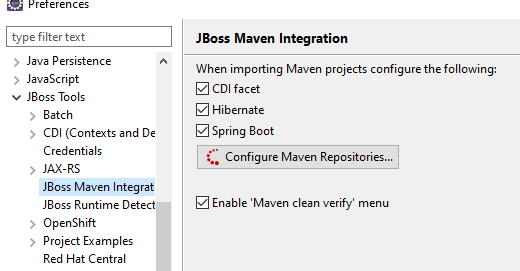
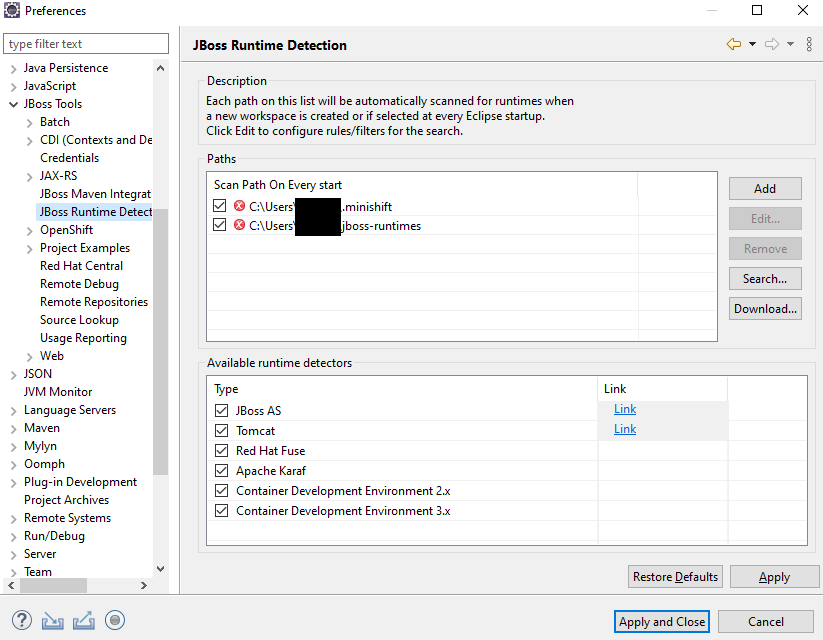
Dump of workspace and project can be found here
NOTE: The project was located outside of the Workspace
AB-xdev
on 6 Jul 2020
Thanks for the update. Unfortunately, inspectin the workspace I am not able to reproduce subproblem 1 consistently and also I don't see what can be done in the framework since this is IDE specific. As the more serious subproblem 2 is fixed, I am going to close this issue. As a longshot, you could try adding a lifecycle-mapping-metadata.xml for the workspace to instruct Eclipse to run prepare-frontend also on incremental builds:
<?xml version="1.0" encoding="UTF-8"?>
<lifecycleMappingMetadata>
  <pluginExecutions>
    <pluginExecution>
      <pluginExecutionFilter>
         <groupId>com.vaadin</groupId>
         <artifactId>vaadin-maven-plugin</artifactId>
         <versionRange>14.2.3</versionRange>
        <goals>
          <goal>prepare-frontend</goal>
        </goals>
      </pluginExecutionFilter>
      <action>
        <execute>
          <runOnIncremental>true</runOnIncremental>
          <runOnConfiguration>true</runOnConfiguration>
        </execute>
      </action>
    </pluginExecution>
  </pluginExecutions>
</lifecycleMappingMetadata>
Looks like the <runOnIncremental>true</runOnIncremental> fixed it, i can't reproduce the problem after the start of eclipse anymore 👍
Now my pom looks like this:
<plugin>
    <groupId>org.eclipse.m2e</groupId>
    <artifactId>lifecycle-mapping</artifactId>
    <version>1.0.0</version>
    <configuration>
        <lifecycleMappingMetadata>
            <pluginExecutions>
                <pluginExecution>
                    <pluginExecutionFilter>
                        <groupId>com.vaadin</groupId>
                        <artifactId>vaadin-maven-plugin</artifactId>
                        <!-- Apply this fix to all versions >= 14 -->
                        <versionRange>[14,)</versionRange>
                        <goals>
                            <goal>prepare-frontend</goal>
                        </goals>
                    </pluginExecutionFilter>
                    <action>
                        <execute>
                            <!-- Suggested fix at https://github.com/vaadin/flow/issues/8403#issuecomment-655548240 -->
                            <runOnIncremental>true</runOnIncremental>
                            <runOnConfiguration>true</runOnConfiguration>
                        </execute>
                    </action>
                </pluginExecution>
            </pluginExecutions>
        </lifecycleMappingMetadata>
    </configuration>
</plugin>
Ok, thanks for the quick feedback. UPDATE: executing the goal on every build(runOnIncremental true) causes performance issues.
joheriks
on 9 Jul 2020
@joheriks
My demo project didn't have any great performance-problems (I didn't noticed a difference), but I think that is dependent on the project and the performance of the developers computer.
Also one last question:
Will the changes from https://github.com/vaadin/flow/pull/8681 getting back-ported to Vaadin 14?
AB-xdev
on 9 Jul 2020
@AB-xdev Yes, the change will be included in next maintenance release of Vaadin 14.3.
joheriks
on 10 Jul 2020
@joheriks
Unfortunately I have to withdraw my recommendation for the workaround.
We tested the workaround now in more detail and it turned out to be impractical and unsustainable:
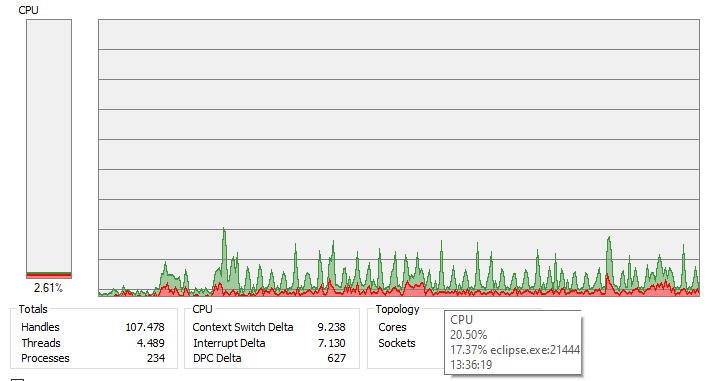
After doing a clean install, Eclipse seems to run into an deadlock, where it trys to build the workspace every few seconds:
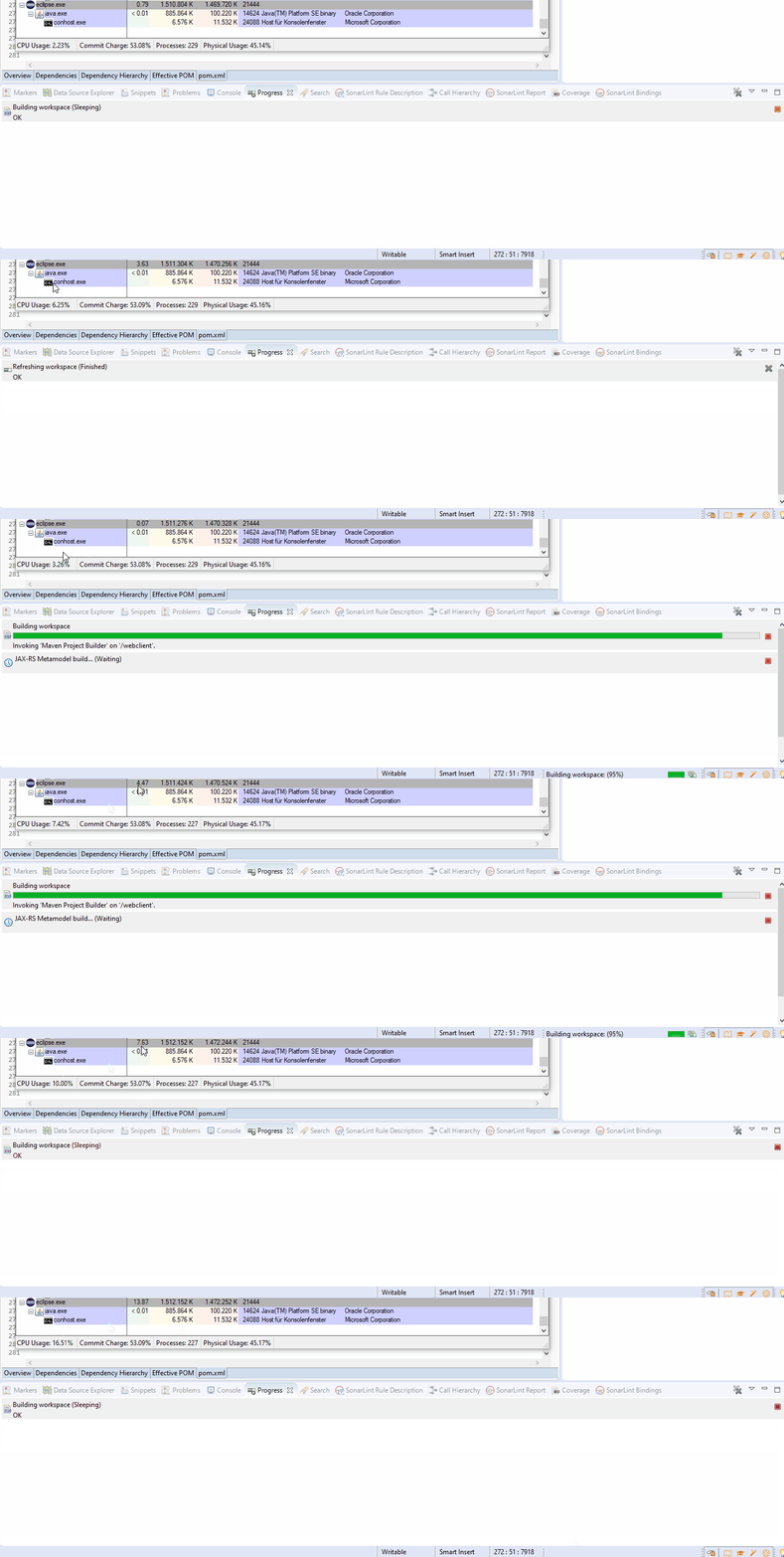
This causes major CPU load (up to ~20%):
We are waiting for the release of Vaadin 14.3.X with the fix :)
AB-xdev
on 13 Jul 2020
@AB-xdev Thanks for testing, this is not a good approach and you have confirmed this.
joheriks
on 13 Jul 2020
Related issues
 pleku
·
4Comments
pleku
·
4Comments
 SomeoneToIgnore
·
4Comments
SomeoneToIgnore
·
4Comments
 appreciated
·
3Comments
pleku
·
4Comments
appreciated
·
3Comments
pleku
·
4Comments
 rucko24
·
3Comments
rucko24
·
3Comments