Flow-for-vscode: Hover on "import" line shows as "any"
Whenever I import anything from a module, hovering over it always shows it as any. And the flow highlight syntax treats it as any.
Screenshots:
- we see on hover
FontWeightis shown asany:

- we see here that
FontWeightis not defined asany:

 Noitidart
All 17 comments
Here is steps to reproduce for another example:
- react-native init blah
add file to root
types.jswith:type Rawr = number; export type { Rawr }In
index.ios.jsdo:import type { Rawr } from './types' const blah: Rawr = 'rawaa';
Screenshots:
types.js - http://i.imgur.com/ZdRvIbR.png
index.ios.js - http://i.imgur.com/msMY3g6.png
(notice in index.ios.js screenshot in bottom left Flow: 100.0% and no error highlighting)
i have flow-bin installed globally at 0.47 and it matches that found in my projects .flowconfig
Noitidart
on 15 Jul 2017
I'm reasonably sure that what you're seeing here is the VS Code TypeScript inferred types- Flow messages have the prefix "Flow: "
 orta
on 15 Jul 2017
orta
on 15 Jul 2017
@orta Oh you are totally right!!
So the types are working right. Its just the hover on the import is showing incorrect:
Hover of import is showing typescript:

But hover over the used type after import is showing correct:

Noitidart
on 15 Jul 2017
I've been having the same issue for quite some time. @Noitidart have you found a solution? Flow is not nearly as useful with this issue.
 DarrylD
on 7 Aug 2017
DarrylD
on 7 Aug 2017
@DarrylD I found no solution. I can only just use the import then hover to see if it is correct.
Noitidart
on 7 Aug 2017
Same here: https://github.com/flowtype/flow-for-vscode/issues/23#issuecomment-325130856
 liushigit
on 26 Aug 2017
liushigit
on 26 Aug 2017
Same problem for me. Created a new react app using create-react-app installed flow and the addon to vs code. Always shows any for me when doing import type.
 johot
on 14 Sep 2017
johot
on 14 Sep 2017
@Noitidart, I think it's not a case of hover showing the 'wrong' type information, it should show both sets of type information (as you can't currently turn the typescript hover type info off in code).
I'm seeing something similar whereby flow-for-vscode doesn't show type information for even a locally declared type.
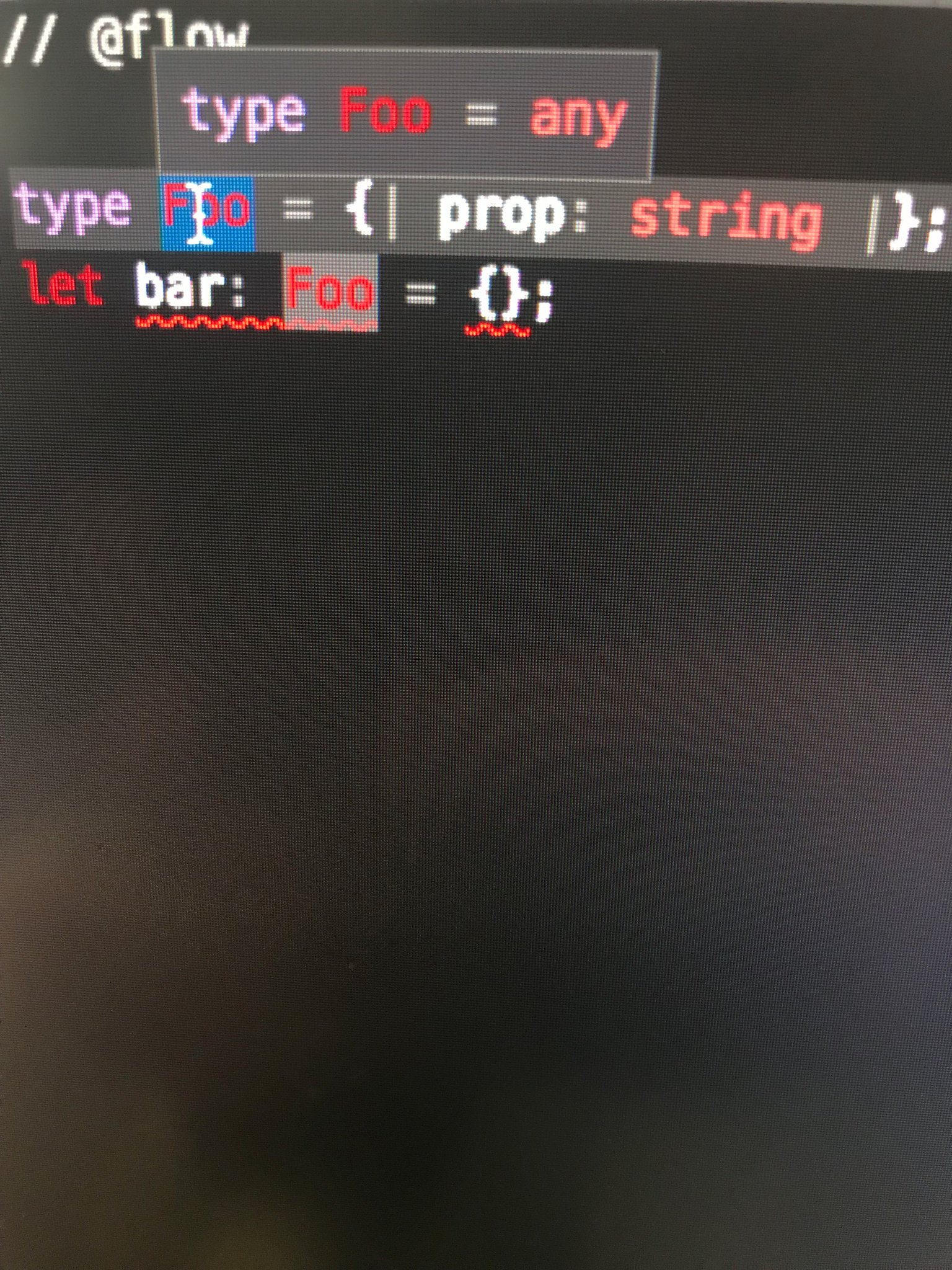
 joshjhargreaves
on 15 Sep 2017
joshjhargreaves
on 15 Sep 2017
The problem is that the plugin can't get the real type if you write import like this
import type { ApplicationActions } from "./application";
try with
import { type ApplicationActions } from "./application";
 fpersico
on 8 Mar 2018
fpersico
on 8 Mar 2018
Having a similar issue.
This does not recognise the type import
import type { ProfileConfig } from './ProfileConfig';
This does.
import { type ProfileConfig } from './ProfileConfig';
 rihdus
on 1 Aug 2018
rihdus
on 1 Aug 2018
Can we get hover support for
import type { ProfileConfig } from './ProfileConfig';
Otherwise we have babel trying to do a lot for nothing on our CRA app.
 Tasemu
on 2 Nov 2018
Tasemu
on 2 Nov 2018
I got the same problem.

1º problem:
If I hovered the import types, always display type any as shown in the picture above.
2º problem:
As displayed in line number 25 in the left file you'll see:
case 'asd':
The type 'asd' is not defined in the action type and should catch the error.
If I place the types in the same file and not import them it works as expected.
 jcrjaci
on 14 Dec 2018
jcrjaci
on 14 Dec 2018
Any news with this? It is painful to work with flow in vscode currently.
Tasemu
on 14 Dec 2018
I got the same problem.
1º problem:
If I hovered the import types, always display type any as shown in the picture above.
2º problem:
As displayed in line number 25 in the left file you'll see:
case 'asd':
The type 'asd' is not defined in the action type and should catch the error.
If I place the types in the same file and not import them it works as expected.
Just figure out that I misspelled the @flow initial comment in the types.js file. I had a space between @ and flow.
jcrjaci
on 14 Dec 2018
Try using latest flow version. Hover working fine with it.
 Mayank1791989
on 7 Jun 2019
Mayank1791989
on 7 Jun 2019
How do we reopen this issue? We are using latest 0.102.0 and it's not fixed.
 FullstackJack
on 2 Jul 2019
FullstackJack
on 2 Jul 2019
Nevermind, was exporting an import from an index.js and the index.js was missing // @flow.
FullstackJack
on 2 Jul 2019
Related issues
 lukebarton
·
5Comments
lukebarton
·
5Comments
 sgronblo
·
6Comments
sgronblo
·
6Comments
 FezVrasta
·
5Comments
FezVrasta
·
5Comments
 ianwalter
·
5Comments
ianwalter
·
5Comments
 yurtaev
·
3Comments
yurtaev
·
3Comments
Most helpful comment
The problem is that the plugin can't get the real type if you write import like this
import type { ApplicationActions } from "./application";try with
import { type ApplicationActions } from "./application";