Flow-for-vscode: VSC interprets some flow annotations as broken TypeScript annotations
I've followed the setup instructions and switched to Flow syntax in the status bar. And flow highlighting seems to work great, showing me type errors.
But I'm also getting the following error, seemingly from TypeScript:

Is there a way to turn this off? I can't find anything TypeScript related in the command palette, and haven't installed any other extensions except flow-for-vscode.
(I know this isn't strictly a problem with this extension, but it could be a documentation issue if there's a missing setup step?)
 callumlocke
All 13 comments
There's a way to associate which files should be considered to be using Flow that will stop Visual Studio Code from complaining. In your settings set the file to language association to something like
"files.associations": {
    "*.js": "flow"
}
 julioolvr
on 7 May 2016
julioolvr
on 7 May 2016
@julioolvr, this is a neat workaround but unfortunately seems to break ESLint highlights :(
 niedzielski
on 28 May 2016
niedzielski
on 28 May 2016
When I make the association with Flow, I also seem to lose syntax highlighting for .js files. I feel like I'm doing it wrong?
 bolinfest
on 22 Sep 2016
bolinfest
on 22 Sep 2016
@bolinfest - the recent versions of this extension don't ship with any custom syntax highlighting, so there probably is no "flow" syntax highlighting available. It's being discussed on https://github.com/flowtype/flow-for-vscode/issues/34
 gabelevi
on 24 Sep 2016
gabelevi
on 24 Sep 2016
Can someone who is hitting this problem try using this in their settings please
    "files.associations": {
        "*.js": "javascriptreact"
    }
 orta
on 17 Dec 2016
orta
on 17 Dec 2016
Ah yeah, the answer to this is in the README: set "javascript.validate.enable": false. in your project 👍
orta
on 29 Dec 2016
wouldn't this mean that javascript validation will be disabled for all .js files, even those without @flow in them?
Is there a better way to fix this issue other than disabling js validation? that sounds dangerous!
 lucascaro
on 28 Feb 2017
lucascaro
on 28 Feb 2017
@lucascaro Any news on this?
 ghost
on 29 Oct 2017
ghost
on 29 Oct 2017
It seems that there is no apparent fix for this except the above-mentioned workarounds. I use typescript for some other projects and don't want to break my ESLint for those...
 ashershekhamis
on 15 Jun 2018
ashershekhamis
on 15 Jun 2018
@orta: I don't think this bug is should be closed - it isn't fixed, you've just suggested a workaround ("javascript.validate.enable": false) that involves switching off a useful feature of typescript / VSCode for other projects and doesn't work out of the box.
Something should detect that when there is /* @flow */ in a file, it's not a JS file any more, and things that parse Javascript should mostly ignore it, unless they understand the flow syntax.
It's possible that this should be closed with a link to the bug on the VSCode-typescript side or in VSCode core, if they are the only way to fix the problem. I suspect this might be a big issue that requires coordination from any projects that supports flow to do right, although you could probably get away with hacking the typescript plugin for VSCode to detect flow and turn itself off.
 rjmunro
on 26 Jul 2018
rjmunro
on 26 Jul 2018
The current documentation in the README shows how to disable typescript for your workspace,
https://github.com/flowtype/flow-for-vscode#setup
Which I think is the right answer.
If you'd like to try figure out some of those options - take a shot at it 👍, I migrated all my projects to TypeScript over a year ago now, and so only maintain this repo because it feels like the right thing to do
orta
on 26 Jul 2018
For the ones that'll get stuck on this, definitely the best thing to do is to completely disable the built-in TypeScript extension for your project/workspace:
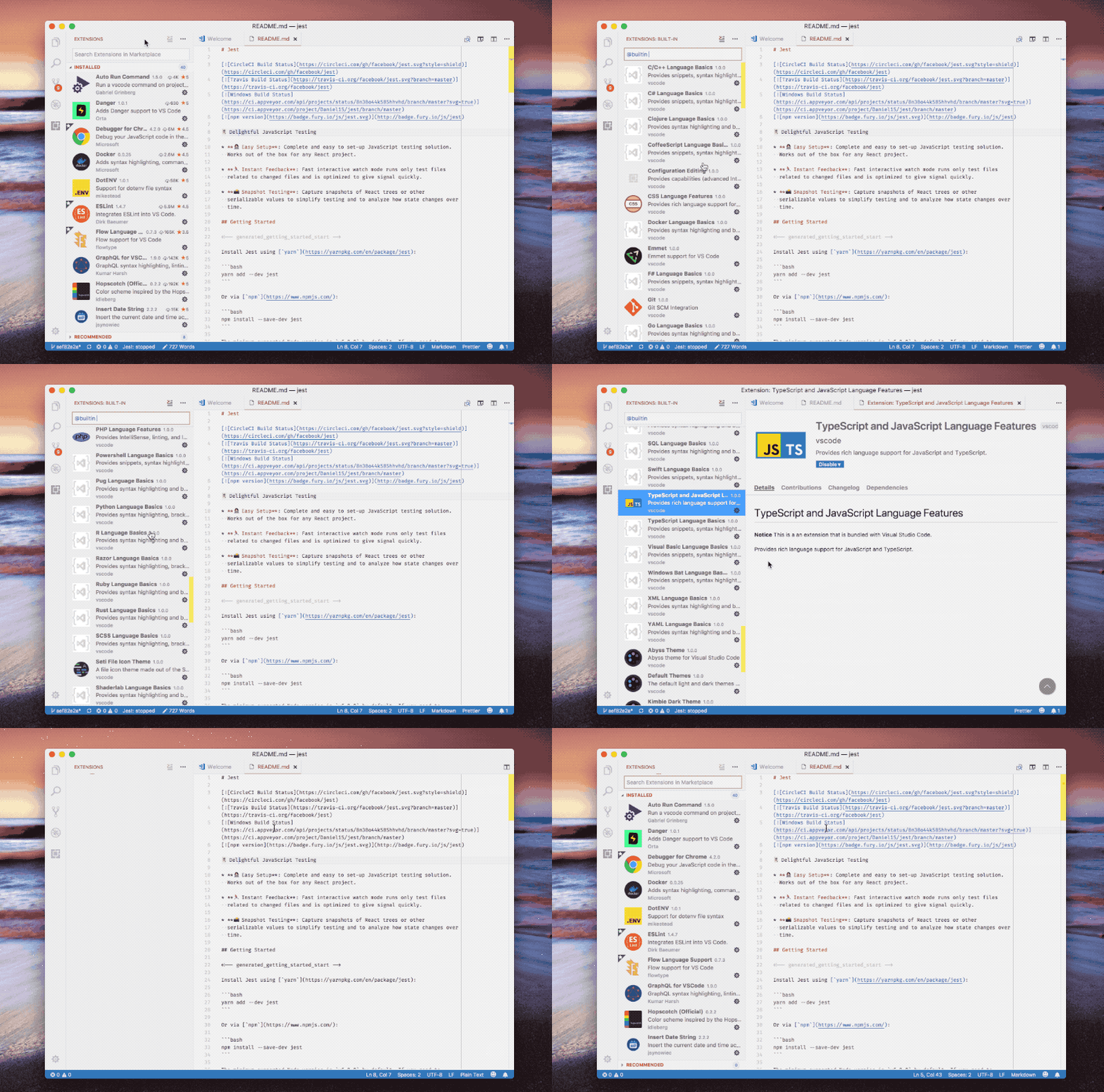
 enriquenov
on 25 Sep 2019
enriquenov
on 25 Sep 2019
For the ones that'll get stuck on this, definitely the best thing to do is to completely disable the built-in TypeScript extension for your project/workspace:
That disables a lot of useful features... I find setting "javascript.validate.enable": false for workspace less radical.
 unematiii
on 10 Jul 2020
unematiii
on 10 Jul 2020
Related issues
 peterschussheim
·
5Comments
peterschussheim
·
5Comments
 wbinnssmith
·
5Comments
wbinnssmith
·
5Comments
 ianwalter
·
5Comments
ianwalter
·
5Comments
 vojtatranta
·
4Comments
vojtatranta
·
4Comments
 booboothefool
·
4Comments
booboothefool
·
4Comments
Most helpful comment
wouldn't this mean that javascript validation will be disabled for all
.jsfiles, even those without@flowin them?Is there a better way to fix this issue other than disabling js validation? that sounds dangerous!