Hi,
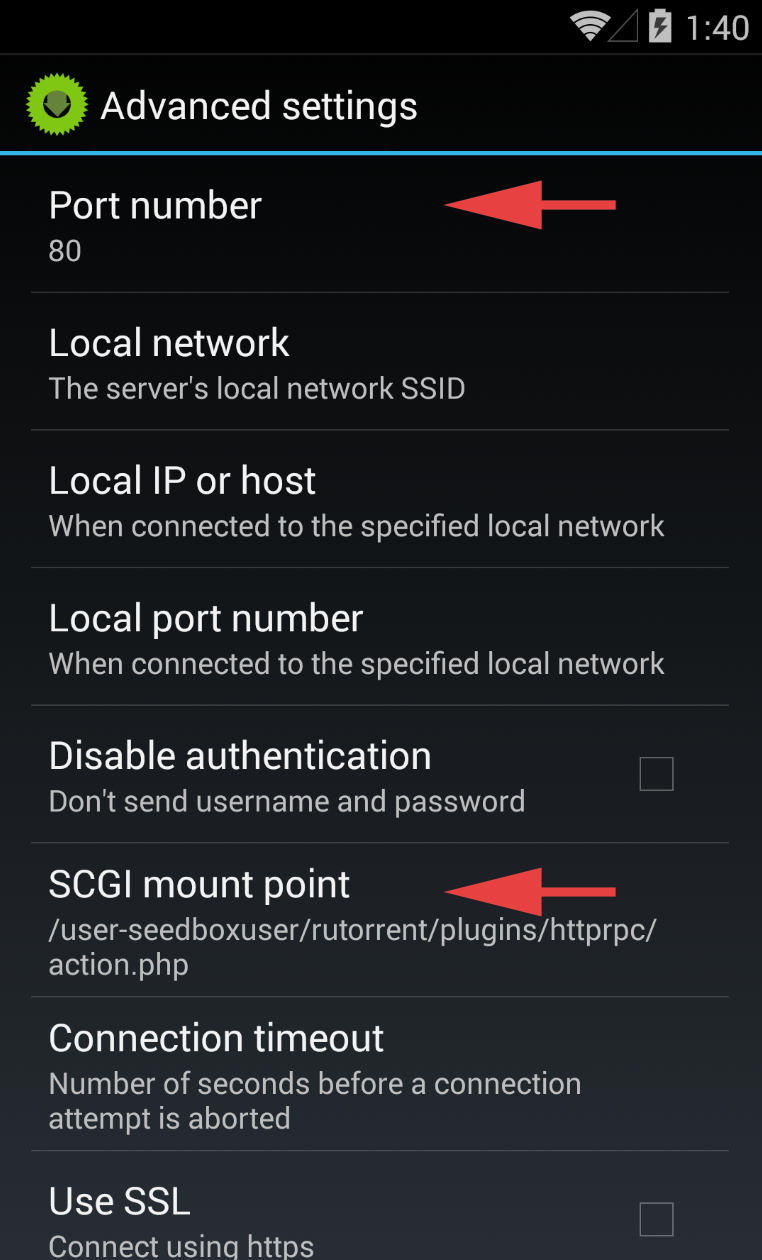
I have my rTorrent & ruTorrent running on a seedbox. The seedbox provides the RPC connection with a route, such as this image taken from their wiki. How do I configure Flood to use this path?
Edit: I also need basic auth to connect to the endpoint.
Thanks.
 Codehhh
All 8 comments
I'm afraid this is something Flood shouldn't handle. Sorry.
 jfurrow
on 11 Nov 2017
jfurrow
on 11 Nov 2017
That's a shame. Thank you for responding!
Codehhh
on 11 Nov 2017
@Codehhh It seems the better you can do is ask your seedbox provider to support flood in addition of ruTorrent.
 noraj
on 11 Nov 2017
noraj
on 11 Nov 2017
Sorry to revive this dead thread, but I figured I'd share my solution. This can be handled entirely via your proxy / web server.
Expose the mount point via relevant configuration here. Obviously, you'll want to protect this with basic authentication at a minimum; not something you'd want publicly exposed.
Here's the location example from my nginx server config:
location /RPC2 {
  auth_basic  "jive turkey?";
  auth_basic_user_file  /etc/nginx/passwd/flood-rpc;
  scgi_pass  127.0.0.1:5000;
  include  scgi_params;
}
This will work on both Sonarr and Transdroid / Transdrone; just configure your _URL Path_, or _SCGI mount point_ as '/RPC2'.
 joshau
on 13 Jan 2018
joshau
on 13 Jan 2018
@joshau Thank you, I just installed Transdroid with your tips.
noraj
on 13 Jan 2018
@joshau Thanks for posting, but I'm not 100% following. Do I have to add this endpoint on my seedbox, or on my local webserver?
Codehhh
on 13 Jan 2018
You probably have a server where you installed rTorrent + flood. So you have rTorrent (the torrent client) that is exposing a local scgi socket (default is localhost:5000), then you have flood (a webui for rTorrent) that use the scgi socket to manage torrent, flood also expose a local http server with nodejs (default is localhost:3000) and finally you have nginx that is a better http server that you are using as a reverse proxy to expose the flood traffic on internet (from localhost:3000 to yourdomain.org on port 80/443).
Here you add a second RPC mountpoint that is also capturing the scgi socket (localhost:5000) from rTorrent and you are directly exposing it on internet (that's why you need to protect it at least with a basic auth and a https connection).
So the code @joshau gave us is to add in your nginx conf of your virtual-sever (also called vhost by apache) or create a new virtual-server. Then you'll need to give to Sonarr or Transdroid or any app the domain where is RPC mountpoint is exposed (ex: yourdomain.org) + the location of the RPC mountpoint (/RPC2) + you basic auth credentials.
Is that more clear to you now @Codehhh ?
noraj
on 13 Jan 2018
Ah, that makes sense. My rTorrent + ruTorrent are run off of a seed box where I can't edit the Apache / nginx config
Codehhh
on 13 Jan 2018
Related issues
 NoLooseEnds
·
6Comments
NoLooseEnds
·
6Comments
 noeuse
·
5Comments
noraj
·
3Comments
noeuse
·
5Comments
noraj
·
3Comments
 angristan
·
4Comments
angristan
·
4Comments
 randomnonsense
·
5Comments
randomnonsense
·
5Comments
Most helpful comment
Sorry to revive this dead thread, but I figured I'd share my solution. This can be handled entirely via your proxy / web server.
Expose the mount point via relevant configuration here. Obviously, you'll want to protect this with basic authentication at a minimum; not something you'd want publicly exposed.
Here's the location example from my nginx server config:
This will work on both Sonarr and Transdroid / Transdrone; just configure your _URL Path_, or _SCGI mount point_ as '/RPC2'.