🐛 Bug Report
When loading the app for the first time it always shows the welcome screen, which you close and are not expected to see again. In this case, that pop up is always been shown.
Also when applying some filters on the Logs tab or Network tab it doesn't persist after going out of that view/tab.
https://user-images.githubusercontent.com/26038746/123644561-64b27400-d81d-11eb-9479-6f2ab17e0db3.mov
The video shows the screen coming back after a CMD+R.
Environment
Flipper 0.95.0
OS MacOS 11.3.1 (20E241)
 rodrigofeijao
All 7 comments
Same here with the splash screen. It always shows when you open Flipper, no matter if you've checked or unchecked the checkbox.
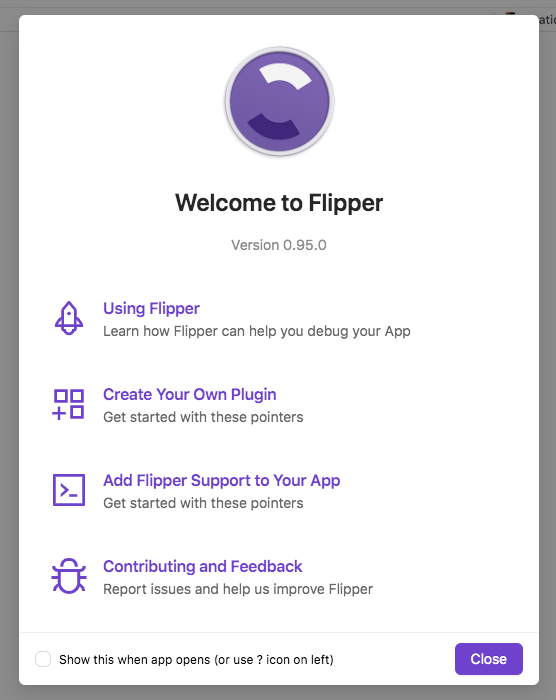
- Fliper desktop Version 0.95.0 (50.0.0).
- macOS Catalina 10.15.7
 AlbertVilaCalvo
on 30 Jun 2021
AlbertVilaCalvo
on 30 Jun 2021
Also on the Network plugin, if I write something at the 'Search...' input field, it disappears if I go to another tab/plugin. Not sure if this is intended but it's tiresome to write it again every time.
AlbertVilaCalvo
on 30 Jun 2021
@AlbertVilaCalvo that's exactly my problem as well. It looks like an issue in the local storage used by Flipper
rodrigofeijao
on 30 Jun 2021
Should be fixed by https://github.com/facebook/flipper/commit/bbf1aeaa5519337c8b7804b0a95a997bb2d71e79, which will be released as part of 0.96 Thanks for reporting!
 mweststrate
on 30 Jun 2021
mweststrate
on 30 Jun 2021
@mweststrate apparently 0.96 does not include the fix, any ETA?
rodrigofeijao
on 1 Jul 2021
@rodrigofeijao are you talking about the welcome screen or the network search? If the latter please open a separate issue, this one is about the welcome screen. If the former, make sure you do not check the box of the welcome screen
mweststrate
on 1 Jul 2021
Right! I will open a new issue for the tabs persistence. Thanks!
rodrigofeijao
on 1 Jul 2021
Related issues
 hsavit1
·
3Comments
hsavit1
·
3Comments
 usrbowe
·
3Comments
usrbowe
·
3Comments
 Murtaza-arif
·
3Comments
Murtaza-arif
·
3Comments
 jhsware
·
3Comments
jhsware
·
3Comments
 hackaprende
·
4Comments
hackaprende
·
4Comments
Most helpful comment
Should be fixed by https://github.com/facebook/flipper/commit/bbf1aeaa5519337c8b7804b0a95a997bb2d71e79, which will be released as part of 0.96 Thanks for reporting!