Flipper: Flipper plugins doesn't show on Windows 10
🐛 Bug Report
I'm running Flipper on Windows 10 but I can't see the native plugins (Layout Inspector, Databases, Network...)
I tried the troubleshooting guides but the problem was not resolved

FlipperDiagnosticActivity screenshot
To Reproduce
- Initialize a new React Native Project
- Run Flipper
- Try to debug app with Flipper
Environment
Flipper: tested from 0.47 to 0.52
  System:
    OS: Windows 10 10.0.18363
    CPU: (4) x64 Intel(R) Core(TM) i7-7500U CPU @ 2.70GHz
    Memory: 3.75 GB / 11.88 GB
  Binaries:
    Node: 12.18.3 - C:\Program Files\nodejs\node.EXE
    Yarn: 1.22.4 - C:\Program Files\nodejs\yarn.CMD
    npm: 6.14.6 - C:\Program Files\nodejs\npm.CMD
    Watchman: 20200726.234435.0 - C:\Users\jneto\env\watchman-v2020.07.27.00-windows\bin\watchman.EXE
  Utilities:
    Git: 2.24.1.
  SDKs:
    Android SDK:
      API Levels: 23, 27, 28, 29
      Build Tools: 25.0.0, 25.0.1, 27.0.3, 28.0.3, 29.0.2, 29.0.3
      System Images: android-R | Google Play Intel x86 Atom
    Windows SDK:
      AllowDevelopmentWithoutDevLicense: Enabled
      AllowAllTrustedApps: Enabled
      Versions: 10.0.18362.0
  IDEs:
    Android Studio: Version  4.0.0.0 AI-193.6911.18.40.6514223
    VSCode: 1.47.3 - C:\Users\jneto\AppData\Local\Programs\Microsoft VS Code\bin\code.CMD
    Visual Studio: 16.6.30204.135 (Visual Studio Community 2019)
  Languages:
    Bash: 4.4.20 - C:\Windows\system32\bash.EXE
    Go: 1.14.6 - C:\Go\bin\go.EXE
    Elixir: 1.10.3 - C:\Program Files (x86)\Elixir\bin\elixir.BAT
    Erlang: 21.3 - C:\Program Files\erl10.3\bin\erl.EXE
    Python: 2.7.15
  Databases:
    SQLite: 3.28.0 - C:\Sdks\android\platform-tools\sqlite3.EXE
  Browsers:
    Chrome: 84.0.4147.105
    Edge: Spartan (44.18362.449.0)
    Internet Explorer: 11.0.18362.1
 b3coded
All 21 comments
Quick check, is your device time in sync with your computer time? Otherwise
the certificate handshake will fail.
On Tue, Aug 4, 2020 at 7:40 PM João Alves notifications@github.com wrote:
🐛 Bug Report
I'm running Flipper on Windows 10 but I can't see the native plugins
(Layout Inspector, Databases, Network...)I tried the troubleshooting guides but the problem was not resolved
[image: WhatsApp Image 2020-08-04 at 15 20 13]
https://user-images.githubusercontent.com/38642628/89330592-e11cf100-d666-11ea-9dc6-47d9b55c1a2b.jpeg
FlipperDiagnosticActivity screenshot
To Reproduce
- Initialize a new React Native Project
- Run Flipper
- Try to debug app with Flipper
Environment
Flipper: tested from 0.47 to 0.52
System:
OS: Windows 10 10.0.18363

CPU: (4) x64 Intel(R) Core(TM) i7-7500U CPU @ 2.70GHz

Memory: 3.75 GB / 11.88 GB
Binaries:
Node: 12.18.3 - C:\Program Files\nodejs\node.EXE

Yarn: 1.22.4 - C:\Program Files\nodejs\yarn.CMD

npm: 6.14.6 - C:\Program Files\nodejs\npm.CMD

Watchman: 20200726.234435.0 - C:\Users\jneto\env\watchman-v2020.07.27.00-windows\bin\watchman.EXE
Utilities:
Git: 2.24.1.SDKs:
Android SDK:

  API Levels: 23, 27, 28, 29

  Build Tools: 25.0.0, 25.0.1, 27.0.3, 28.0.3, 29.0.2, 29.0.3

  System Images: android-R | Google Play Intel x86 Atom

Windows SDK:

  AllowDevelopmentWithoutDevLicense: Enabled

  AllowAllTrustedApps: Enabled

  Versions: 10.0.18362.0
IDEs:
Android Studio: Version  4.0.0.0 AI-193.6911.18.40.6514223

VSCode: 1.47.3 - C:\Users\jneto\AppData\Local\Programs\Microsoft VS Code\bin\code.CMD

Visual Studio: 16.6.30204.135 (Visual Studio Community 2019)
Languages:
Bash: 4.4.20 - C:\Windows\system32\bash.EXE

Go: 1.14.6 - C:\Go\bin\go.EXE

Elixir: 1.10.3 - C:\Program Files (x86)\Elixir\bin\elixir.BAT

Erlang: 21.3 - C:\Program Files\erl10.3\bin\erl.EXE

Python: 2.7.15
Databases:
SQLite: 3.28.0 - C:\Sdks\android\platform-tools\sqlite3.EXEBrowsers:
Chrome: 84.0.4147.105

Edge: Spartan (44.18362.449.0)

Internet Explorer: 11.0.18362.1
—
You are receiving this because you are subscribed to this thread.
Reply to this email directly, view it on GitHub
https://github.com/facebook/flipper/issues/1440, or unsubscribe
https://github.com/notifications/unsubscribe-auth/AAN4NBBPBVPPSBYPO5T3B7LR7BI2BANCNFSM4PUV6COQ
.
 mweststrate
on 4 Aug 2020
mweststrate
on 4 Aug 2020
@mweststrate yes, it is synchronized
b3coded
on 4 Aug 2020
Ok, could you check if there are any Flipper errors / warnings in the
device logs (in Flipper under your device) ?
On Tue, Aug 4, 2020 at 7:45 PM João Alves notifications@github.com wrote:
@mweststrate https://github.com/mweststrate yes, it is synchronized
—
You are receiving this because you were mentioned.
Reply to this email directly, view it on GitHub
https://github.com/facebook/flipper/issues/1440#issuecomment-668762867,
or unsubscribe
https://github.com/notifications/unsubscribe-auth/AAN4NBA45F2HAPUEVM56PTLR7BJNZANCNFSM4PUV6COQ
.
mweststrate
on 4 Aug 2020
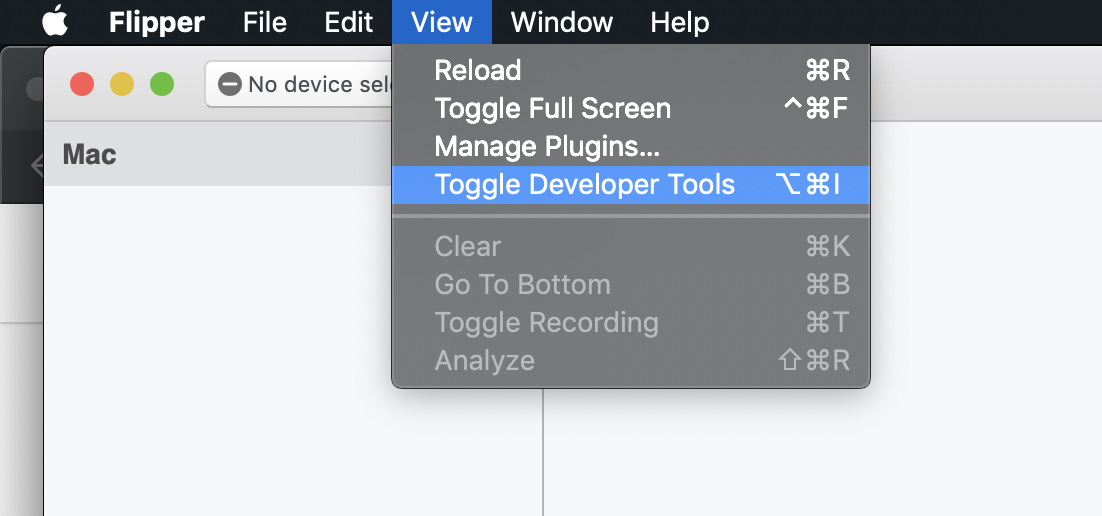
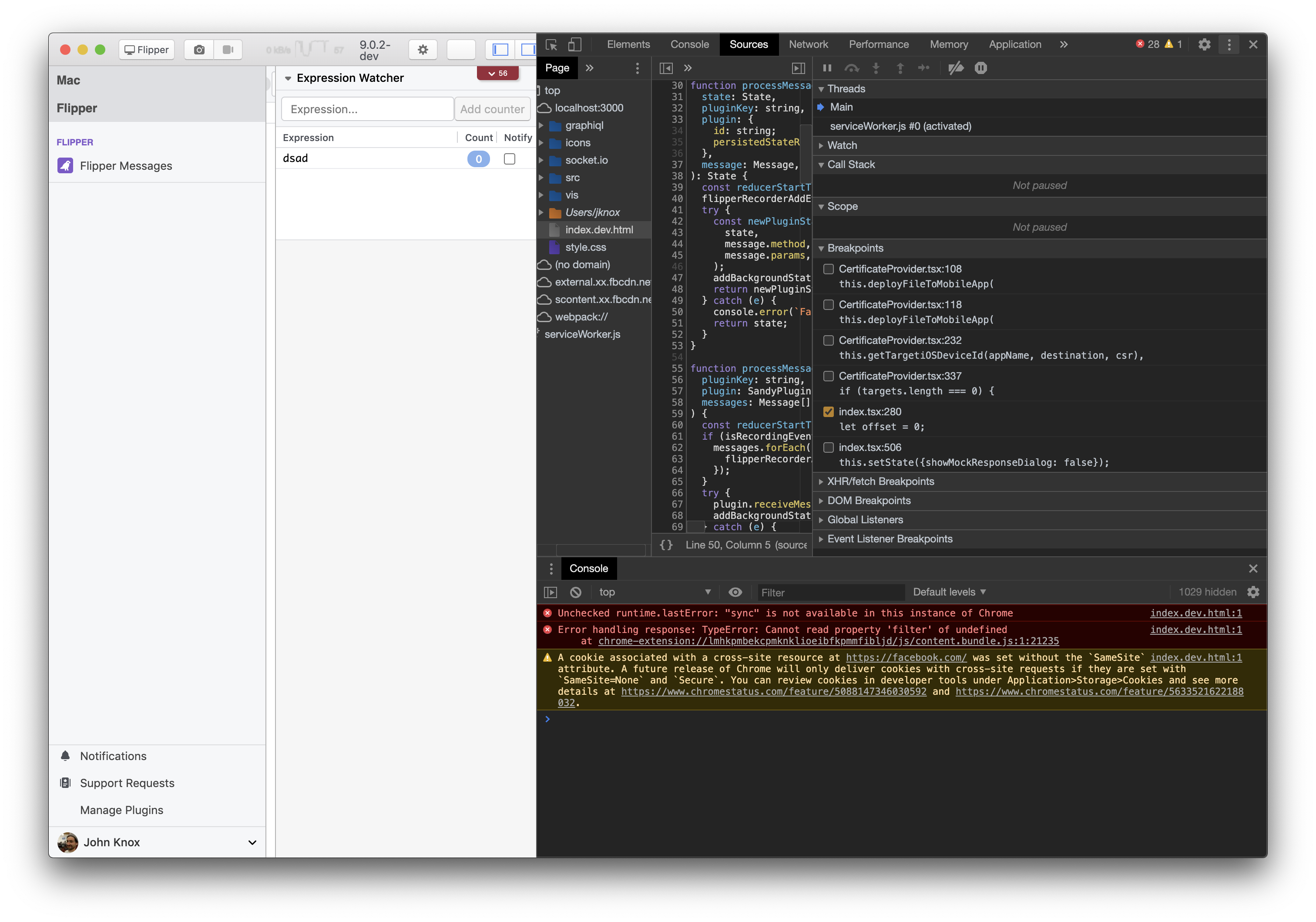
If you open the Dev tools in flipper and look at the console to find any errors, that might help too.
It looks like the rsocket connection is getting torn down prematurely so that might uncover why.
I'd also check that your devices ports are being forwarded correctly. What do you get when running the following?
adb reverse --list
 jknoxville
on 4 Aug 2020
jknoxville
on 4 Aug 2020
Ok, could you check if there are any Flipper errors / warnings in the device logs (in Flipper under your device) ?
…
On Tue, Aug 4, 2020 at 7:45 PM João Alves @.*> wrote: @mweststrate https://github.com/mweststrate yes, it is synchronized — You are receiving this because you were mentioned. Reply to this email directly, view it on GitHub <#1440 (comment)>, or unsubscribe https://github.com/notifications/unsubscribe-auth/AAN4NBA45F2HAPUEVM56PTLR7BJNZANCNFSM4PUV6COQ .
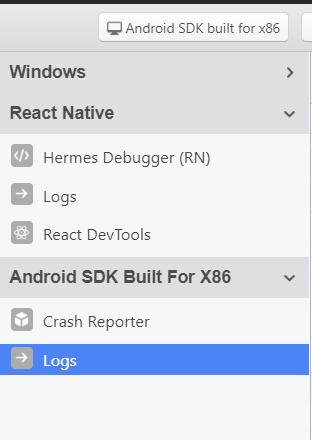
I'm getting only FlipperClient addPlugin logs.
It adds all the native plugins, but the connection to FlipperClient is having problems
b3coded
on 4 Aug 2020
@mweststrate @jknoxville I tried with Android Emulator but same result
b3coded
on 5 Aug 2020
@b3coded could you check the steps from the troubleshooting guide https://fbflipper.com/docs/troubleshooting#q-i-see-my-device--emulator-but-i-cant-see-the-app? If it is still an issue after that, see if there are Flipper related logs, and share your gradle build files and ReactNativeFlipper.java file and path, and MainApplication.java as well?
Please do verify that the Class.forName in the latter actually results in a class.
mweststrate
on 5 Aug 2020
@mweststrate I'm going to create a Repo that reproduces my issue
b3coded
on 5 Aug 2020
@mweststrate https://github.com/b3coded/flipper-issue-repro
b3coded
on 5 Aug 2020
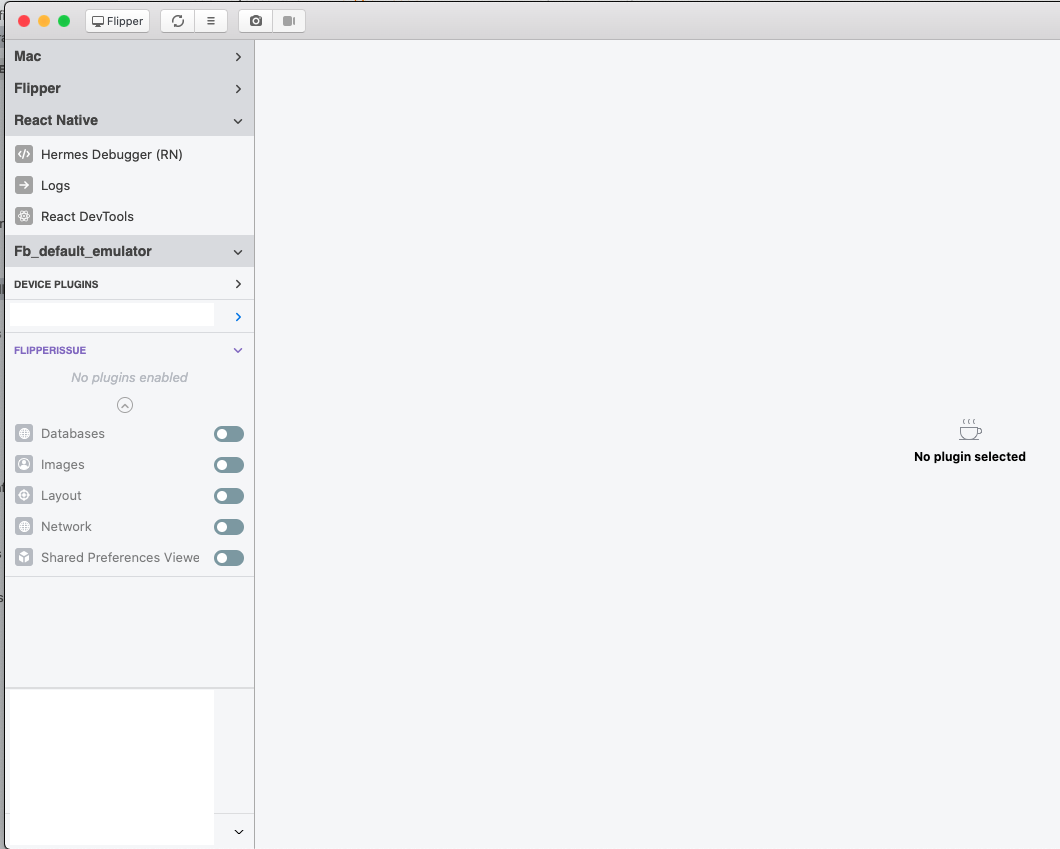
@b3coded I just cloned the repo and it works ootb for me. I suspect that your emulator is somehow set up differently? Honestly I'm not too familiar with the Android eco system, maybe @jknoxville or @passy have ideas here?
mweststrate
on 5 Aug 2020
@mweststrate did you test on Windows 10?
I tested on MacOS and Linux and it works, but I'm having this problem on Windows 10
b3coded
on 5 Aug 2020
@b3coded nope, sorry, missed that this is a win 10 specific issue. I don't have a windows machine at my disposal in the current circumstances. Maybe @nikoant has ideas?
mweststrate
on 5 Aug 2020
@b3coded did you check the JS console logs in flipper? (Your adb port forwards look fine)
jknoxville
on 5 Aug 2020
@jknoxville
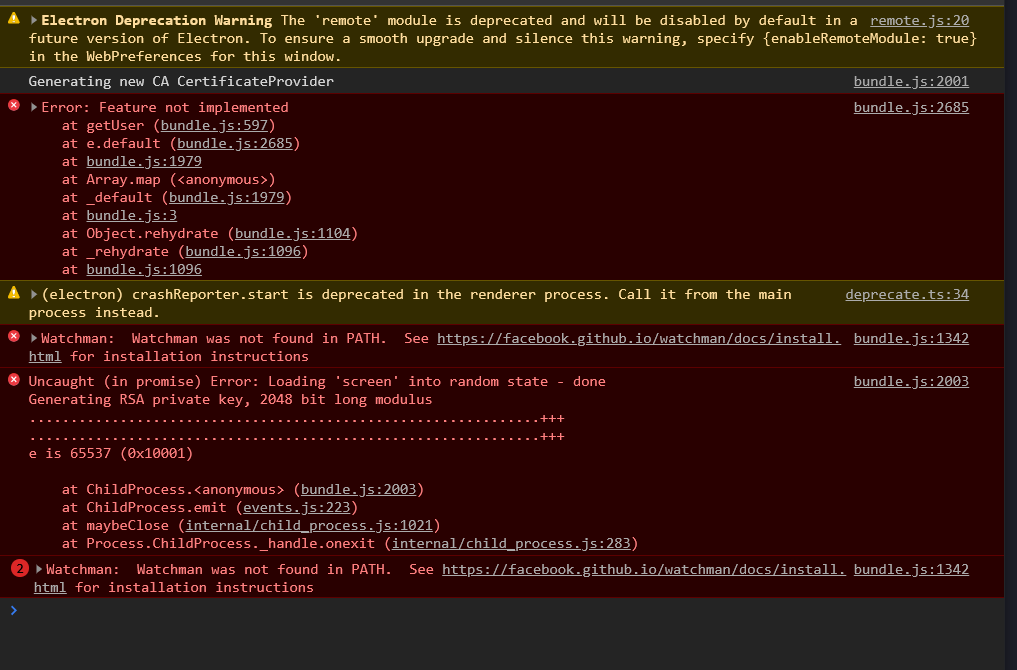
I added watchman to PATH but only watchman warning has disappeared
b3coded
on 5 Aug 2020
@b3coded it looks like Flipper is failing to generate you a private key, which happens here.
The following commands should do the same thing manually, can you run these and see if they succeed?
cd ~/.flipper/certs
ls
openssl genrsa -out server.key 2048
@jknoxville should I reinstall my react native app?
b3coded
on 10 Aug 2020
No reinstalling anything shouldn't be necessary. When flipper starts up, it checks if it has valid certs in ~/.flipper/certs, and if it doesn't yet, then it creates them by running a bunch of openssl commands. This is where it's failing for you. It will attempt to do that every time you start the desktop app, until it succeeds. So if you run them from the command line, either they will succeed (and unblock you) or they will fail, and the error message should help us figure out what's wrong.
jknoxville
on 10 Aug 2020
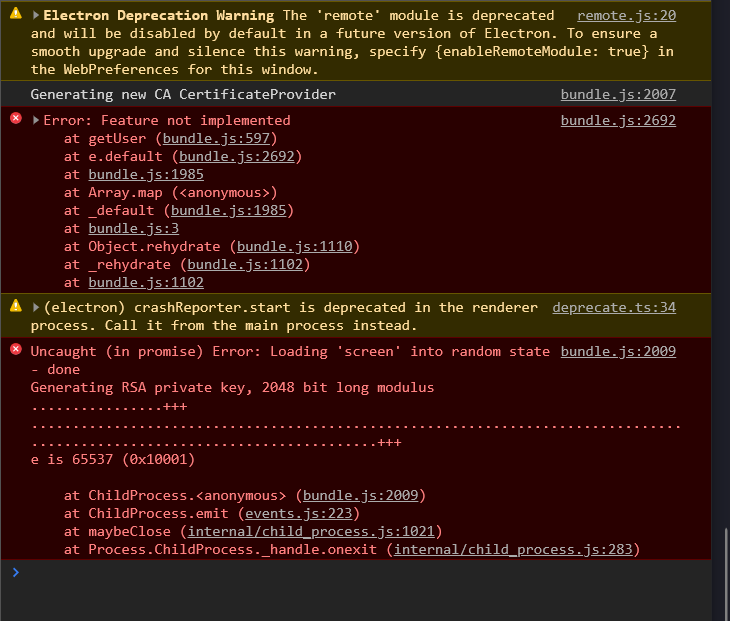
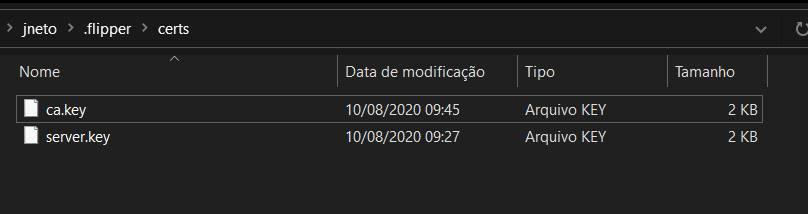
b3coded
on 10 Aug 2020
I had this same problem. Apparently the issue was the OpenSSL distribution I was using.
At first I was using this one: https://indy.fulgan.com/SSL/ and had the exact same problem as @b3coded
I've uninstalled it, and installed this one: https://slproweb.com/products/Win32OpenSSL.html and now everything works as expected.

 ASarco
on 14 Aug 2020
ASarco
on 14 Aug 2020
@ASarco Thanks, solved my problem. Now the I can generate the certs
@jknoxville it will be a good idea to add it on troubleshooting
b3coded
on 14 Aug 2020
Related issues
 xstable
·
4Comments
xstable
·
4Comments
 aleclarson
·
3Comments
aleclarson
·
3Comments
 hackaprende
·
4Comments
hackaprende
·
4Comments
 richardtop
·
3Comments
richardtop
·
3Comments
 Murtaza-arif
·
3Comments
Murtaza-arif
·
3Comments
Most helpful comment
I had this same problem. Apparently the issue was the OpenSSL distribution I was using.
At first I was using this one: https://indy.fulgan.com/SSL/ and had the exact same problem as @b3coded
I've uninstalled it, and installed this one: https://slproweb.com/products/Win32OpenSSL.html and now everything works as expected.