Flipper: Android network plugin not showing any activity
I'm hoping someone might be be able to offer some suggestions as to what might be wrong with my current react-native setup with flipper. I'm using flipper 0.49 in both iOS and android builds. It was added manually after our react-native upgrade to 62.2.
Everything works just fine in iOS. All plugins respond correctly - INCLUDING network plugin. However in Android nothing ever shows in the network plugin window in flipper. All other plugins are working fine on Android.
I've run flipper desktop from source and also checked that the ReactNativeFlipperExample works correctly - and it does recording all network activity.
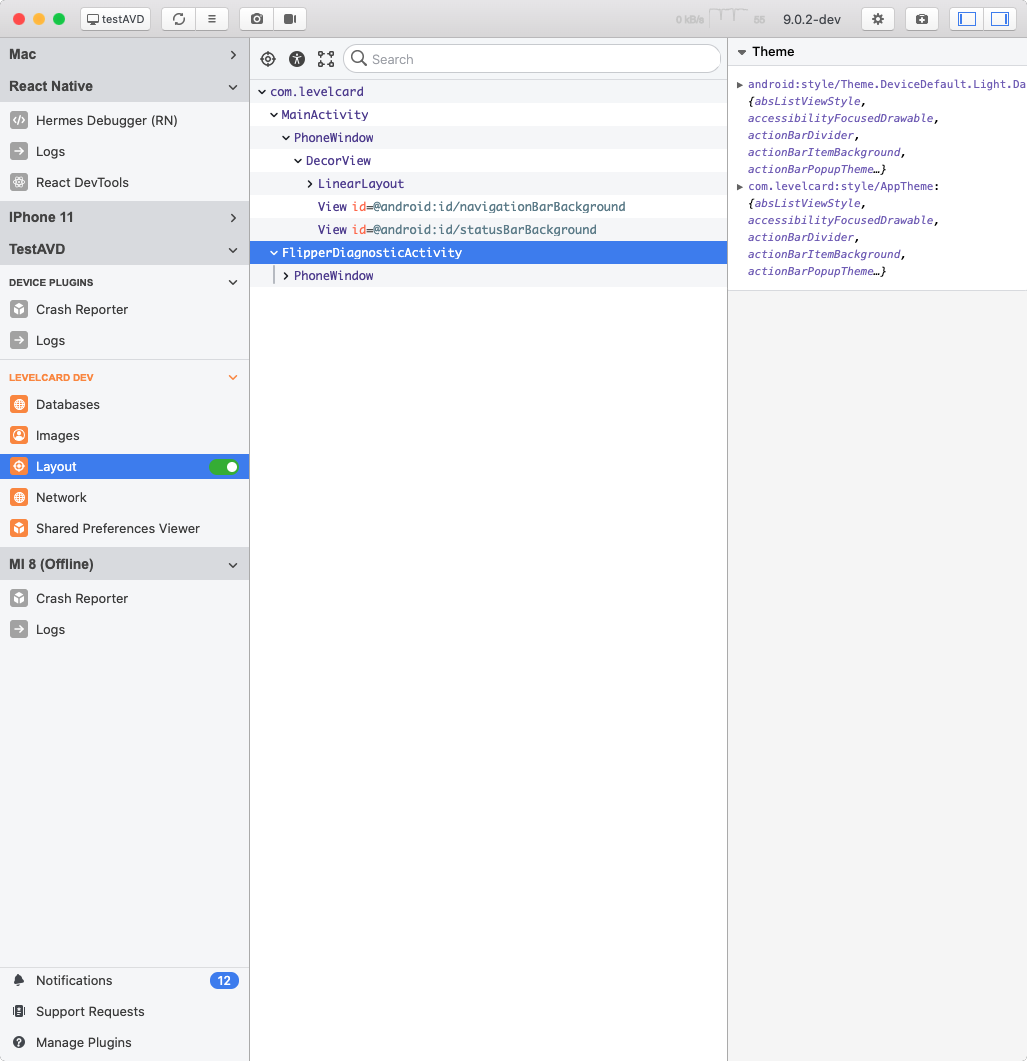
I've now included the FlipperDiagnosticActivity class and get the following when running it with my app open on the Android emulator. The result seems a bit strange as all other plugins seem fine - I can see results in the images / databases / layout and shared prefs - despite it complaining in the FlipperDiagnosticActivity shown below.
Have been stuck on this for a few days now and its very frustrating. Any ideas what might be going on?

 wijskinner
All 7 comments
I believe you have to add some kind of interceptor to whatever you are using for network requests in order to get this to work. The Flipper docs have some instructions for adding this to Android if you are using OkHTTP. I've been running into a similar problem though where it intercepts my Android network requests with the above code, but it doesn't appear to be intercepting my network requests from react native that are being executed by axios.
 ClayC-WeatherBug
on 9 Jul 2020
ClayC-WeatherBug
on 9 Jul 2020
Thanks for the suggestion - I've been through all the setup docs to check everything is there. Also compared to it to the working example in ReactNativeFlipperExample in the flipper repo I mentioned above.
My android src debug dir includes ReactNativeFlipper.java where the interceptor is attached as in the sample:
/**
* Copyright (c) Facebook, Inc. and its affiliates.
*
* <p>This source code is licensed under the MIT license found in the LICENSE file in the root
* directory of this source tree.
*/
package com.rndiffapp;
import android.content.Context;
import com.facebook.flipper.android.AndroidFlipperClient;
import com.facebook.flipper.android.utils.FlipperUtils;
import com.facebook.flipper.core.FlipperClient;
import com.facebook.flipper.plugins.crashreporter.CrashReporterPlugin;
import com.facebook.flipper.plugins.databases.DatabasesFlipperPlugin;
import com.facebook.flipper.plugins.fresco.FrescoFlipperPlugin;
import com.facebook.flipper.plugins.inspector.DescriptorMapping;
import com.facebook.flipper.plugins.inspector.InspectorFlipperPlugin;
import com.facebook.flipper.plugins.network.FlipperOkhttpInterceptor;
import com.facebook.flipper.plugins.network.NetworkFlipperPlugin;
import com.facebook.flipper.plugins.react.ReactFlipperPlugin;
import com.facebook.flipper.plugins.sharedpreferences.SharedPreferencesFlipperPlugin;
import com.facebook.react.ReactInstanceManager;
import com.facebook.react.bridge.ReactContext;
import com.facebook.react.modules.network.NetworkingModule;
import okhttp3.OkHttpClient;
public class ReactNativeFlipper {
public static void initializeFlipper(Context context, ReactInstanceManager reactInstanceManager) {
if (FlipperUtils.shouldEnableFlipper(context)) {
final FlipperClient client = AndroidFlipperClient.getInstance(context);
client.addPlugin(new InspectorFlipperPlugin(context, DescriptorMapping.withDefaults()));
client.addPlugin(new ReactFlipperPlugin());
client.addPlugin(new DatabasesFlipperPlugin(context));
client.addPlugin(new SharedPreferencesFlipperPlugin(context));
client.addPlugin(CrashReporterPlugin.getInstance());
NetworkFlipperPlugin networkFlipperPlugin = new NetworkFlipperPlugin();
NetworkingModule.setCustomClientBuilder(
new NetworkingModule.CustomClientBuilder() {
@Override
public void apply(OkHttpClient.Builder builder) {
builder.addNetworkInterceptor(new FlipperOkhttpInterceptor(networkFlipperPlugin));
}
});
client.addPlugin(networkFlipperPlugin);
client.start();
// Fresco Plugin needs to ensure that ImagePipelineFactory is initialized
// Hence we run if after all native modules have been initialized
ReactContext reactContext = reactInstanceManager.getCurrentReactContext();
if (reactContext == null) {
reactInstanceManager.addReactInstanceEventListener(
new ReactInstanceManager.ReactInstanceEventListener() {
@Override
public void onReactContextInitialized(ReactContext reactContext) {
reactInstanceManager.removeReactInstanceEventListener(this);
reactContext.runOnNativeModulesQueueThread(
new Runnable() {
@Override
public void run() {
client.addPlugin(new FrescoFlipperPlugin());
}
});
}
});
} else {
client.addPlugin(new FrescoFlipperPlugin());
}
}
}
}
I've commented out the other plugins and they appear and disappear as expected. I don't see any obvious flipper errors in the device logs.
wijskinner
on 9 Jul 2020
Ah got it. Have you tried doing adb reverse tcp:8097 tcp:8097 while the app is running? I forgot to mention this before. Not sure if this is for other flipper/debugging traffic or if it is just something to do with the network plugin, but I've been running it and have things working.
ClayC-WeatherBug
on 9 Jul 2020
I think without the port reverse nothing should be work, so that part seems ok.
@wijskinner could you check if you have the following in your debug AndroidManifest.xml: <application android:usesCleartextTraffic="true" tools:targetApi="28" tools:ignore="GoogleAppIndexingWarning" />? Also do make sure you don't have any minification enabled in dev builds, as minification can break reflection used by some plugins.
Also make sure you did run android/gradlew clean once after upgrading.
Could you verify you have the following section in your build.gradle?
dependencies {
implementation fileTree(dir: "libs", include: ["*.jar"])
//noinspection GradleDynamicVersion
implementation "com.facebook.react:react-native:+" // From node_modules
implementation "androidx.swiperefreshlayout:swiperefreshlayout:1.0.0"
debugImplementation("com.facebook.flipper:flipper:${FLIPPER_VERSION}") {
exclude group:'com.facebook.fbjni'
}
debugImplementation("com.facebook.flipper:flipper-network-plugin:${FLIPPER_VERSION}") {
exclude group:'com.facebook.flipper'
}
debugImplementation("com.facebook.flipper:flipper-fresco-plugin:${FLIPPER_VERSION}") {
exclude group:'com.facebook.flipper'
}
if (enableHermes) {
def hermesPath = "../../node_modules/hermes-engine/android/";
debugImplementation files(hermesPath + "hermes-debug.aar")
releaseImplementation files(hermesPath + "hermes-release.aar")
} else {
implementation jscFlavor
}
}
 mweststrate
on 10 Jul 2020
mweststrate
on 10 Jul 2020
Thanks @ClayC-WeatherBug and @mweststrate. Really appreciate the help.
@ClayC-WeatherBug I ran the port reverse while the app is running - doesn't seem to have made any difference.
@mweststrate Here's my debug AndroidManifest.xml
<?xml version="1.0" encoding="utf-8"?>
<manifest xmlns:android="http://schemas.android.com/apk/res/android"
xmlns:tools="http://schemas.android.com/tools">
<uses-permission android:name="android.permission.SYSTEM_ALERT_WINDOW"/>
<uses-permission android:name="android.permission.INTERNET" />
<application android:usesCleartextTraffic="true" tools:targetApi="28" tools:ignore="GoogleAppIndexingWarning" />
</manifest>
And my src directory build.gradle has the following:
dependencies {
implementation fileTree(dir: "libs", include: ["*.jar"])
//noinspection GradleDynamicVersion
implementation "com.android.support:appcompat-v7:${rootProject.ext.supportLibVersion}"
implementation "com.facebook.react:react-native:+" // From node_modules
implementation "androidx.swiperefreshlayout:swiperefreshlayout:1.0.0"
debugImplementation("com.facebook.flipper:flipper:${FLIPPER_VERSION}") {
exclude group:'com.facebook.fbjni'
}
debugImplementation("com.facebook.flipper:flipper-network-plugin:${FLIPPER_VERSION}") {
exclude group:'com.facebook.flipper'
}
debugImplementation("com.facebook.flipper:flipper-fresco-plugin:${FLIPPER_VERSION}") {
exclude group:'com.facebook.flipper'
}
androidTestImplementation 'junit:junit:4.12'
androidTestImplementation('com.wix:detox:+') { transitive = true }
implementation 'com.facebook.fresco:animated-gif:2.0.0'
implementation 'io.intercom.android:intercom-sdk-fcm:5.+'
implementation "com.google.android.gms:play-services-base:16.1.0"
implementation "com.google.android.gms:play-services-base:17.0.0"
implementation "com.google.firebase:firebase-core:17.0.1"
implementation "com.google.firebase:firebase-messaging:19.0.0"
implementation 'me.leolin:ShortcutBadger:1.1.21@aar'
addUnimodulesDependencies()
if (enableHermes) {
def hermesPath = "../../node_modules/hermes-engine/android/";
debugImplementation files(hermesPath + "hermes-debug.aar")
releasePrestagingImplementation files(hermesPath + "hermes-release.aar")
releaseImplementation files(hermesPath + "hermes-release.aar")
} else {
implementation jscFlavor
}
androidTestCompile('com.android.support.test.espresso:espresso-core:2.2.2', {
exclude group: 'com.android.support', module: 'support-annotations'
})
}
Running latest flipper desktop from source I do get a few errors which seem to match up with the diagnostics output - is this normal?
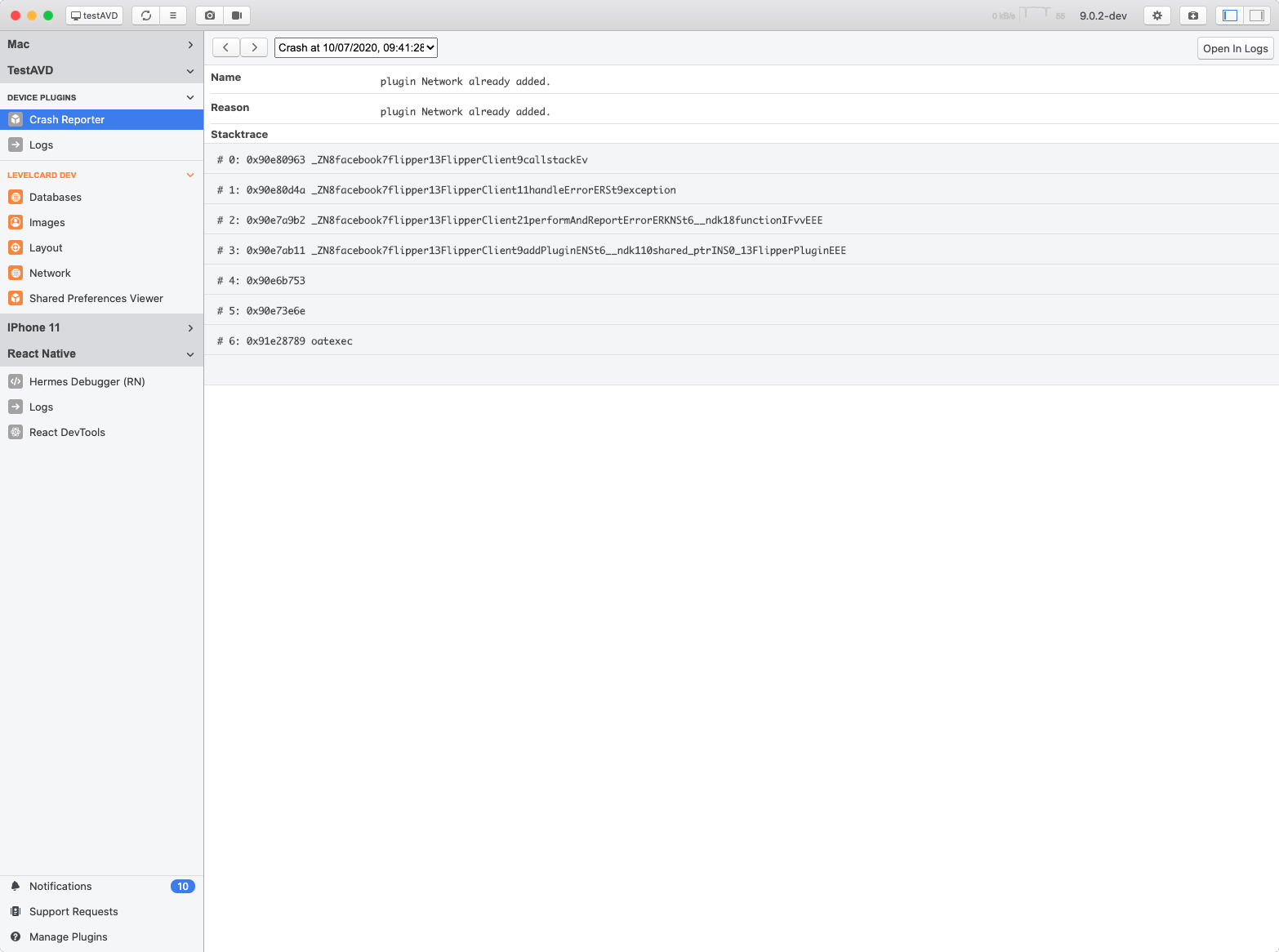
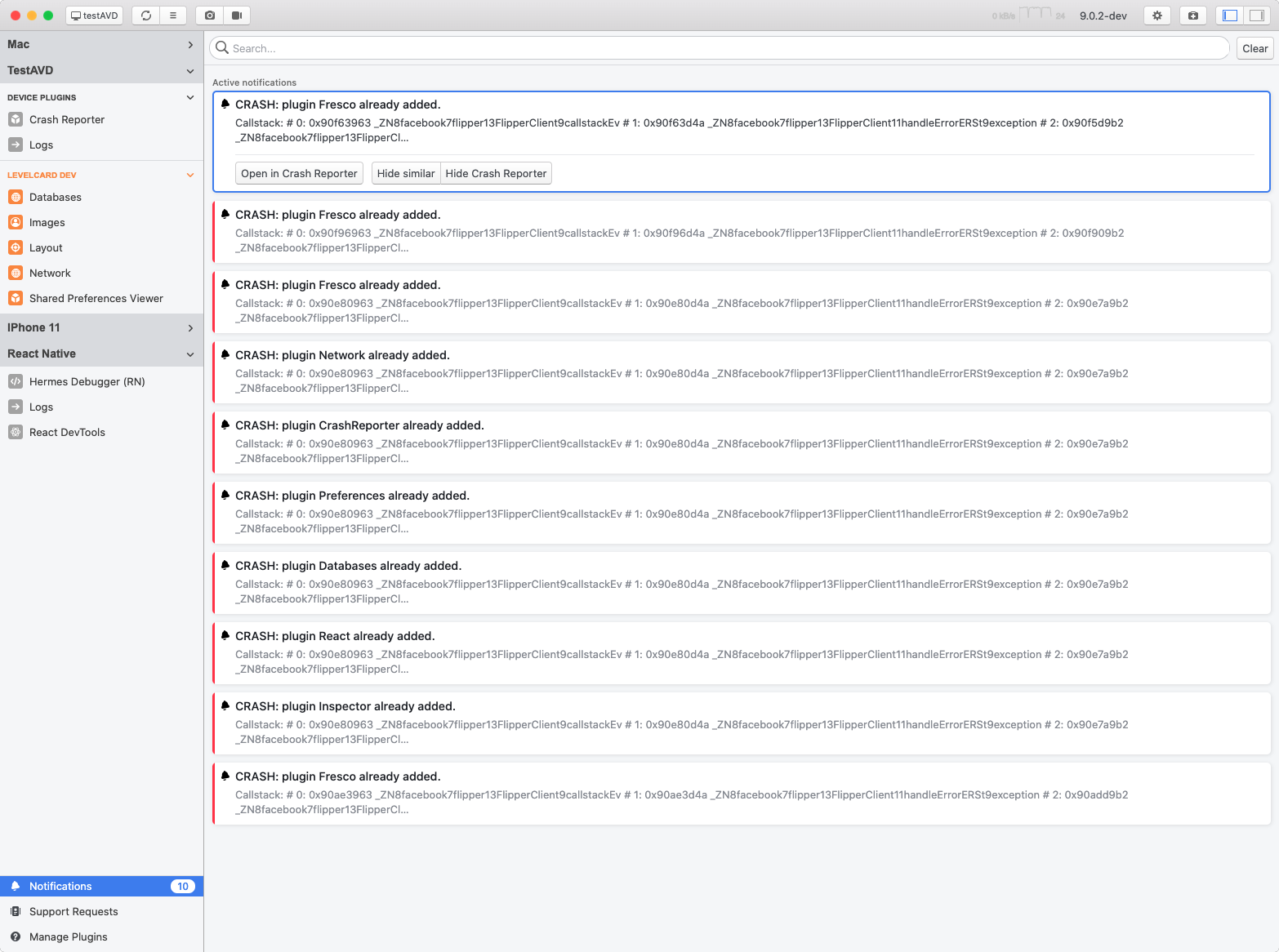
I'm running on macOS Catalina 10.15.5 if that has any bearing.
wijskinner
on 10 Jul 2020
@wijskinner that sounds / looks like Flipper is actually initialized twice... Could you share your MainApplication.java as well? Do you see the same errors if you kill the app, and start it, but without opening the DiagnosticActivity?
mweststrate
on 10 Jul 2020
Ahhhhhhh..how did I not spot that. You total legend. Yup - got the errors each time app started. My MainApplication.java had this:
  @Override
  public void onCreate() {
    super.onCreate();
    initializeFlipper(this, getReactNativeHost().getReactInstanceManager());

    FirebaseOptions.Builder builder = new FirebaseOptions.Builder()
      .setProjectId(BuildConfig.FIREBASE_PROJECT_ID)
      .setGcmSenderId(BuildConfig.FIREBASE_GCM_SENDER_ID)
      .setStorageBucket(BuildConfig.FIREBASE_STORAGE_BUCKET)
      // although we do set it in `strings.xml`. We also have to provide it here
      // Otherwise, the app will fail to start
      .setApplicationId(BuildConfig.FIREBASE_ANDROID_APP_ID)
      .setApiKey(BuildConfig.FIREBASE_ANDROID_API_KEY);

    FirebaseApp.initializeApp(this, builder.build());

    SoLoader.init(this, /* native exopackage */ false);
    initializeFlipper(this, getReactNativeHost().getReactInstanceManager());
    Intercom.initialize(this, BuildConfig.INTERCOM_ANDROID_API_KEY, BuildConfig.INTERCOM_APP_ID);
  }
Took the top initializeFlipper(this, getReactNativeHost().getReactInstanceManager()); out and boom - network tab all happy.
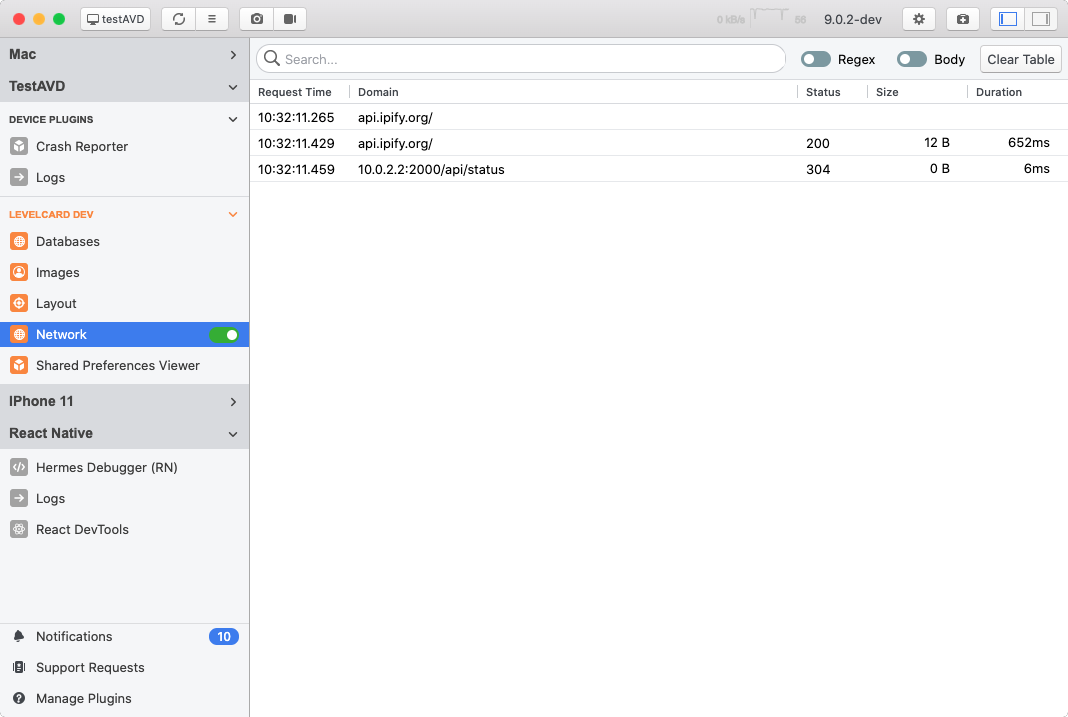
Thanks so much guys.
wijskinner
on 10 Jul 2020
Related issues
 abaker
·
3Comments
abaker
·
3Comments
 paschaldev
·
3Comments
paschaldev
·
3Comments
 keshavamurthy1
·
4Comments
keshavamurthy1
·
4Comments
 vkotovv
·
3Comments
vkotovv
·
3Comments
 jhsware
·
3Comments
jhsware
·
3Comments
Most helpful comment
Ahhhhhhh..how did I not spot that. You total legend. Yup - got the errors each time app started. My MainApplication.java had this:
Took the top
initializeFlipper(this, getReactNativeHost().getReactInstanceManager());out and boom - network tab all happy.Thanks so much guys.