Flameshot: [0.8 Beta] Testing for 0.8
0.8 Test Plan
Here is a checkout list for flameshot version 0.8. Don't feel the need to test each and every thing, but please only check boxes if you tested the feature. Also feel free to just "use" the program in an informal way. This is meant to be a comprehensive checkout list for dedicated testers.
System Information
Operating System and Version:
Monitor Configuration:
Number of Monitors:
Resolutions:
Graphic cards (what type, how are the monitors connected):
Did you test any languages other than English?
Display Server (If using linux):
- [ ] Xorg
- [ ] Wayland
Installation Method
- [ ] Flatpak
- [ ] Snap
- [ ] AppImage
- [ ] DEB
- [ ] RPM
- [ ] Source
Tested Features
Menu:
- [ ] Take Screenshot
- [ ] Open Launcher
- [ ] Configuration
Configuration Menu
Interface
- [ ] Disabled an re-enabled tools
- [ ] Changed opacity
- [ ] Changed tool colors
Filename Editor
- [ ] Changed time based file name
General
Toggled and tested the behavior of
- [ ] Show help message
- [ ] Show desktop notifications
- [ ] Show tray icon
- [ ] Launch at startup
- [ ] Close after catpure
- [ ] Copy URL after upload
Tools
- [ ] Pencil
- [ ] Line
- [ ] Arrow
- [ ] Selection
- [ ] Circle
- [ ] Marker
- [ ] Text
- [ ] Pixelate
- [ ] Dimensions
- [ ] Move
- [ ] Undo
- [ ] Redo
- [ ] Copy
- [ ] Save
- [ ] Exit
- [ ] Counter
- [ ] Pin to Desktop
- [ ] Open With App
- [ ] Upload
CLI
- [ ] gui
- [ ] screen
- [ ] full
- [ ] launcher
- [ ] config
Summary
Use this section to document the behavior of any issues that were found
 borgmanJeremy
All 10 comments
Are we going to also test the Windows build? If so, then:
- "Display Server:" -> "Display Server (if applies):
- in the Installation Method, we should also add the windows format (.exe or .msi)
Also as a general question: it is possible that some people connect one monitor to one graphic card and the other monitor on another card. Can this cause issue and should we also include a part in the monitor section for clarification of such setup?
 mmahmoudian
on 11 Sep 2020
mmahmoudian
on 11 Sep 2020
@mmahmoudian Thanks! I updated those items.
borgmanJeremy
on 12 Sep 2020
Glad to see that the project is alive again!
An auto-incrementing counter bubble sometimes adds cropped values: https://i.imgur.com/J3Nqd3m.png
 aivchen
on 14 Sep 2020
aivchen
on 14 Sep 2020
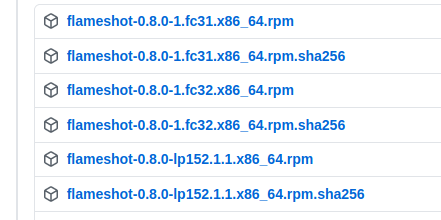
Which of those should I try? Not quite understand fc and lp abbreviations.
 VBelozyorov
on 14 Sep 2020
VBelozyorov
on 14 Sep 2020
@VBelozyorov fc means fedora, lp means opensuse leap
 ZetaoYang
on 14 Sep 2020
ZetaoYang
on 14 Sep 2020
First Test:
System Information
- Operating System and Version: Linux -> Manjaro -> KDE Plasma 5.18
- Number of Monitors: 3
- Resolutions:
- HDMI-A-0 primary 1920x1200
- HDMI-A-1 1920x1080
- DVI-D-0 900x1600
- Graphic cards (what type, how are the monitors connected): AMD Vega 64 / 2 HDMI / 1 HDMI over DVI-D
- Did you test any languages other than English? = No, English only
Display Server (If using linux):
- [x] Xorg
Installation Method
- [x] AppImage
Tested Features
Menu:
- [x] Take Screenshot
- [x] Open Launcher
- [x] Configuration
Tools
[x] Pencil
[x] Line
[x] Arrow
[x] Selection
[x] Circle
[x] Marker
[x] Text
[x] Pixelate
[x] Dimensions
[x] Move
[x] Undo
[x] Redo
[x] Copy
[x] Save
[x] Exit
[x] Counter
[x] Open With App
Summary
most everything worked fine.
Didn't work:
- Pixelate would not initialize.
- Counter added dots but not any numbers.
- Dimensions did not display the dimensions
- Tried to Open With App to Gwenview in KDE Plasma and unsuccessful. Gwenview did not load.
 MichaelTunnell
on 18 Sep 2020
MichaelTunnell
on 18 Sep 2020
@MichaelTunnell how did you install/get Flameshot?
mmahmoudian
on 18 Sep 2020
@MichaelTunnell Thanks for testing! I believe we have fixed the pixelate and counter issues. I will try to resolve the dimension issue before release.
@mmahmoudian I believe it is from the RC1 release page (that is what i linked in a telegram group)
borgmanJeremy
on 18 Sep 2020
I got Flameshot 0.8 AppImage from the GitHub release. I found there was a new version to test because of the update notice for 0.8 to Issue #124
MichaelTunnell
on 18 Sep 2020
System Information
Operating System and Version:
Manjaro linux 20.1
Monitor Configuration:
Number of Monitors:
2
Resolutions:
Both 1920x1080
Graphic cards (what type, how are the monitors connected):
GPU: Intel UHD Graphics 620
GPU: NVIDIA GeForce GTX 1050 Mobile
Both built-in and external connected to intel graphics (I think)
Did you test any languages other than English?
no
Display Server (If using linux):
- [X] Xorg
Installation Method
- [X] AppImage
Tested Features
Menuu
- [X] Take Screenshot
- [X] Open Launcher
- [X] Configuration
Configuration Menu
Interface
- [X] Disabled an re-enabled tools
- [X] Changed opacity
- [X] Changed tool colors (see summary)
Filename Editor
- [X] Changed time based file name
General
Toggled and tested the behavior of
- [X] Show help message
- [X] Show desktop notifications
- [X] Show tray icon
- [X] Close after catpure
- [ ] Copy URL after upload (could not test, see summary)
Tools
- [X] Pencil
- [X] Line
- [X] Arrow
- [X] Selection
- [X] Circle
- [X] Marker
- [X] Text
- [X] Pixelate
- [X] Dimensions
- [X] Move
- [X] Undo
- [X] Redo
- [X] Copy
- [X] Save
- [X] Exit
- [X] Counter
- [X] Pin to Desktop
- [X] Open With App
- [X] Upload (see summary)
Summary
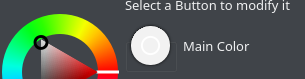
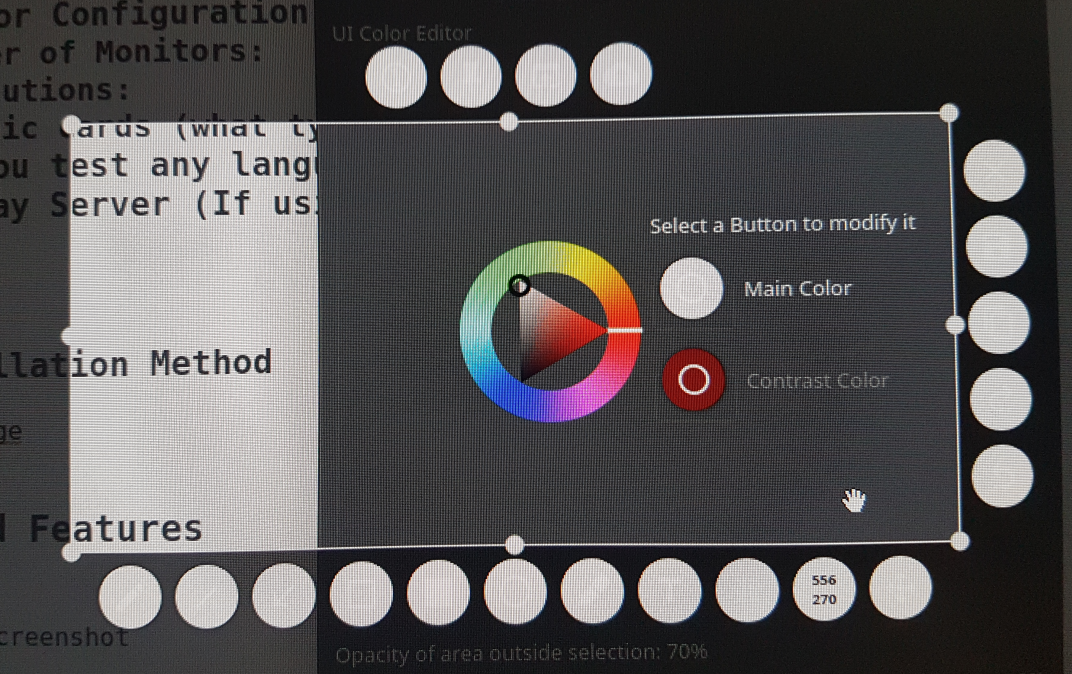
- The font color does not change from white to black if background color is over the threshold (same is true with all of the tools in screenshot mode except resolution)
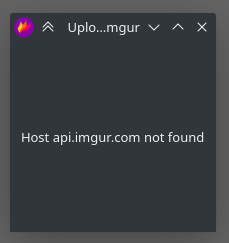
Tool "Upload to imugr" fails with
Host api.imugr.com not found, still works in 0.6
When the tool "Move selection" is selected, the button does not turn to the secondary colour (may be intended behavior)
When tool "pin to desktop" is used, the border is solid black (except for the glow)
 Tc-001
on 19 Sep 2020
Tc-001
on 19 Sep 2020
Related issues
 xahon
·
3Comments
xahon
·
3Comments
 hosiet
·
4Comments
hosiet
·
4Comments
 sephore
·
3Comments
sephore
·
3Comments
 ElijahLynn
·
3Comments
ElijahLynn
·
3Comments
 thiswillbeyourgithub
·
3Comments
thiswillbeyourgithub
·
3Comments
Most helpful comment
@MichaelTunnell Thanks for testing! I believe we have fixed the pixelate and counter issues. I will try to resolve the dimension issue before release.
@mmahmoudian I believe it is from the RC1 release page (that is what i linked in a telegram group)