Flameshot: Clicking the taskbar button shows menu instead of taking screenshot
Version 0.5.1-1
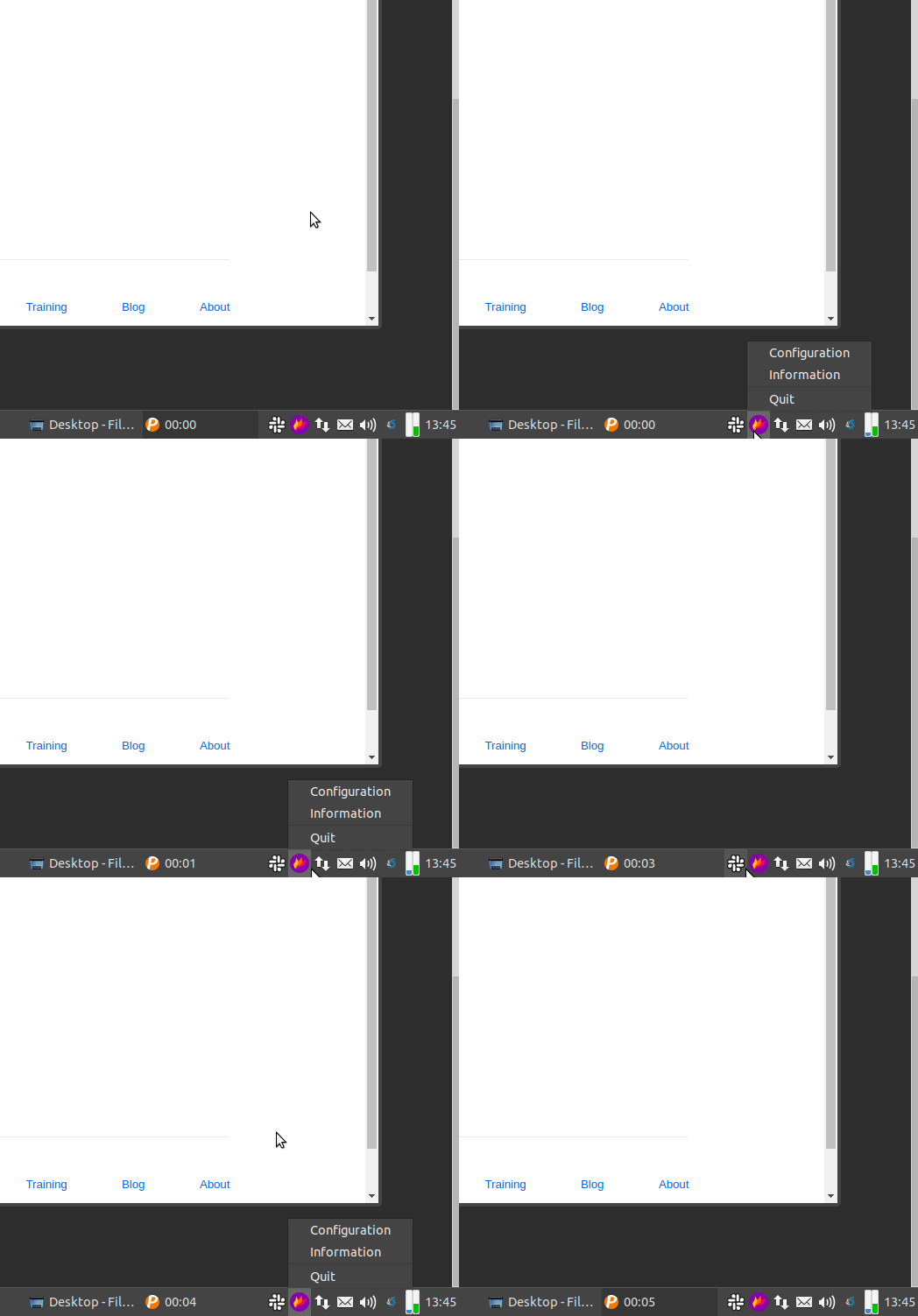
I am using Xubuntu 18.04 and when I click the taskbar button to take a screenshot, I get a menu instead.
Thanks
 tawmoto
All 14 comments
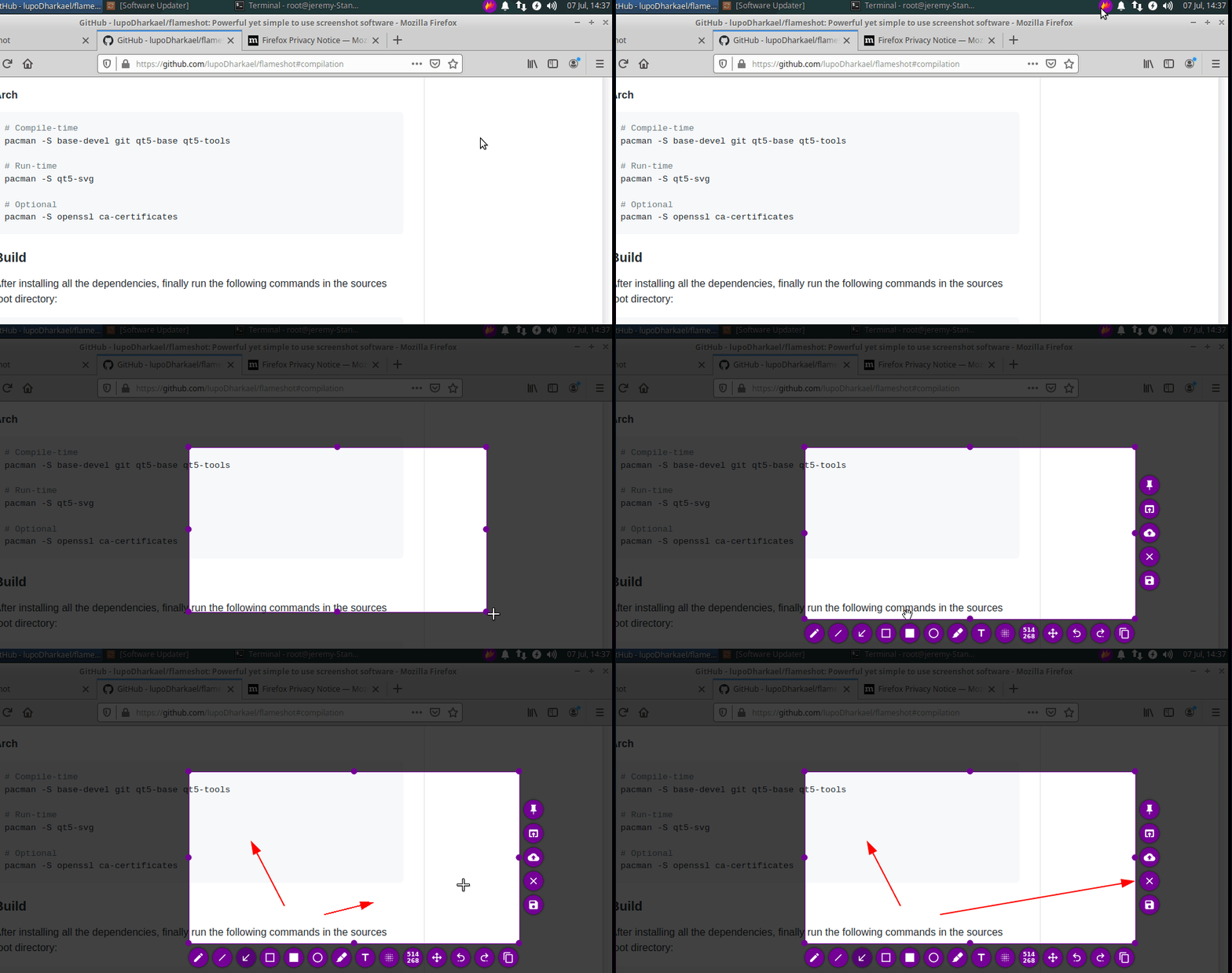
This is resolved in a newer release of flameshot. I don't think the fix is backported to Xubuntu 18.04, but if you build flameshot from source it will work fine (I tested with ubuntu package manager to confirm your issues, then built from source and it works fine)
 borgmanJeremy
on 7 Jul 2020
borgmanJeremy
on 7 Jul 2020
This is resolved in a newer release of flameshot. I don't think the fix is backported to Xubuntu 18.04, but if you build flameshot from source it will work fine (I tested with ubuntu package manager to confirm your issues, then built from source and it works fine)
thank you very much, i will try it
tawmoto
on 7 Jul 2020
@tawmoto please report back if the issue still persists after building from source, and if it is fixed, please close this issue.
 mmahmoudian
on 5 Sep 2020
mmahmoudian
on 5 Sep 2020
@tawmoto There is a new stable version out. Would you please confirm if the issue persists in the new version as well?
mmahmoudian
on 20 Sep 2020
@tawmoto There is a new stable version out. Would you please confirm if the issue persists in the new version as well?
Great, is there a snap or .deb somewhere or should I compile from sources? Thanks
tawmoto
on 20 Sep 2020
@tawmoto There are 26 assets in that release including :
mmahmoudian
on 20 Sep 2020
@tawmoto There are 26 assets in that release including :
Thanks, sorry I did not check myself, I am in vacation with poor internet.
tawmoto
on 20 Sep 2020
Unfortunately I cannot install the .deb because unmet dependencies (I have the latest updates on Ubuntu 18.04)
flameshot depends on libqt5widgets5 (>= 5.11.0~rc1); however:
  Version of libqt5widgets5:amd64 on system is 5.9.5+dfsg-0ubuntu2.5.
Also I get error on snap packages, maybe I am doing smth wrong?
sudo snap install "flameshot_v0.8.0.rc1+git14.017578e_amd64.snap"
error: cannot find signatures with metadata for snap
       "flameshot_v0.8.0.rc1+git14.017578e_amd64.snap"
Thanks
tawmoto
on 21 Sep 2020
@tawmoto The new flameshot is not in snap store yet (try snap search flameshot and you'll see) and that's why the snap instal fails.
About the .deb issue, perhaps @ZetaoYang can comment here as he knows the situation better.
But for now, you can always use the AppImage as it is distro agnostic:
- Naviaget to the folder you would like to store the software (the following is my setup
mkdir -p ~/Applications/Flameshot
cd ~/Applications/Flameshot
- Download the latest AppImage
2.1. Get it from Release page:
https://github.com/flameshot-org/flameshot/releases/download/v0.8.0/Flameshot-0.8.0-x86_64.AppImage
OR
2.2. use the following to automatically download the latest.
```sh
curl -O -J -L $(curl -s https://api.github.com/repos/flameshot-org/flameshot/releases/latest \
| grep -Po 'https://github.com/flameshot-org/flameshot/releases/download/[^}]*.AppImage' \
| uniq)
3. Delete older versions of Flameshot AppImage

4. Set it to executable:
```sh
chmod +x Flameshot-*-x86_64.AppImage
- Run the software:
./Flameshot-*-x86_64.AppImage
@ZetaoYang It is obvious that the ubuntu .deb package provided in the release page was not built against Qt5 5.9 as provided by Ubuntu 18.04 so it cannot be installed on Ubuntu 18.04 since it requires a higher Qt5 version. I consider it a bug and will open another issue for it.
 hosiet
on 21 Sep 2020
hosiet
on 21 Sep 2020
@ZetaoYang this issue has nothing to do with cmake.
hosiet
on 21 Sep 2020
@ZetaoYang this issue has nothing to do with cmake.
I agree, cmake has nothing to do with this, it's a Qt problem.
tawmoto
on 21 Sep 2020
I think this is okay to close now? There were many issues raised but I think they are all resolved.
borgmanJeremy
on 15 Oct 2020
I think this is okay to close now? There were many issues raised but I think they are all resolved.
Yes sure 👍
tawmoto
on 15 Oct 2020
Related issues
 kylewill
·
4Comments
kylewill
·
4Comments
 thiswillbeyourgithub
·
3Comments
thiswillbeyourgithub
·
3Comments
 orschiro
·
3Comments
orschiro
·
3Comments
 ElijahLynn
·
3Comments
ElijahLynn
·
3Comments
 soundsbeard
·
4Comments
soundsbeard
·
4Comments