Flameshot: Hide region via pixelation
Is your feature request related to a problem?
Often screenshots can contain sensitive content. The current blur tool is insufficient for hiding said information. Increasing the blur helps, and is suggested in #127 as is another approach — pixelating/mosaicing.
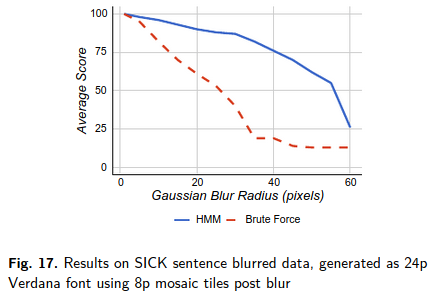
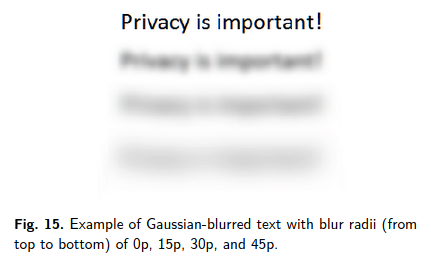
Performing a quick search on the two approaches I find this article describing the (lack of) effectiveness of these two methods. Of key interest are the following figures
Gaussian Blur
Mosaicing/pixelating
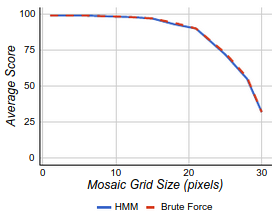
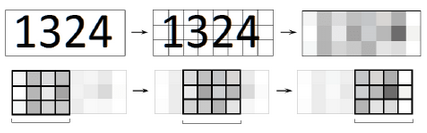
Of note, is that at a given mosaic/blur size, mosaicing outperforms the gaussian blur.
With a 40pt radius, reading from the graph about 3/4 of the blurred information can be recovered, but from the look of the mosaic graph, less than 1/4 from that approach with a square size of 40pt.
As a result of all this, I believe it would be beneficial to add a mosaic/pixelation option to Flameshot. While both techniques have issues, pixelation with large square sizes appears to be a safer way to go.
 tecosaur
All 7 comments
Interesting, I really like this idea and will play with adding this on my fork and get a PR once its done.
We can pick a good default pixel size, but I suspect people will need to adjust it based on the information needing to be censored. IE 100pt font will need a larger pixel size than 10pt font. I'm not sure yet the best way to integrate that option into the UI.
 borgmanJeremy
on 22 Jun 2020
borgmanJeremy
on 22 Jun 2020
Glad to see there's interest :smiley:
We can pick a good default pixel size, but I suspect people will need to adjust it based on the information needing to be censored.
@borgmanJeremy I imagine that one could just use a user-variable size as with line thinkness, text size etc.
tecosaur
on 22 Jun 2020
@tecosaur Yeah I think the best way to integrate it is with the scroll wheel.
Do you have any objections to replacing the current blur tool with the pixelate tool?
borgmanJeremy
on 22 Jun 2020
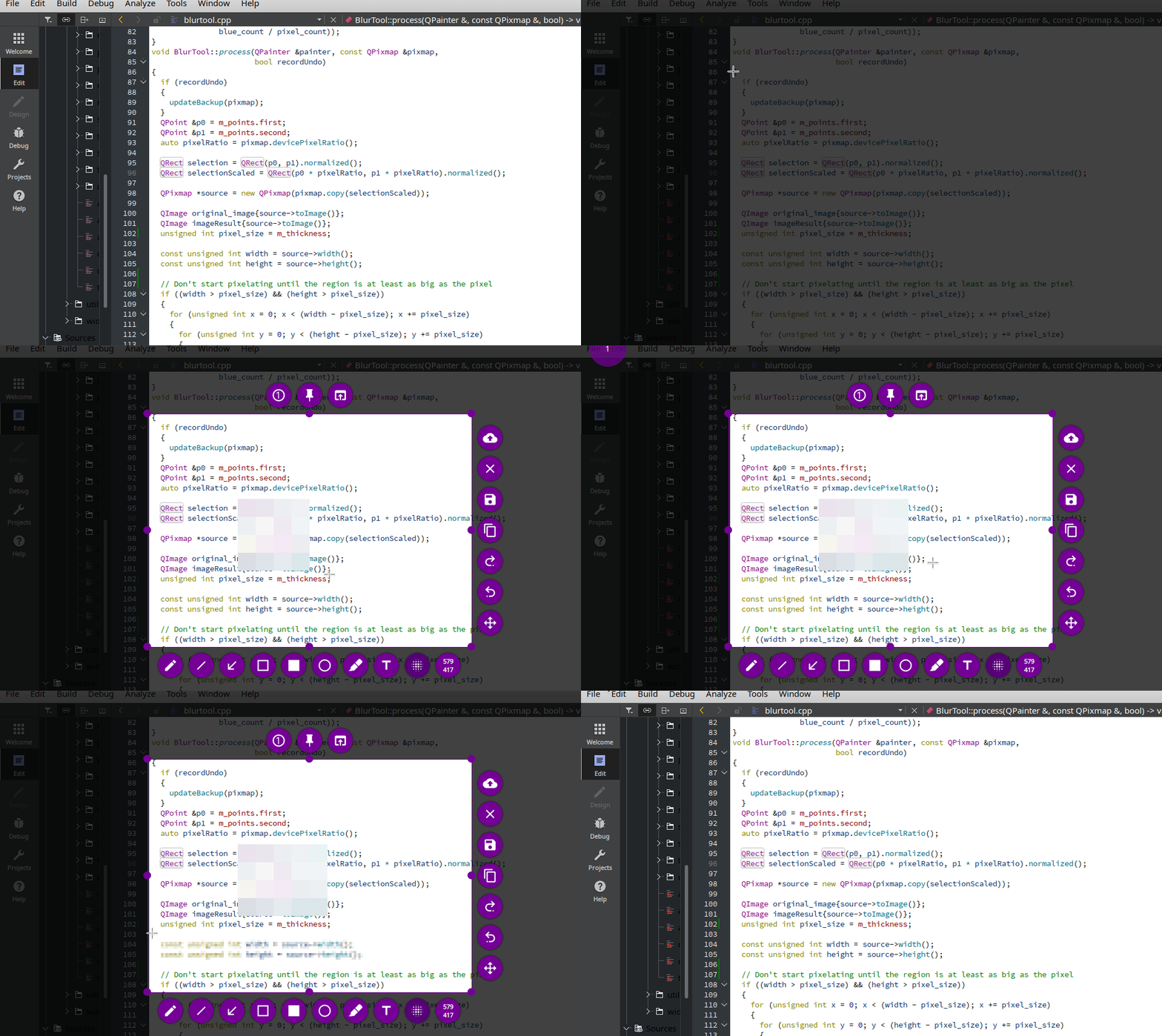
Something like this?
borgmanJeremy
on 23 Jun 2020
I believe this could be a great change.
Maybe make it toggle-able with a checkbox (set to pixelise by default) in case anyone prefers the old method
 Tc-001
on 10 Jul 2020
Tc-001
on 10 Jul 2020
This is quite a late reply from me, but @borgmanJeremy that demo looks great!
tecosaur
on 10 Jul 2020
This is merged in and will be present in the next release.
borgmanJeremy
on 4 Sep 2020
Related issues
 kylewill
·
4Comments
kylewill
·
4Comments
 hosiet
·
4Comments
hosiet
·
4Comments
 mmesnjak
·
4Comments
mmesnjak
·
4Comments
 thiswillbeyourgithub
·
3Comments
thiswillbeyourgithub
·
3Comments
 dajare
·
4Comments
dajare
·
4Comments
Most helpful comment
Something like this?
