Flameshot: Screenshot preview broken with mixed-DPI screens
Describe the bug
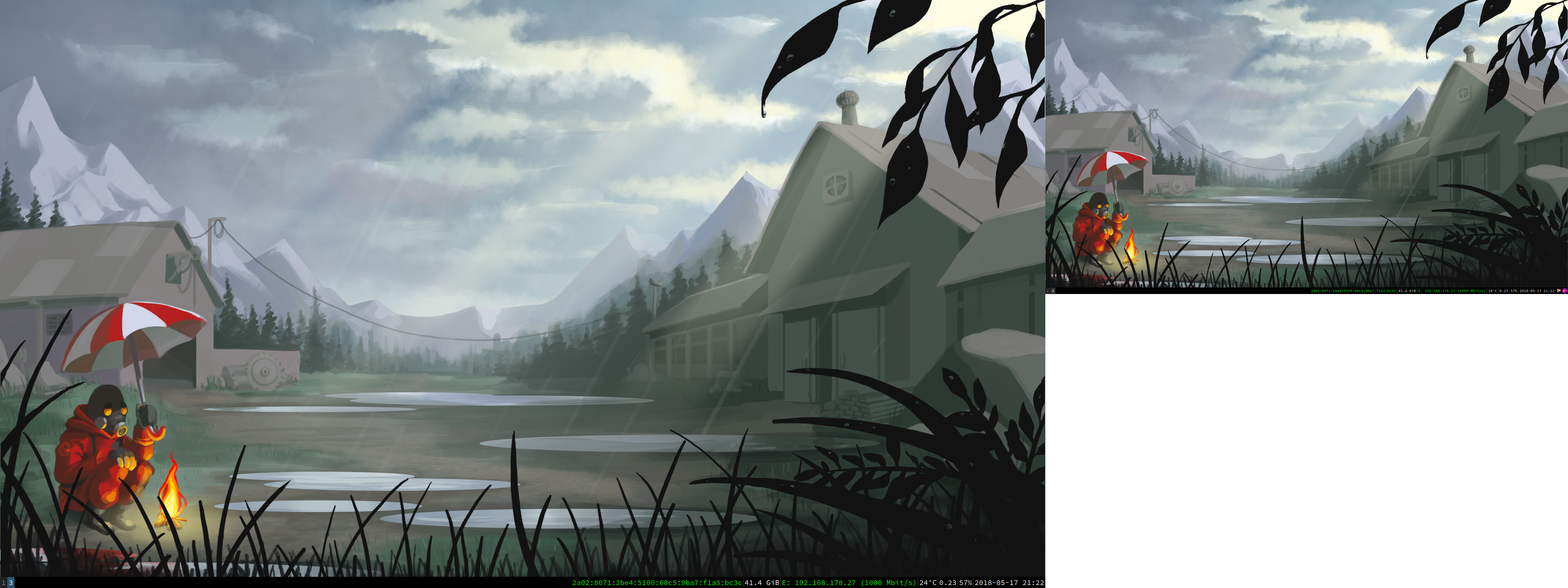
I have two screens with different scale factors. When launching flameshot, I see only the contents of my HiDPI monitor scaled up to cover both my monitors.
Here are two screenshots (taken with scrot) to illustrate the problem. The first is before starting flameshot, the second is after starting flameshot.

To Reproduce
- Have two monitors
- Set
QT_SCREEN_SCALE_FACTORS="1;1.5" - Launch flameshot
Expected behavior
The screenshot preview matches what was shown on the screen before starting flameshot.
Desktop:
- OS: Arch Linux
- Version 0.5.1-5 from the community repository
 lluchs
All 17 comments
Having this issue as well.
Arch and one Retina Display one 27" QHD.
 kwiesmueller
on 6 Jun 2018
kwiesmueller
on 6 Jun 2018
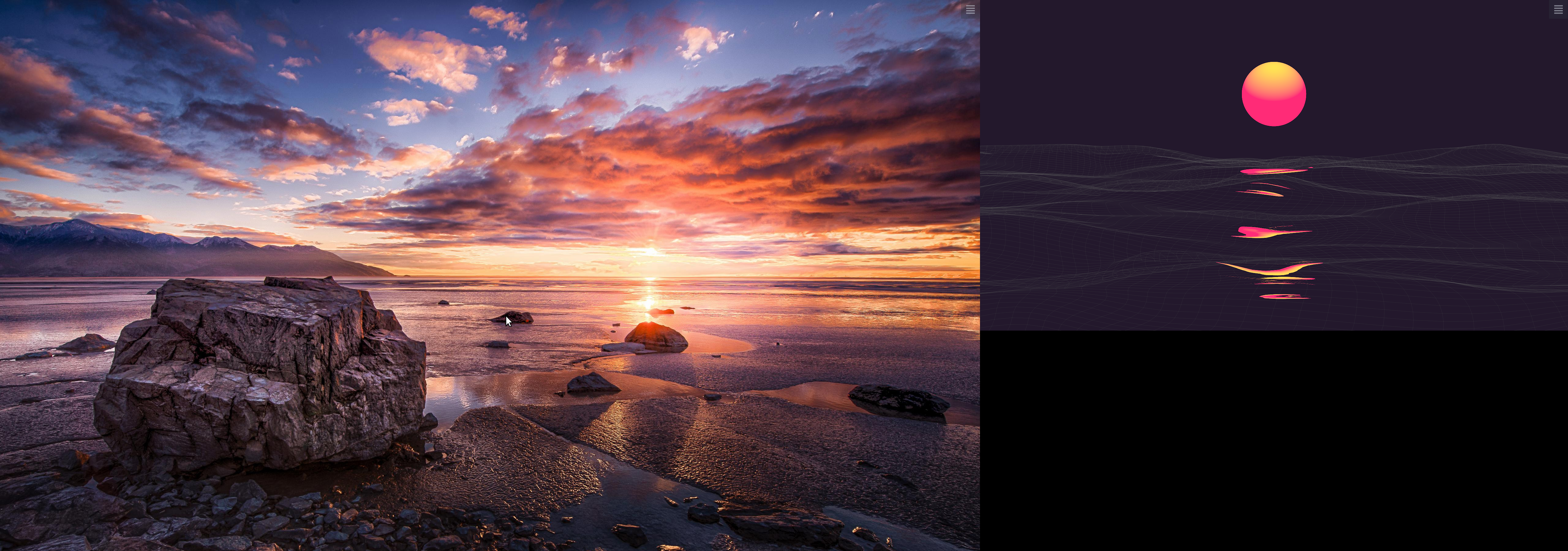
Similar issue with 3200x1800 main display and 1920X1080 external. First image is from spectacle, the second is from flameshot:

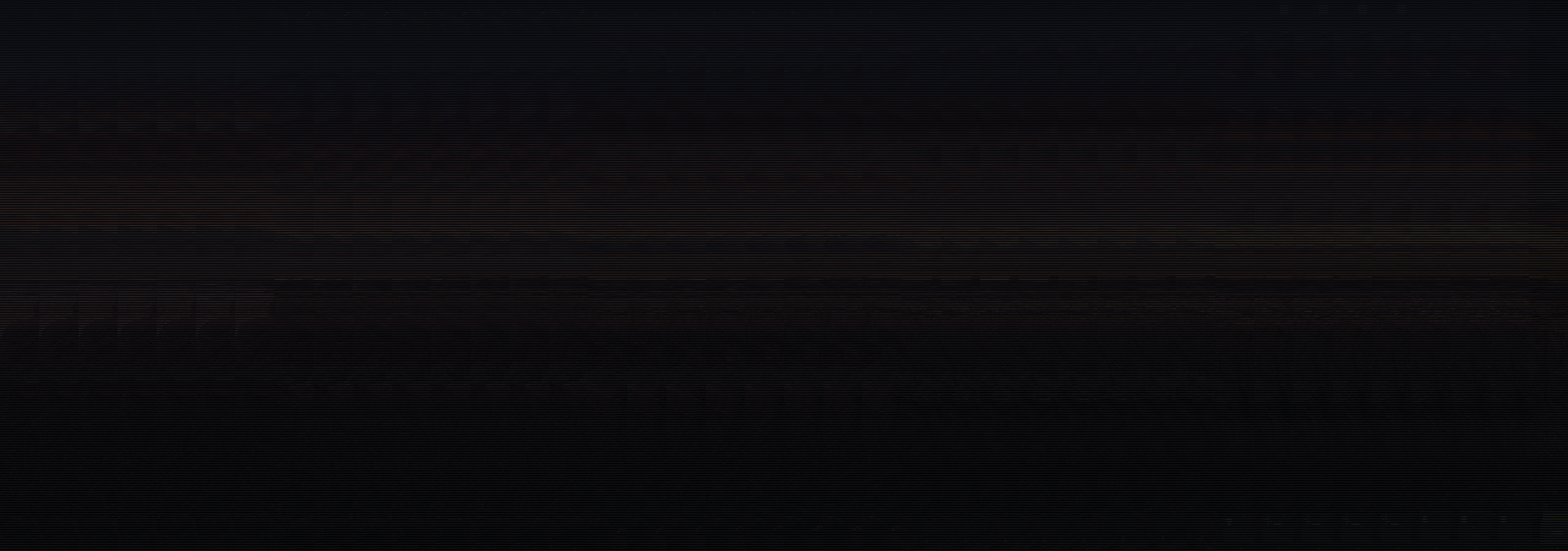
I cannot actually see anything useful during the preview. It almost looks like the two screens are interlaced during this step. Image captured with delayed scrot:
 seevee
on 24 Jul 2018
seevee
on 24 Jul 2018
I plan to release a new version this week, this new version contains fixes for hidpi setups.
 lupoDharkael
on 25 Jul 2018
lupoDharkael
on 25 Jul 2018
I still have this bug, but it is on Spectacle too. Could it be because of Qt?
 rplanchuelo
on 10 Nov 2018
rplanchuelo
on 10 Nov 2018
rplanchuelo
on 10 Nov 2018
rplanchuelo
on 10 Nov 2018
Any chance for a fix for this issue?
 karolbe
on 15 Nov 2018
karolbe
on 15 Nov 2018
KDE just rewrote the Rectangular Region mode in Spectacle, so maybe this is fixed for Spectacle.
https://bugs.kde.org/show_bug.cgi?id=385885
rplanchuelo
on 27 Dec 2018
I can confirm that this issue is reproducible with Flameshot (flameshot-0.6.0-1.fc29.x86_64) and fixed in Spectacle (spectacle-18.04.3-1.fc29.x86_64 or earlier).
 HalisCz
on 7 Jan 2019
HalisCz
on 7 Jan 2019
@lupoDharkael will the above comment mean we'll get a fix?
kwiesmueller
on 28 Jan 2019
I can confirm that this issue is reproducible with Flameshot (
flameshot-0.6.0-1.fc29.x86_64) and fixed in Spectacle (spectacle-18.04.3-1.fc29.x86_64or earlier).
I'm on Spectacle 18.12.3-1 and the issue remains.
 aerosol
on 20 Mar 2019
aerosol
on 20 Mar 2019
I think I have the same issue, the monitors seem to shift so my primary is blank and the primary display appears on the secondary. But the shutter help appears on the primary.
 MrPrimate
on 21 May 2019
MrPrimate
on 21 May 2019
Had the same issue with single monitor set to ratio 1.7
Not the whole screen fits into view of the screenshot.
Seems like flameshot multiply scale twice, or rather multiply instead of divide.
 Mart-Bogdan
on 11 Dec 2019
Mart-Bogdan
on 11 Dec 2019
@lluchs can you please test patched version released here as a downloadable built archive with x64 executable
https://github.com/Mart-Bogdan/flameshot/releases/tag/tmp-fix-scaling
Mart-Bogdan
on 2 Jan 2020
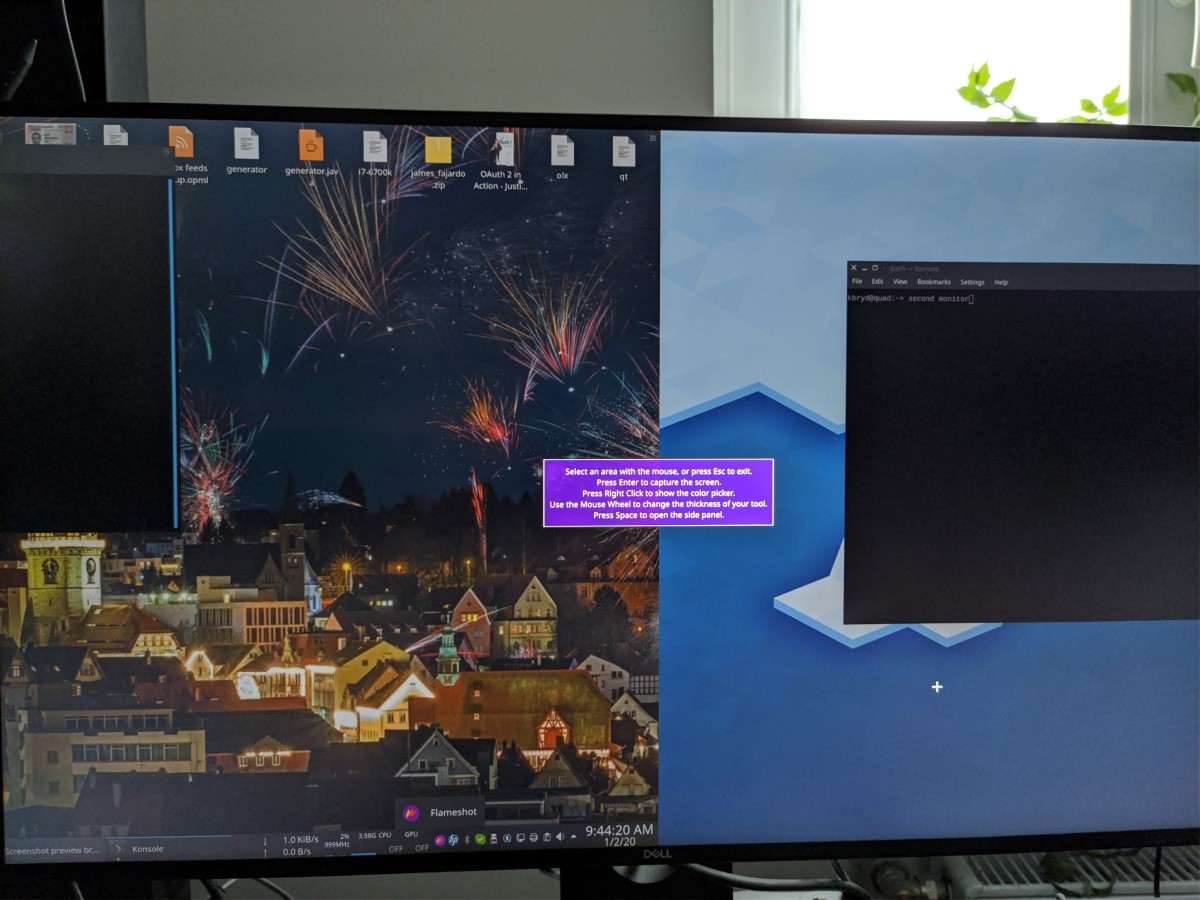
My setup is slightly different, I have two identical 4k monitors, I have a global scaling 1.5x applied. When I use flameshot (the build from comment above) part of the second monitor screen is shifted to the first monitor screen, see the photo below:
So far I found only two screenshot applications that work: shutter and spectacle, spectacle was recently fixed because it was broken in the same way as flameshot. It'd be great to fix flameshot because it is much more useful than spectacle, and shutter, sadly, is no longer maintained.
karolbe
on 2 Jan 2020
Hm, I'll try with two monitors today.
So you say both monitors have same dpi/scaling?
P.S. seems flameshot is also unmaintained. Tens of open pull requests :(
Mart-Bogdan
on 2 Jan 2020
Hello, @karolbe i've made new fix. https://github.com/Mart-Bogdan/flameshot/releases/tag/tmp-fix-scaling-2
Tested it. It wasn't actually working at all for 2x scale, only for fractional ones.
Also made fix for two monitors. Tested on local setup with two monitors.
Wasn't able to test on 3 monitors, as my system don't support it. Some issues could be there.
@lluchs Can you please tell me how you enabled different scaling factors for different monitors
? Is this possible only with tiling window managers? Haven't tested different scaling factor setup (
Mart-Bogdan
on 3 Jan 2020
@Mart-Bogdan good job, it works fine on my two monitor setup too :-) Thanks!
karolbe
on 3 Jan 2020
Related issues
 gdude2002
·
4Comments
gdude2002
·
4Comments
 mmesnjak
·
4Comments
mmesnjak
·
4Comments
 abba23
·
3Comments
abba23
·
3Comments
 bingoIsCoder
·
4Comments
bingoIsCoder
·
4Comments
 ElijahLynn
·
3Comments
ElijahLynn
·
3Comments
Most helpful comment
@lupoDharkael will the above comment mean we'll get a fix?