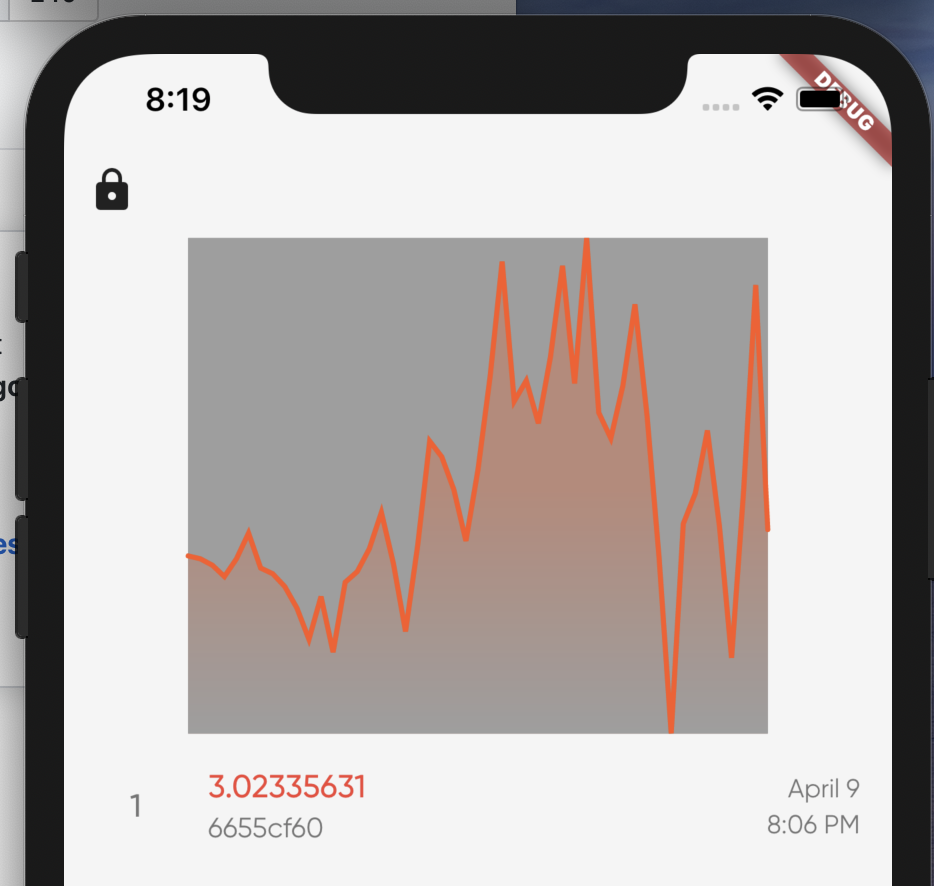
Fl_chart: I can't change the background color
I'm not sure what's going on, I feel like I'm making a mistake but for some reason I cannot change the background color
import 'package:flutter/material.dart';
import 'package:fl_chart/fl_chart.dart';
import 'package:provider/provider.dart';
import 'package:wlw/extensions/extensions.dart';
import 'package:wlw/state/app_state.dart';

class BalanceHistoryChart extends StatelessWidget {
  @override
  Widget build(BuildContext context) {
    final appState = Provider.of<AppState>(context);

    final data = appState.transactions.getBalanceHistory();

    return Container(
      color: Colors.green,
      child: LineChart(
        LineChartData(
          backgroundColor: Colors.red,
          borderData: FlBorderData(show: false),
          titlesData: FlTitlesData(
            bottomTitles: SideTitles(showTitles: false),
            topTitles: SideTitles(showTitles: false),
            rightTitles: SideTitles(showTitles: false),
            leftTitles: SideTitles(showTitles: false),
          ),
          lineBarsData: [
            LineChartBarData(
              barWidth: 2.5,
              spots: [
                for (var d in data)
                  FlSpot(
                    data.indexOf(d).toDouble(),
                    d.amount,
                  ),
              ],
            ),
          ],
        ),
      ),
    );
  }
}
 lukepighetti
All 11 comments
I can not run this code to debug.
 imaNNeoFighT
on 10 Apr 2020
imaNNeoFighT
on 10 Apr 2020
import 'package:flutter/material.dart';
import 'package:fl_chart/fl_chart.dart';
import 'package:provider/provider.dart';
import 'package:wlw/extensions/extensions.dart';
import 'package:wlw/state/app_state.dart';

class BalanceHistoryChart extends StatelessWidget {
  @override
  Widget build(BuildContext context) {
    final appState = Provider.of<AppState>(context);

    // final data = appState.transactions.getBalanceHistory();
    final data = [1, 2, 3, 4, 5, 6, 7, 8, 9];

    return Container(
      width: double.maxFinite,
      padding: EdgeInsets.symmetric(horizontal: 16),
      child: LineChart(
        LineChartData(
          borderData: FlBorderData(show: false),
          titlesData: FlTitlesData(show: false),
          lineTouchData: LineTouchData(enabled: false),
          // backgroundColor: Colors.white,
          lineBarsData: [
            LineChartBarData(
              barWidth: 2.5,
              dotData: FlDotData(show: false),
              spots: [
                for (var d in data)
                  FlSpot(
                    d * 2.0,
                    d * 1.0,
                  ),
              ],
            ),
          ],
        ),
      ),
    );
  }
}
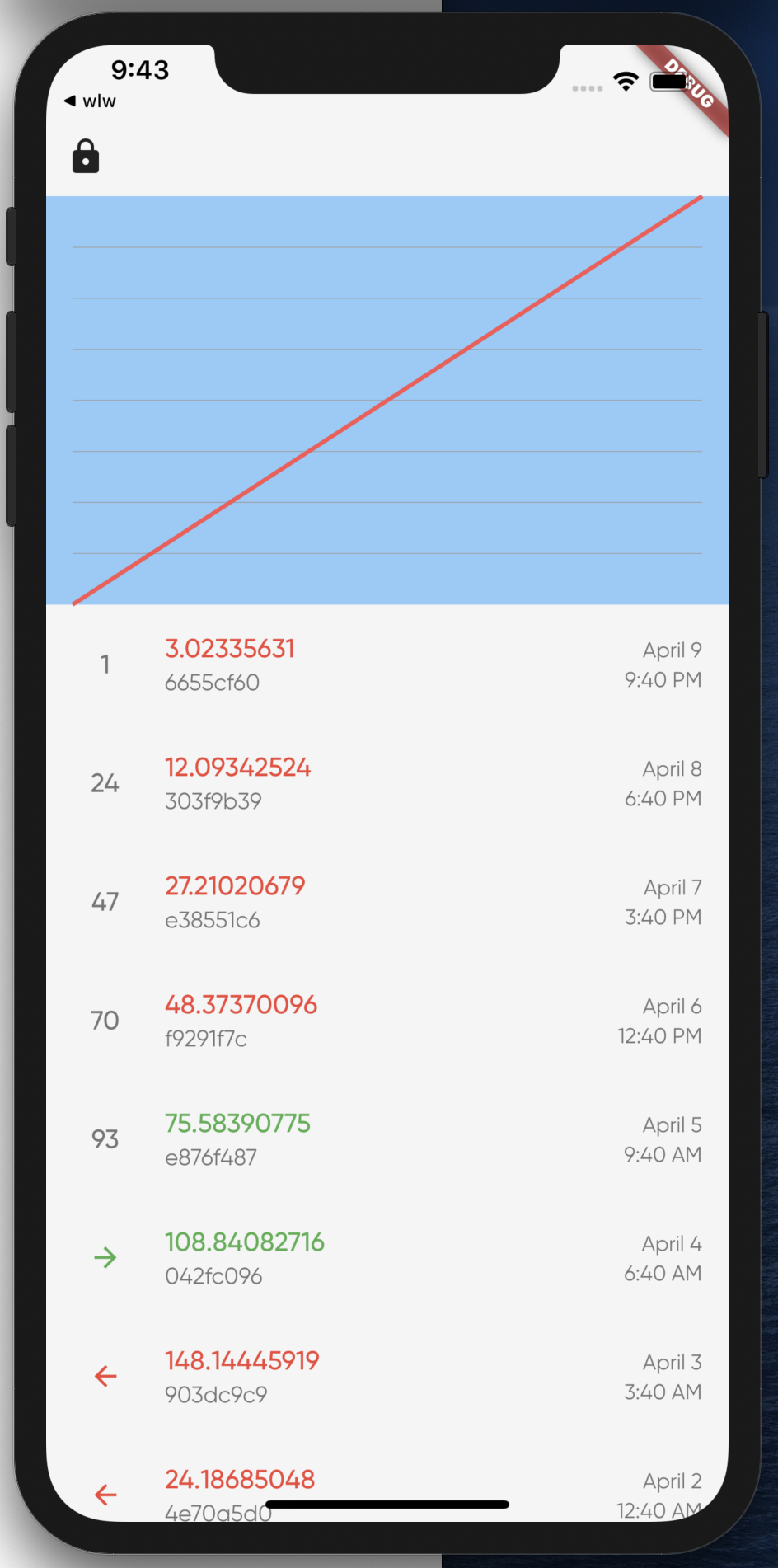
This gives me this. Are the horizontal lines getting stretched?
lukepighetti
on 10 Apr 2020
I had to do this to resolve. I don't think I've ever yelled at my computer so much before haha.
gridData: FlGridData(show: false),
If this issue is resolved close remove it :))
imaNNeoFighT
on 11 Apr 2020
I don't consider it resolved. The grid data shouldn't ever look like a background.
lukepighetti
on 12 Apr 2020
Then please tell me what's wrong?
You should set gridData: FlGridData(show: false), to disable drawing horizontal lines.
imaNNeoFighT
on 12 Apr 2020
If you look at the example at the top the background is actually the grid data, but the lines are so close together it looks like a solid background. That's a bug.
lukepighetti
on 13 Apr 2020
import 'package:flutter/material.dart';
import 'package:fl_chart/fl_chart.dart';
import 'package:provider/provider.dart';
import 'package:wlw/extensions/extensions.dart';
import 'package:wlw/state/app_state.dart';

class BalanceHistoryChart extends StatelessWidget {
  @override
  Widget build(BuildContext context) {
    final appState = Provider.of<AppState>(context);

    // final data = appState.transactions.getBalanceHistory();
    final data = [1, 2, 3, 4, 5, 6, 7, 8, 9];

    return Container(
      width: double.maxFinite,
      padding: EdgeInsets.symmetric(horizontal: 16),
      child: LineChart(
        LineChartData(
          borderData: FlBorderData(show: false),
          titlesData: FlTitlesData(show: false),
          lineTouchData: LineTouchData(enabled: false),
          // backgroundColor: Colors.white,
          lineBarsData: [
            LineChartBarData(
              barWidth: 2.5,
              dotData: FlDotData(show: false),
              spots: [
                for (var d in data)
                  FlSpot(
                    d * 2.0,
                    d * 1.0,
                  ),
              ],
            ),
          ],
        ),
      ),
    );
  }
}
This gives me this. Are the horizontal lines getting stretched?
Your sample is working well, and I see the background color working.
imaNNeoFighT
on 13 Apr 2020
That sample shows it working as intended. The initial screenshot shows it working not as intended. I don't care if you close this issue but it is a bug.
lukepighetti
on 13 Apr 2020
I can't find the bug.
could you explain it clearly please?
imaNNeoFighT
on 13 Apr 2020
Don't worry about it. Thanks for your time and dedication to this package. :)
lukepighetti
on 13 Apr 2020
Related issues
 mukhammad-akilov
·
4Comments
mukhammad-akilov
·
4Comments
 MobileMon
·
4Comments
MobileMon
·
4Comments
 Mohdx
·
4Comments
Mohdx
·
4Comments
 jamesblasco
·
4Comments
jamesblasco
·
4Comments
 Saran90
·
5Comments
Saran90
·
5Comments