Firejail: How can I allow dbus but not net (gimp profile)
I'm on ubuntu 14.04 using firejail 0.9.58.2
Using the stock profile, gimp doesn't have it's menu rendered. I use slim window headers in unity with menus rendered in the title bars, I guess the menu is exported over dbus. As only I add a local override for gimp
ignore net
ignore nodbus
the menus do appear.
The problem is the lines are both required. Even though the profile only allows unix protocol, gimp somehow can download files (tested with File/Open Location)
$ firejail --debug --profile=/etc/firejail/gimp.profile gimp 2>&1 | grep -i protocol
Creating empty /run/firejail/mnt/seccomp.protocol file
Build protocol filter: unix <==============
sbox run: /run/firejail/lib/fseccomp protocol build unix /run/firejail/mnt/seccomp.protocol (null)
Install protocol filter: unix <==============
configuring 10 seccomp entries in /run/firejail/mnt/seccomp.protocol
sbox run: /usr/lib/firejail/fsec-print /run/firejail/mnt/seccomp.protocol (null)
So how can I allow gimp to use dbus but prevent it from using the real networking?
 dandelionred
All 18 comments
@dandelionred Ubuntu 14.04 has reached EOL, there will be no more updates (including security-update), you should upgrade at least to 16.04
https://endoflife.software/operating-systems/linux/ubuntu
https://www.omgubuntu.co.uk/2019/04/ubuntu-14-04-end-of-life
 rusty-snake
on 7 May 2019
rusty-snake
on 7 May 2019
@rusty-snake I know lol but the issue is not particularly about 14.04 (16.04 is unity by default, 18.04 still has unity in repos), but about allowing dbus access for an application so it can export its menu to unity over dbus. And in the same time prevent it from real networking.
dandelionred
on 7 May 2019
- From where is your firejail?
- Is gimp protected by apparmor?
rusty-snake
on 7 May 2019
- compiled from sources
- idk. I've never done anything apparmor related to my system so it should be some defaultconfiguration.
Lemme try to reproduce it in livecd 16.04
dandelionred
on 7 May 2019
Here is the issue reproduction for 16.04 livecd (I did it in virtualbox):
Important: I intentionally don't use sudo firecfg below. Instead I use firejail gimp each time to run something sandboxed.
_There is some glitch, mby it is related to the livecd operating mode. Run sudo firecfg, which gimp shows /usr/local/bin/gimp, but running gimp somewhy runs it unsandboxed, firejail --list is empty._
- boot, click "Try ubuntu"
- System settings/Appearance/Behaviour
- Show the menus for a window = In the window's title bar
- Menus visibility = Always displayed
-
sh
sudo sed -i '/^deb/s~$~ universe~' /etc/apt/sources.list # enable the universe repository
sudo apt update
sudo apt install -y checkinstall gimp
gimp
- Switch gimp to single window mode for better view (Windows/Single-Window Mode), enjoy menus visible in the window title, exit gimp
-
sh wget https://github.com/netblue30/firejail/archive/0.9.58.2.tar.gz tar xf *.gz cd firejail* ./configure --prefix=/usr make fakeroot checkinstall -D -y --install=no --fstrans=yes sudo dpkg -i *.deb firejail gimp - Enjoy (?) the absent menus, exit gimp
-
sh echo -e 'ignore net\nignore nodbus' | sudo tee /etc/firejail/gimp.local firejail gimp - Notice the menus are back, exit gimp.
- Try commenting
/etc/firejail/gimp.localline by line and runfirejail gimpeach edit. Notice, the menus only appear when both lines are not commented.
Important: stock gimp in 16.04 is broken: it can't open urls. So let's switch to a patched version from ppa to test network access.
sh sudo add-apt-repository ppa:otto-kesselgulasch/gimp sudo apt update sudo apt install gimp gimp- Try to open some http image url (NOT https) with File/Open location. It works. Close gimp.
- Make sure everything in
/etc/firejail/gimp.localis commented out.
sh firejail gimp- _Since there is no menu visible now, right click anywhere in the middle gray area for menu._ Try to open the same url. It doesnt open (because
net nonein/etc/firejail/gimp.profileI guess). Exit gimp - Uncomment everything in
/etc/firejail/gimp.local.
sh
firejail --debug gimp 2>&1 | grep -i protocol
Creating empty /run/firejail/mnt/seccomp.protocol file
Build protocol filter: unix
sbox run: /run/firejail/lib/fseccomp protocol build unix /run/firejail/mnt/seccomp.protocol (null)
Install protocol filter: unix
configuring 10 seccomp entries in /run/firejail/mnt/seccomp.protocol
sbox run: /usr/lib/firejail/fsec-print /run/firejail/mnt/seccomp.protocol (null)
- The menus are back. Try to open the same url. It works even though
unixis the only protocol allowed (if I understand the command output above right).
What I want:
- allow gimp to use dbus
How I do it:
- /etc/firejail/gimp.local
ignore net
ignore nodbus
What I see:
- enabling dbus access in the same time enables unrestricted network access, even though there is
protocol unixin/etc/firejail/gimp.profile
dandelionred
on 7 May 2019
Trys to open https://duckduckgo.com/favicon.ico
gimp # (unsandboxed) worked
firejail gimp # does not work
firejail --ignore="net none" gimp # does not work
firejail --ignore="net none" --ignore=nodbus gimp # worked
@rusty-snake
_So your gimp can open https? Mine can't (as well as the 16.04's one from the ppa above)._
I'm not quite sure what you mean. Yes, the lines work the way you commented them.
But pay attention to the gimp menu in the same time!
Pay additional attention: I don't speak about some generic gimp. I speak about gimp running in unity desktop with menus-in-titlebar feature enabled which works over dbus.
I need menus + no network (RMS the stock gimp profile was is right in disabling network).
Menus can be fixed with --ignore="net none" --ignore=nodbus, but in the same time it opens generic network access which is bad.
## assuming gimp.local is empty
gimp # menu present, network present
firejail gimp # no menu, no network
firejail --ignore="net none" gimp # no menu, network present
firejail --ignore=nodbus gimp # no menu, no network
firejail --ignore="net none" --ignore=nodbus gimp # menu present, =>>network present<<=
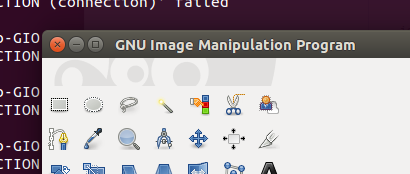
menu present
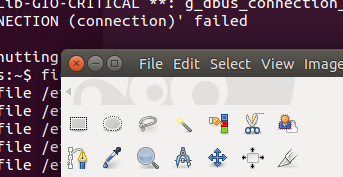
no menu
dandelionred
on 8 May 2019
@rusty-snake There is some time warp. https://github.com/netblue30/firejail/issues/2683#issuecomment-490509559 is a response to https://github.com/netblue30/firejail/issues/2683#issuecomment-490492531
dandelionred
on 8 May 2019
enabling dbus access in the same time enables unrestricted network access, even though there is protocol unix in /etc/firejail/gimp.profile
That's GIO/GVfs in action.
Choosing a random D-Bus interface from the GVfs documentation and blocking it in AppArmor:
deny dbus bus=session interface=org.gtk.vfs.MountTracker,
After reloading the AppArmor policy, opening remote files in GIMP does not work any more.
But note the GVfs documentation mentions several interfaces, and it is probably crucial to pick the right one, so your restriction cannot be circumvented.
Also note there are other dangerous interfaces on the D-Bus session bus, so using AppArmor to only allow what's really needed obviously would be best (rather than disallowing what is recognized as a danger).
 smitsohu
on 8 May 2019
smitsohu
on 8 May 2019
@dandelionred In other words, it probably can be done, but it will be some effort.
Create a new AppArmor profile only for GIMP based off the current firejail-default profile. That one already includes two D-Bus abstractions which should be useful as a starting point, but you'll need to comment the dbus line as far as I understand:
#include <abstractions/dbus-strict>
#include <abstractions/dbus-session-strict>
#dbus,
Then set the new profile to complain mode and try to run firejail --ignore=apparmor gimp (if you don't ignore Firejail's apparmor command, the firejail-default policy takes precedence).
All violations go to the syslog, so observe your syslog and add what's needed to the AppArmor policy. In the end you have a D-Bus whitelist, and chances are you can have the global menu and at the same time shut down network access.
smitsohu
on 9 May 2019
@smitsohu Thanks, I think it is a better option to just give up and disable integrated menus in unity.
@rusty-snake Apparently current profiles (I used git master head) interfere with such desktop features as global/integrated menus in unity and global menu widget in kde. XFCE and gnome shell has some global menu, probably it works over dbus as well (I haven't tried it).
For example kcalc.profile has nodbus and firejail kcalc prevents kcalc's menu from appearing in global menu widget in kubuntu 18.04 (it appears under the window titlebar). Same goes for transmission-qt.profile.
In 16.04 unity firejail gimp prevents gimp window menu from appearing globally, intergated and under the window titlebar. No menu at all.
Another ridiculous sample is krita in kubuntu 18.04:
- Run
krita, enjoy the global menu. Exit. - Run
firejail --nodbus krita. No global menu, no menu under window titlebar. Exit. - Run once more
firejail --nodbus krita. The menu appears under window titlebar. Exit.
Assume a user decides to block dbus access for krita. It adds a nodbus override, starts firejail krita and gets nor global menu, nor menu under window titlebar. Very confusing, even though the menu would appear under window titlebar on the next (and all subsequent) firejail --nodbus krita calls.
The problem is very wide accross current profiles. I assume it should be left as is, but the docs should give a bold notice firejail could break such desktop feature as global or integrated menus so it is recommended to disable the feature.
dandelionred
on 9 May 2019
@dandelionred your right, nodbus breaks global menus, MPRIS, tray icons and other desktop integation features.
rusty-snake
on 9 May 2019
I just discovered xdg-dbus-proxy exists as separate package in recent distributions (Ubuntu starting with 19.04 cosmic). I didn't try it out yet, but it should be an alternative to D-Bus control via AppArmor...
smitsohu
on 9 May 2019
@rusty-snake Also this project https://github.com/pekman/netns-exec does what is requested here... it could be integrated in firejail with an option to allow dbus like --proxydbus
 intika
on 25 May 2019
intika
on 25 May 2019
@dandelionred If you're still interested in this, I think you might achieve want you want by using the dns setting (in addition to 'ignore net' and 'ignore nodbus'). If you add a non-existing dns server address to gimp.local, e.g. dns 128.0.0.1 (assuming you don't run a DNS server on that address), that should stop name resolution. The only snag is that the dns feature is not supported on systemd-resolved setups (as man firejail notes). Might be worth another shot.
 glitsj16
on 25 May 2019
glitsj16
on 25 May 2019
@glitsj16 I don't think that this work, because setting protocol unix (no inet,inet6) doesn't prevent the internet access, because it use dbus to leave the sandbox.
rusty-snake
on 25 May 2019
I'm going to close this for now, since the OP hasn't replied and a 'resolution' ostensibly has been found. @dandelionred, please feel free to re-open if you have more questions.
 chiraag-nataraj
on 29 May 2019
chiraag-nataraj
on 29 May 2019
I've been able to use dbus without net like this:-
firejail --ignore=protocol --protocol=unix vlc
 LastLightSith
on 16 Dec 2020
LastLightSith
on 16 Dec 2020
Related issues
 HulaHoopWhonix
·
4Comments
HulaHoopWhonix
·
4Comments
 ghost
·
3Comments
ghost
·
3Comments
 SkewedZeppelin
·
3Comments
SkewedZeppelin
·
3Comments
 polyzen
·
4Comments
polyzen
·
4Comments
 crass
·
3Comments
crass
·
3Comments
Most helpful comment
That's GIO/GVfs in action.
Choosing a random D-Bus interface from the GVfs documentation and blocking it in AppArmor:
deny dbus bus=session interface=org.gtk.vfs.MountTracker,After reloading the AppArmor policy, opening remote files in GIMP does not work any more.
But note the GVfs documentation mentions several interfaces, and it is probably crucial to pick the right one, so your restriction cannot be circumvented.
Also note there are other dangerous interfaces on the D-Bus session bus, so using AppArmor to only allow what's really needed obviously would be best (rather than disallowing what is recognized as a danger).