Firebaseui-ios: Sign in with e-mail button no longer responding after subclassing FUIAuthPickerViewController
Swift, iOS version 8.0, Firebase SDK version 4.0.4, FirebaseUI version 4.1.1;
I am trying to customize the looks of the FUIAuthPickerViewController and following the technique of Brad Caldwell (video tutorial) I've subclassed the FUIAuthPickerViewController. This created a runtime-error:
'NSInternalInconsistencyException', reason: 'Could not load NIB in bundle: 'NSBundle
I've fixed this by adding the following code to my subclass:
    override init(nibName: String?, bundle: Bundle?, authUI: FUIAuth) {
        super.init(nibName: "FUIAuthPickerViewController", bundle: bundle, authUI: authUI)
    }

    required init?(coder aDecoder: NSCoder) {
        super.init(coder: aDecoder)
    }
However, ever since I did this the 'Sign in with e-mail' button is no longer responding even though the 'Sign in with Google' button works just fine... Any Idea's? Full code below:
import UIKit
import FirebaseAuthUI

class CustomAuthViewController: FUIAuthPickerViewController {

    override init(nibName: String?, bundle: Bundle?, authUI: FUIAuth) {
        super.init(nibName: "FUIAuthPickerViewController", bundle: bundle, authUI: authUI)
    }

    required init?(coder aDecoder: NSCoder) {
        super.init(coder: aDecoder)
    }

    override func viewDidLoad(){
        super.viewDidLoad()

        // Set up the subview that will display the custom layout
        let width = UIScreen.main.bounds.size.width
        let height = UIScreen.main.bounds.size.height
        let subviewRect = CGRect(x: 0, y: 0, width: width, height: height)
        let subview = UIView(frame: subviewRect)
        subview.backgroundColor = .black

        // Add the logo to our subview
        let logoImageRect = CGRect(x: ((width/2)-100) ,y: ((height/3)-100) , width: 200, height: 200)
        let logoImage = UIImage(named: "Logo black background")
        let logoImageView = UIImageView()
        logoImageView.frame = logoImageRect
        logoImageView.contentMode = UIViewContentMode(rawValue: 2)!
        logoImageView.image = logoImage
        subview.addSubview(logoImageView)

        // Prepare label with the added textmessage and add to subview
        let addedMessageRect = CGRect(x: 0,y: 0, width: 300, height: 20)
        let addedMessage = UILabel(frame: addedMessageRect)
        addedMessage.text = "Please register or login"
        addedMessage.textColor = .white
        addedMessage.adjustsFontSizeToFitWidth = true
        addedMessage.center = CGPoint(x: width/2, y: ((height/3)+200))
        addedMessage.textAlignment = .center
        subview.addSubview(addedMessage)

        view.insertSubview(subview, at: 0)
    }
}
 ChrisVerhagen
All 9 comments
Seems like one of your views may be clipping over the email/password button. If you take a look in the view debugger, are any of the custom views you've added obscuring any buttons?
 morganchen12
on 25 Jul 2017
morganchen12
on 25 Jul 2017
Hi Morgan. I've checked and this does not seem to be the problem. I can even comment out all of my added views and the problem will still remain... Here's a screenshot of the debugger view hierarchy:

ChrisVerhagen
on 25 Jul 2017
@ChrisVerhagen Please use this method to initialize auth controller and this method to use custom nib name.
And don't forget to update to the latest Firebase-UI v 4.1.1
@ChrisVerhagen let me know if that helped you.
 yramanchuk
on 3 Aug 2017
yramanchuk
on 3 Aug 2017
Considering issue to be fixed.
yramanchuk
on 15 Aug 2017
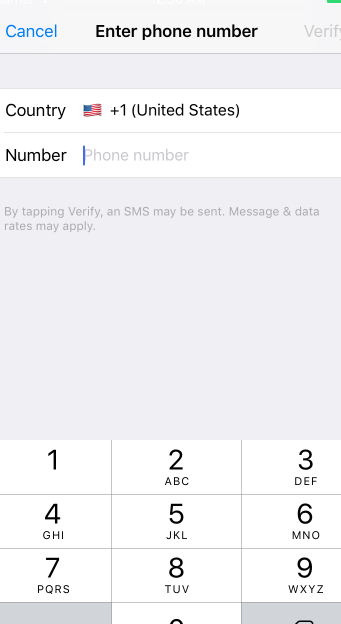
Hi, I am using FirebaseUI for phone authentication IOS - swift, which is working great, but the thing is my Whole app them color is blue but the Firebase picker view thing is in white color could anyone tell me how to resolve this issue. because the digits are closing by this month and they have given some methods like below
// digitsAppearance.background color = UIColor(pattern image: UIImage(named: "background.jpg")!)
and I have to release this version ASAP.
thank you so much

 shivavattem
on 20 Aug 2017
shivavattem
on 20 Aug 2017
Hi, I have the same problem with the 'Sign in with e-mail' button is no longer responding after I created a custom FUIAuthPickerVC. FB, Google, Phone works, but not email. Nothing happens when button is pressed. Did you solve this?
 phaugsoen
on 12 Dec 2017
phaugsoen
on 12 Dec 2017
I am also Facing same problem any one have idea how to solve enable Email sign in ?
 dhaneshgosai
on 15 Feb 2019
dhaneshgosai
on 15 Feb 2019
Solved this by adding the custom subclass to a navigationController. The email sign in button works with the nav bar so that why its not responding. https://github.com/firebase/FirebaseUI-iOS/issues/311#issuecomment-406946647 Arminas Ruzgas solved it for me :
"The issue I had was solved by creating a navigation controller
rootNavigationController = authUI.authViewController() and placing fuiAuthPickerViewController into it rootNavigationController.setViewControllers([fuiAuthPickerViewController!], animated: true)"
func presentAuthPickViewController() {
    rootNavigationController = authUI.authViewController()

    let fuiAuthPickerViewController = authUI.delegate?.authPickerViewController!(forAuthUI: authUI)
    rootNavigationController.setViewControllers([fuiAuthPickerViewController!], animated: true)
    rootNavigationController.modalTransitionStyle = .coverVertical
    rootViewController.present(rootNavigationController!, animated: true, completion: nil)
}
 Antuaaan
on 13 Mar 2019
Antuaaan
on 13 Mar 2019
@Antuaaan Thanks! I wasted hours on this. Can't believe it isn't documented that you need a navigationController
 sipersso
on 16 May 2019
sipersso
on 16 May 2019
Related issues
 Tayphoon
·
6Comments
Tayphoon
·
6Comments
 Vortec4800
·
5Comments
Vortec4800
·
5Comments
 boxerboxer
·
4Comments
boxerboxer
·
4Comments
 Ruberik
·
8Comments
Ruberik
·
8Comments
 pete183
·
3Comments
pete183
·
3Comments
Most helpful comment
Solved this by adding the custom subclass to a navigationController. The email sign in button works with the nav bar so that why its not responding. https://github.com/firebase/FirebaseUI-iOS/issues/311#issuecomment-406946647 Arminas Ruzgas solved it for me :
"The issue I had was solved by creating a navigation controller
rootNavigationController = authUI.authViewController() and placing fuiAuthPickerViewController into it rootNavigationController.setViewControllers([fuiAuthPickerViewController!], animated: true)"