Firebase-tools: Firestore data in emulator not showing up in emulator UI
[REQUIRED] Environment info
firebase-tools:
$ firebase --version
8.4.2

$ node -v
v10.16.3
Platform: macOS
[REQUIRED] Test case
index.js
const admin = require('firebase-admin');

process.env.FIRESTORE_EMULATOR_HOST = 'localhost:8080';

admin.initializeApp();

let db = admin.firestore();

async function test() {
    let docRef = db.collection('users').doc('alovelace2');

    let setAda = docRef.set({
        first: 'Ada',
        last: 'Lovelace',
        born: 1815
    });
}

test()
package.json
{
    "name": "firebase-emulator-ui-test",
    "version": "1.0.0",
    "main": "index.js",
    "author": "Chris Hager <[email protected]>",
    "license": "MIT",
    "dependencies": {
    "firebase-admin": "^8.12.1"
    }
}
I simply created a new directory, initialise firebase with firebase init and the node project with yarn init, and added firebase-admin (yarn add firebase-admin).
[REQUIRED] Steps to reproduce
- Run the code above. Adding multiple entries to the firestore works, and I can retrieve them in code.
[REQUIRED] Expected behavior
Firebase UI at http://localhost:4000/firestore should show the data.
[REQUIRED] Actual behavior
Firebase UI at http://localhost:4000/firestore shows only an empty root.
 metachris
All 6 comments
Found the answer -- when calling admin.initializeApp() you need to set the correct projectId, then the data will show up.
metachris
on 15 Jun 2020
To add to this, I got the same issue when creating different project environments via firebase use [your environment name]. The local emulator was working, just not showing any data. Once I switched my config settings to the correct environment, all was well and data started showing up in the emulator.
 gordonjl
on 17 Jun 2020
gordonjl
on 17 Jun 2020
Found the answer -- when calling
admin.initializeApp()you need to set the correctprojectId, then the data will show up.
Embarrassing that this isn't in the documentation more clearly.
 basickarl
on 13 Nov 2020
basickarl
on 13 Nov 2020
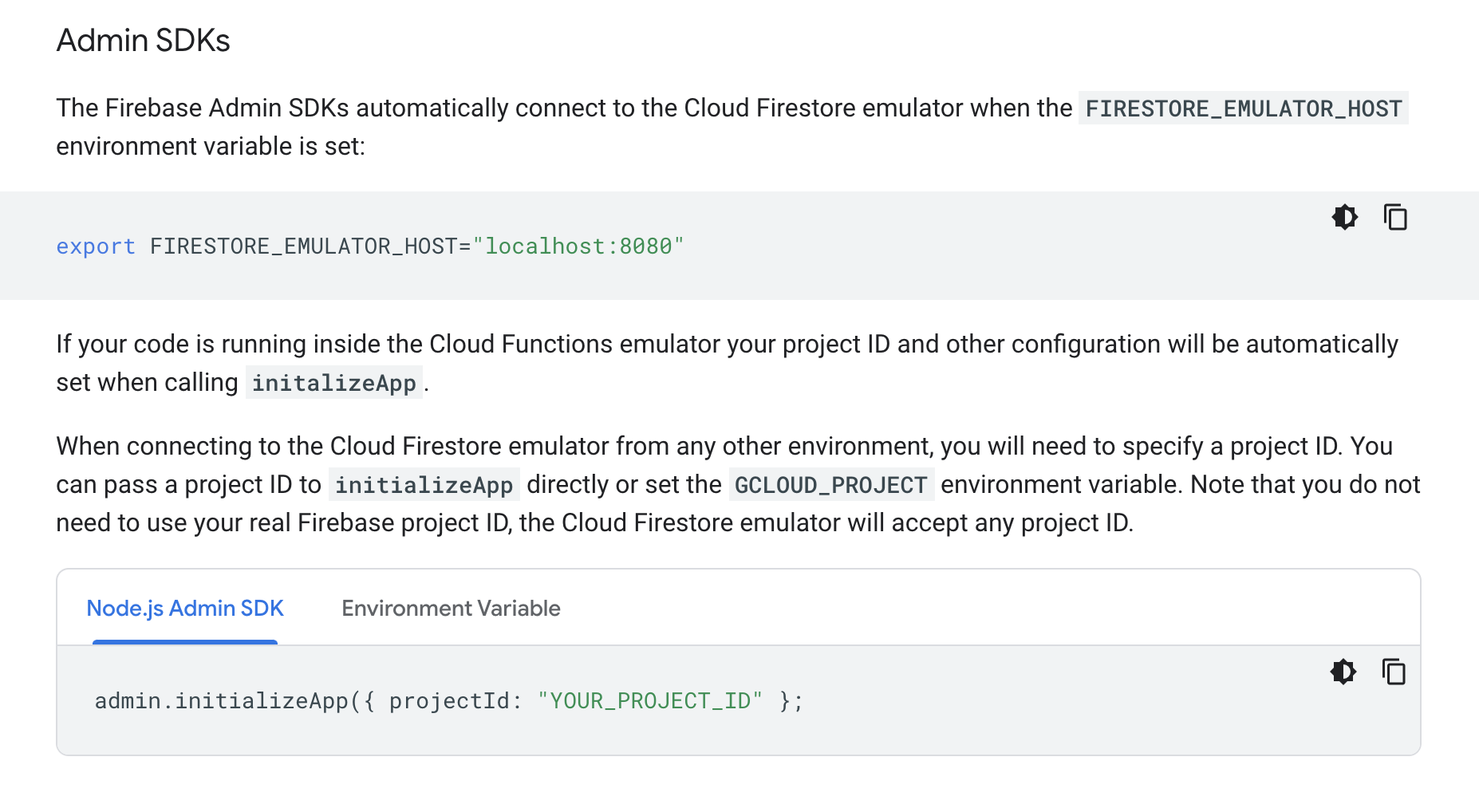
@basickarl calling something embarrassing isn't very constructive, also this IS in the documentation:
Link:
https://firebase.google.com/docs/emulator-suite/connect_firestore#admin_sdks
Screenshot:
 samtstern
on 13 Nov 2020
samtstern
on 13 Nov 2020
@samtstern Well that is absolutely delightful for a person who knows _where to find it_. Google documentation together with Microsoft has always been a wall-of-text mess.
basickarl
on 13 Nov 2020
My script does set the projectId, and I still have this issue. I am running firebase 8.16.2.
My scripts are reading from and writing to the emulator fine, but if I go into the Emulator UI, there is no data shown. I can only view the collections, documents, subcollections, etc. if I manually create the top-level collection and documents. If I use the Cloud Firestore without the emulator, the same scripts work fine and I can view all the data in the UI without any manual intervention. Please advise.
 darlenew
on 15 Nov 2020
darlenew
on 15 Nov 2020
Related issues
 ahmadalibaloch
·
3Comments
ahmadalibaloch
·
3Comments
 nareshbhatia
·
4Comments
nareshbhatia
·
4Comments
 jkeys089
·
3Comments
jkeys089
·
3Comments
 ahaverty
·
4Comments
ahaverty
·
4Comments
 Symbolk
·
3Comments
Symbolk
·
3Comments
Most helpful comment
Found the answer -- when calling
admin.initializeApp()you need to set the correctprojectId, then the data will show up.